

详细内容
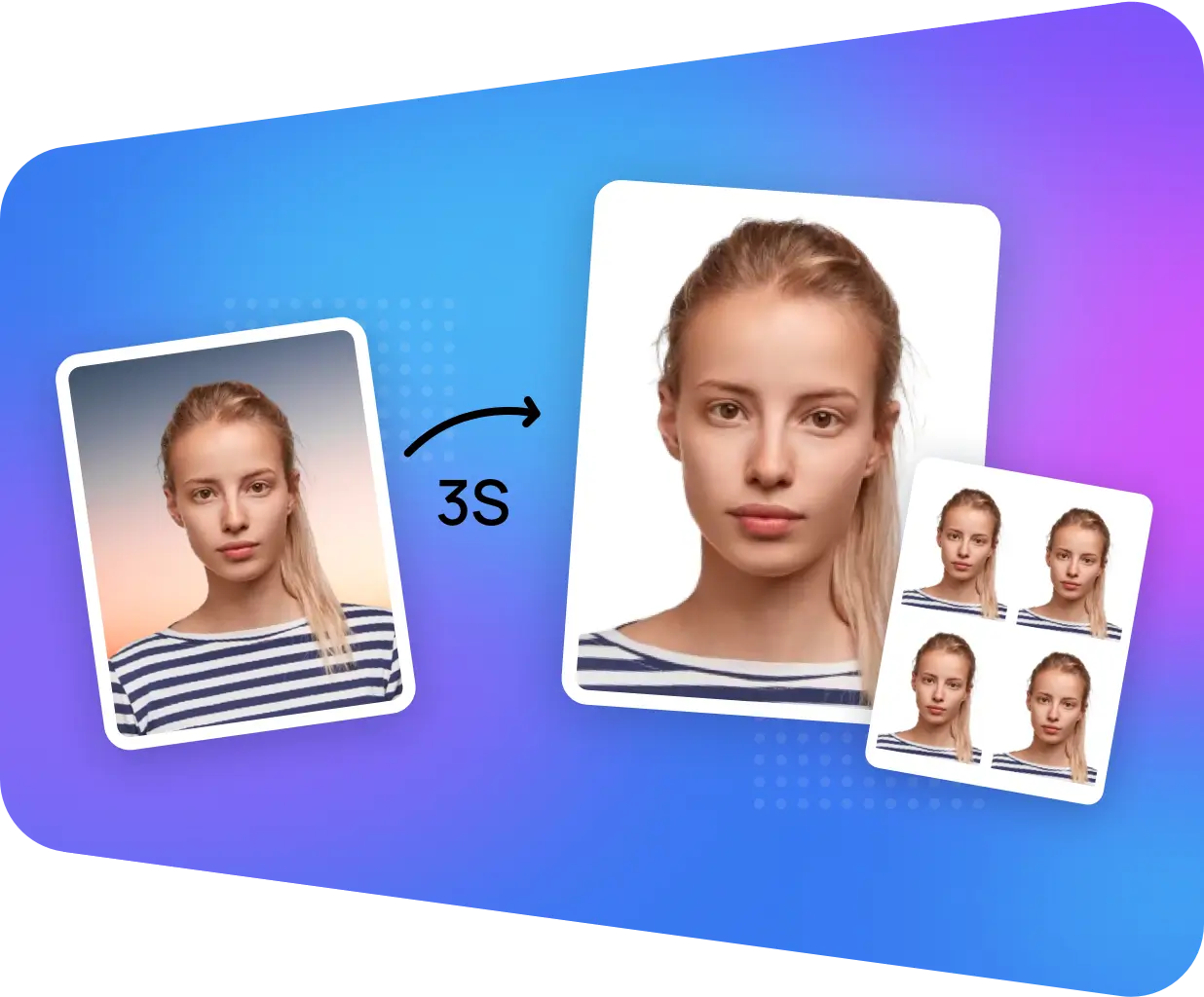

Make Passport and Visa Photos Online
Get your perfect biometric photos with a compliance guarantee.
Select Document Type

United States
Philippines
South Africa
Australia
Canada
India
Ireland
Netherlands
New Zealand
Singapore
UK
Indonesia
Malaysia
Korea
Hong Kong
Taiwan
Brazil
Thailand
Russia
Turkey
France
Colombia
Spain
Argentina
Mexico
Peru
Chile
Germany
Italy
Japan
Poland
Vietnam
无数据
-
U.S. Passport Photo
-
Baby Passport Photo
-
U.S. Passport Photo Near Me
-
Walgreens Passport Photo
-
AAA Passport Photo
-
Costco Passport Photo
-
CVS Pharmacy Passport Photo
-
FedEx Office Passport Photo
-
iPhone U.S. Passport Photo
-
Rite Aid Passport Photo
-
UPS Passport Photo
-
USCIS Photos
-
USPS (U.S. Postal Service) Passport Photo
-
Walmart Passport Photo
-
Cheapest Places to Print Passport Photos
-
EAD Card Photo
-
Canadian Visa Photo 35 x 45 mm (3.5 x 4.5 cm)
-
Green Card Photo
-
US Visa Photo 2 x 2 in (51 x 51 mm)
-
Duane Reade Passport Photo
-
Passport Photo Converter
-
Passport Photo Template
-
Passport Photo Creator
-
Passport Photo Generator
-
Passport Photo Crop
-
Passport Photo Resizer
-
Photo 2 x 2 in (51 x 51 mm)
-
Photo 30x40 mm (3x4 cm)
-
Photo 35x45 mm (3.5x4.5 cm)
-
Photo 50 x 50 mm (5 x 5 cm)
-
NY MTA Metrocard for Seniors Photo
-
NY Gun License Photo
-
USA CCHI ID Badge Photo
-
USA Form I-130 Photo
-
USA Bar Examination Photo
-
USA PADI Certification Card Photo
-
US Nursing License Photo
-
USA Re-entry Permit Photo
-
U.S. Welding Certificate Photo
-
U.S. FOID Card Photo
-
U.S. Advance Parole Photo
-
US Diversity Visa Lottery Photo
-
Photo 1.5 x 1.5 in (38 x 38 mm)
-
Photo 1.5 x 2 in (37.5 x 50 mm)
-
Photo 1 x 1 in (25 x 25 mm)
-
Photo 20x30 mm (2x3 cm)
-
Photo 25x25 mm (2.5x2.5 cm)
-
Photo 26x32 mm (2.6x3.2 cm)
-
Photo 2 x 2.75 in
-
Brazil Visa Photo
无数据
Photo Specification

Width: 2 in
Height: 2 in

Resolution
301 dpi

Background Color

Is it printable?
yes
Upload a Photo
Spotlights of AiPassportPhotos
Advantages of our solution

Cost-Effective Solution
AiPassportPhotos can generate your digital biometric photos online in seconds, allowing you to get them printed at stores that provide photo services at a more favorable price.

AI Processing Technology
The inception and application of AI technology is our trump card, which examines your passport photos online intelligently. Let modern technology escort your passport photos!

Ensured Compliance
Rejection is depressing, but you will never experience discouragement anymore with the fully-featured photo tool, for AiPassportPhotos will ensure 100% acceptance of your photos.

Time Saver for Photos
Gone are days when you have to spend hours lining up for taking photos at a photo studio. With the help of AiPassportPhotos, you can get your online passport photos at home in seconds.
How Does AiPassportPhotos Work?
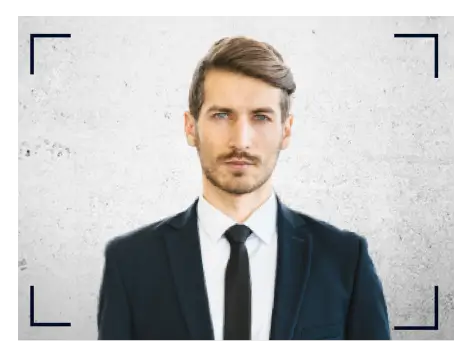
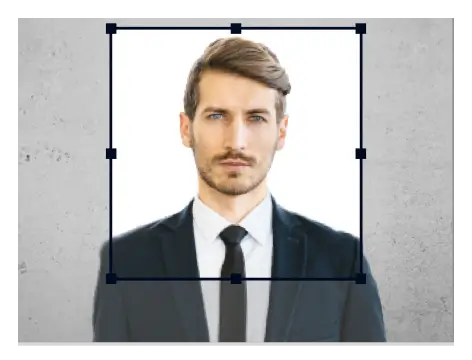
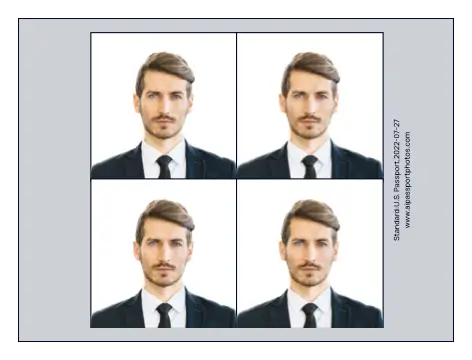
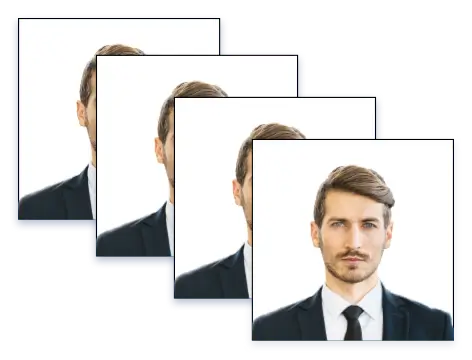
When trying to get your passport and visa, taking the correct passport photos can be time-consuming and frustrating. Worry no more about using professional photographers who know how to create US passport photos that won't get rejected. Say goodbye to long queues and pricey appointments. AiPassportPhotos is an online passport photo maker that accelerates the entire process.
Using the AI passport photo tool, you can create professional-grade passport and visa photos complying to the official requirements free of charge. Such passport photo tools like AiPassportPhotos will carefully and automatically format the size, background, and format without altering your photos. Most importantly, all this happens from the comfort of your home. It’s a smart solution that saves time, and money while enjoying fully compliant digital passport photos without needing expert photographers.
Top Advantages of Using Passport Photo Maker
Choosing to make online passport photos comes with many fantastic advantages. Discover what happens when you choose to order your passport photos online using a passport photo maker like AiPassportPhotos.
Wide Range of Photo Services
AiPassportPhotos helps you create a variety of free passport and ID photos. Whether you need US passport photos, US visa photos, photos for green cards, driver's licenses, and more, our online passport photo tool intelligently adjusts your image to meet any requirements.
AI-Powered Precision
No need to worry about having your photo taken by professional photographers. Using AI-powered precision, this online passport photo maker can perfect the background, center your face, and ensure the exact dimensions.
Convenient Accessibility
Order passport photos online from anywhere and at any time. No need to worry about queues or scheduling appointments at photo studios. AiPassportPhotos helps you create passport photos at home in real-time and at your fingertips.
Free of Charge
Enjoy the benefit of a free and accessible passport photo maker. It's the ideal solution for everyone, regardless of budget. No gimmicks or hidden fees. Simply upload your photo, and let AiPassportPhotos do its magic. It's that easy.
How to Make Passport Photos Online for Free
Take pictures with your cellphone
Use your smartphone's rear camera (not the front or selfie camera) to take fresh photos against a plain white background. Ensure sufficient daylight and maintain a distance of 4 to 6 feet (1 to 2 meters) to get the best shot.
Upload it to Passport Photo Maker
Once you've made the image, upload the photos on the AiPassportPhotos website and select the type of passport you're trying to make. AiPassportPhotos automatically corrects, adjusts, and resizes your photos to create fully compliant passport-size photos.
Download digital passport photos
Once your online passport photos have been processed, you can download them in the required format. AiPassportPhotos provides professional-grade digital passport photos and printable templates free of charge.
How to Take Qualified Pictures for US Passport & Visa Application
Taking the perfect passport photo at home can be seamless. However, meeting the official rules for your US passport photos can be tricky. Follow these steps to ensure your passport photo gets accepted every time.
Understand the official guidelines
Photo Size: Your US passport and visa photos should be exactly 2 by 2 inches (51 by 51 mm or 600 x 600 pixels)
Head Size: The passport-size photos should have the head at about 1 to 1 ⅜ inches (25 to 55mm) located in the picture frame. This is about 50 to 60% of the total image.
Resolution: The passport-style photos whether using online passport photos or photos at the photobooth must be crisp, and high quality. It should represent your skin tone accurately and not be blurry, grainy, or pixelated. It should have a minimum resolution of at least 300 dpi.
Background: The background should be plain white or off-white. It should be without lines, shadows, or patterns.
Photo Recency: One other vital rule to note when making your passport photos at home or using a studio is that it must be done within six months. Printed copies of the US passport photos should also have no smudges, creases, or holes.
Set Up the Shooting Environment
Lighting: You need soft, even lighting without glares and shadows. This is why you need to take photos directly facing an open window.
Background: Use a plain white background without any objects in the background.
Camera/Phone Distance: Use a smartphone with a good rear camera or a high-quality camera. Your phone should also be placed at 4 to 6 feet or 1 to 2 meters. You should also face the camera directly without tilting your head or taking the photos from an angle. Consider using a tripod or have someone take them for you to ensure stability and avoid blurry photos.
Dress Appropriately
Clothes to wear for passport photos: The best clothes to wear for your passport photos are your everyday clothes such as a plain deep-colored shirt or blouse. But pay close attention. Avoid wearing white or black which might not provide as much contrast or focus to your face. Don't also wear a uniform or clothes that look like online.
Accessories: Avoid wearing any accessories such as hats, bold earrings or glasses that can obscure your facial features. For earrings, stick to plain, glare-free ones. Don't wear hats, unless it's for religious or medical purposes. And it should not cast shadows on your face or block your hairline.
Religious Coverings: You may use a religious head covering if you have a signed statement from a leader in your traditional religious community and if the attire is one you wear continuously in public. However, it must not alter your facial features or cast shadows on your face when wearing religious coverings in passport photos.
Pose Correctly
Head Position: It's important to stand straight with your chin tucked in and your head centered and facing front. You must not tilt or angle slightly.
Facial Expressions: Maintain a neutral facial expression with both eyes open (You can smile slightly as long as it does not alter your facial features). Avoid smiling or frowning.
Posture: It's important to face the camera directly with a full face.
Take Multiple Photos
Consider taking multiple photos to give your best shot at having your photos for passports accepted quickly.
Common Mistakes to Avoid When Taking US Passport & Visa Photos
Incorrect size or format
Photos must meet the specific dimensions and proportions for the exact passport photo requirements
How to avoid: After taking your photo, consider using a passport photo maker like AiPassportphotos to resize without altering your passport photos.
Insufficient Light
Insufficient light often leads to a subpar photo with glare or shadows
How to avoid: Stand near an open window with sufficient daylight to ensure all facial features are visible. Avoid harsh overhead light or direct sunlight to get rid of unflattering shadows.
Flash or filters
Using flash inappropriately which can cause harsh shadows or overexposure
How to avoid: The goal is a balanced photo that shows your natural skin tone and complete facial features.
Incorrect background color
Background must be plain white (or off-white) and uniform
How to avoid: Use a white background, free of clutter and distraction. Alternatively, AiPassportPhotos can help delete and add a white background.
Edited photos
An important rule for passport photos is that they represent your authentic image.
How to avoid: Avoid using photo editing software and selfie cameras to take your photos. It's best to use an AI-powered passport photo tool that won't alter or digitally enhance your images.
Incorrect attire
Wearing clothes that are distracting, or clothes that cover the neck like scarves and turtlenecks alongside headwear and reflective glasses.
How to avoid: Use your everyday clothes. Avoid glasses unless it's a religious everyday attire. Don't wear glasses with large frames or reflective lenses.
More than one person appearing in a photo
This especially happens in infant or kid's photos
How to avoid: Avoid having more than one person appear in any passport photo including the arms or hands of another.
Bending in photos
Tilting your face, body or posture can affect how your photo appears.
How to avoid: Remember passport-style photos aren't regular photos. Don't use selfie cameras or portrait modes. Always keep your head and body straight. And then use AiPassportPhotos to fine-tune all the details.
Eyes closed in photos
Kids never like posing which leads to incorrect photos for passport
How to avoid: Eyes must be open in all adult, children, and baby passport photos except for infants up to 1 year.
Overly compressed photos
The U.S. government photo tool won't handle your photo if it's low quality and overly compressed.
How to avoid: Choose AiPassportPhotos to ensure you have well-formatted photos while retaining resolution and the correct file size.
Incorrect photo type
Passport authorities specify the type of photo paper to use.
How to avoid: Opt for high-quality matte-finish photo paper without smudges, creases, discoloration or ragged edges when printing US passport photos.
AiPassportPhotos Ensures the Photo Compliance
Using a digital passport photo maker like AiPassportPhoto offers the easiest approach to meet compliance. Learn how AiPassportPhotos combines advanced AI technology and expert knowledge to offer that well-deserved peace of mind knowing your passport photos are ready for submission.
Automatic Background Adjustment
AiPassportPhotos is designed to automatically analyze and correct any issues with the background of your passport-size photos. This passport photo tool is the simplest way to achieve a stunning and consistent background free of shadows or raw edges.
Precise Sizing and Cropping
We guarantee that your digital passport photos will be cropped and resized to the exact dimensions required by the government agencies. Save time, and stress while ensuring stunning and fully compliant passport photos at home.
Facial Proportions and Alignment
AiPassportPhotos is the perfect passport photo maker that detects and ensures your facial features are positioned correctly. That way you have online passport photos that aren't just aligned to the guidelines but also shots you look your best in.
Glasses and Accessory Detection
When you upload your passport photos online, our system detects your prescription glasses and other accessories. It offers insights on whether they obscure your facial features and how you can overcome those issues.
Compliance with Country-Specific Regulations
AiPassportPhotos is a one-of-kind passport photo maker, trained on the latest passport and visa photo requirements for diverse countries. We also promise to remain up-to-date, ensuring that your passport-size photos always meet the necessary standards.
Instant Feedback and Revisions
Sign up to receive prompt guidance on your passport-style photos free of charge. Once AiPassportPhotos analyzes and promises your images, you'll get a detailed photo check report via email. Thus, creating an account enables easy access to insights on how to avoid any problems with your photo that might cause delays or rejections.
Expert Support
Have any questions or concerns about your US passport photos? Our passport photo specialists and support agents can help. We aim to ensure you get the best experience possible. Embrace a remarkable passport photo maker that gets the job done fast, while confidently maximizing the possibilities of a successful photo submission. Click here to contact us if needed.
Ready to create perfect visa and passport photos instantly? AiPassportPhotos is your solution. Embrace an AI-powered platform that ensures complete compliance with the strictest rules for passport photos. Try our free passport photo maker today and experience the ease of creating professional-grade fully compliant passport photos every single time.
Popular Documents
- Upload

U.S. Passport Photo
- Upload

Baby Passport Photo
- Upload
U.S. Passport Photo Near Me
- Upload
Walgreens Passport Photo
Walgreens Passport Photo
- Upload
AAA Passport Photo
AAA Passport Photo
- Upload
Costco Passport Photo
Costco Passport Photo
- Upload
CVS Pharmacy Passport Photo
CVS Pharmacy Passport Photo
- Upload
FedEx Office Passport Photo
FedEx Office Passport Photo
- Upload
iPhone U.S. Passport Photo
iPhone U.S. Passport Photo
- Upload
Rite Aid Passport Photo
Rite Aid Passport Photo
- Upload
UPS Passport Photo
UPS Passport Photo
- Upload
USCIS Photos
USCIS Photos
- Upload
USPS (U.S. Postal Service) Passport Photo
USPS (U.S. Postal Service) Passport Photo
- Upload
Walmart Passport Photo
Walmart Passport Photo
- Upload
Cheapest Places to Print Passport Photos
Cheapest Places to Print Passport Photos
- Upload
EAD Card Photo
EAD Card Photo
- Upload
Canadian Visa Photo 35 x 45 mm (3.5 x 4.5 cm)
Canadian Visa Photo 35 x 45 mm (3.5 x 4.5 cm)
- Upload
Green Card Photo
Green Card Photo
- Upload
US Visa Photo 2 x 2 in (51 x 51 mm)
US Visa Photo 2 x 2 in (51 x 51 mm)
- Upload
Duane Reade Passport Photo
Duane Reade Passport Photo
- Upload
Passport Photo Converter
Passport Photo Converter
- Upload
Passport Photo Template
Passport Photo Template
- Upload
Passport Photo Creator
Passport Photo Creator
- Upload
Passport Photo Generator
Passport Photo Generator
- Upload
Passport Photo Crop
Passport Photo Crop
- Upload
Passport Photo Resizer
Passport Photo Resizer
- Upload
Photo 2 x 2 in (51 x 51 mm)
Photo 2 x 2 in (51 x 51 mm)
\
\
Walgreens Passport Photo\
\
AAA Passport Photo\
\
Costco Passport Photo\
\
CVS Pharmacy Passport Photo\
\
FedEx Office Passport Photo\
\
iPhone U.S. Passport Photo\
\
Rite Aid Passport Photo\
\
UPS Passport Photo\
\
USCIS Photos\
\
USPS (U.S. Postal Service) Passport Photo\
\
Walmart Passport Photo\
\
Cheapest Places to Print Passport Photos\
\
EAD Card Photo\
\
Canadian Visa Photo 35 x 45 mm (3.5 x 4.5 cm)\
\
Green Card Photo\
\
US Visa Photo 2 x 2 in (51 x 51 mm)\
\
Duane Reade Passport Photo\
\
Passport Photo Converter\
\
Passport Photo Template\
\
Passport Photo Creator\
\
Passport Photo Generator\
\
Passport Photo Crop\
\
Passport Photo Resizer\
\
Photo 2 x 2 in (51 x 51 mm)\
Show more documents
Unlock More About AiPassportPhotos Tools
See What Our Customer Say About Us
- Good job! Very impressive by how easy it was to navigate and follow instructions on this site. A really simple format to get pictures. I am pleased with my driver's license photo. 10 out of 10 for me, strongly recommend it to all of you guys!
Isaac Ross, NY
Regional Manager
- Better than I thought! The whole procedure only takes few minutes, is very fast, and the quality of the pic is also good. I got the shot that I have been looking for almost 10 years long. Would certainly use again!
Alex Gardner, NJ
Marketing Coordinator
- Best service ever - each photo I uploaded here was under well treated and the quality was guaranteed. They have gone beyond today to produce a formal ID pictures from my poor photograph. Can’t thank these people enough!
Andrea Wilson, US
Dog Trainer
- I love that they do not just resize the photo, they ensure the quality of the photo will be accepted by the visa authority and print it online as my requirements. They do not stop until they get it right. Awesome tool. Can’t wait to get my photos!
Tia Webb, TX
Medical Assistant
- The best ever photo generator online! I needed to print passport photos for myself and a digital photo for my little daughter, this site catered for both requirements at the same time. Impressed, would recommend and use it again!
Deepak Arsid, UK
Project Manager
- Passport photo tool is the best online software for your US passport needs. It’s quite easy to upload and I get fast responds to any inquires. Anyone who is checking online to convert your photos to password photos should not miss out this magical service!
Eckhard, DE
Librarian
- Very easy to use and useful. Bit of software to generate a digital photograph into a passport photo that I could easily print. Couldn't be simpler!
James Babu, CA
Virtual Assistant
- I am a mother of four. We love traveling, but making visa photos for all the kids has always been a tough job to be done, especially for the little ones. Now I make our passport and visa photos with AiPassportPhotos. This app really helps me save money and time.
Maggie Piencikowski, AU
Accountant
FAQ
What Is AiPassportPhotos?
Powered by cutting-edge Al-Tech technology, AiPassportPhotos is an online photo tool that works like a photo booth at your home. The site offers the perfect solution when businesses or individuals want to take photos of passports, visas, ID, driver’s licenses, and more without leaving the comfort of a sofa. With its help, even a stay-at-home mom can edit a DIY shot and convert it into a 100% compliant picture in minutes!
Where Can I Shoot a Passport Photo?
In fact, there are plenty of places that offer passport photo services. For instance, some popular locations like pharmacies, retail stores, membership warehouses, shipping stores, and post offices can be easily found around you to take passport photos. Kindly note that before you visit one, make sure you have checked the distance and made your timetable.
Can I Take Passport Photos with My Own Smartphone?
Absolutely! You can take a passport photo yourself with the use of your cell phone or digital camera, or you can take the assistance of a friend. After that, you can upload the digital photos of your choice to our website, we will then automatically help you scan and verify the photo, making it a perfect passport photo with guaranteed acceptance for your application!
Can I Put on Some Makeup When Taking a Photo for U.S. Visa?
Of course! Why not? Makeup is allowed before you take a visa photo, and even we would recommend you to do so. Kindly note: The visa photo you take must reflect your natural skin color tone. However, don’t put on exaggerate so much that will change how you look on your face.
What Kind of Clothing Should I Wear in a Passport Photo?
Do not wear naked white and black colors that interface with the contrast between the background and the person in the photo. Instead, since a passport is an official document, we advise a smart-casual style of clothing, which will make you look better and more professional. Besides, religious clothing is allowed. Kindly note that extravagant uniforms might cause photo rejection.
Will My Baby’s Passport Photo Be Accepted If His Eyes are Closed?
Yes. Infants under one year old are allowed to have their eyes closed in their passport photos. However, children older than 1 should have their eyes open when taking an ID photo for a US passport. But, not forget, the baby in the photo must have a closed mouth and be sure that his or her face is fully visible.
What Is The Standard Size of A Passport Photo in The United States?
In most cases, the height of a passport photo is 2 inches, which is equivalent to 51mm. The same, its width is 2 inches as well. This is also the size of most official documents in the U.S., including the ID card and driver's license. For more size and requirements information of the passport photo, you can easily check the Popular Document page on our website.
Am I Allowed to Use Adobe Photoshop to Edit My Digital Photos?
Nope! Editing photos for official documents is forbidden. Bear in mind that you should never do this if you don’t want your photo to be rejected by authorities. Any alteration made by the computer software will cause the rejection of your photo. If you have the need to edit your photos, then the AiPassportPhotos is the right tool that you can opt for instead of the PS software online.
Where Can I Print Passport Photos?
Firstly, visit our photo cropping tool, upload a photo of your choice, and within a few seconds get your perfect digital passport photo template. When you get a passport photo in digital format, you then can easily print it out in one of the popular photo-copying stores in the USA, for instance, Walmart, Walgreens, Rite Aid, or Costco.
What Factors Could Cause a Passport Photo Rejection?
There are many things you should worry about when taking a passport photo, such as incorrect size, wrong background, pose, clothing, etc. This is the reason why it is very important to note the official requirements regarding passport photos for your country and make sure you have followed all the specific rules.
How to Make Sure That My Passport Photo is Acceptable?
To check the compliance of passport photos, our intelligent AI-backed photo tool can do the job for you! It helps scan each photo that is uploaded to the website and you will soon be notified whether you can use your photo for your document or not. If the photo turns out to be inadequate, we will also let you know and offer you suggestions to retake your photo.
How Can I Benefit From Using Online Photo Editor Tool?
With a smart photo maker, you are sure to save money and time. Phone editor online comes in very handy when you need to remove background, crop size, check compliance to make a printable template of the digital pictures at home, especially during the Covid pandemic period. Plus, you can choose your digital photos as desired and try different times with minimum cost.

We use cookies to improve performance. See Cookie Policy for more.
Upload photo
Was this information helpful?
Rating: 4.71 - number of votes: 0
Invite friends and earn free credits for both
reCAPTCHA
Recaptcha requires verification.
protected by reCAPTCHA