

详细内容
14 days free trial - no credit card required
Automate your manual tasks and save hundreds of hours
Accomplish numerous time-consuming tasks in seconds
with AutoCut's AI features

All features are free - No credit card required

Premiere Pro

Davinci Resolve
Silences
Captions
Podcast
Viral
Your browser does not support the video tag.
Your browser does not support the video tag.
Testimonials
Hear our customers voices
This tool is amazing for Premiere Pro! It makes editing so much faster and easier—I can't imagine working without it!

Boston Evans
What I like most about AutoCut is how intuitive and time-saving it is, it helps me focus on creativity instead of spending hours on repetitive tasks. It’s a real game-changer for both beginners and professionals!

Huy Nguyen
AutoCut has completely changed the way I edit my videos! It saves me so much time, making my workflow faster and smoother. The accuracy is amazing, and it keeps my content looking sharp and professional. I love it!

Diego Alves
I found it to be a practical and very fast program for cutting and subtitles. I always use AutoCut and want to continue using it for my projects. I will recommend AutoCut to everyone I know who uses video editors like Davinci Resolve.

Waldenio Junior
Excellent plugin. Saved a tremendous amount of time!

Nadir A.
10/10 service. I typically record for about 1 hour and I’m always having issues with speaking perfectly throughout the whole video. Using auto cut has made my editing come from 6 hours to about 30 minutes. It’s so easy!

Harry Nash
In all honesty, the specificity of your product saves a lot of time and effort spent on work, and it is worth paying money to buy your product.

Ahmed
AutoCut has revolutionized my video editing workflow in Premiere Pro. Its AI-driven features save me valuable time while enhancing the quality of my content. It's a must-have tool for efficient and creative video editing. Highly recommended!

Film by ARIF
This tool is amazing for Premiere Pro! It makes editing so much faster and easier—I can't imagine working without it!
Boston Evans
What I like most about AutoCut is how intuitive and time-saving it is, it helps me focus on creativity instead of spending hours on repetitive tasks. It’s a real game-changer for both beginners and professionals!
Huy Nguyen
AutoCut has completely changed the way I edit my videos! It saves me so much time, making my workflow faster and smoother. The accuracy is amazing, and it keeps my content looking sharp and professional. I love it!
Diego Alves
I found it to be a practical and very fast program for cutting and subtitles. I always use AutoCut and want to continue using it for my projects. I will recommend AutoCut to everyone I know who uses video editors like Davinci Resolve.
Waldenio Junior
Excellent plugin. Saved a tremendous amount of time!
Nadir A.
10/10 service. I typically record for about 1 hour and I’m always having issues with speaking perfectly throughout the whole video. Using auto cut has made my editing come from 6 hours to about 30 minutes. It’s so easy!
Harry Nash
In all honesty, the specificity of your product saves a lot of time and effort spent on work, and it is worth paying money to buy your product.
Ahmed
AutoCut has revolutionized my video editing workflow in Premiere Pro. Its AI-driven features save me valuable time while enhancing the quality of my content. It's a must-have tool for efficient and creative video editing. Highly recommended!
Film by ARIF
Features
Explore our AI-powered features
Available on Premiere Pro & DaVinci Resolve to elevate your editing process.
AutoCut Silences
Cut silences
instantly
AutoCut removes silences, boosting your video dynamics
for a more captivating experience.
Watch demo
Your browser does not support the video tag.
AutoCaptions
Add and translate captions
effortlessly
AutoCut generates dynamic captions and translates them in seconds
boosting accessibility and engagement.
Watch demo
Your browser does not support the video tag.
AutoCut Podcast
Edit podcast
in a minute
AutoCut identifies speakers and automates camera switching,
making multicam podcast editing fast.
Watch demo
Your browser does not support the video tag.
AutoZoom
Add dynamic zooms
in a clic
AutoCut enhances your content with smart zooms,
perfectly timed to elevate engagement and storytelling.
Watch demo
Your browser does not support the video tag.
Features
Dive into our 10 powerful features
Unique features to boost your workflow.
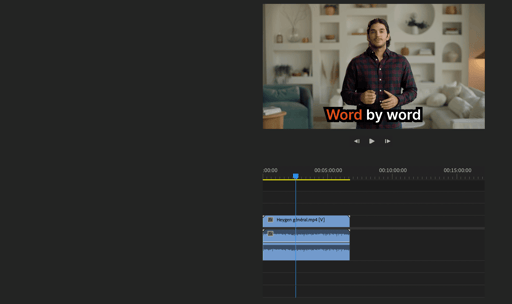
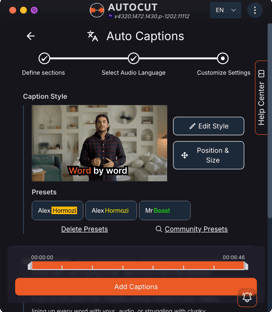
AutoCaptions
AutoCaptions generates animated captions and translates them instantly — boosting the dynamism and engagement of your videos.
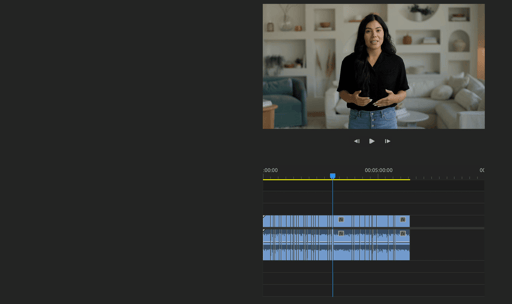
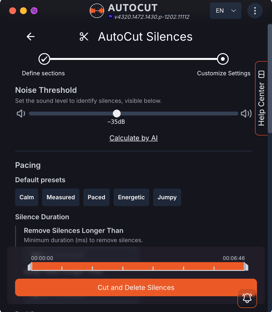
AutoCut Silences
AutoCut Silences eliminates pauses, enhancing video dynamics for a more captivating experience.
AutoCut Podcast
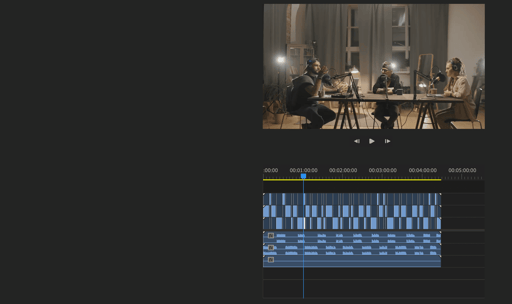
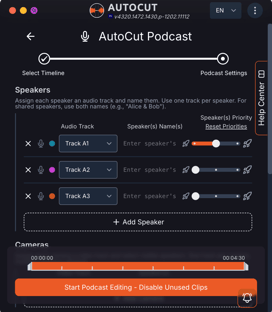
AutoCut Podcast automates speaker recognition and camera switching for quick multicam podcast editing.
AutoZoom
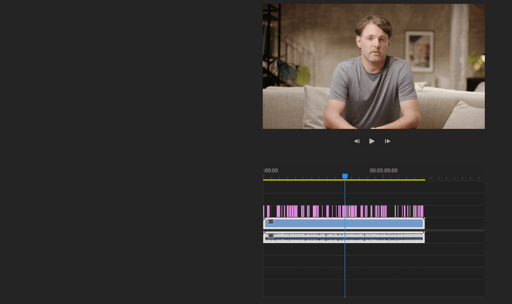
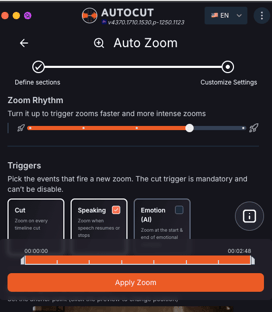
AutoZoom applies smart and perfectly timed zooms to boost engagement and storytelling.
AutoCut Repeat
AutoCut Repeat identifies content repetitions and preserves only the best takes.
AutoResize
AutoResize adapts sequences to social formats, smartly keeping subjects centered.
AutoProfanity Filter
AutoProfanity masks profanities with sound effects, ensuring content integrity.
AutoB-Rolls
AutoB-Rolls uses AI to enrich your edits with perfectly integrated stock footage.
AutoViral
AutoViral identifies key segments in long videos for creating short-form content.
AutoChapters
AutoChapters segments your videos, providing export-ready YouTube chapters.
Reviews
Uncover creators experiences
Trusted by top video editors worldwide.
AutoCut is what I use for my video editing — it’s incredibly practical and saves me a huge amount of time in Premiere Pro. It's a must have for all editors.
Premiere Basics
Youtuber

It’s a super interesting tool to explore — once you start using it, you realize how much time it saves on repetitive tasks. Instead of getting stuck in long, manual edits, you can focus on the creative part of your projects.
Brainstorm Academy
Youtuber & Online School

AutoCut enhances video editing in Premiere Pro by automatically trimming silences and unusable parts. Features like Auto Zoom and AI editing save time and streamline workflow.
James Prince
Youtuber
AutoCut is an all-in-one Premiere Pro extension that automates tedious editing tasks. With features like Auto Captions and Auto Profanity Filter, it streamlines workflow and saves time. Installation is quick, integration is seamless, and the tools work impressively—even under challenging conditions. Highly recommended for content creators seeking efficiency in video editing.
Visual Line Ltd
Youtuber

AutoCut is an all-in-one Premiere Pro extension that automates tedious editing tasks. With features like Auto Captions and Auto Profanity Filter, it streamlines workflow and saves time. Installation is quick, integration is seamless, and the tools work impressively—even under challenging conditions. Highly recommended for content creators seeking efficiency in video editing.
Adelain
Youtuber
AutoCut is a powerful Premiere Pro plugin that revolutionizes video editing. It removes silences, adds auto zoom, generates captions, and even edits podcasts with one click. Highly recommended!
Visuals By Lalit
Youtuber

I've been waiting for this extension on DaVinci Resolve for years! For each of my YouTube videos, I used to spend over an hour removing all the silences. With this extension, I’ll be able to free up a lot of time to focus on the creative and artistic side. It’s going to change everything for me!
Alex Jackson
Youtuber
AutoCut is what I use for my video editing — it’s incredibly practical and saves me a huge amount of time in Premiere Pro. It's a must have for all editors.
Premiere Basics
Youtuber
It’s a super interesting tool to explore — once you start using it, you realize how much time it saves on repetitive tasks. Instead of getting stuck in long, manual edits, you can focus on the creative part of your projects.
Brainstorm Academy
Youtuber & Online School
AutoCut enhances video editing in Premiere Pro by automatically trimming silences and unusable parts. Features like Auto Zoom and AI editing save time and streamline workflow.
James Prince
Youtuber
AutoCut is an all-in-one Premiere Pro extension that automates tedious editing tasks. With features like Auto Captions and Auto Profanity Filter, it streamlines workflow and saves time. Installation is quick, integration is seamless, and the tools work impressively—even under challenging conditions. Highly recommended for content creators seeking efficiency in video editing.
Visual Line Ltd
Youtuber
AutoCut is an all-in-one Premiere Pro extension that automates tedious editing tasks. With features like Auto Captions and Auto Profanity Filter, it streamlines workflow and saves time. Installation is quick, integration is seamless, and the tools work impressively—even under challenging conditions. Highly recommended for content creators seeking efficiency in video editing.
Adelain
Youtuber
AutoCut is a powerful Premiere Pro plugin that revolutionizes video editing. It removes silences, adds auto zoom, generates captions, and even edits podcasts with one click. Highly recommended!
Visuals By Lalit
Youtuber
I've been waiting for this extension on DaVinci Resolve for years! For each of my YouTube videos, I used to spend over an hour removing all the silences. With this extension, I’ll be able to free up a lot of time to focus on the creative and artistic side. It’s going to change everything for me!
Alex Jackson
Youtuber
Pricing
Find a plan matching your needs
Simple, transparent pricing. No hidden fees.
Trustpilot Custom Widget
Trustpilot\
\
4.7 out of 5 star rating on Trustpilot\
\
TrustScore 4.7****144 reviews Rated 4.7 out of 5. 144 reviews on TrustpilotClick to view the company's Trustpilot profile
Senja\
\
4.9/5 from 1142 reviews
Yearly
save 25%
Monthly
€ Eur$ USD
Basic Plan


$9.9/month
$6.6/month
$79.0 billed yearly
Secure checkout by Stripe

AutoCut Silences
Automatic J-Cut & L-Cut

AutoCaptions
AutoCut Podcast
AutoZoom
AutoViral
Auto B-Rolls
AutoProfanity Filter
AutoCut Repeat
AutoChapters
Most popular
AI Plan
$19.8/month
$14.9/month
$178.8 billed yearly
Secure checkout by Stripe
 Powered by AI
AutoCut Silences
Automatic J-Cut & L-Cut
AutoCaptions :
adds animated captions
AutoCut Podcast :
edits podcast instantly
AutoZoom :
automatically adds zooms
AutoViral :
creates viral shorts from long videos
Auto B-Rolls :
automatically adds B-Rolls
AutoProfanity Filter :
bleeps out swear words
AutoCut Repeat :
removes bad takes
AutoChapters :
creates chapters in long videos
Enterprise Plan
$19.9/month
$238.8 billed yearly
Licenses
Secure checkout by Stripe
All contents of the AI Plan
Priority support
Demo call on demand
Team licensing
Centralized billing
Clients
Trusted by editors from leading companies









Support
Frequently Asked Questions
All about AutoCut & plans. Need more help ?
How can I install AutoCut ?
To install AutoCut, you need Premiere Pro 2023, 2024, or 2025 or DaVinci Resolve 18.6 or 19+ (both the free and paid versions work). Follow our step-by-step tutorial here.
Can I use one key/license on two computers ?
Yes, but only on one computer at a time. You'll need to unlink your computer from the key before switching computers via your AutoCut customer area.
Is there any time limit on using AutoCut that could block my workflow ?
No, AutoCut has no time limit on your video projects. You're free to work on both short and long edits without restrictions. A BOT-secure system is in place to prevent abuse, but in normal use, you won’t come close to hitting any limits.
Is AutoCut compatible with the free version of DaVinci Resolve ?
Yes, all AutoCut features are compatible with the free version of DaVinci Resolve & the studio version.
Can I cancel my subscription later ?
Absolutely! Your AutoCut subscriptions can be canceled anytime via your customer area, where you can also re-subscribe anytime!
About us
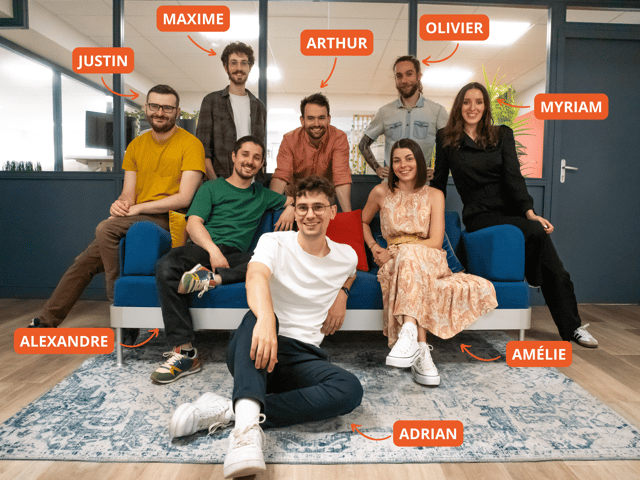
Meet the AutoCut Team
A dynamic French team, passionate about video editing. Dedicated to listening to our community, we aim to make your creative journey seamless and intuitive.
Blog
Read our latest posts
Find the newest AutoCut updates, tutorials & creator stories.
Tutorial
2025-10-30
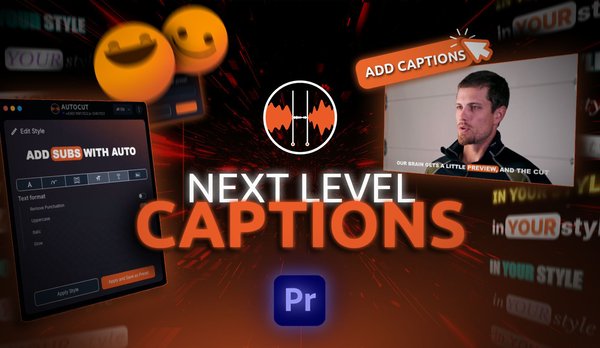
How to generate captions
in Premiere Pro & DaVinci?
Learn how to automatically generate, customize, and export subtitles in Premiere Pro & DaVinci Resolve with AutoCaptions. The fastest way to create accurate captions directly in your timeline.
Update
2025-10-05
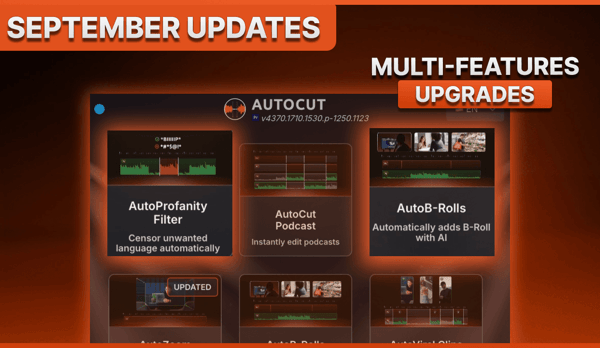
September Updates:
Smarter B-Rolls, Cleaner Profanity, Clearer Guidance
Discover AutoCut’s September 2025 updates: AI auto-fill for B-Rolls, one-click Profanity cleanup, clearer pricing, and 75+ new guides to speed up your Premiere Pro edits.
Tutorial
2025-10-01
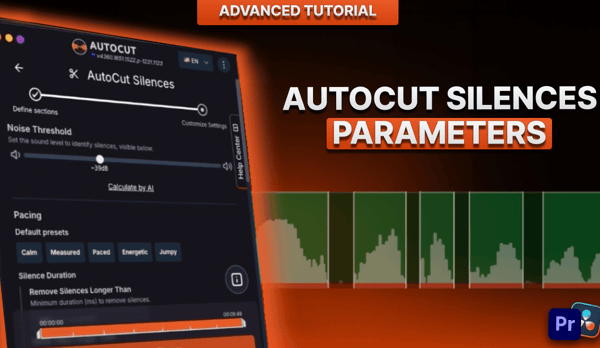
How to set the best
AutoCut Silences parameters
Learn how to use AutoCut Silences in Premiere Pro & DaVinci Resolve. Adjust noise level, pacing, padding, and transitions for cleaner, natural audio.
Start your 14-day free trial
Elevate your editing process with AutoCut now !