

详细内容

The most accurate AI note taker
Bluedot captures, transcribes, and summarises every meeting, interview, or phone call. Works on any platform and auto-updates your CRM, Notion and more.
 \
 \
\* No credit card required | Unlimited licenses, one fixed cost
Thank you! Your submission has been received!
Oops! Something went wrong while submitting the form.
Trusted by 50,000+ companies from startups to enterprise:


Transcription and summaries in 100+ languages
English
Español
Deutsch
Italiano
Português
हिंदी
Українська
Suomi
한국어n
Polski
Русский
Türkçe
Tiếng Việt
Nederlands
日本語
中文
Français
हिंदी
English
Español
Deutsch
Italiano
Português
עִברִית
Українська
Suomi
한국어
Polski
عربي
Čeština
Türkçe
Svenska
Nederlands
日本語
Français
AI note-taker that doesn't join your meetings
Bluedot records, transcribes, and generates notes in the background - no meeting bots.
Bluedot | Bluedot in 60 sec
Hide video
Bluedot in 60 sec
| Apr 4, 2025 | 143949views | Shared via link |
Template: Key takeaways
Copy notes
Meeting purpose
Copy
| Product demonstration of Bluedot's meeting recording and AI note-taking tool in 60 seconds |
Key takeaways
Copy
| • | Bluedot offers flexible recording options (with or without bot) through a browser extension |
| • | The platform automatically generates comprehensive meeting summaries and transcripts sent via email |
| • | AI chat functionality allows users to query specific information from recorded meetings |
| • | Native integrations available with popular tools like Slack, HubSpot, Notion, and thousands more through Zapier/Webhooks |
Topics
Copy
| Recording Setup | |
| • | Extension interface allows selection between bot and botless recording modes |
| • | Simple one-click capture process to start recording |
| • | Quick setup and immediate functionality |
| Summary Generation | |
| • | Automatic email delivery of recording links with full summaries |
| • | Easy access to both transcript and summary views |
| • | Immediate processing after meeting completion |
| AI Features | |
| • | Department-specific summary templates (sales notes, customer check-ins, key takeaways) |
| • | Interactive AI chat for querying meeting content |
| • | Contextual search capabilities within recorded meetings |
| Integrations | |
| • | Native connections with major business tools |
| • | CRM and ATS compatibility for workflow integration |
| • | Extensive third-party connectivity options |
Next steps
Copy
| • | Users encouraged to try the free version of Bluedot |
| • | Explore integration possibilities with existing business tools and workflows |
Action items
Copy
| General audience |
| Check out Bluedot's free offering |
CommentsTranscriptInsightsAI chat
Russ Halilov
Hi everyone, it's Russ and Dima and we are going to show you Bluedot in 60 seconds. Starting now.
Dima Eremin
First step, open the Bluedot extension. Select whether you want to record with bot or without bot. I'm going to record it without bot, then just start capture.
That's it.
Great call Russ. Thanks for your time.
Russ Halilov
Thank you. Bye now the meeting is over. Bluedot immediately sends you the link to the recording with the full summary to your email.
You can easily open this link and then see the transcript and here the summary. What's really amazing about Bluedot that beside the general summary, we have very specific summaries for your use cases like key takeaways, sales notes, customer check in for each department. You can even take it a step further and use our AI chat functionality right here. Any question and Bluedot will go and find answer in your meeting.
For example, can I record only audio with Bluedot? As you can see it found exact information in the meeting. And last but not least are integrations. Bluedot can connect natively with Slack, HubSpot, Notion plus to thousands of tools out there through Zapier or Webhooks. So you can use our summaries in any CRM or ATS you use every day.
Check it out yourself. It's free.
Return to Current Position
Copy transcript
To pick up a draggable item, press the space bar.
While dragging, use the arrow keys to move the item.
Press space again to drop the item in its new position, or press escape to cancel.
 \

Click to try - no account required
Your all-in-one AI meeting note taker
AI meeting notes with automatic CRM sync, email drafts and insights.
Capture meetings with or without bots. Choose video, audio, or transcript only

Customize AI meeting notes using your own prompt and template. Control the structure and level of detail

Sync your CRM automatically. All your records stay clean and up to date

Analyze every call to unlock coaching insights for customer-facing teams

Remember every conversation with AI chat & AI powered search

Generate personalized drafts for your next follow-up email

Best-in-class experience across all platforms
Bluedot supports every interaction with a clean and consistent experience.
Record in-browser
Chrome extension to capture everything in your browser, ideal for Google Meet.

Record in-app
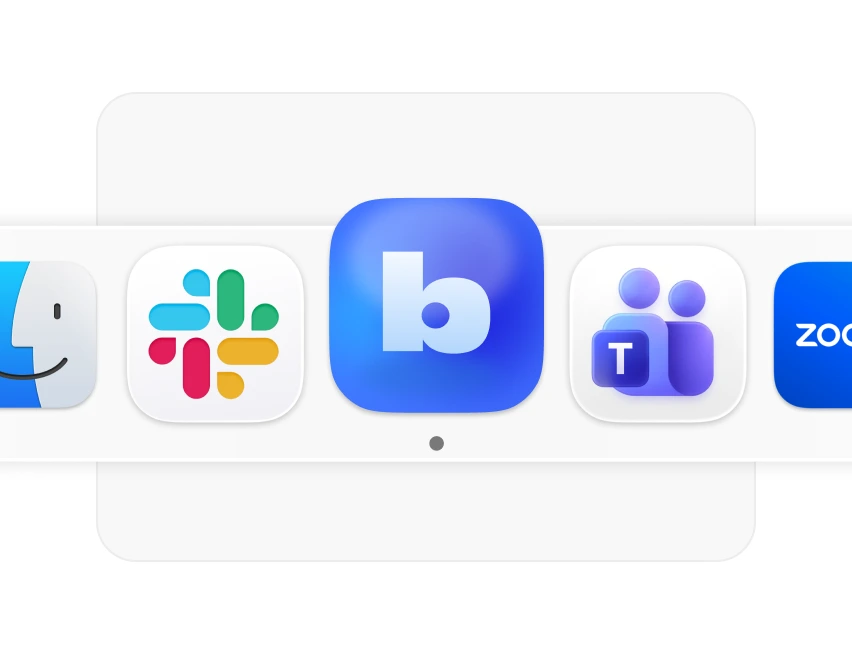
Desktop app that captures any meeting, perfect for Zoom, Teams and Slack.
Record in-person
Mobile app that records in-person meetings, perfect for interviews and on-site talks.

The AI meeting assistant for teams of all sizes
Whether you're a solo entrepreneur or part of a Fortune 500,
Bluedot scales to meet your needs.
Entrepreneurs Recruiters Sales Managers Engineers Customer Success
Improve productivity
Get more done with Bluedot: the best way to handle your calls, notes, and follow-ups.
Johannes Hillebrandt
Co-founder of Premote

Streamline meeting note-taking
Focus on the candidate - Bluedot handles note-taking, follow-ups, and keeps your ATS up to date.
Terrell Edwards
Recruitment Lead at Goldsmith & Co

Automate admin work
Automate CRM updates and email follow-ups, allowing you to focus on engaging with prospects.
Nils Vijard
Head of Sales at Evocon

Promote transparency
Build a record-first culture to ensure transparency and accountability as the company grows.
Miguel Caires
Group Director at Beyond

Document knowledge
Automatically document decisions, tasks, and updates in one searchable place.
Klara Furstner
Director of Engineering at UserTesting
Know your customers
Stay on top of every interaction, from first meeting to renewal.
Kate Reynier
Head of Customer Success at YCBM
What makes Bluedot different?
Bot free AI notetaker
Non-intrusive way to take meeting notes without making anyone feel uneasy.

Highly accurate AI meeting notes
Accurate with technical terms, to-dos, abbreviations, and speaker identification.

Built for every platform
Capture conversations anywhere - browser, desktop, or mobile. With or without bot.
Frequently asked questions
How is Bluedot different from other AI note-taking tools?
Can I record and take notes without being the host of the meeting?
Does Bluedot work with all platforms?
Does Bluedot work for in-person meetings too?
Can I use Bluedot for free?
Can I upload and transcribe audio and video content?
Can I record a meeting without getting consent?

We tested several tools before settling on Bluedot and couldn't be happier. I didn’t like the idea that there is this bot joining my calls as a meeting note-taker, which seemed to be sneakily integrated into my calendar. It also creates the best AI meeting notes I’ve seen.
Bridget Harris
CEO and co-founder of YouCanBookMe

Bluedot has transformed our interviews. Recruiters focus on conversations, no typing, no switching, just listening. The transcripts and AI meeting notes are spot-on, helping us identify top candidates and move faster for clients.
Terrell Edwards
Recruitment Lead at Goldsmith & Co

Bluedot helped us go from zero visibility to full clarity. I don’t need to sit in on every call, and now I can coach effectively, stay on top of deals, and even search internal meetings by topic. It’s a huge time saver.
Nils Vijard
Head of Sales at Evocon

Bluedot's AI notetaker has transformed our sales calls. It captures key insights and action items, then automatically updates our CRM, allowing us to focus on the conversation and follow up faster.
Tomasz Grynkiewicz
Head of Growth at Netguru

With the Bluedot AI note-taking app, we avoid multitasking and having to repeat decisions when someone misses a meeting. It’s a big help and saves me at least 2 hours a week on technical decisions.
Klara Furstner
Director of Engineering at UserTesting
Bluedot works wherever you work
Integrate Bluedot with your favourite tools.


English

This is some text inside of a div block. This is some text inside of a div block. This is some text inside of a div block.
Features
Meeting transcription Meeting recorder Audio to text converter Video to text converter
Downloads
Chrome extension Mac app Windows app iOS app Android app
Use Cases
Entrepeneurs Sales Recruiters Managers Customer success Engineers
Resources
Case studies Blog Pricing Affiliate program Templates Help Center
Company
Terms of use Privacy policy Security


Bluedot 2025
Privacy policy Terms of use Security
We do not use your content to train, customize, or improve any AI models