

详细内容
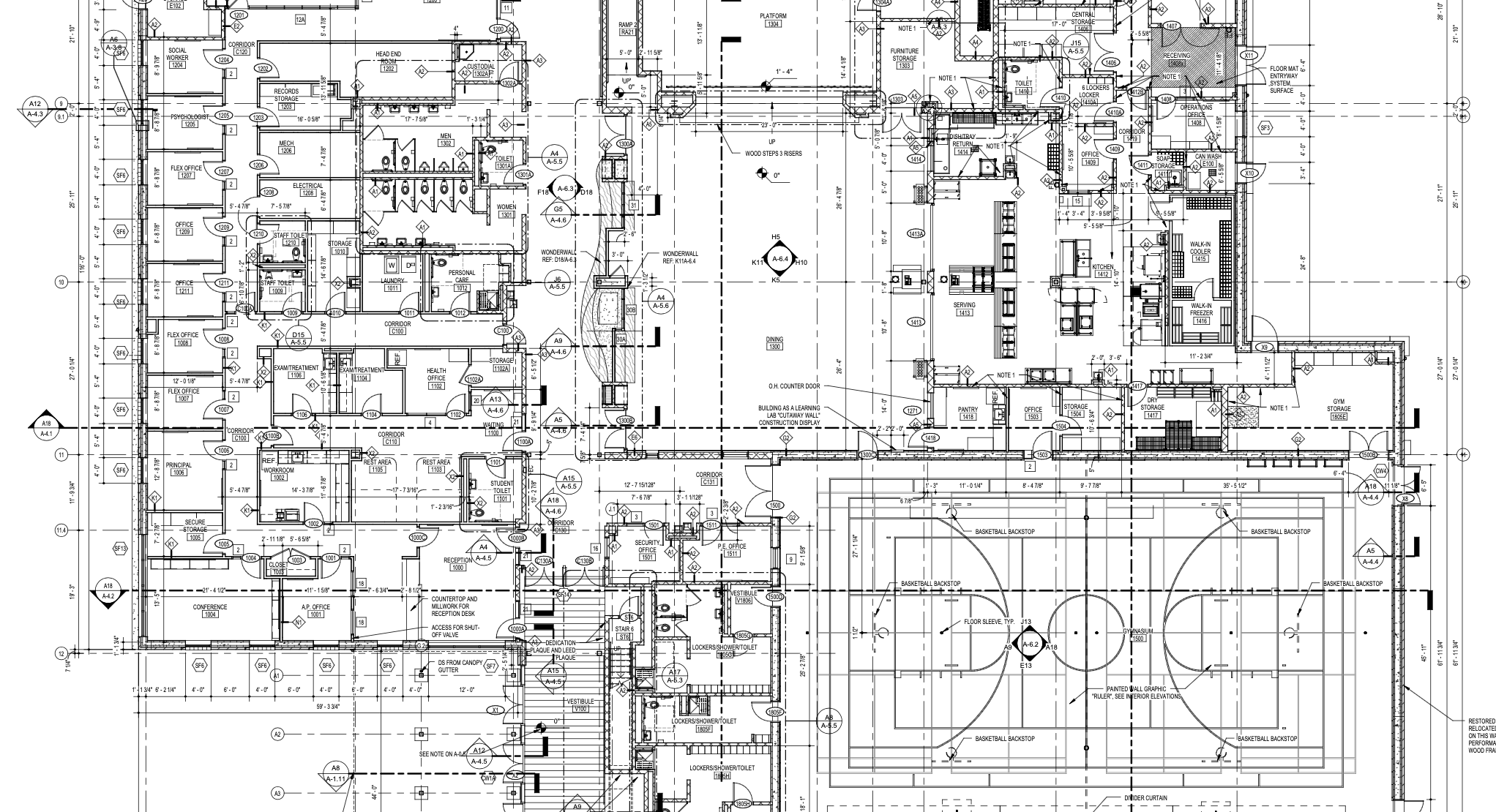
Backed byYCombinator

Automated drawing review for construction contractors
ContextFort YCombinator Launch Video - YouTube
ContextFort
4 subscribers
ContextFort YCombinator Launch Video
ContextFort
Search
Watch later
Share
Copy link
Info
Shopping
Tap to unmute
If playback doesn't begin shortly, try restarting your device.
More videos
More videos
Up NextCancelAutoplay is paused
You're signed out
Videos you watch may be added to the TV's watch history and influence TV recommendations. To avoid this, cancel and sign in to YouTube on your computer.
CancelConfirm
Share
Include playlist
An error occurred while retrieving sharing information. Please try again later.
0:00
0:02 / 1:25
•Watch full videoLive
•
Automate RFI Generation
Automatically identify issues
And generate RFIs respecting the spec sheet
Missing Dimensions
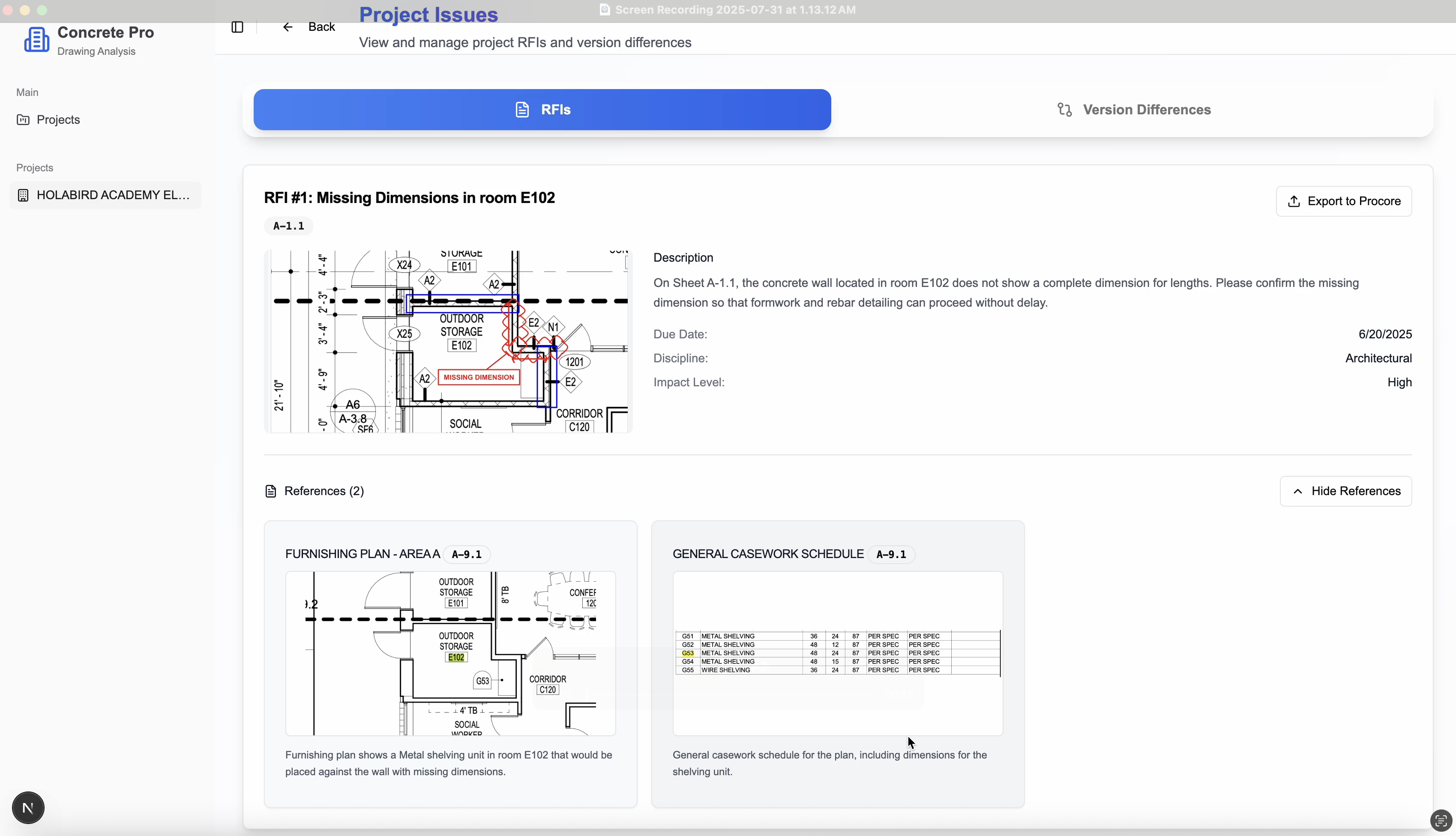
Catch missing and inconsistent measurements across architectural and structural drawings
Overlay Mismatches
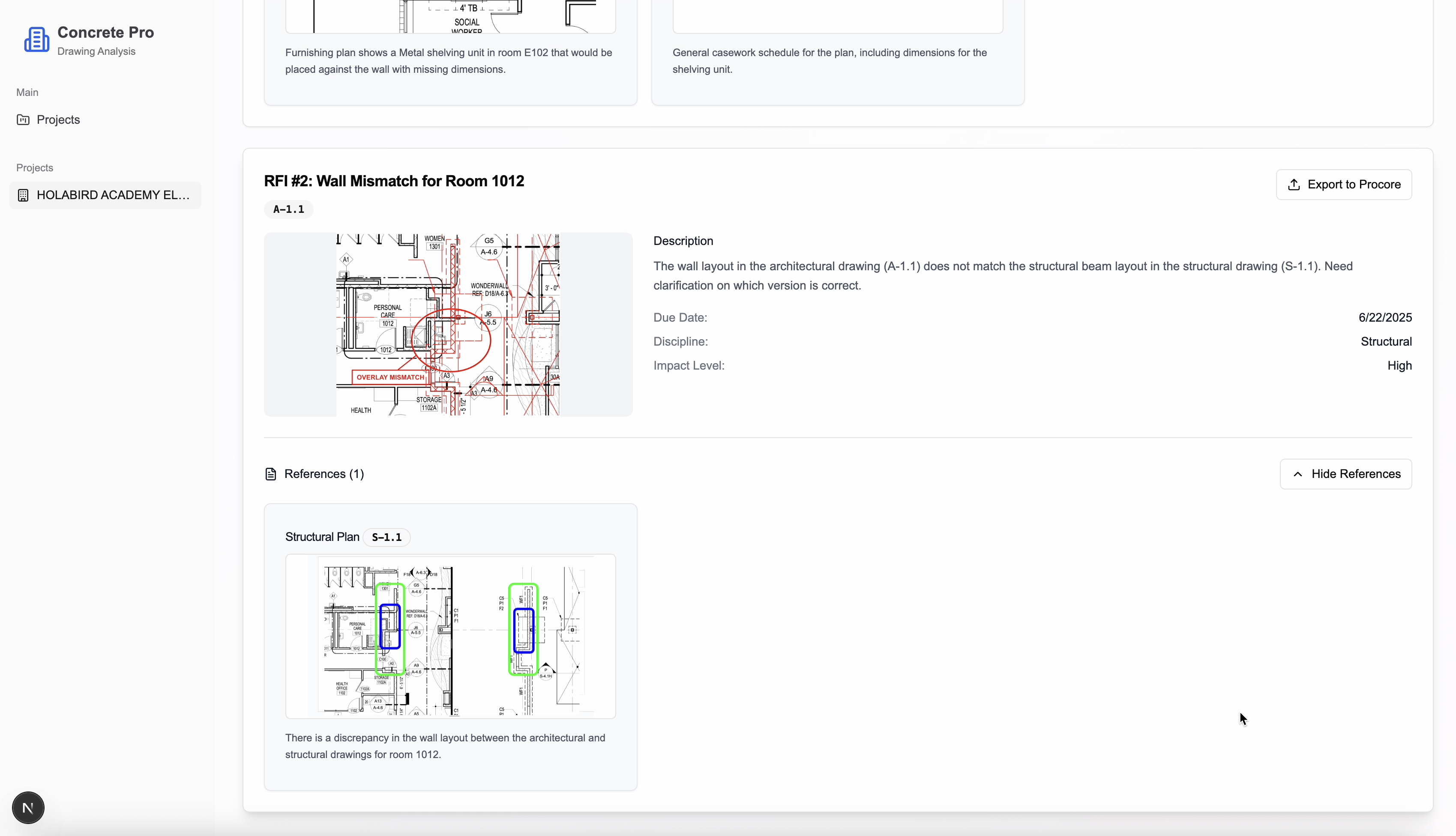
Detect conflicts between:
•Layout conflicts: Different architectural drawings on same layout
•Detail mismatches: Blow-up details vs main drawings
•Discipline conflicts: Architectural vs structural plans
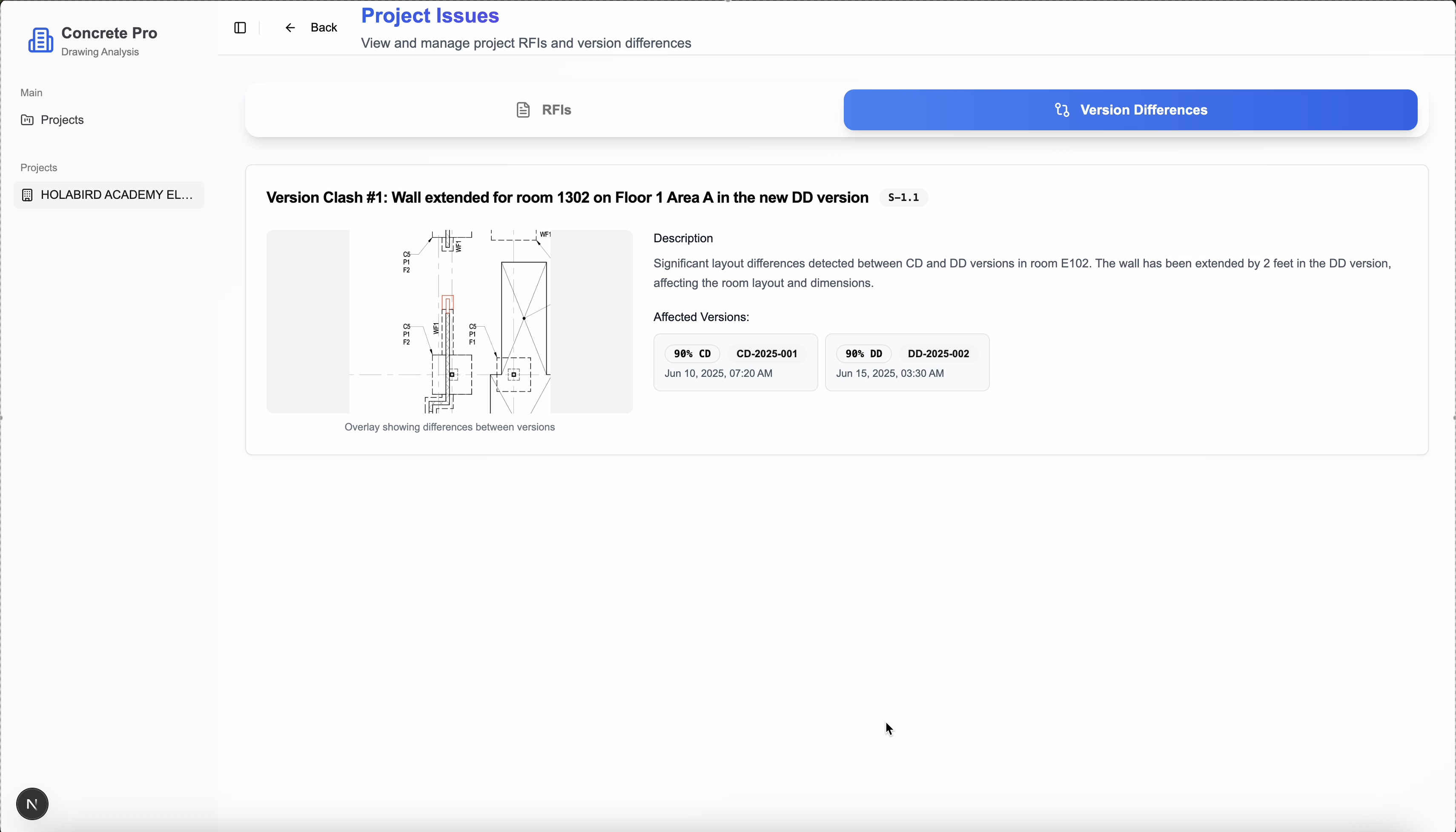
Compare Drawing Versions
Track changes across drawing revisions with precision
Eliminate manual Bluebeam eyeballing and ensure zero missed changes
Across 90% CD, 90% SD, 90% DD
Trade-Specific Changes
See exactly what changed between versions for your specific trade
ConcreteDrywallMetal FramingCarpentryFlooringElectricalPlumbingHVACStructural
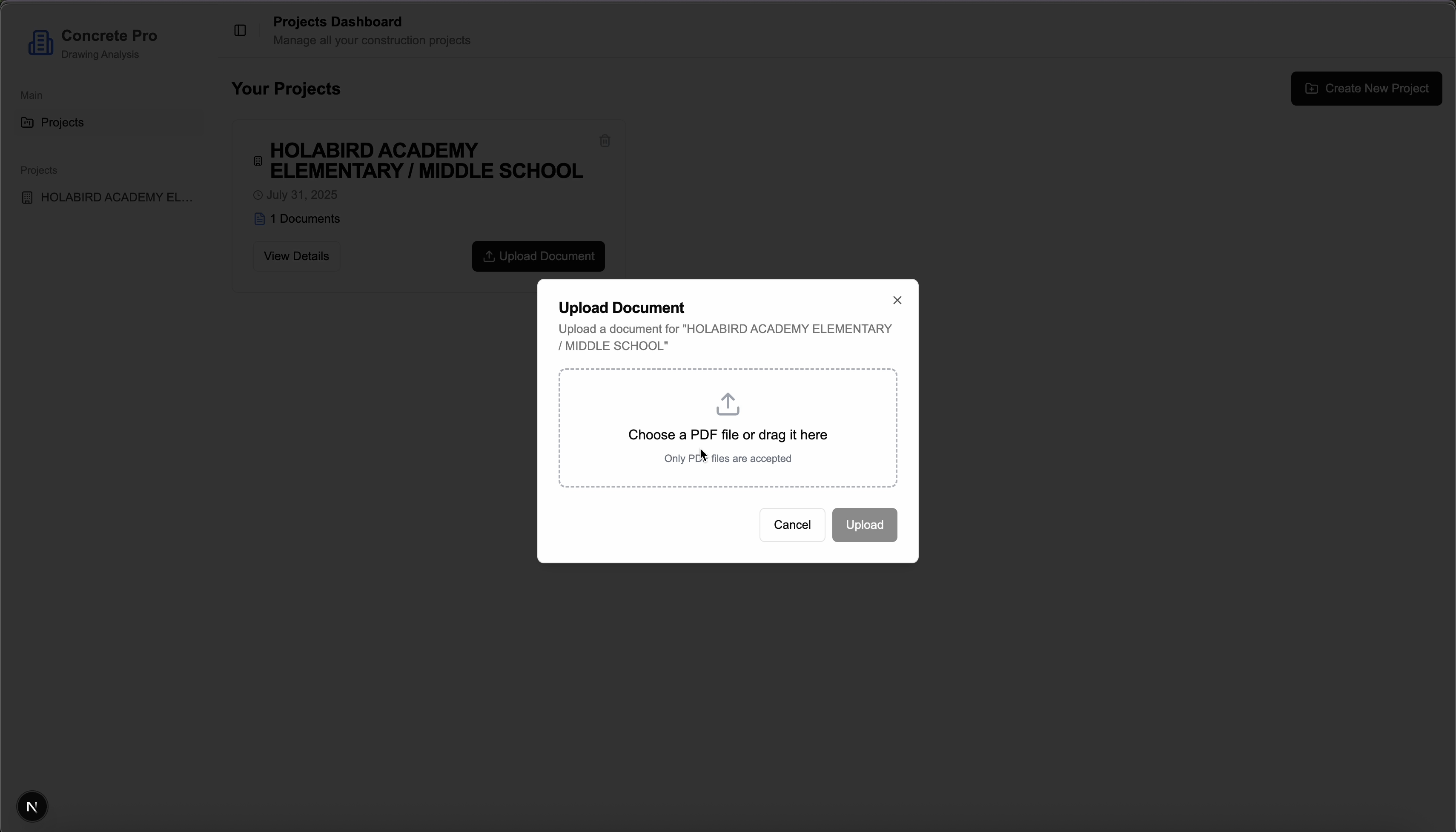
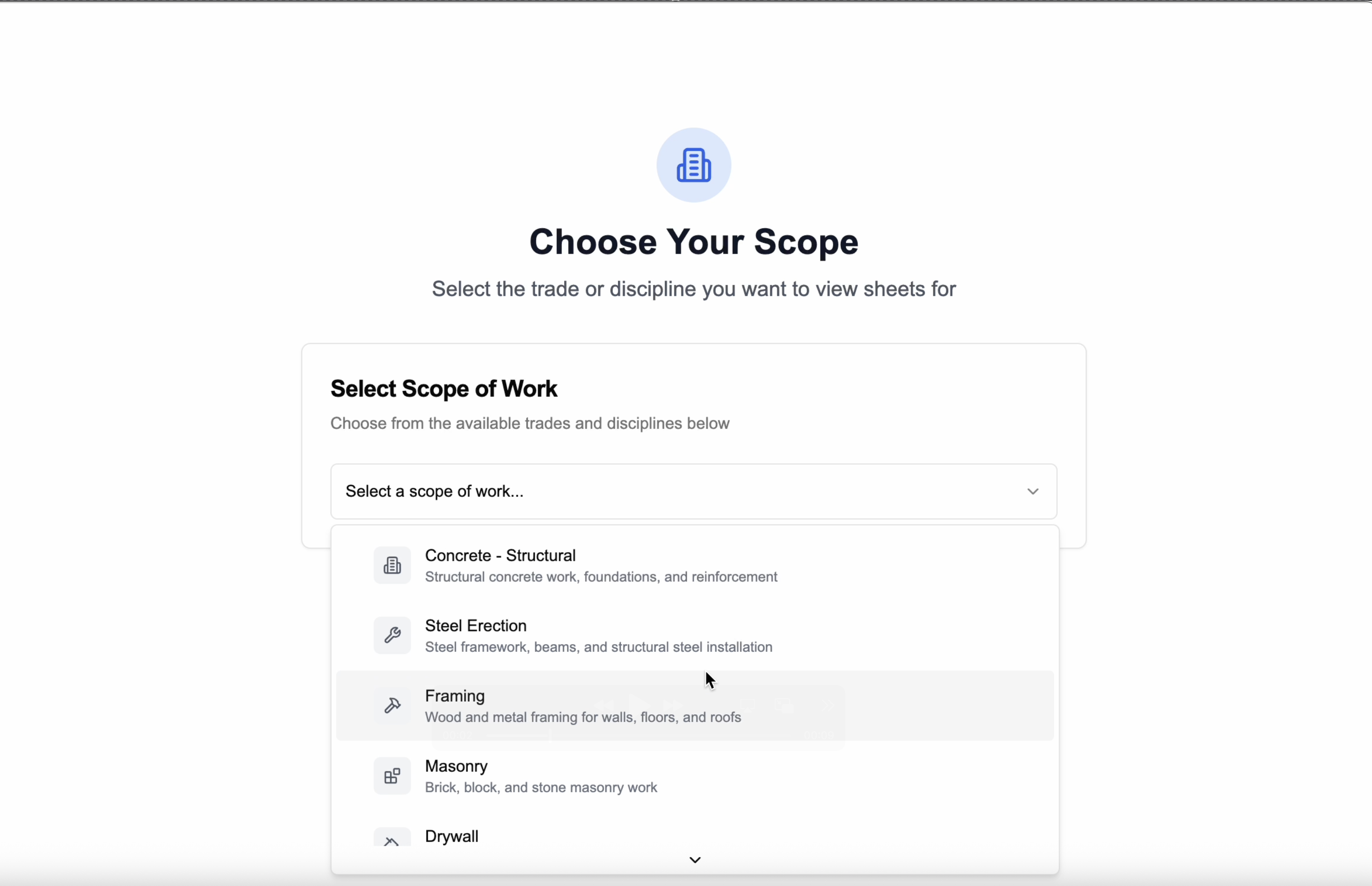
Get started in just two simple steps
Upload your drawings and select your trade - we handle the rest
1
Upload PDF Drawing Set & Spec Sheet
Drag and drop your complete architectural and structural drawings and spec sheets
2
Select Your Trade
ConcreteDrywallMetal FramingCarpentryFlooring
Contact us
(858) 373-8362
3rd Street, San Francisco, California
Name(required)
Email(required)
Message
Submit