

详细内容

Features Solutions Comparisons Tools FAQs
English
Login
Start For Free
DeckFlow for Professionals
The World's Best Slides Translator
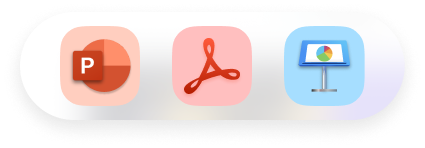
Accurate translation while retaining the original slide format. Supports PPTX and PDF.
Start For Free →Try Demo
TRUSTED BY INDIVIDUALS AT

Intelligent and efficient translation
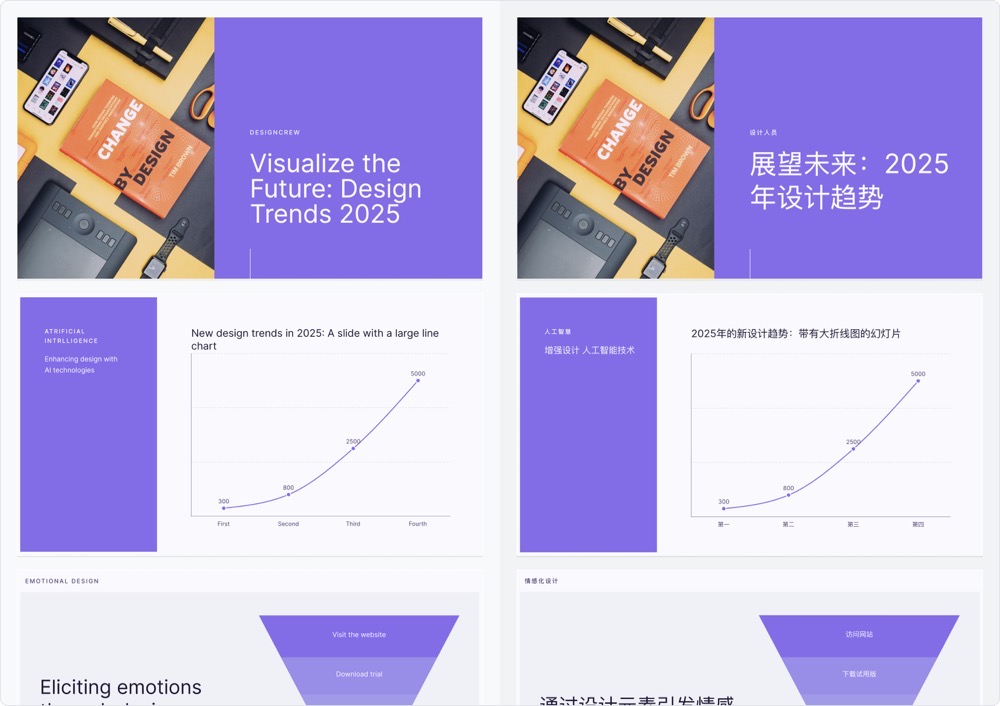
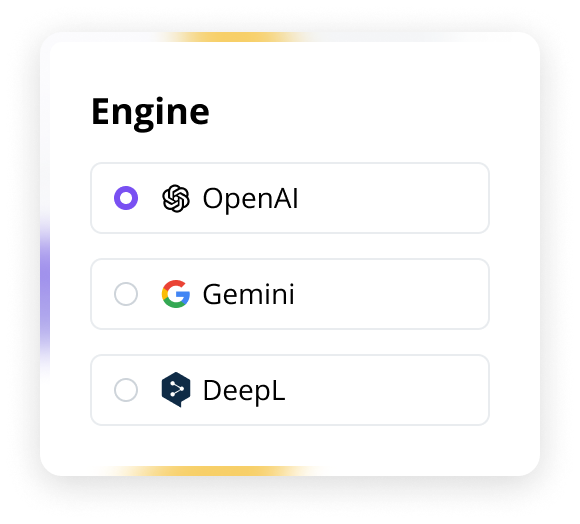
DeckFlow,equipped with cutting-edge AI technology, delivers 98% translation accuracy while retaining natural language fluency and contextual coherence.With lightning-fast processing, translations are completed instantly—no lengthy waits required.It supports all major global languages, including Chinese, English, Spanish, Arabic, and Portuguese, enabling seamless multilingual PowerPoint translations.
DesigningPeople depend on their iPhone to help them stay connected, play games, view media, accomplish tasks, and track personal data in any location and while on the go. As you begin designing your app or game for iOS, start by understanding the following fundamental device characteristics and patterns that distinguish the iOS experience. Using these characteristics and patterns to inform your design decisions can help you provide an app or game that iPhone users appreciate.Display.iPhone has a medium-size, high-resolution display. Ergonomics. People generally hold their iPhone in one or both hands as they interact with it, switching between landscape and portrait orientations as needed. While people are interacting with the device, their viewing distance tends to be no more than a foot or two. Inputs. Multi-Touch gestures, virtual keyboards, and voice control.


English

Chinese

Spanish

Arabic

Portuguese

Japanese
 50+

Lossless preservation of original formatDuring the translation process, DeckFlow intelligently preserves the animation effects, layout, and design of PPT files, while dynamically adjusting the text size and fonts to ensure that the characters in the target language do not affect the overall layout and visual effect.It identifies and translates all design elements in the file, including fonts, colors, layouts, animations, images, charts, and SmartArt,maintains the integrity of the PowerPoint.
English

한국인


English
한국인


Effortless Large File TranslationDeckFlow allows you to upload large PPT and PDF files, up to 1 GB, without the need to split them manually.There is no need to worry about difficulties in translation due to excessive file size.

Upload files (up to1GBsupported)
Product introduction0.62GB/1GB
62%
Custom TerminologyBuild industry-specific terminology libraries in DeckFlow, each capable of storing up to hundreds of terms. Prioritized application of these terms ensures higher translation accuracy and domain-specific expertise.
Glossary
Add glossary
English→Japanese
Source textTarget text
Caixuan彩漩
JavascriptJavascript
PPT speech scriptPPTスピーチスクリプト
AI intelligent translation platformAIインテリジェント翻訳プラットフォーム
Comparing DeckFlow with other tools
Other Tools:
Low accuracy in sentence - by - sentence translation.
Translates text only.
Misformatted after translation.
Terminology cannot be accurately translated.

Deckflow:
Context - understanding ability, more accurate expression.
Supports the translation of various elements such as images, tables, SmartArt, etc.
Retains the original format.
Supports for customized terminology.
Start For Free →
Frequently Asked Questions
What types of files can DeckFlow translate?
DeckFlow supports PPT and PDF.You can easily upload and translate files in these formats. We will be supporting more file types in the near future, so stay tuned!
How is the translation quality of DeckFlow guaranteed?
DeckFlow uses an advanced AI translation model that can deeply understand the context of the PPT for translation, ensuring accuracy and retaining the original format and design to avoid common translation errors.
Is it safe to upload files to DeckFlow?
Absolutely.DeckFlow takes data security very seriously, using encryption to protect your files and immediately deleting them after translation.
How large a file can I translate?
DeckFlow supports the translation of files up to 1GB. Whether it is a large-scale report or a complex courseware, it can be processed quickly and efficiently.
Does DeckFlow offer a free trial?
DeckFlow provides a Free Plan designed for hands-on platform evaluation. Key features include: 3 file uploads (≤1GB each) & 500-1,000 translation tokens. This allows comprehensive testing of our AI translation engine, enabling informed decisions before upgrading to premium tiers.
Can I get a refund after purchasing Deckflow if I am not satisfied?
Due to the special nature of online products, DeckFlow does not offer refunds at this time. We recommend that you try out the free version before purchasing to ensure that DeckFlow meets your needs.
Try Our Other Products
Slide Compressor
Compress slide files by up to 80% with zero quality loss. Effortlessly share large presentations via email or cloud — no more bulky attachments.
Try it now
Slide Proofreader
AI-powered spelling, grammar, and logical consistency checks. Bilingual (EN/CN) proofreading ensures professional, error-free slides.
Coming soon
Slide Watermark Pro
Batch add text/image watermarks to all slides. Customize position, style, and opacity to protect copyrights and elevate brand professionalism.
Coming soon
Slide Content Extractor
Accurately extract text, images, videos, and audio from slides. Streamline content reuse and editing to boost productivity.
Coming soon
Image Translator
Extract and translate text from images/scanned documents into multiple languages. Eliminate language barriers in any visual content with one click.
Coming soon
Image to PDF Merger
Intelligently merge JPG/PNG images into a high-quality PDF with flexible layout options. Ideal for archiving, printing and seamless sharing.
Coming soon
Deckflow
Accurate translation while retaining the original slide format.Supports PPTX,PDF.



Features
Multilingual Translation Format Preservation Multi-Element Translation Large File Translation Custom Terminology
Solutions
Marketing Case Study Education Case Study
Tools
Slide CompressorImage Translator
About
About US Blog Help Center
1
Opens ChatThis icon Opens the chat window.
 Hi! How can we help?
I have a question
Tell me more
Chat live with an agent now!
Close