

详细内容
Nano Banana Pro is here! — Experience the difference.\
\
Get Started Now > 

Best AI Software Product 2025 By G2
All-in-One AI STUDIO****Best AI Video Generator
Create AI Avatars, Dub Videos, and Edit Videos Online in Minutes with AI Studios
 \
Unlimited Video | No credit card required



CREATE
CREATE
Loved by 2,000,000+ Users


Fast, Secure, and Built for Professional Results.
Your online AI STUDIO for video editing
Access editing, dubbing, and translationtools in one simple workspace.

Listen
CreateEditTranslatePublish
2,000+
Ready-to-Use AI Avatars
150+
Text to Speech Languages
7,000+
Perfectly tailored templates
Create Content That Connects on a Human Level
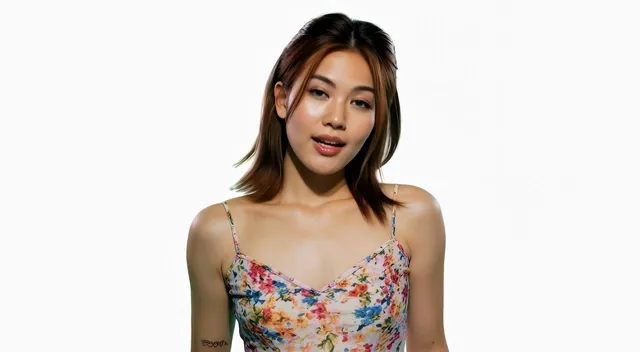
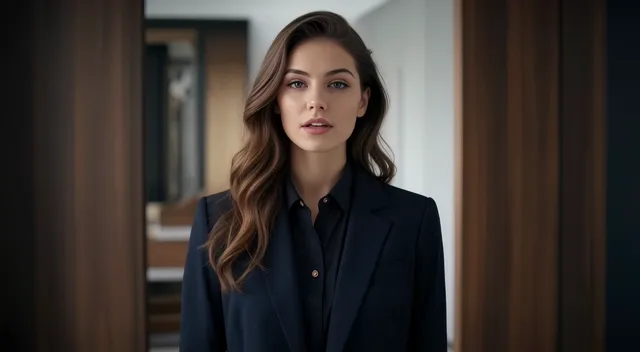
2,000+ Ready-to-Use AI Avatars
 \


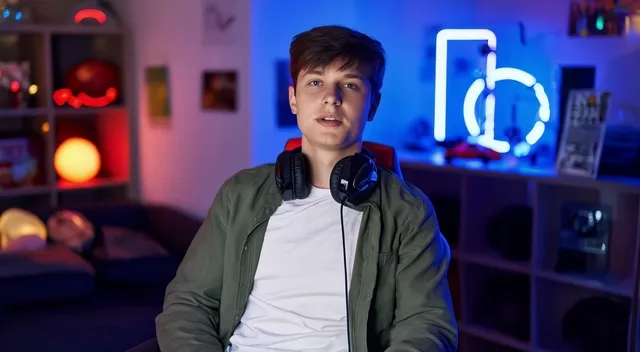
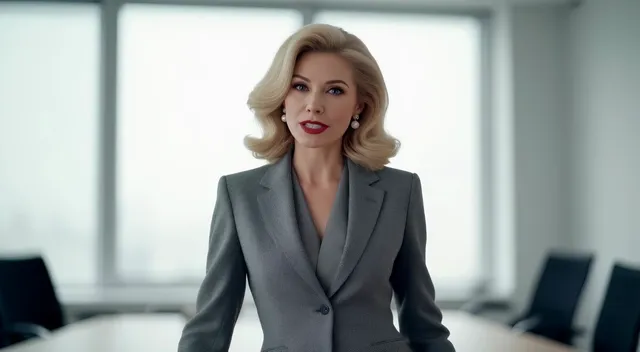
Create Your Own Realistic AI Avatar in AI STUDIO
Design a custom AI avatar that fits exactly what your video calls for.
Photo Avatar
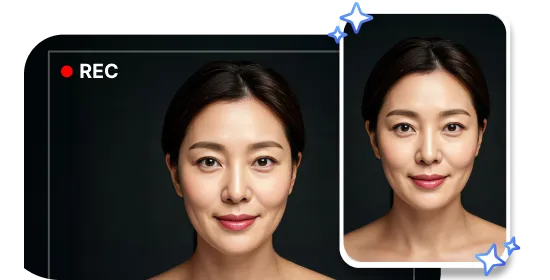
Turn ordinary photosinto engagingavatars.
Custom Avatar
Convert short video recordings intocustom avatars.
Product Avatar
Create an avatar that interacts and holdsproducts naturally.
Product to Video
Turn product links into UGC-style videos
Pastea link, AIStudio writes and generates your ad automatically.
CREATE
CREATE
AI UGC Videos Made from Your Products
Turn product pages into authentic UGC-style content for eCommerce and ads.
Dub & Translate Videos with AI
Engage Globally withDubbing AI
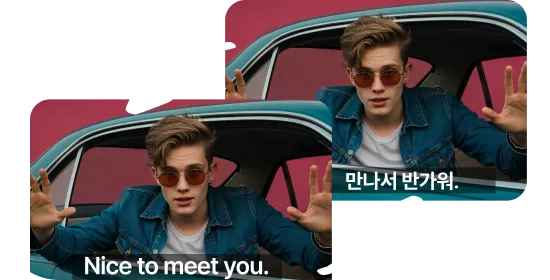
Translate videos into 150+ languages while keeping the original look and voice.
original
 Portuguese
 French
 Korea
 Russian
original French Korea Russian
Intelligent AI Translator
With NMT-based AI, translated transcripts retainthe original tone & meaning in every video.
Seamless Lip-Sync
AI dubbing syncs each translated line with natural lip movements for authentic results in any language.
Perfect Voice Cloning
AI Studios' AI dubbing tool recreates your voice naturally in any language using AI voice cloning.
Generative AI Text, Image and Video

GenerateLoading...
Features
For YouTube, TikTok & Reels Creators
Turn text or prompts into short-form videos in seconds.


www.amaz
Generate


AI STUDIOS Enterprise
Tailored video solutions for every teamand enterprise
 \
Contact Us  \
Customer Stories
Special Benefits
Enterprise-Grade Security
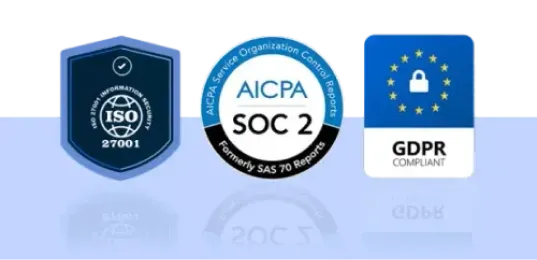
Certifiedand compliant with ISO 27001, SOC 2, and GDPR. Your data stays protected withenterprise-level security and ethical AI standards.
Special Benefits
Advanced Collaboration
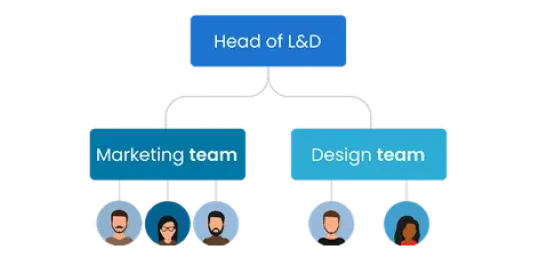
Add unlimited team members, create unlimitedteam workspaces, and organize your projectsefficiently.
Special Benefits
API Access
Connectvia API to automate video creation, optimize workflows, and expand your contentcapabilities.
Special Benefits
Dedicated Support
Enjoy personalized support whenever you need it,
plus a dedicated customer success manager to
help you make the most of AI Studios.
More Than Just an AI Video Generator
Go beyond video creation with real-time avatars and deepfake detection
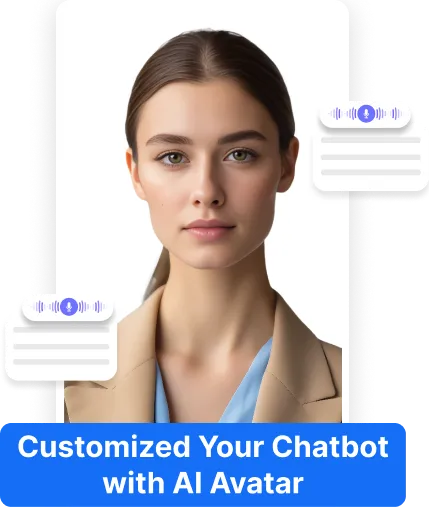
Real-Time Conversational AI Avatar
Create realistic, interactive AI experiencesthat feel genuine. Our AI Humans listen,respond, and connect with systems likeChatGPT in 150+ languages.
 \
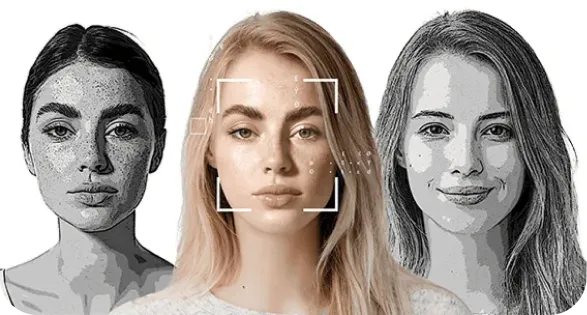
Detect Deepfake Media Across the Web in Real-Time
Get instant 24/7 alerts when deepfakes surface.Monitor chosen individuals across theweb, with immediate notifications and regular impact/trend reports.
Sora2 & Veo3.1 Powered AI STUDIOS
Smarter, faster, and more affordable AI Video Generator
 Sora 2\
All-in-one

AI STUDIOS by DeepBrain AI
AI Generation
Anything you want
Editing
Easy and simple
Translate
150+ languages
Complete!
Just minutes
 Google AI Studio\
 Veo 3.1\
 Dream Machine\
We’re AI STUDIOS by DeepBrain AI — not Google AI Studio. Here’s what we offer:
10X
More Videos
↓90%
In Overhead Costs
<10min
To Create Videos
AI STUDIOS Makes Video Creation Better for Everyone
But don’t just take our word for it— check out what our customers have to say.

As being someone that was new to content creation, it provided me the tools necessary to creat videos for my youtube channel. The avatars are so realistic, its unbelievable. I totally recommend this product for newbies starting off in their content journey, it helps with developing your creativity and also gives other persons comfort knowing they can publish their work, without having to show their faces, as not everyone wanna be seen on the internet or social media.
Benjamin
Youtuber
What I like best about AI Studios is its ability to generate AI videos from basic text instantly, providing a quick and efficient way to create realistic AI avatars. The Text-to-Speech feature and support for multiple languages make it highly versatile and accessible.
Taoufik
AI Studios offers a fast and intuitive way to create professional-quality AI videos without the need for advanced editing skills. The user-friendly interface and wide selection of avatars and voice options make it easy to generate engaging content quickly. I especially appreciate the ability to update scripts and regenerate videos instantly, which is a huge time-saver.
Anonymous
Animation
At our company, we need to create videos quickly to better engage customers. This has been a great tool for producing those videos at a much lower cost compared to working with a professional studio. Overall, it's a great product—I recommend it because it's intuitive and easy to use.
Milton R
Finances
Recording audio for a presentation video used to take us at least a full day. It involved multiple takes, editing, and juggling 3–4 different apps. Now, as long as we have the script ready, the video is generated in just minutes.
Jorge P.
Marketing
The videos created by AI Studios are ideal for creating online courses. You can create talking head videos on top of slides to explain any concept, and the clips are not all the same, so it looks like a professionally edited video. You can even use different avatars from one scene to another so it looks like multiple people are talking.
Greg J.
IT
This has certainly helped the flow of my content. It saved time, when I am stuck and am able to generate more ideas quickly. I have also tested it's capacity at writing and it does a great job. It is a great way to generate ideas, when you are stuck for something to create.
Albert A
Writer
Amazing! They are the best. I translate videos daily, and this company is above everyone else. The emotions are very like, and the translation is almost 100 percent accurate. Unlimited videos unlike other AI companies. Just paid the one year subscription. Worth it every dollar. Impressive the accuracy of video dubbing translation.
Derrick Gandia
Public relations
As an educator, I use it to create lectures in different languages for my international students. The accent options really add authenticity.
Barnaby Flint
Teacher
As being someone that was new to content creation, it provided me the tools necessary to creat videos for my youtube channel. The avatars are so realistic, its unbelievable. I totally recommend this product for newbies starting off in their content journey, it helps with developing your creativity and also gives other persons comfort knowing they can publish their work, without having to show their faces, as not everyone wanna be seen on the internet or social media.
Benjamin
Youtuber
What I like best about AI Studios is its ability to generate AI videos from basic text instantly, providing a quick and efficient way to create realistic AI avatars. The Text-to-Speech feature and support for multiple languages make it highly versatile and accessible.
Taoufik
AI Studios offers a fast and intuitive way to create professional-quality AI videos without the need for advanced editing skills. The user-friendly interface and wide selection of avatars and voice options make it easy to generate engaging content quickly. I especially appreciate the ability to update scripts and regenerate videos instantly, which is a huge time-saver.
Anonymous
Animation
At our company, we need to create videos quickly to better engage customers. This has been a great tool for producing those videos at a much lower cost compared to working with a professional studio. Overall, it's a great product—I recommend it because it's intuitive and easy to use.
Milton R
Finances
Recording audio for a presentation video used to take us at least a full day. It involved multiple takes, editing, and juggling 3–4 different apps. Now, as long as we have the script ready, the video is generated in just minutes.
Jorge P.
Marketing
The videos created by AI Studios are ideal for creating online courses. You can create talking head videos on top of slides to explain any concept, and the clips are not all the same, so it looks like a professionally edited video. You can even use different avatars from one scene to another so it looks like multiple people are talking.
Greg J.
IT
This has certainly helped the flow of my content. It saved time, when I am stuck and am able to generate more ideas quickly. I have also tested it's capacity at writing and it does a great job. It is a great way to generate ideas, when you are stuck for something to create.
Albert A
Writer
Amazing! They are the best. I translate videos daily, and this company is above everyone else. The emotions are very like, and the translation is almost 100 percent accurate. Unlimited videos unlike other AI companies. Just paid the one year subscription. Worth it every dollar. Impressive the accuracy of video dubbing translation.
Derrick Gandia
Public relations
As an educator, I use it to create lectures in different languages for my international students. The accent options really add authenticity.
Barnaby Flint
Teacher
Best Software Products
2025
We’re Here to Answer All Your Questions
What is an AI Video Generator and how does AI STUDIOS work?
An AI Video Generator uses AI to automatically create videos from your input—no cameras, actors, or manual editing needed. AI STUDIOS lets you paste a script, upload a document, or share a URL, then generates a polished video with lifelike AI avatars, visuals, and narration in minutes, all in one platform.
What is the difference between AI STUDIOS and AI STUDIO?
AI STUDIOS is DeepBrain AI’s cloud-based SaaS platform for creating AI avatar videos, text-to-video content, and video translation. AI STUDIO refers to the built-in editor inside AI STUDIOS where you write scripts, customize avatars, edit scenes, and export videos. Google AI Studio is a separate, unrelated Google product.
Is AI STUDIOS a free AI Video Generator, and what features are included in the free plan?
Yes. AI STUDIOS offers a free plan with limited credits so new users can try core features. You can create short AI videos, generate AI images, and test AI dubbing, but video length, avatar options, and exports are capped. Paid plans unlock higher limits, pro templates, and advanced tools.
How do Generative Credits work in AI STUDIOS? Can I purchase add-ons if I run out?
Generative Credits are used only for select features like AI Images, Generative Video, and Product/Custom Avatar creation. Each tool consumes credits differently, while most editing and avatar-video features don’t require credits. Plans include monthly credits (Free 16, Personal 60, Team 150), and you can buy add-on packs anytime.
Can I convert text to video with AI STUDIOS?
Yes. AI STUDIOS turns text into video in a few steps: choose a template, paste your script, select an AI Avatar, and generate scenes automatically. Then pick from 2,000+ AI voices in 150 languages or use voice cloning. You’ll get a share-ready video in minutes.
Does AI STUDIOS include Text-to-Speech features?
Yes. AI STUDIOS includes built-in Text-to-Speech (TTS) with 2,000+ natural AI voices across 150+ languages. You can use TTS for avatar videos or as standalone audio, and create a custom voice clone for consistent branding. This makes fast, high-quality narration easy for any workflow.
Can I translate and dub videos with AI STUDIOS (e.g., English to Spanish)?
Yes. AI STUDIOS translates and dubs videos into 150+ languages, including English to Spanish, with natural voiceovers and accurate lip-sync. You can review and edit translations before exporting, choose from 2,000+ voices, or apply a custom voice clone to keep your tone consistent across languages.
Can I create an AI Avatar or a Custom Avatar in AI STUDIOS?
AI STUDIOS consolidates avatar video, text-to-video, dubbing, TTS, and generative tools in one workspace. Instead of managing multiple subscriptions, you create, edit, translate, and export in a single flow. This saves time and cost while supporting 2,000+ avatars/voices, 150+ languages, and 4K exports.
How does AI STUDIOS fit into my workflow compared to using multiple separate AI tools?
AI STUDIOS is a video-creation SaaS for building AI avatar videos, text-to-video content, and multilingual dubbing. Google AI Studio is a developer tool for experimenting with large language models (LLMs). The two products are unrelated—AI STUDIOS is for making videos, while Google AI Studio is for model testing.
How does AI STUDIOS compare to Google AI Studio?
AI STUDIOS is a video-creation SaaS for building AI avatar videos, text-to-video content, and multilingual dubbing. Google AI Studio is a developer tool for experimenting with large language models (LLMs). The two products are unrelated—AI STUDIOS is for making videos, while Google AI Studio is for model testing.
How does AI STUDIOS compare to other AI video generators like Synthesia, Heygen, InVideo, or generative models like SORA and VEO3?
AI STUDIOS combines lifelike avatars, text/document-to-video, editing, and 150+-language dubbing in one platform. Tools like Synthesia or Heygen focus mainly on avatar videos, and InVideo is template-editing-centric. Generative models like SORA or VEO3 create cinematic clips but don’t include avatars or dubbing workflows.
What makes AI STUDIOS one of the best AI Video Generators in terms of quality?
AI STUDIOS delivers high quality with 2,000+ realistic avatars, 2,000+ AI voices, and natural lip-sync. It supports translation/dubbing in 150+ languages, 4K exports, and automation features like Video Messages and Topic-to-Video. Together, these tools help you produce professional videos quickly at scale.
How can marketers, creators, or educators use AI STUDIOS?
Marketers use AI STUDIOS for ads, Product Avatars, and short-form highlights; creators scale YouTube/TikTok content with avatars and multilingual dubbing; educators convert PDFs, PPTs, and lessons into e-learning videos with clear narration and lip-sync. One platform replaces multiple apps and speeds up production.
Is AI STUDIOS available worldwide and compliant with standards like ISO 27001, ISO 42001, SOC2, and GDPR?
Yes. AI STUDIOS is available worldwide and designed for secure, compliant video creation. The platform follows major standards including ISO 27001 (information security), ISO 42001 (AI management), SOC 2 (data protection), and GDPR (privacy). These measures help ensure your data and content are handled responsibly.
How much does AI STUDIOS cost, and what subscription plans are available for individuals and businesses?
AI STUDIOS offers tiered subscriptions for different needs. Personal is for individuals, Team supports small-group collaboration with higher limits, and Enterprise provides custom pricing, advanced controls, and dedicated support. All plans include core features like AI avatars, text-to-video, and dubbing, with higher tiers adding more credits and flexibility.
AI STUDIOS Insight


 \
\
How to Make Stunning Images with Nano Banana Pro (2026 Edition)
 \
\
How to Try Prompts in AI Studios with Nano Banana Pro (2026 Edition)
 \
\
How to Turn Nano Banana Pro Images into Videos with AI (2026 Edition)
 \
\
Absolute Beginner’s Guide to Getting Started in AI Image Generators (2026 Edition)
 \
\
How to Animate an Image Made in ChatGPT (2026 Edition)
 \
\
How to Download YouTube Videos (2026 Edition)
 \
\
How to Convert PowerPoint to Video Using AI (2026 Edition)
 \
\
How to Make Money with AI Video (2026 Edition)
 \
\
How to Make Money on TikTok (2026 Edition)
 \
\
How To Make VIRAL AI-Generated Shorts (For Free!) — 2026 Guide
 \
\
How to Screen Record on Windows (2026 Edition)
 \
\
How to Screen Record on Mac (2026 Edition)
 \
\
How to Make Money with a Faceless YouTube Channel Using ChatGPT (2026 Edition)
 \
\
How to Personalize Sales Outreach With AI Video (2026 Edition)
 \
\
How to Use an AI Video Generator (2026 Step-by-Step Guide)
 \
\
How Does AI Video Dubbing Work? (Includes Costs) – 2026 Guide
 \
\
How To Translate Video With AI (Step-by-Step in 2026)
 \
\
How to Translate a Video Using AI (Step-by-Step Guide for 2026)
 \
\
Maintaining Consistency in AI Image Generation: Prompt Design Strategies for Professionals
 \
 \
\
How to Build an AI-Powered YouTube News Channel
 \
\
How to Personalize Sales Outreach With AI Video
 \
\
How to Keep SOP Videos Up to Date Using AI Studios
 \
\
How to Localize Onboarding Videos for a Global Workforce
 \
\
How to Use AI Studios for Consistent Brand Messaging
 \
\
How to Create Engaging Online Lessons with AI for Open Course Platforms
 \
\
How to Use AI Avatars to Create Presentation Videos
 \
\
How to Translate a Video Using AI
 \
\
How to Use an AI Conversation Generator
 \
\
How to Create a Video Business Card Using AI
 \
\
How to Make an AI Boyfriend Video Using AI
 \
\
How to Make an Animation from an Image
 \
\
How to Make an AI Girlfriend Video Using AI
 \
\
How to Clone a Voice: Beginner’s Guide to AI Voice Cloning
 \
\
Absolute Beginner’s Guide to Getting Started in AI Image Generators
 \
\
How to Animate an Image Made in ChatGPT
 \
\
How to Make Money with a Faceless YouTube Channel Using ChatGPT
 \
\
How to Make a Talking Avatar Using ChatGPT Sora
 \
\
How To Make VIRAL AI-Generated Shorts (For Free!)
 \
\
How Does AI Video Dubbing Work? (Includes Costs)
 \
\
How to Change the Voice in a Video with AI
 \
\
How to Turn Long YouTube Videos into Viral Shorts with AI
 \
\
How to Use AI to Create Clips from Long Podcast Videos for YouTube & TikTok
 \
\
5 Easy Steps to Turn Your Blog into an Audio Blog (or Video) Using AI Studios
 \
\
How to Create Short Clips from Long Videos Using AI
 \
\
How to Create Faceless Videos for Social Media Using AI Studios
 \
\
How to Create TikTok Videos with ChatGPT
 \
\
How AI Studios Supports Interactive Video Creation
 \
\
How to Convert Your Blog into a YouTube Video with AI
 \
\
How to Create Product URL to Video Ads with ChatGPT
Create studio-quality videos in just minutes.
Unlock New Creative Ideas in AI Studios!
Create videos that inspire, educate, & captivate today.
Contact Sales Explore AI Studios
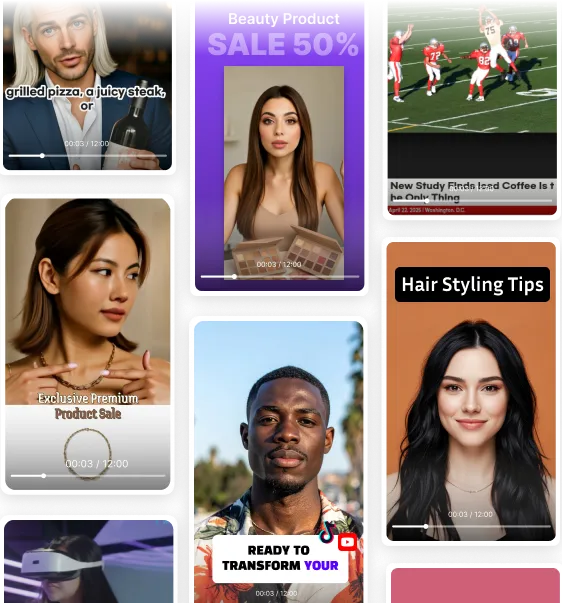

Deepbrain AI's video generator and conversational AI technology aim to bridge the gap between the advantages of human interaction and digital convenience.
Learn how our AI Avatars can help your projects and business scale more efficiently and reduce costs and time -- all without compromising on quality.


DeepBrain AI,
Inc.540 University Ave., Suite 200, Palo Alto, CA 94301
Language
AI Avatar
AI Avatars Voices & Languages Gesture Control Multi-Avatar Scenes Studio Avatar 3D Avatars Custom Dictionary Custom Avatar Photo Avatar Talking Avatar
Video Editor
AI Video Generator Auto Captions Screen Recording Brand Assets Text to Speech AI Video Editor Video Messages AI Video Translator
Templates
All Templates Education & Training Business News Commerce Marketing Youtube & Tiktok
Technology
AI Studios AI Human AI Interview re;memory Deepfake Detector Face Swap ChatGPT Custom LLMs
Resources
Pricing Help Center Developer Docs Blog Integrations Customer Stories
Language
AI Tools
Text to Video Topic to Video URL to Video Docs to Video Article to Video AI Script Assistant AI Media Generator PowerPoint to Video PDF to Video Online Video Maker Sora2 Video Generator Veo3.1 Video Generator Nano Banana Pro Image Generator
Compare
Insight
Best Y2mate YouTube Downloader
Best AI Dubbing Video Translator
How to Make AI Avatars using Sora x AI Studios
How to Create a Video Using ChatGPT
By Industry
Social Media E-commerce Training & Edu News Media Finance Customer Support Brand Ambassador
Company
About Careers Partners Amazon Web Services Microsoft Pegasus Program Contact Affiliates
Copyright © 2025 DeepBrain AI.
aistudios.com uses cookies to deliver and enhance the quality of its services and to analyze traffic. If you agree, cookies are also used to serve advertising and to personalize the content and advertisements that you see. Learn more.
Agree
No thanks
NecessaryPreferencesStatisticsMarketing
Thank you! Your submission has been received!
Oops! Something went wrong while submitting the form.