
详细内容
Important: Designify will shut down on December 1, 2025, at 9:00 a.m. Central European Time (CET). Learn more


Login

Turn Any Photo Into Awesome
100% Automatically andFree
NEW\
\
Advanced Batch-Editing and API Access with Designify Pro.
 Upload Image
or drop a file
Paste Image
cmd
v
No Image?
Try one of these:


By uploading an image or URL you agree to our Terms of Service. This site is protected by hCaptcha and its Privacy Policy and Terms of Service apply.


Create automatic designs using your favorite photos
Pick any image to create AI-powered designs by automatically removing backgrounds, enhancing colors, adjusting smart shadows, and so much more. Save, download, or share your designs right away.


STEP
1
.
Upload Your Image
STEP
2
.
Magic
STEP
3
.
Choose Your Design
E-COMMERCE
Create professional product photos - no studio required

Original

Automatic Design

Automatic Design
MARKETING
Launch engaging campaigns with unique visuals

Original
AUTOMOTIVE
Display professional car photos to boost sales

Original

Automatic Design
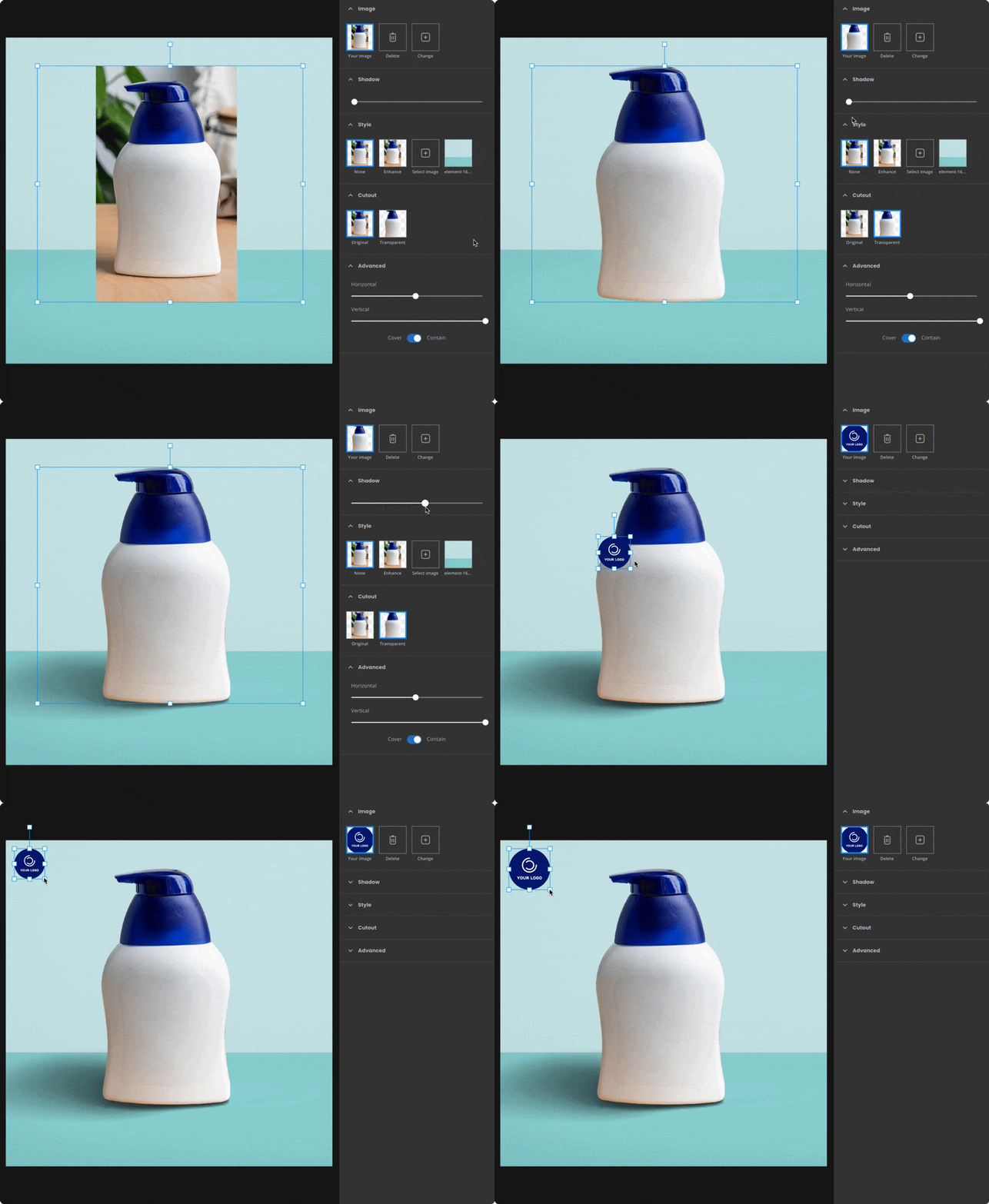
SMART EDITOR
Make it yours
Edit your designs by adding a logo or any additional images. Adjust smart shadows, or automatically match the colors of your design elements.
Sign up to save your designs, then use them to automate your editing work.
AUTOMATION
Process any number of images
Designify any image with 1 API call, or batch-edit photos directly on the website.


Originals


Batch Editing


HOW IT WORKS
Artificial intelligence for design
Designify combines the world's most advanced visual AIs into one simple tool. Remove backgrounds from any image in high quality, add realistic shadows and enhance colors to create beautiful designs using artificial intelligence.

Try it yourself
Upload Images
or drop a File
No Image?
Try one of these:
By uploading an image or URL you agree to our Terms of Service. This site is protected by hCaptcha and its Privacy Policy and Terms of Service apply.
Cookies
We use cookies to improve your experience and for analysis. You can deactivate them anytime.
Information & Settings
Reject allAccept all