

详细内容
Learn duolingo vocabulary while browsing the web
Translate text on webpages based on your Duolingo vocabulary using our Chrome extension
No credit card required.

Features

See and download your Duolingo vocabulary
Download the Duolingo vocabulary you've learned. Use it with Duolingo Ninja or any other tool you like.

Learn your Duolingo words by browsing the web
Browse the web as normal and see your Duolingo vocabulary translated on the web pages you visit. See the words (or full sentences) in real content and learn them in context.

Use flashcards to practice the vocabulary
Practice the vocabulary that you might not see on web pages you visit. Flashcards work on the principle of spaced repetition - you'll see the ones you get wrong more often.
How Learning By Browsing Works
1. Install the browser extension for free
Go to the Chrome Web Store to install the extension with one click.
2. Synchronize the words you've learned from Duolingo
Choose your base language. Then synchronize the words you've learned in Duolingo.
2. Browse the web as normal
Translations are inserted between the original language text based on your Duolingo vocabulary. This way you can derive the meaning of a word or sentence from the context.
Level Up With Flashcards New!
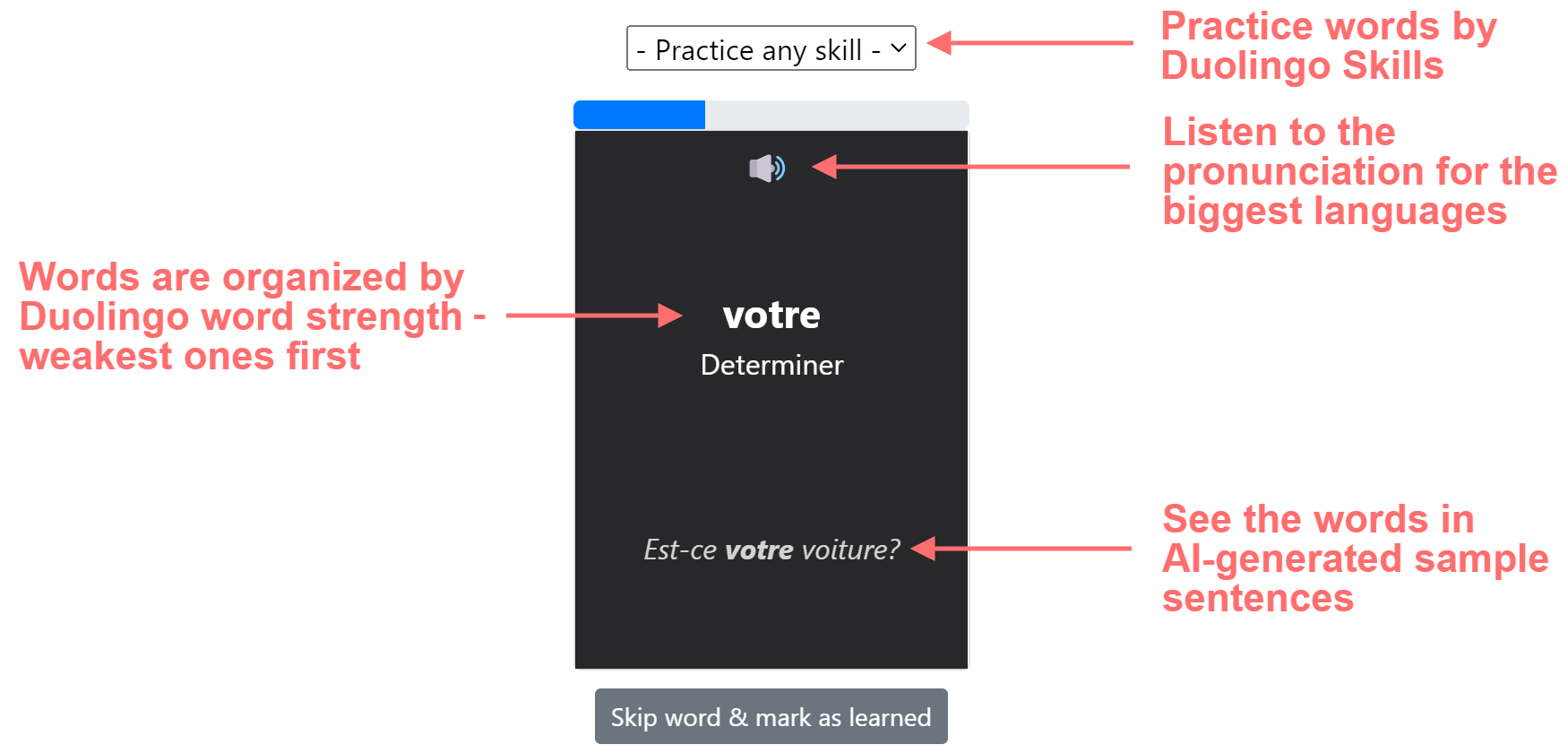
Practice the vocabulary with flashcards
Keep practicing the vocabulary that you might not see on web pages you visit. Flashcards work on the principle of spaced repetition - you'll see the ones you get wrong more often.
See the words in AI-generated sample sentences
Flashcards contain AI-generated sample sentences to help you understand the context.
Customize your learning experience
Translate words or sentences
Choose the language you want to translate from. It doesn't have to be the same as in Duolingo. Translate words or sentences and choose how much to translate.
Ignore the domains you don't want to translate
Some domains just shouldn't be translated. For example, domains related to your work. You can add them to the ignore list with one click.
Use tooltips to see the original text
Hover the translation to see the tooltips with the original meaning of the word.
Don't translate <code blocks>, input fields, or links
Code blocks and input fields aren't translated. And you can optionally also skip translating links.
Why Duolingo Alone Doesn't Make You Fluent
You don't see enough text
Duolingo is great at bite-sized lessons. But you don't see enough text to start seeing patterns and start thinking in the language. You need a lot of comprehensible input for that.
The text is too simple and meaningless
Duolingo does have a lot of sentences that are theoritically useful. But they are practically meaningless because they don't have any immediate purpose. You are not trying to visit a museum in Spain while you are using the phone on your couch in England.
Trying to memorize grammar explicitly isn't that useful
No child ever learned their mother tongue by studying grammar and then consciously applying it. In fact, it's very difficult to think about grammar while speaking. You do need some but you'll pick up the rest subconsciously by seeing lots of text.
Duolingo doesn't teach you based on your interests
It forces you into a learning track. But people have different interests that have different vocabulary. You can't standardize interests.
Benefits
Works with your habits not against your habits
There's no extra app or website you have to open. Just keep doing what you always do - browsing the web. And you'll keep learning every day.
Learn the lingo you need
As you browse the pages you are interested in, you'll champion the vocabulary you actually need to use.
No nonsense sentences
Duolingo sometimes teaches you sentences that don't make sense. "The cow opened its favorite book" and "The cat wrote a letter in Japanese" are actual sentences you'll "learn" in Duolingo. Ever seen a cat write a letter in Japanese?
Give meaning back to your language learning
Most sentences in Duolingo do make sense. But there's no immediate use for them. I'm not trying to order wine in a restaurant while I'm on my couch looking at my phone. With Duolingo Ninja you'll learn the vocabulary you actually need.

“I created Duolingo Ninja to immerse myself in Spanish, not just do daily dry repetitions on Duolingo. Translating parts of web pages to Spanish keeps my vocabulary fresh without having to change my habits.”
- Meelis Ojasild, Founder of Duolingo Ninja
Download the Chrome Extension for free
Start learning in under 30 seconds
Feedback & bugs | What's new? | Privacy policy | Terms of Service | Duolingo flashcards | Graded readers
© 2025 Duolingo Ninja | Duolingo Ninja is not affiliated with Duolingo
This website uses cookies to enhance the user experience.
I understand