

详细内容
U-Eyes: Mobile Device Simulator for your browser
U-Eyes: Mobile Device Simulator for your browser
U-Eyes: Mobile Device Simulator for your browser
U-Eyes: Mobile Device Simulator for your browser
U-Eyes: Mobile Device Simulator for your browser
U-Eyes: Mobile Device Simulator for your browser
Your Website x Mobile UX
See your website on popular mobile devices and optimize User Experiences. Simulate, test, and create mockups effortlessly right
on your browser!
v2.9.3 (Released August 6th, 2024)
U-Eyes: Mobile Device Simulator
Powered by
ScreenSpace Create your own interactive experiences.
Share this Story
Switch Orientation
Switch Theme
null
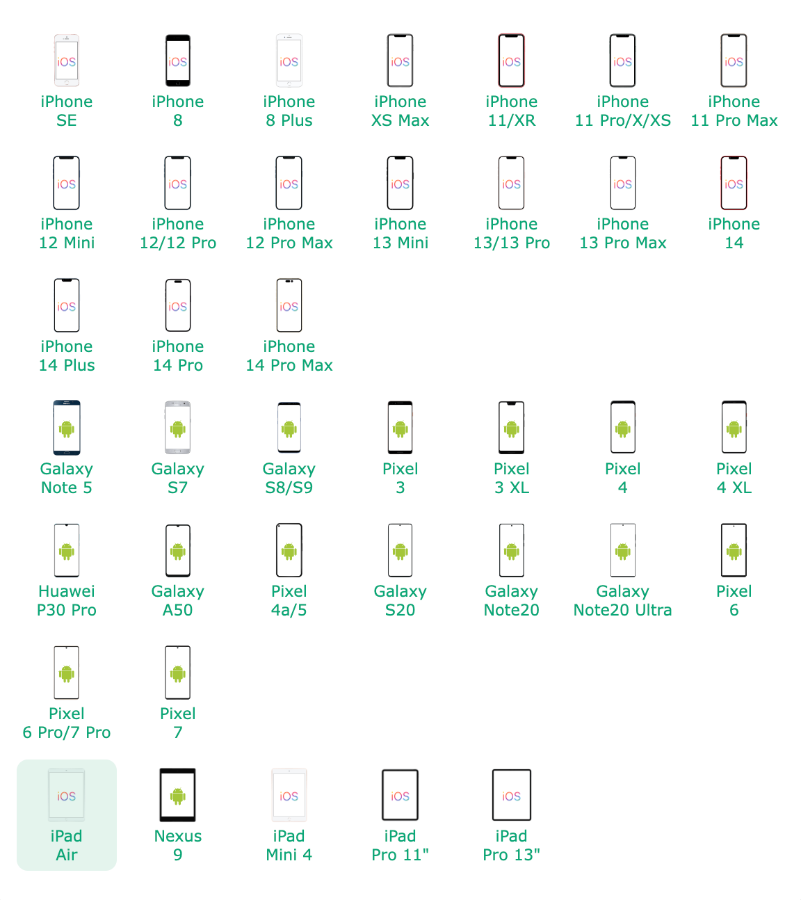
More Devices To Come...
Button
Performance Dashboard
Performance Dashboard provides a quick glance at the site's performance metrics. including:
Page Load(in seconds): The time it takes from initiating the first request to DOM loading completion. A fast page load in general signifies that the page content is delivered to the user in a timely manner.
Largest Contentful Paint (in seconds): It marks the point in the page load timeline when the page's main content has likely loaded. A fast LCP helps reassure the user that the page is useful.
Cumulative Layout Shift: A user-centric metric for measuring visual stability because it helps quantify how often users experience unexpected layout shifts. A low CLS helps ensure that the page is delightful.
Become U-Eyes experts in 5 minutes
Navigating your way through a straightforward UI, one button at a time.
#device
The info panel shows device specification and also open the device list for selection when clicked.
#mode
Switching between Manual and Automatic Mode, and also allow configuring shot delay.
#screenshot
Take a screenshot of the content, without device frame. The delay is adjustable in Mode menu.
#deviceShot
Take a screenshot of the content, with device frame. The delay is adjustable in Mode menu.
#fullPageShot
Take a screenshot of the whole content, without device frame. The delay is adjustable in Mode menu.
#screencast
Record the device screen and output a GIF file. The playback speed is adjustable in Mode menu.
The solution that matters
Quick, Simple, and Free
Experience your website from users' perspective with a few clicks.
NO purchasing of actual devices. NO memory-consuming emulators.

Manual Mode for Precision
Document your actions
Whether you are showcasing your website to a customer, or conducting a manual UI test, Manual Mode will be very handy.
- Screen Shot (frame not included)
- Device Shot (frame included)
- Full-page Shot
- Screencast

Automatic Mode for Routines
Hands off boring repetition
Monitoring multiple URLs after every deployment? Reviewing the UI of multiple crucial URLs? Just paste the list of URLs, and let Automatic Mode goes to work.
- Screen Shot (frame not included)
- Device Shot (frame included)
- Full-page Shot
What else should you know?
While constant improvements are being made, there are still some limitations on what U-Eyes can do. Hopefully you can find an answer to your inquiry here.
Is the screenshot/screencast data being transmitted somewhere?
No. Everything happens on client side (on your browser) and all the data you generated are stored locally.

Does U-Eyes offer a 100% exact representation of actual devices?
U-Eyes offers a realistic, close approximation of actual devices, but NOT a 100% replica of actual devices.
Does U-Eyes work cross domain?
If you navigate to a different domain (within the simulated device), U-Eyes will not be able to capture screenshot.

My animation is still running, but U-Eyes captures anyway?
The timing between shots is adjustable in Manual/Automatic mode settings. Increase the delay will help.

Can I switch tabs while screenshot is in progress?
Switching tabs while screenshot is in progress will ABORT the job because it is no longer visible for capturing.
U-Eyes becomes unresponsive, or has some kinds of errors?
Disable and re-enable the extension will resolve most error states. Refresh your page will help as well.