

详细内容
Effortlessly plan, track, and manage projects with Gantt Chart AI
Create professional Gantt charts in seconds using natural language. Just describe your project, and let us do
the rest.
For my Cell Biology final project, I need to study enzyme activity in cellular respiration at different pH levels. This includes lab tests, data analysis, and preparing a research paper with methodology and findings.
Biology Research
Home Renovation
Novel Writing
Startup Launch
Wedding Planning
View Chart
Transform your description into a visual timeline
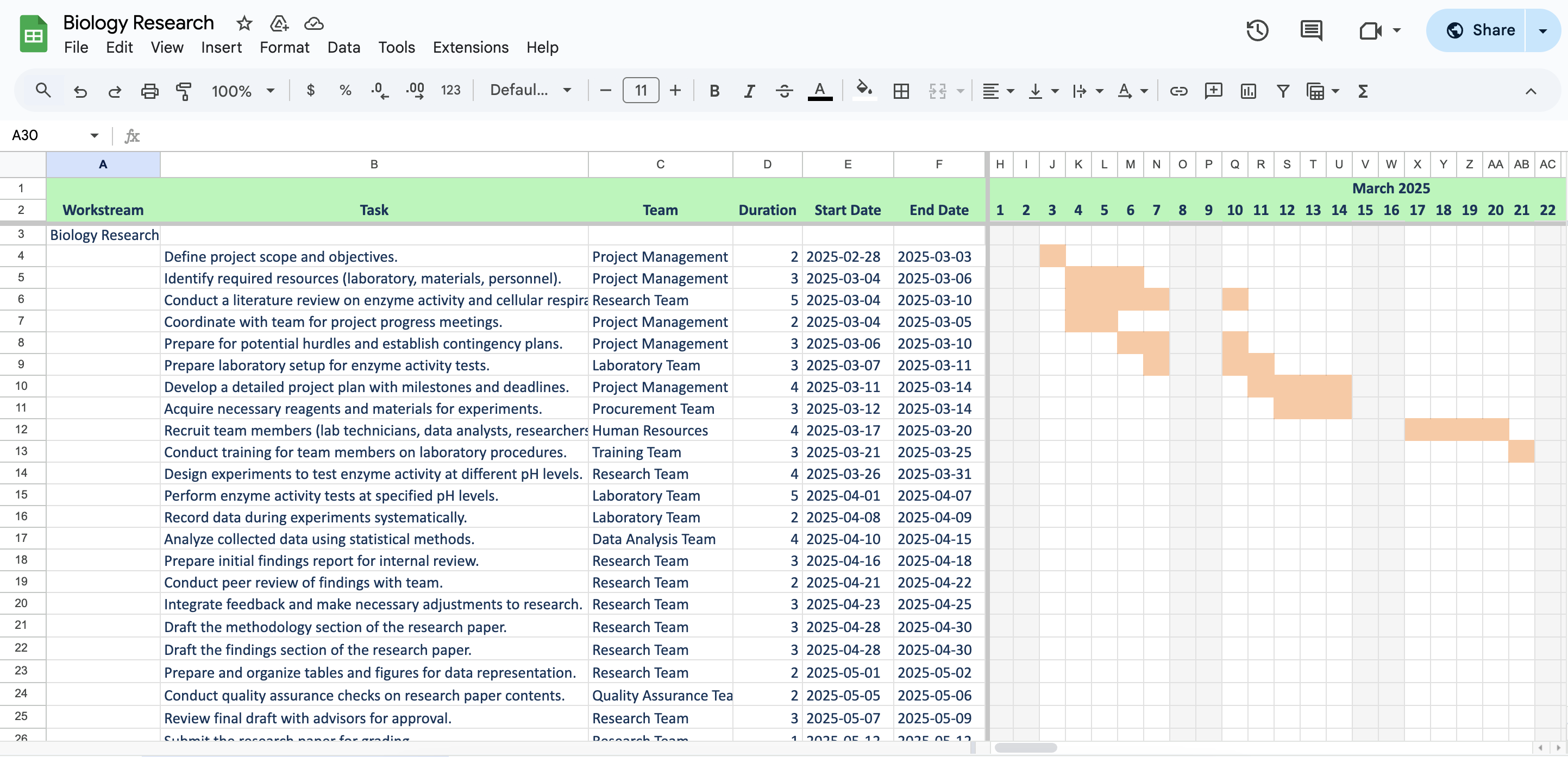

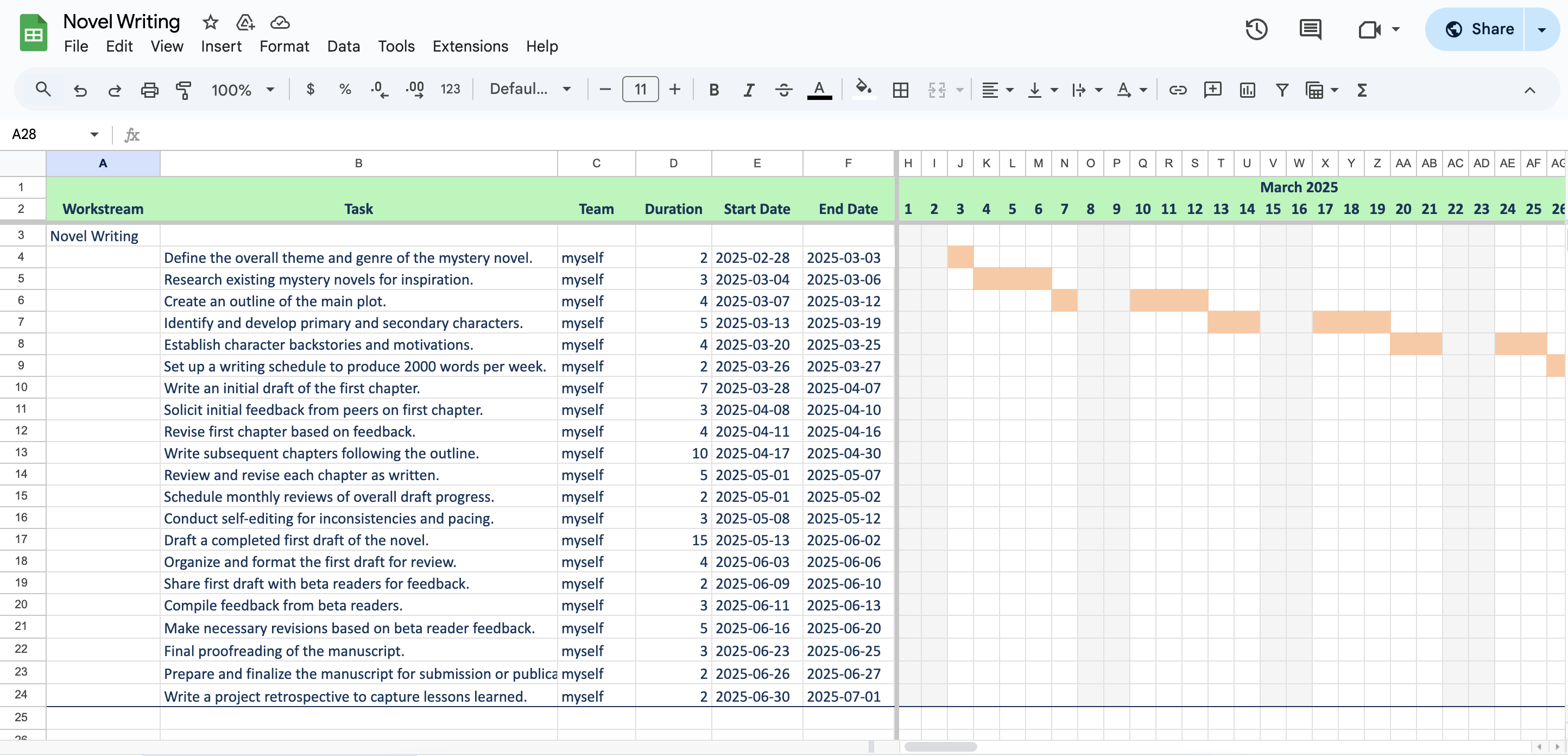
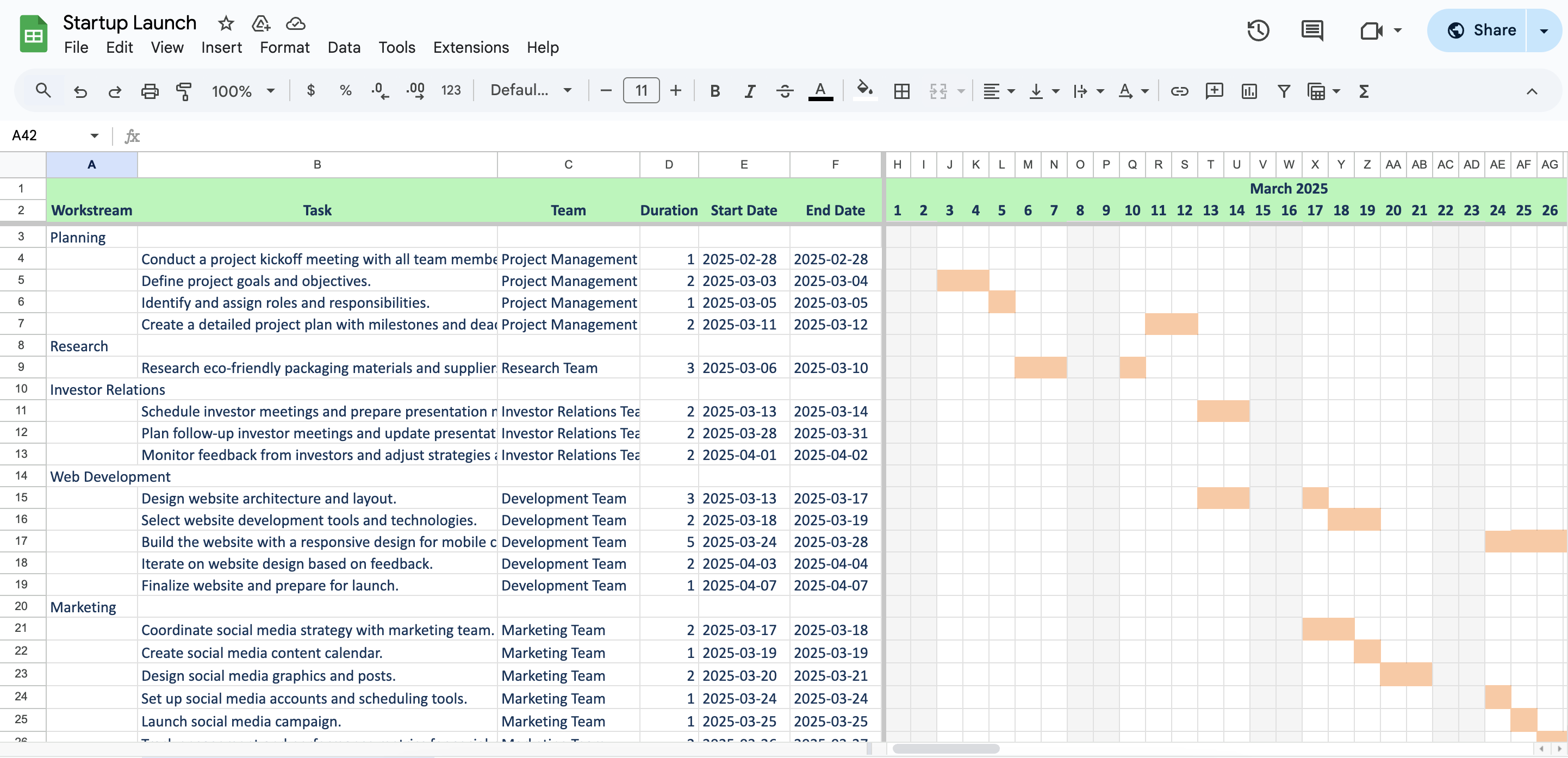

Interactive Zoom
Hover your mouse to zoom in
Trusted by 2100+ professionals
Project Planning Made Simple
1
Intuitive Interface
Our straightforward interface lets you create project timelines in minutes. No complex software or
workflows to learn.
Describe your project in natural language

Create in Seconds
Type your project idea, we'll do the rest
3
Import from Jira
Bring epics, stories, and tasks directly into your plan to auto-fill description, teams, and scope.
Connect to Jira and import issues directly into your project
Have Jira team members get automatically balanced for project assignments
Regenerate timelines quickly as work changes in Jira

Example: Select issues and auto-fill
Pick Epics or Stories and instantly populate your project form
2
Work with Google Sheets
Use the tools you already know. Create and edit timelines directly in Google Sheets, with the option
to export to
Excel.
Edit and share timelines using familiar spreadsheet tools

Example: Shed Construction Project
A detailed timeline with tasks, teams, and dependencies
4
Download & Access Charts
Export your Gantt charts to Excel format and access all your previously created charts from your
dashboard.
Downlaod and manage your Gantt charts

Flexible Export Options
Edit in Google Sheets or download as Excel
Frequently Asked Questions
Learn more about Gantt Charts and how they can help your project planning
What is a Gantt Chart?
A Gantt chart is a visual project management tool that displays a project schedule by showing the start and
finish dates of various elements of a project, including tasks, milestones, and dependencies.
Why should I use Gantt Chart AI?
Gantt Chart AI simplifies project planning by allowing you to create professional Gantt charts using
natural language. Just describe your project, and our AI will generate a complete chart in seconds.
Can I export my Gantt charts?
Yes! You can export your Gantt charts to Excel format and access all your previously created charts from
your dashboard when logged in.
What types of projects work best with Gantt charts?
Gantt charts are ideal for projects with clear tasks, definable durations, and sequential dependencies,
such as construction, software development, event planning, and product launches.
Simple, Pay-As-You-Go Pricing
Choose the credit pack that works for you
Try It
FREE
Start creating Gantt charts today
- 2 Credits for Gantt charts
- Export to Google Sheets
- Download as Excel file
Get Started
30 Credits
$3
Most popular choice
- 30 Credits or Gantt charts
- Access to Premium features
- Only $0.10 per chart
- Access to all export options
- Download previous charts anytime
Buy Now
100 Credits
$6Best value
Only $0.06 per chart (save 40%!)
- 100 Credits for Gantt charts
- Access to Premium features
- Access to all export options
- Download previous charts anytime
Buy Now
Ready to streamline your project planning?
Join thousands of professionals who trust GanttChart.ai for their project management needs.
We use cookies to enhance your experience and analyze our site usage. By clicking "Accept", you consent to our
use of cookies. See our Privacy Policy for more information.
DenyAccept
StripeM-Inner