

详细内容

JotMe Max
Desktop app for all the calls on your computer
Multilingual transcription, live translation, note-taker, AI search, real-time summary, custom vocabulary, AI meeting notes, audio recordings, and more.
 \
 \
JotMe Lite
Chrome extension for Google Meet
Real-time transcription, live translation, note-taker, AI meeting notes.
 \
#1 AI Interpreter for Every Meeting
JotMe is your trusted personal interpreter, translating in real time with contextual accuracy and AI note-taking to keep every meeting clear and aligned across languages.
Live translation and transcription in 107 languages, including English, Japanese, Korean, Spanish, Vietnamese, Chinese, Russian, Portuguese, etc.

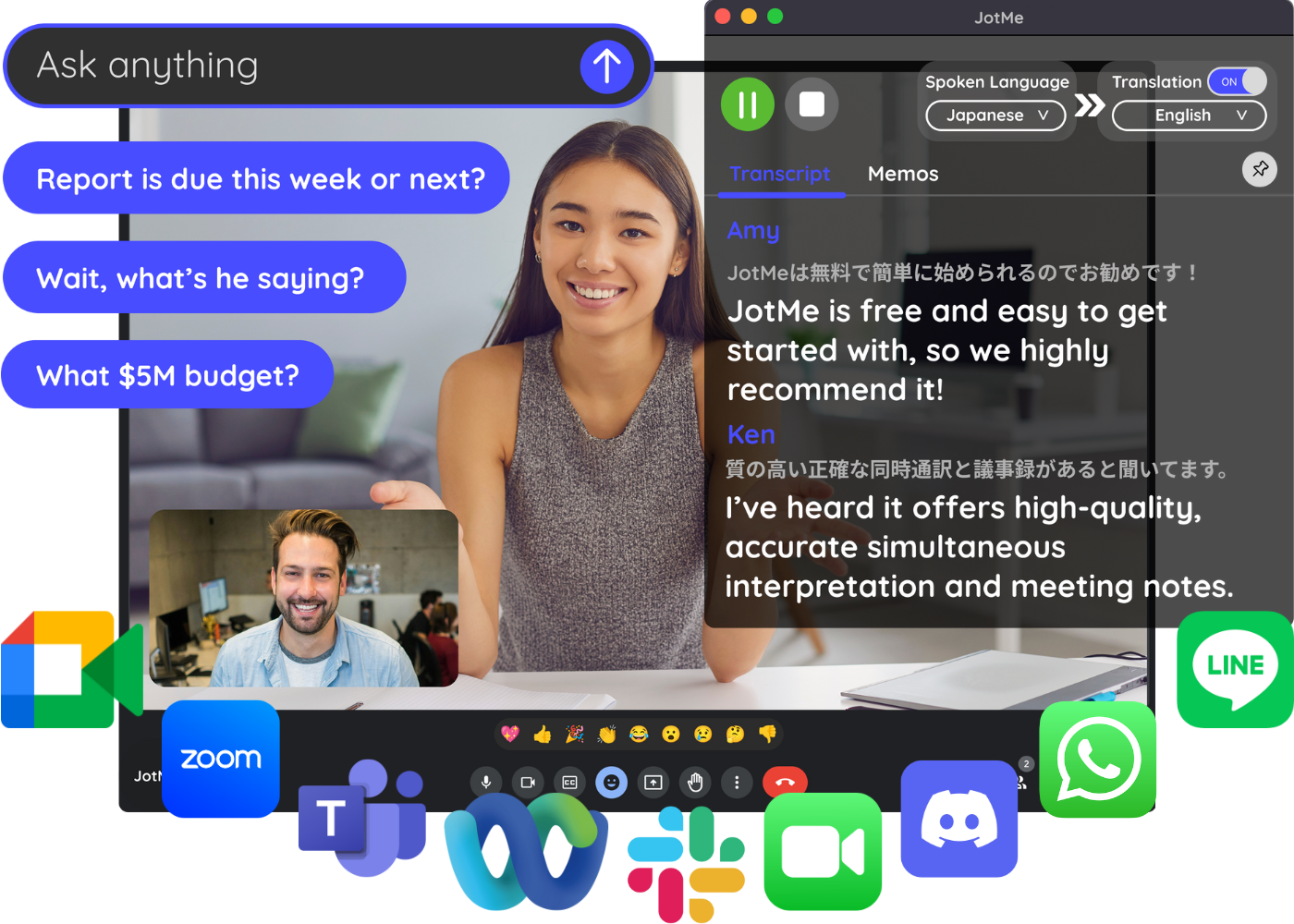

Empowering 50,000+ global professionals to collaborate and win clients effortlessly without language barriers
How does JotMe work?

Step 1 - Install JotMe on Your Device
JotMe works on Mac, Windows and Chrome Browser. Visit JotMe website and click “Try for free,” get the app, and sign in.

Step 2 - Launch Your Meeting
Join your meetings. In person or online via Zoom, Google Meet, MS Teams, etc. JotMe will capture audio directly from your computer without requiring a bot to join.

Step 3 - Set Your Languages
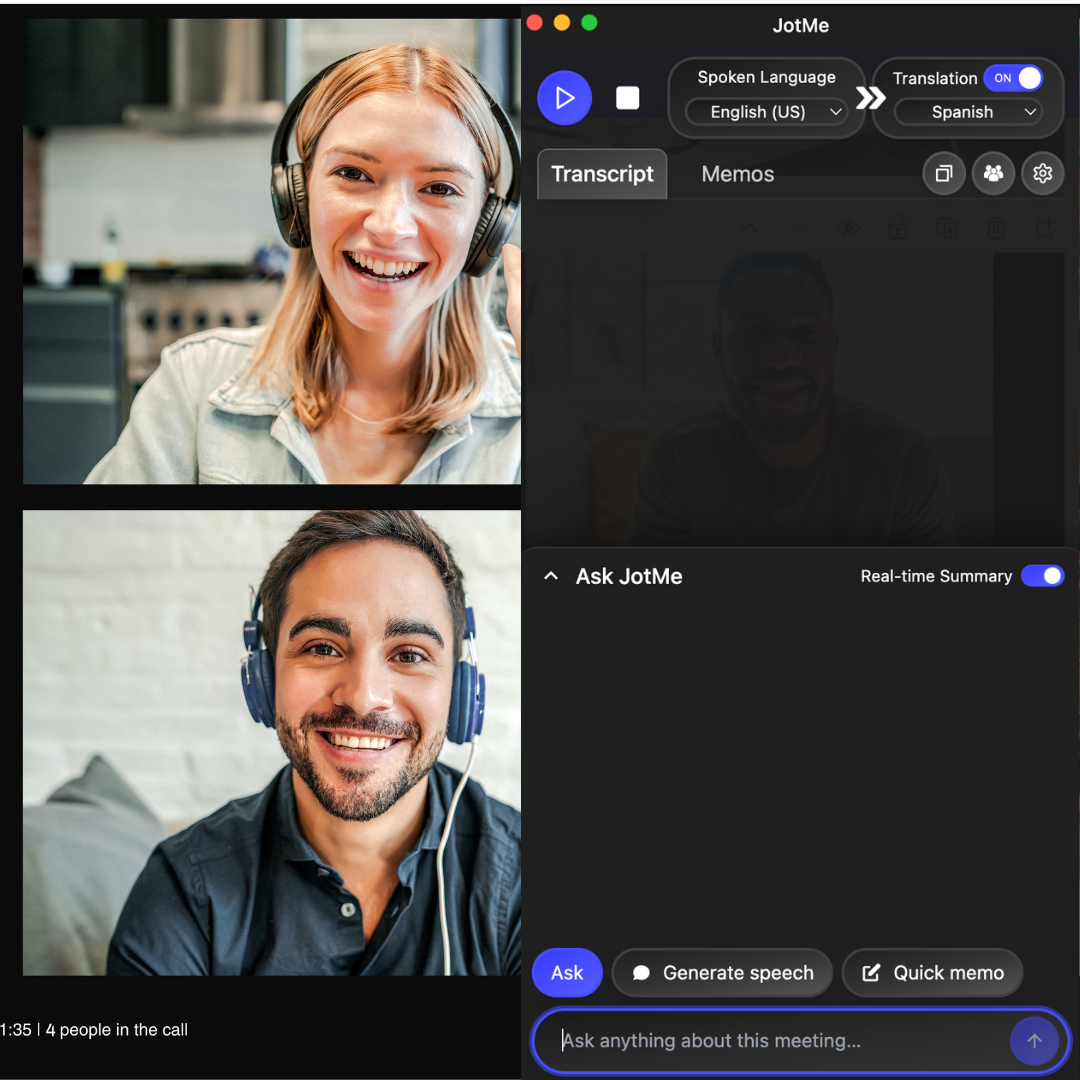
Select the spoken and translation languages and tap "Play" to get live translation, multilingual transcription, AI meeting notes, real-time AI answers, shared translation minutes, and more.
What does JotMe AI Interpreter do?
JotMe is a bridge between languages, cultures, and your work contexts. Understand and speak in any language in any meeting. JotMe will take care of the rest for you.
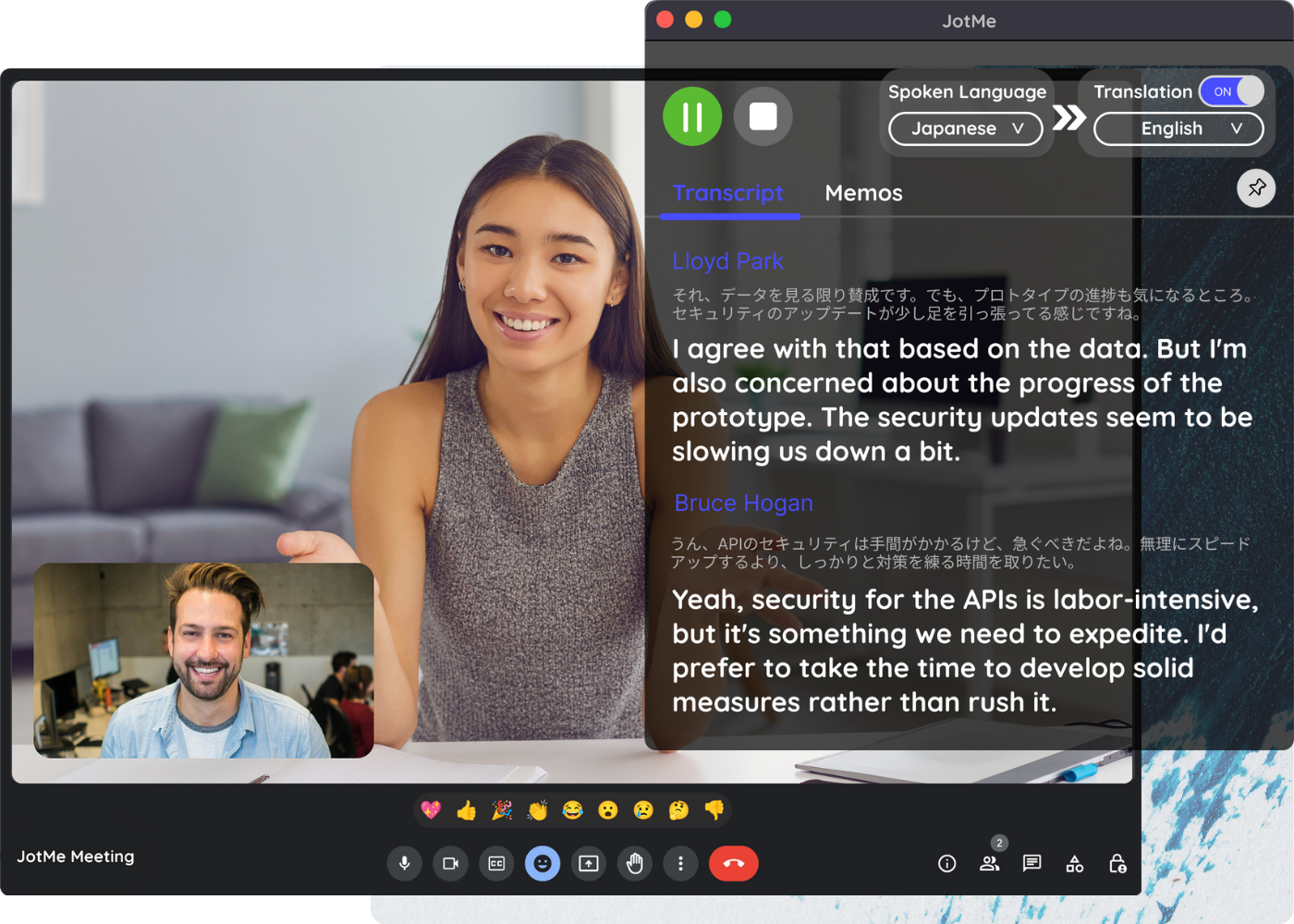
Simultaneous Interpretation for Global Meetings
Get real-time caption translation that's contextually accurate with advanced speech recognition that understands human intent and meaning, not just words.
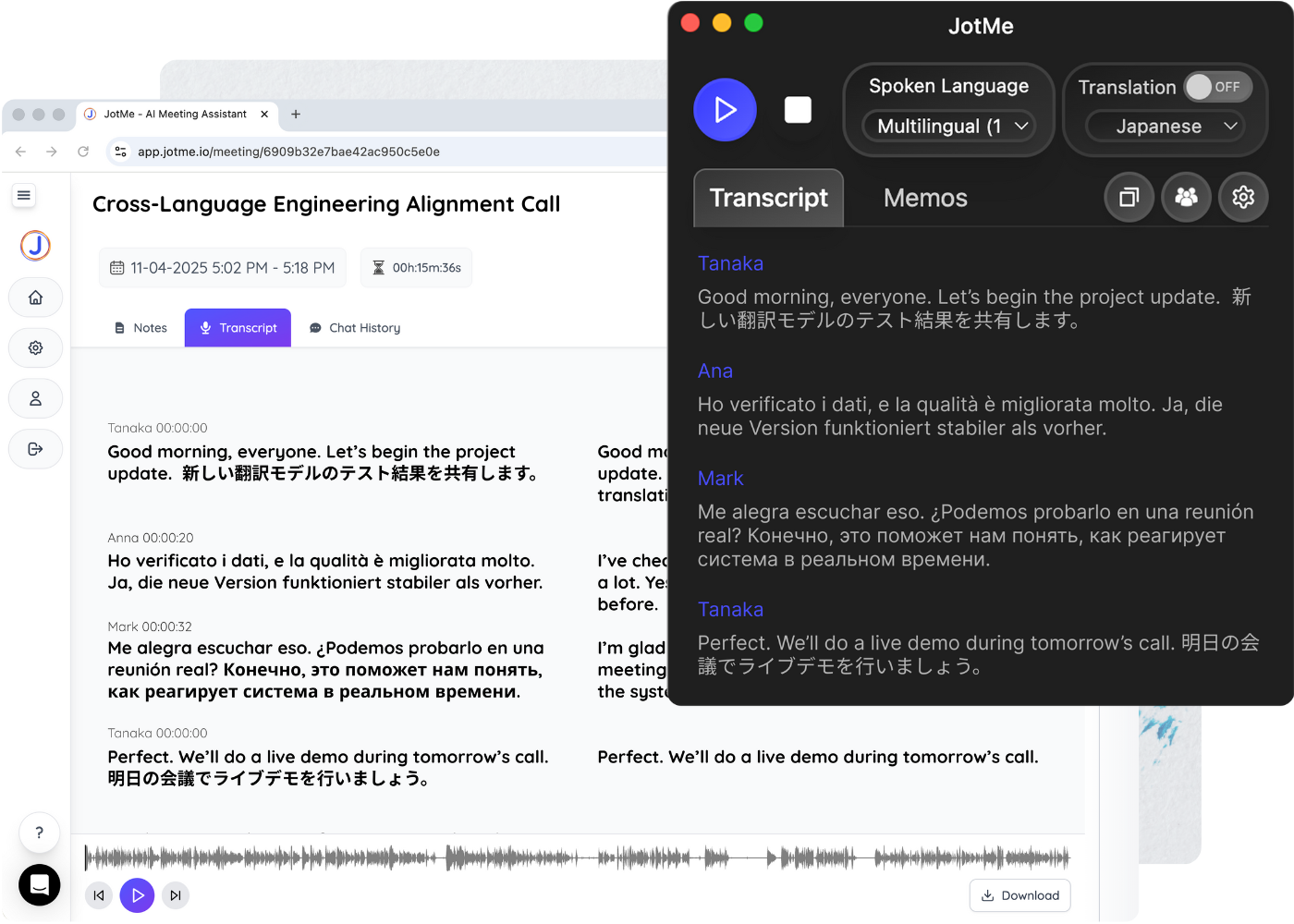
Transcription for Multilingual Teams
Never miss key points in any language. JotMe transcribes up to 10 languages simultaneously with your custom vocabulary, including English, Japanese, Spanish, Russian and more.
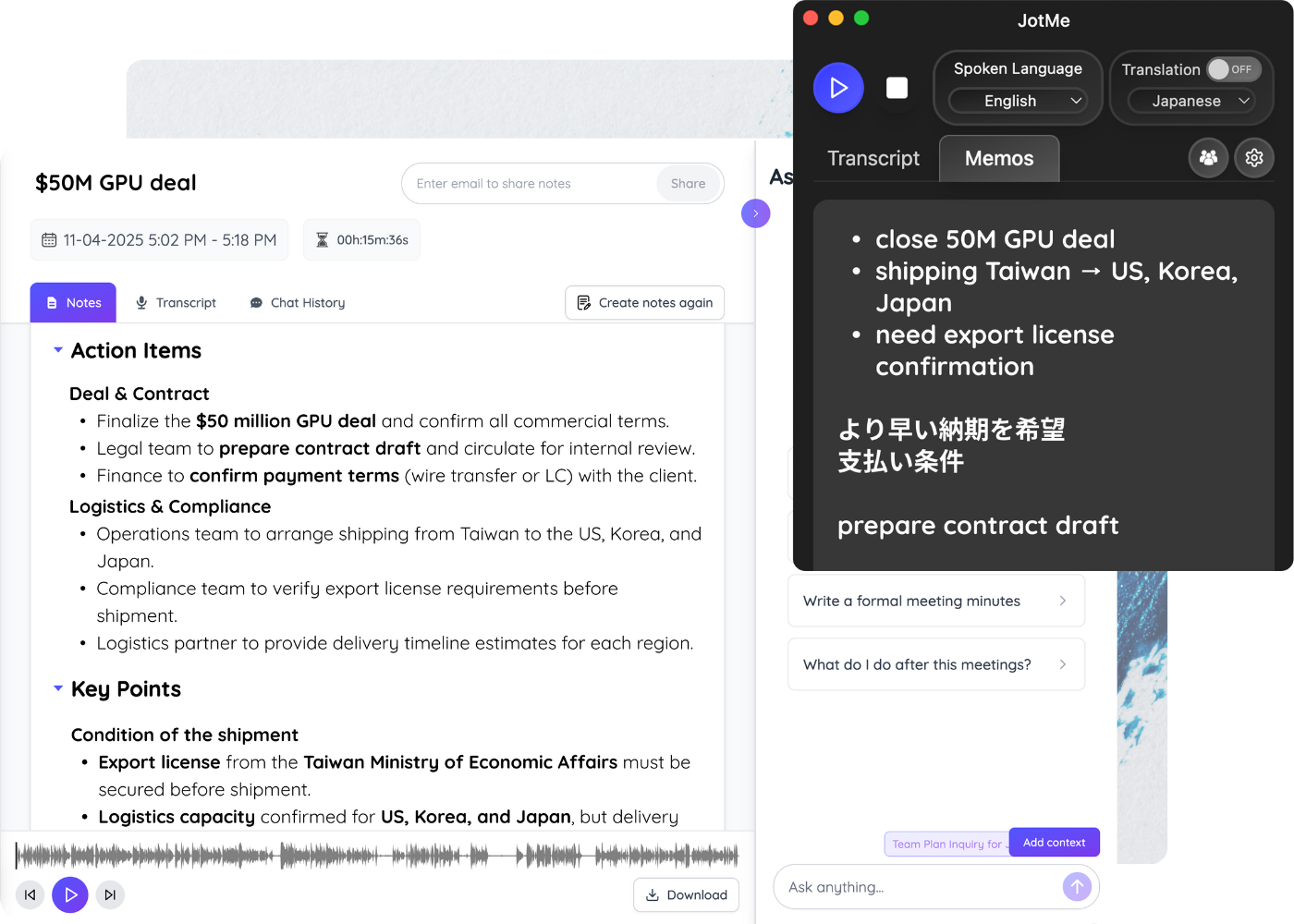
AI Notetaker for Clear Action Items
JotMe summarizes discussions into actionable AI meeting notes in any language. Translate and share them instantly with your global teammates and clients.
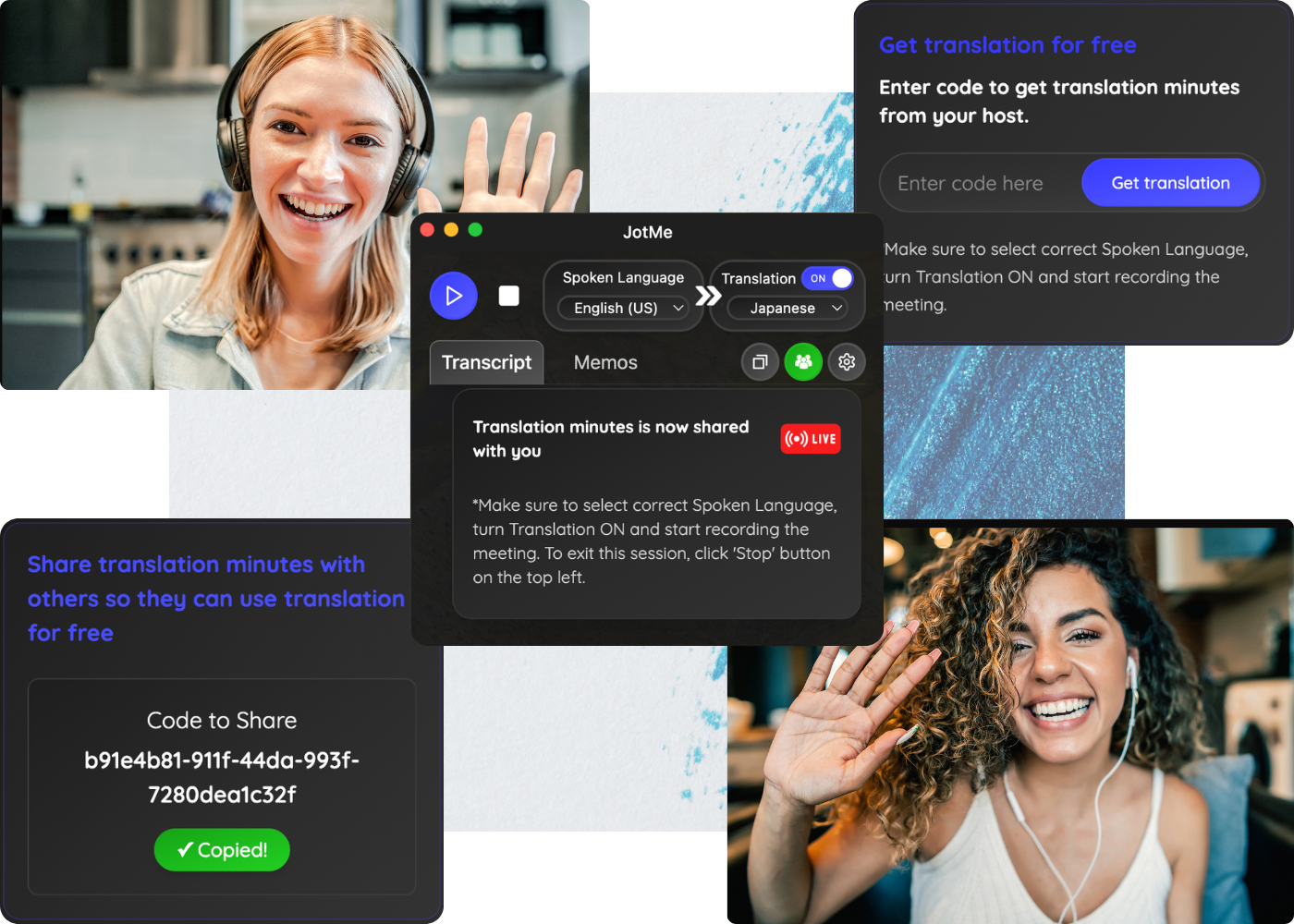
Share Voice Translation to Collaborate
Share live translation minutes to get two-way translation so your teammates or clients can get live translation instantly, record audio, and access AI summaries for free.
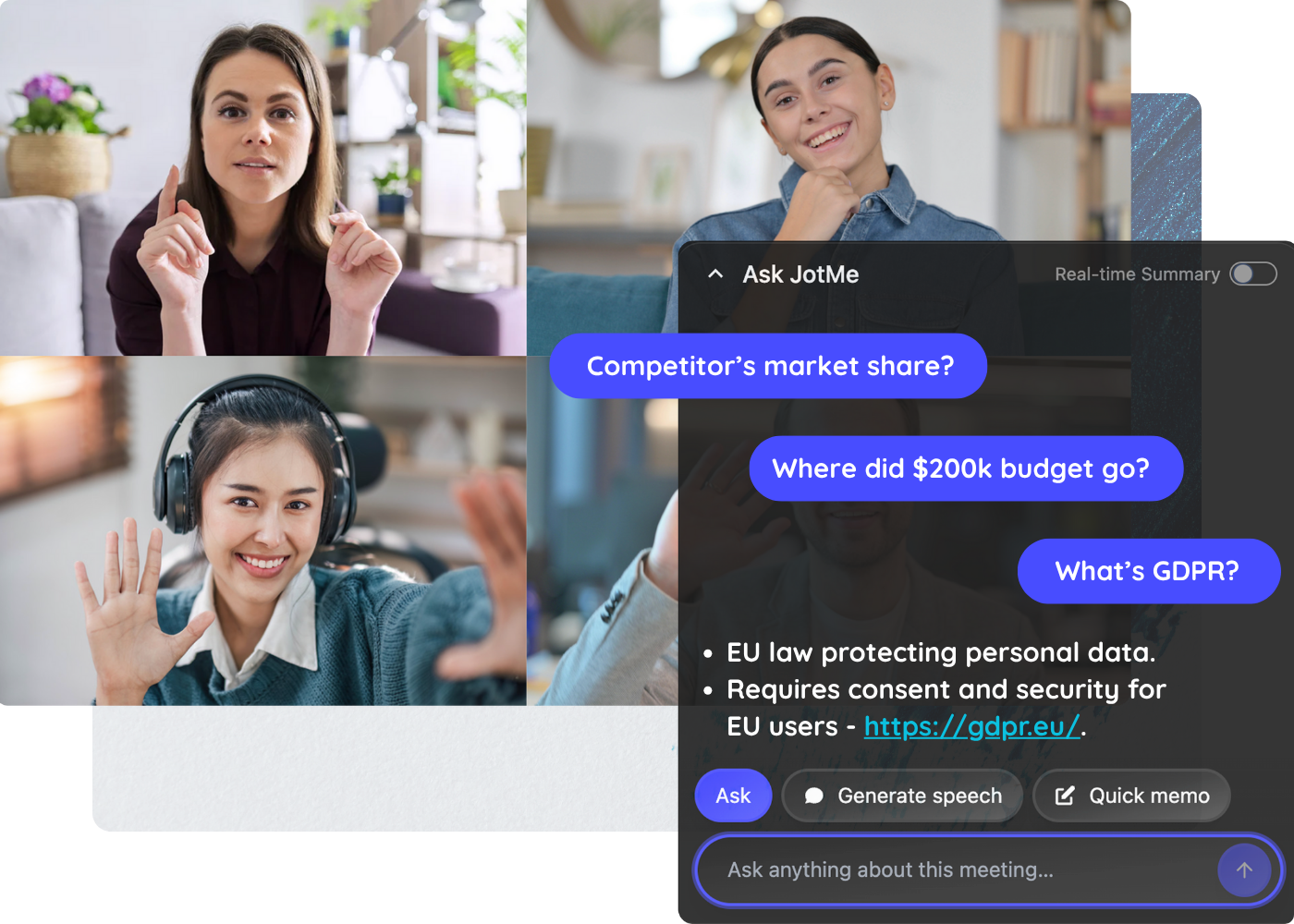
Assistive AI Search for Real-time Conversation
New information in the meeting that you don't know. What do you do? Search? JotMe knows the answer, all you have to do is to ask.
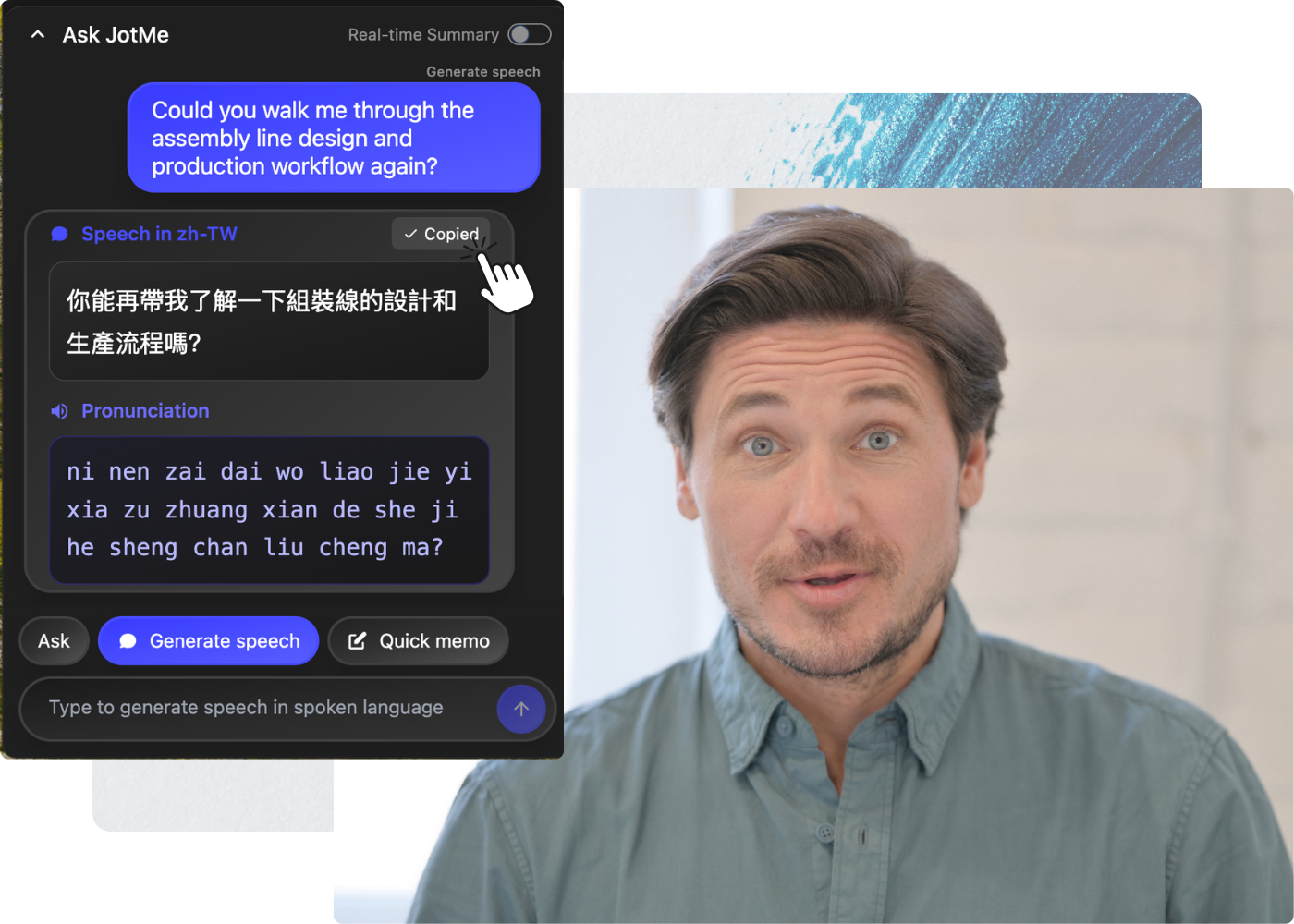
Live Speech Generation to Speak Up
Get instant speech in text in any language with pronunciation in your own language. You can copy and paste in the meeting chat or internal messaging to communicate with your colleagues silently.
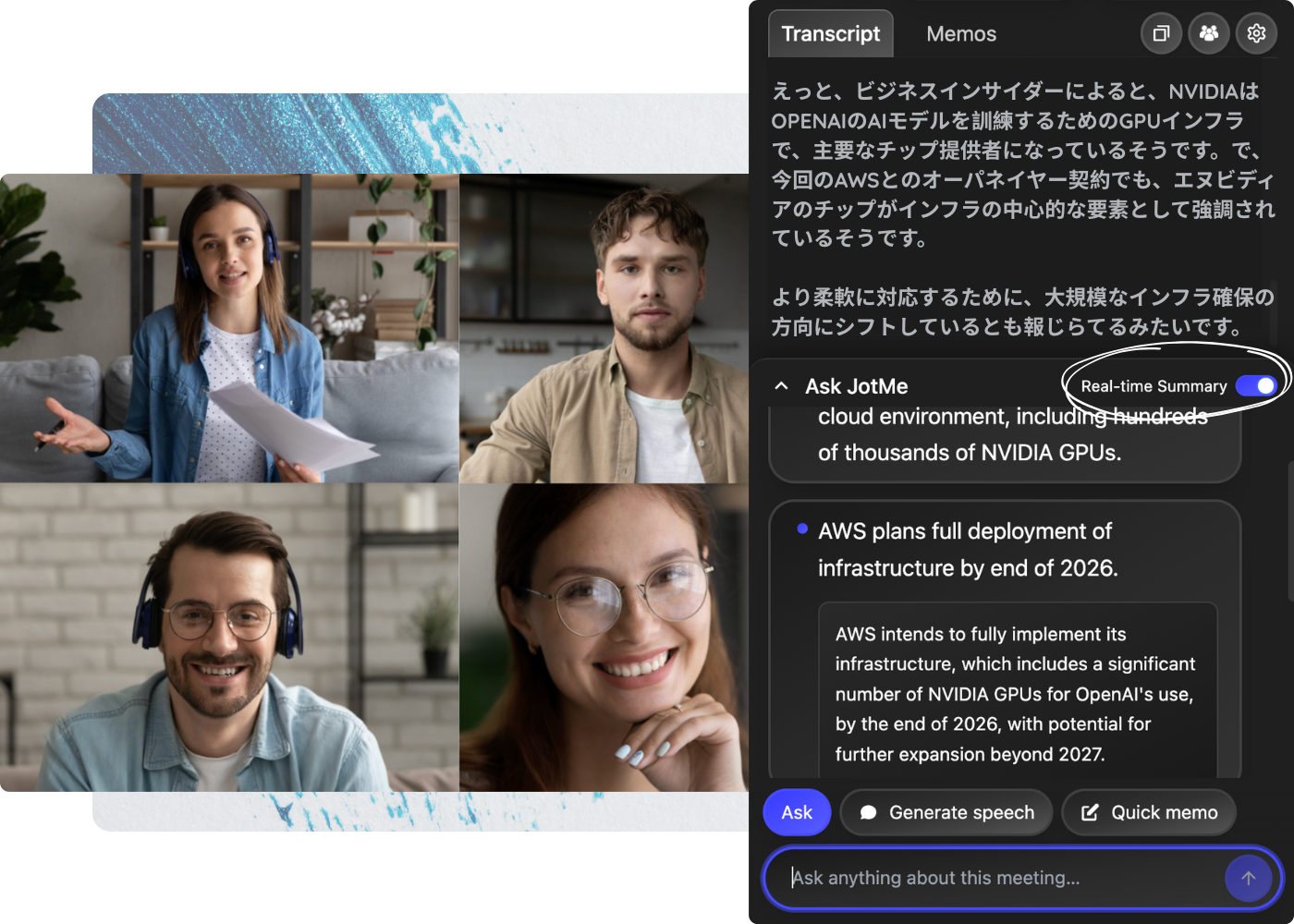
Real-time AI Summary to Simplify Complex Meetings
Fast-paced and complex meetings can be instantly summarized in your preferred language. When you need more context, click for AI-powered explanations and deeper insights.
For all platforms. No bots. Simple setup.
JotMe transcribes audio directly from Mac and Windows, with no meeting bots joining your call. All you have to do is to download desktop app on your computer.

See JotMe AI Interpreter in Action
JotMe uses advanced multilingual speech recognition to deliver contextual, real-time translation, transcription, and AI meeting summary in 107 languages. JotMe understands human intent and meaning, not just words so you never miscommunicate.
JotMe Product Demo (Website) - YouTube
JotMe
55 subscribers
JotMe
Search
Watch later
Share
Copy link
Info
Shopping
Tap to unmute
If playback doesn't begin shortly, try restarting your device.
More videos
More videos
You're signed out
Videos you watch may be added to the TV's watch history and influence TV recommendations. To avoid this, cancel and sign in to YouTube on your computer.
CancelConfirm
Share
Include playlist
An error occurred while retrieving sharing information. Please try again later.
0:00
0:00 / 1:42
•Live
•
Built for global and cross-functional teams
Whether you're in c-level, management, engineering, sales, or customer success, calls with different contexts or languages slow meetings down and multiply follow-ups. JotMe fixes that by capturing what they meant, not just what they said.
"As my job involves translation and bridging cultures, I have found this tool as a game changer to my daily work."\
\
 \
\
Adam \
\
Operations Specialist / Tiktok "Japanese was once a mystery to me, but this product made it clear and accessible with contextual understanding."\
\
 \
\
Stamatis \
\
Consultant / Deloitte "JotMe streamlines our multilingual meetings, ensuring seamless collaboration in our fast-paced work environment."\
\
 \
\
Cesar \
\
Program Manager / Amazon "This bilingual feature streamlines note-taking at work, saving time and boosting efficiency in both languages."\
\
 \
\
Yusuke \
\
Sales Manager / NTT "Essential for non-fluent speakers; simplifies complex meetings with real-time translation and accurate transcriptions."\
\
 \
\
Jesse \
\
Software Freelancer "The translation tool we've needed for years – now a reality with JotMe!"\
\
 \
\
Elston \
\
CEO & Founder / Tiny.host
Pricing
Hire JotMe AI Interpreter to unlock your true potential in meetings
Monthly
Annually
FREE
The quickest way to get started with JotMe.
$0
Per user/month, Billed annually
What’s included
-

20 minutes of monthly live translation or real-time summary -
5 AI credits for real-time search (Ask JotMe), AI meeting notes, meeting notes translation, transcript translation, etc -
50 minutes of monthly transcription (speech-to-text without translation) -
Access to last 5 meeting recordings -
5 custom terms (vocabulary)
PRO
For individuals who meet and work occasionally.
$10
Per user/month (save 50%), $120 Billed annually
What’s included
-

200 minutes (3h) of monthly live translation or real-time summary -
20 AI credits -
Unlimited transcription for chrome extension on Google Meet -
500 minutes (8h) of monthly transcription for desktop app -
300k tokens for AI text translation -
20 custom terms (vocabulary) -
Access to last 20 meeting recordings -
Advanced settings (deleting meeting notes, automatic tab open, automatic AI meeting generation, etc)
PREMIUM
For business or teams who meet and work often.
$15
Per user/month (save 50%), $180 Billed annually
What’s included
-
500 minutes (8h) of monthly live translation or real-time summary -
50 AI credits -
2000 minutes (33h) of monthly transcription for desktop app -
700k tokens for AI text translation -
50 custom terms (vocabulary) -
Access to unlimited meeting recordings -
Sharing translation minutes -
Priority customer support -
All PRO features included
FREE
The quickest way to get started with JotMe.
$0
Per user/month, Billed monthly
What’s included
-
20 minutes of monthly live translation or real-time summary -
5 AI credits for real-time answers, AI meeting notes, etc -
50 minutes of monthly transcription (speech-to-text without translation) -
Access to last 5 meeting recordings -
5 custom terms (vocabulary)
PRO
For individuals who meet and work occasionally.
$20
Per user/month, Billed monthly
What’s included
-
200 minutes (3h) of monthly live translation or real-time summary -
20 AI credits -
Unlimited transcription for chrome extension on Google Meet -
500 minutes (8h) of monthly transcription for desktop app -
300k tokens for AI text translation -
20 custom terms (vocabulary) -
Access to last 20 meeting recordings -
Advanced settings (deleting meeting notes, automatic tab open, automatic AI meeting generation, etc)
PREMIUM
For business or teams who meet and work often.
$30
Per user/month, Billed monthly
What’s included
-
500 minutes (8h) of monthly live translation or real-time summary -
50 AI credits -
2000 minutes (33h) of monthly transcription for desktop app -
700k tokens for AI text translation -
50 custom terms (vocabulary) -
Access to unlimited meeting recordings -
Sharing translation minutes -
Priority customer support -
All PRO features included
ENTERPRISE
For fast growing global businesses and large enterprises.
-
Centralized team billing -
Unlimited monthly transcription, additional minutes of monthly translation and AI credits -
Custom features include advanced, high-quality multilingual transcription and translation, an admin dashboard, centralized meeting notes and transcript data management, as well as integrations with Google Docs, email, Slack, and more for automated workflow.
How to Use JotMe Live Translator on Zoom, Google Meet, and Microsoft Teams and more?
How to translate Google Meet, Zoom, Teams, Webex, Discord, WhatsApp, Line, WeChat, and more? We are posting useful tips and guides every week so we can minimize your miscommunication every day.
 \
 \
 \
 \
 \
 \

Frequently Asked Questions
1. How many languages does JotMe support?
keyboard_arrow_down
JotMe supports 107 languages for live translation and transcription on its desktop app and Chrome extension, including English, Japanese, Korean, Spanish, Vietnamese, Chinese, Russian, Portuguese, etc.
2. How to use JotMe live translation?
keyboard_arrow_down
To use JotMe for real-time translation, first install desktop app or chrome extension on your device and launch it during your meeting. Next, select the spoken language of the meeting and your desired output language, and JotMe will begin the real-time translation as you start speaking.
3. Which platforms is JotMe compatible with?
keyboard_arrow_down
JotMe is compatible with various platforms, including MS Teams, Zoom, Google Meet, Webex, Slack, Discord, WhatsApp, Line, WeChat, and more.
4. How to get live AI assistance from JotMe?
keyboard_arrow_down
To get live AI real-time summaries or insights in JotMe, use the “Ask JotMe” feature at the bottom of the desktop app. You can view instant summaries or ask JotMe anything about your meeting to get answers right away.
5. How to share translation minutes in JotMe?
keyboard_arrow_down
To share translation minutes with others in JotMe, start recording and translating the meeting to generate a shareable code. They must enter it in the “Get translation” box to get the live translation, post-meeting notes, and summaries without a paid plan.
6. How to translate the post-meeting notes and transcripts?
keyboard_arrow_down
To translate the post-meeting notes and transcripts on the JotMe dashboard, select the meeting notes and transcripts you wish to translate, then under the “Notes” or "Transcript" section, click on the “ Translate” button at the top-right to translate your notes and transcripts into your preferred language.
7. How to enable multilingual live transcription in JotMe?
keyboard_arrow_down
To enable multilingual live transcription in JotMe, you can set the “Spoken Language” to Multilingual in JotMe desktop app. You can also toggle on the translation button to translate the multilingual transcription into any other language, with context, in real time.

Win Globally
For Zoom Zoom Translation Zoom Translated Caption Zoom Transcription Zoom Trancript Zoom AI Notetaker Zoom AI Summary For YouTube YouTube Translate YouTube Transcription YouTube Summary AI
For Microsoft Teams Teams Translation Teams Caption Translation Teams Transcription Teams Trancript Teams AI Meeting notes Teams AI Summary For LINE LINE video and voice call translation LINE video and voice call transcription LINE video and voice call summary
For Webex Webex Translation Webex Transcription Webex AI Meeting Notes
Contact Us
 \
hey@jotme.io  \
JotMe_io  \
JotMe  \
Slack community
© Copyright 2025 JotMe