

详细内容
PINGDOM_CANARY_STRINGSkip to Content
Diagramming powered by intelligence
Create next-generation diagrams with AI, data, and automation in Lucidchart. Understand and optimize every system and process.
 Sign in with GoogleGoogle
 Sign in with MicrosoftMicrosoft
 Sign in with SlackSlack
By registering, you agree to our Terms of Service and you acknowledge that you have read and understand our Privacy Policy.


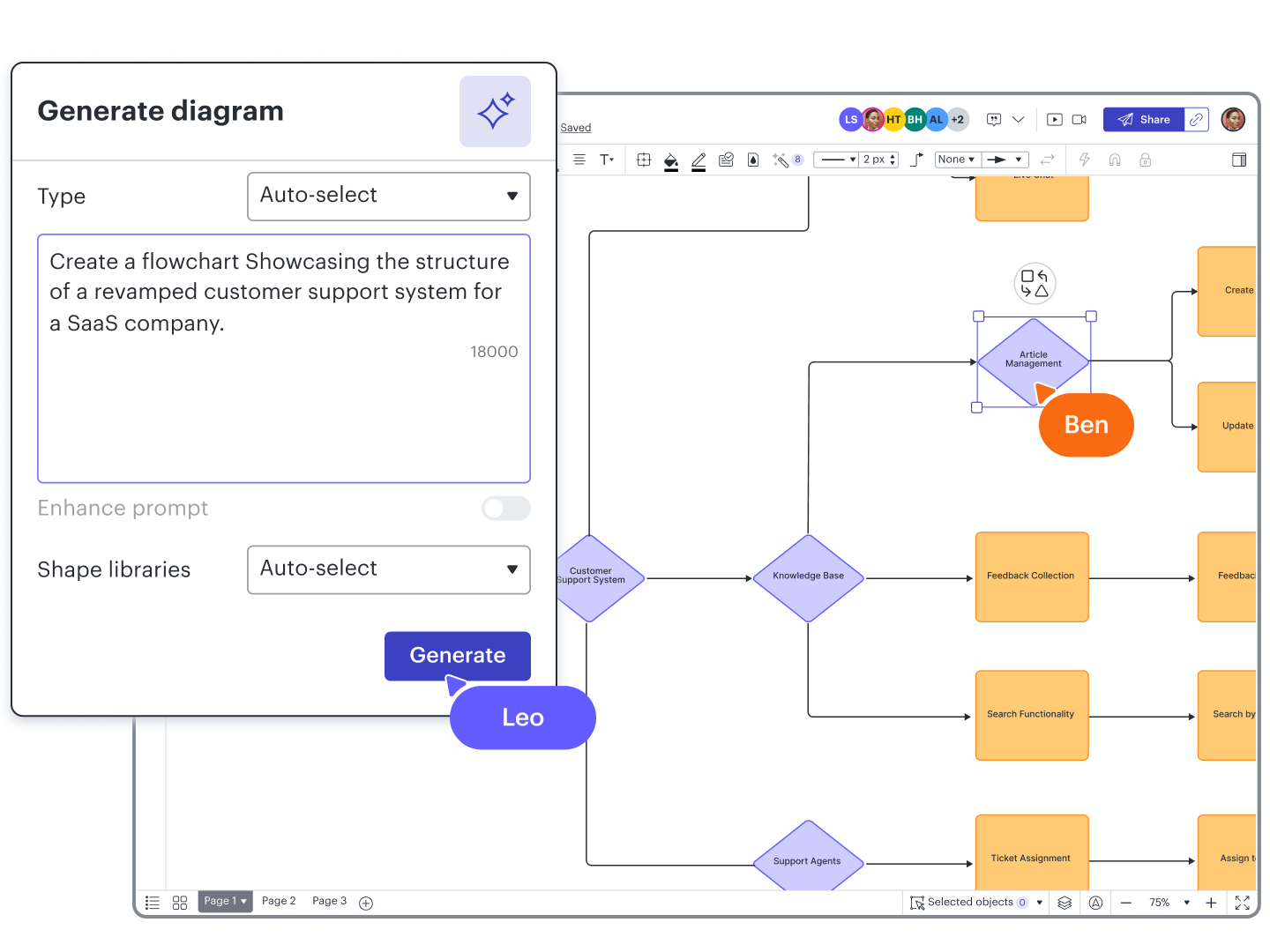
See your work take shape
Generate visuals automatically with AI and data imports, or build your own using intuitive diagramming tools.
Align people and priorities
Collaborate on diagrams in real time or anytime. Create a shared understanding with visual documentation.
Take action on insights
Use intelligent features to improve data visibility, so you can make informed decisions and boost innovation.
How teams use Lucidchart to create diagrams with intelligence
Process maps and flowcharts
AI-generated diagrams
Org and team planning
Technical diagrams
Systems and architecture

Process maps and flowcharts
Establish a single source of truth as you map out and optimize every process. Use features such as:
- Diagram as code
- Quick diagramming
- Real-time collaboration
Integrates with:


AI-generated diagrams
Save time and effort by letting AI do the diagramming and summarizing for you. Use features such as:
- Lucid AI
- Enhance prompt
- Summarize
Integrates with:


Org and team planning
Build dynamic org charts to visualize people and workloads by department or team. Use features such as:
- Data imports
- Data linking
- Group view
Integrates with:


Technical diagrams
Improve documentation by creating visuals that boost clarity and efficiency. Use features such as:
- ERD markup
- Conditional formatting
- Layers
Integrates with:


Systems and architecture
Visualize your infrastructure and create a central communication hub. Use features such as:
- AI Prompt Flow
- Linking and embedding
- Cloud shape libraries
Integrates with:

Where seeing becomes doing, faster
Not sure how to visualize your systems, processes, or org structures? Get inspiration (and a big head start) with Lucidchart templates.
Process flow\
\
Process flow Company org chart example\
\
Company org chart example Scrum team skills chart example\
\
Scrum team skills chart example Product roadmap\
\
Product roadmap BPMN process flow\
\
BPMN process flow 5-stage customer journey map example\
\
5-stage customer journey map example Product backlog\
\
Product backlog Scrum board\
\
Scrum board User journey flow example\
\
User journey flow example AWS network diagram\
\
AWS network diagram ERD with colored entities (UML notation)\
\
ERD with colored entities (UML notation) Sequence diagram\
\
Sequence diagram UML sequence: Web application authentication\
\
UML sequence: Web application authentication C4 model example\
\
C4 model example Dependency graph\
\
Dependency graph OKR planning chart example\
\
OKR planning chart example ERD import example\
\
ERD import example UML class\
\
UML class Org chart with analytics example\
\
Org chart with analytics example Gantt chart with milestones example\
\
Gantt chart with milestones example
Capabilities for next-generation diagramming
Go beyond shapes and lines. Create diagrams in less time with data-driven intelligence.
Lucid AI
Data linking
Conditional formatting
UML markup
Layers


Type text prompts to create AI-generated content automatically on your Lucidchart canvas, or ask questions to get started with AI.
Whatever your workflow, there’s an integration for that
Streamline processes and eliminate silos by connecting Lucidchart with dozens of your team’s favorite apps.


Lucid Custom GPT
Use text prompts in ChatGPT to generate diagrams in Lucidchart that you can edit and share.
Lucid Custom GPT
Keep everyone in sync by attaching Lucid diagrams to Jira tasks, projects, and issues.
Lucid Custom GPT
Increase clarity and collaboration across teams by adding Lucidchart documents to Confluence.
Lucid Custom GPT
Grant access to Lucid documents from Slack, and start a brainstorming session with Slack shortcuts.
Lucid Custom GPT
Embed and edit Lucidchart diagrams in Teams, and use Lucid AI to quickly summarize Lucid documents.
Lucid Custom GPT
Paste Lucidchart links directly into Notion pages to organize work and share visuals with your team.
Integrations
Better collaboration for your apps, too
With more than 100 custom-built integrations (and counting), Lucid works seamlessly with the apps you already use. Select one below to learn more.
Go to integrations marketplace
The following section contains a long list of integration links. Press ESCAPE at any time to skip to the next section
 \
 \
 \
 \
 \
 \
 \
 \
 \
 \
 \
 \
 \
 \
 \
 \
 \
 \
 \
 \
 \
 \
 \
 \
 \
 \
 \
 \
 \
 \
 \
 \
 \
 \
 \
 \
 \
 \
 \
 \
 \
 \
 \
 \
 \
 \
 \
 \
 \
 \
 \
 \
 \
 \
 \
 \
 \
 \
 \
 \
 \
 \
 \
 \
 \
 \
 \
 \
 \
 \
 \
 \
 \
 \
 \
 \
 \
 \
 \
 \
 \
 \
 \
 \
 \
 \
 \
 \
 \
 \
 \
 \
 \
 \
 \
 \
 \
 \
 \
 \
 \
 \
 \
 \
 \

The complete visual collaboration solution for enterprises
The Lucid Suite combines Lucidchart for intelligent diagramming and Lucidspark for virtual whiteboarding. Equip every team in your organization with the most used, most intelligent, most complete, and most connected platform of its kind.
Additional resources
AI in Lucid
Learn more about AI capabilities across the Lucid platform.
Lucid Training Labs
Level up your diagramming skills and earn Lucid Builder Badges.
Lucid Community
Connect and engage with other Lucid diagrammers and the Lucid team.
Try Lucidchart free and see the future of diagramming
Qualified