

详细内容
For every messy Mac situation
-
Organize your files with AI
-
Remove duplicates instantly
-
Stay clutter-free, always
10,000,000 files organized
Try Sparkle for free
You won't be charged until the end of your trial.
Cancel any time in the app.

















10,328,332
Files organized for
10,000+ happy users
 \
\
Clintin Lyle Kruger\
\
@Lyle_AI\
\
This is a lifesaver - HUUUGEE
 \
 \
\
Joel Runyon\
\
@joelrunyon\
\
This type of micro-task is what AI seems useful for
 \
 \
\
Kevin → Plant Daddy\
\
@KevinEspiritu\
\
If I had a Mac this would save my life
 \
Organizing is over
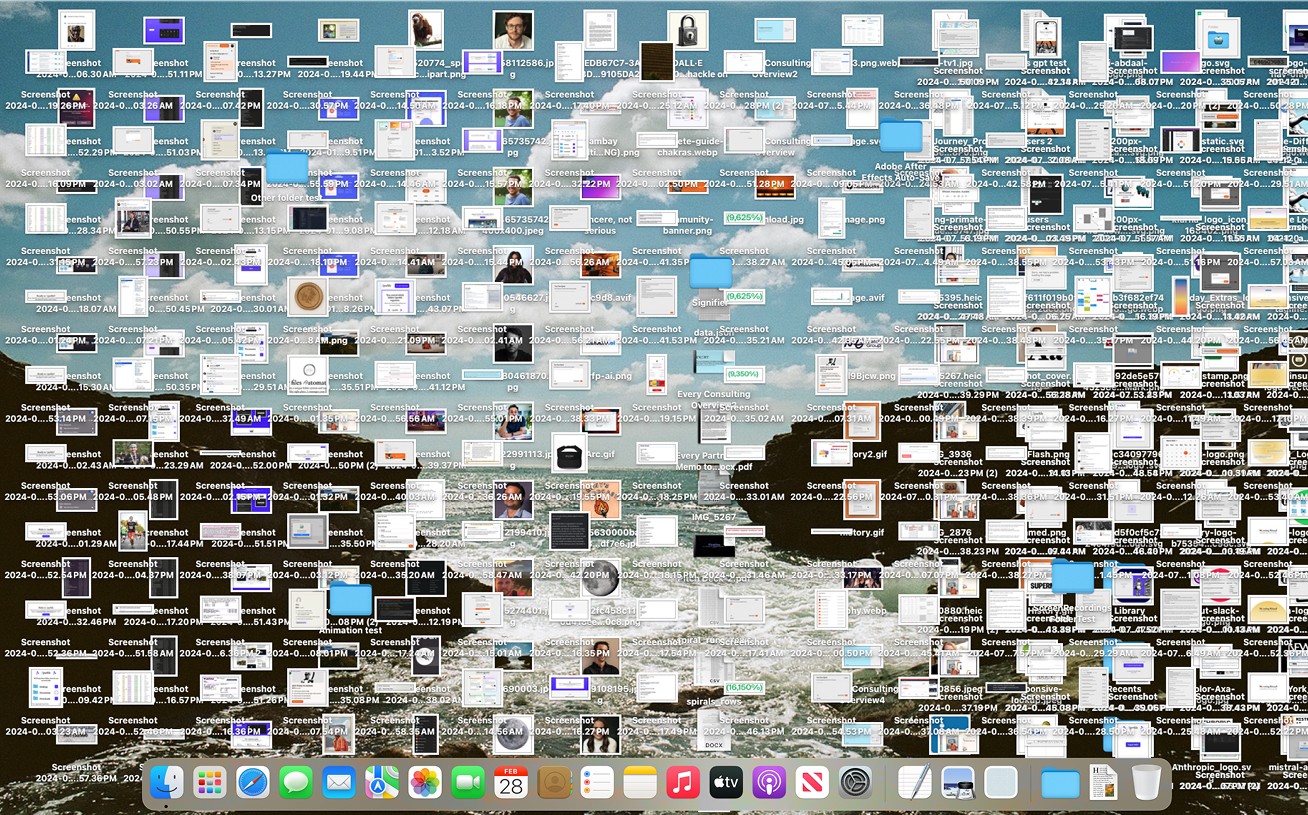
No more wasting time sorting files manually. Sparkle
uses AI to create a customised folder structure.
Manual organization
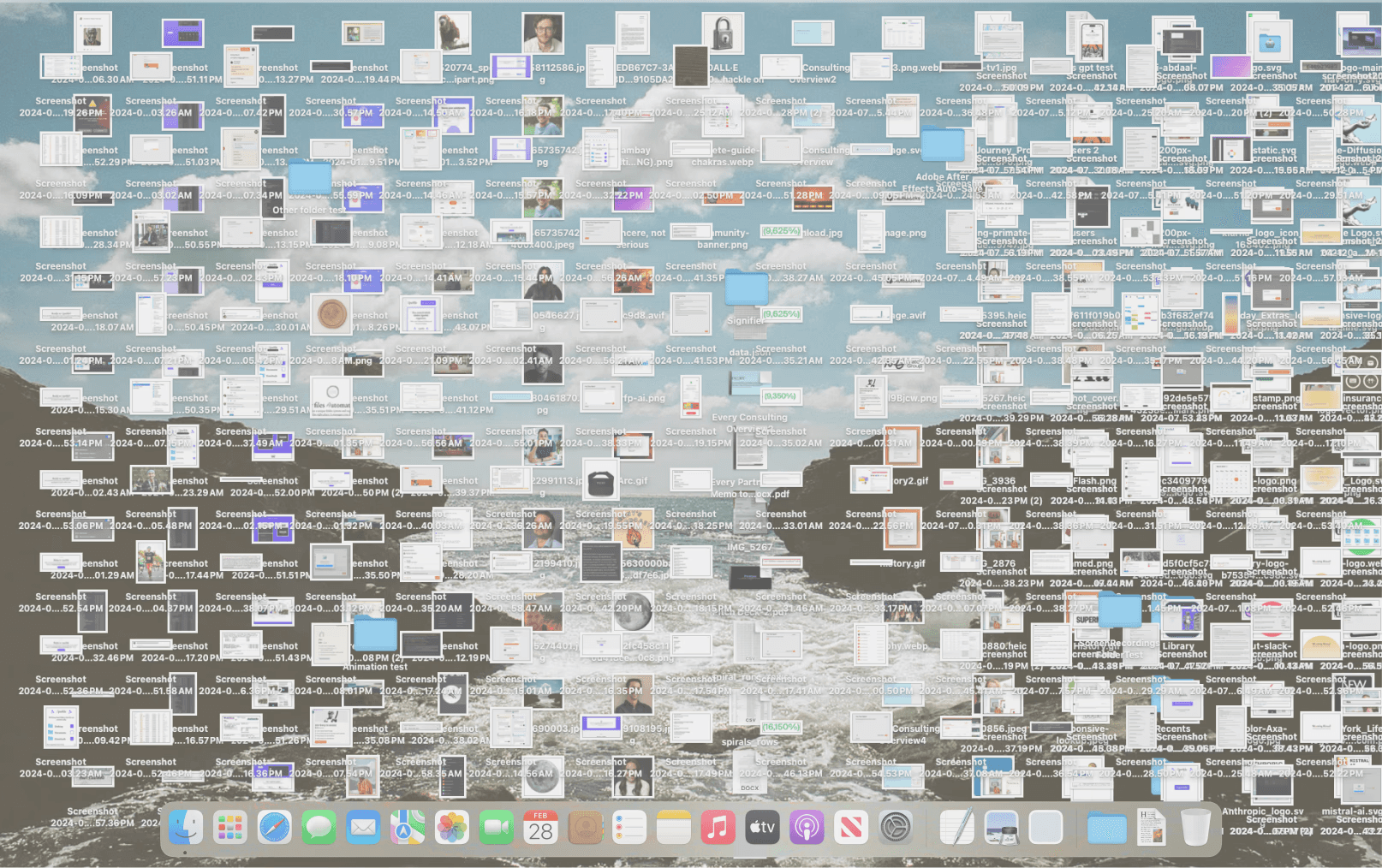
❌ Manually creating folders
❌ Wasting time organizing screenshots
❌ Digging through cluttered folders
❌ Cloud files scattered
❌ Messy work and personal files
❌ Forgetting where important files are saved
With
Sparkle
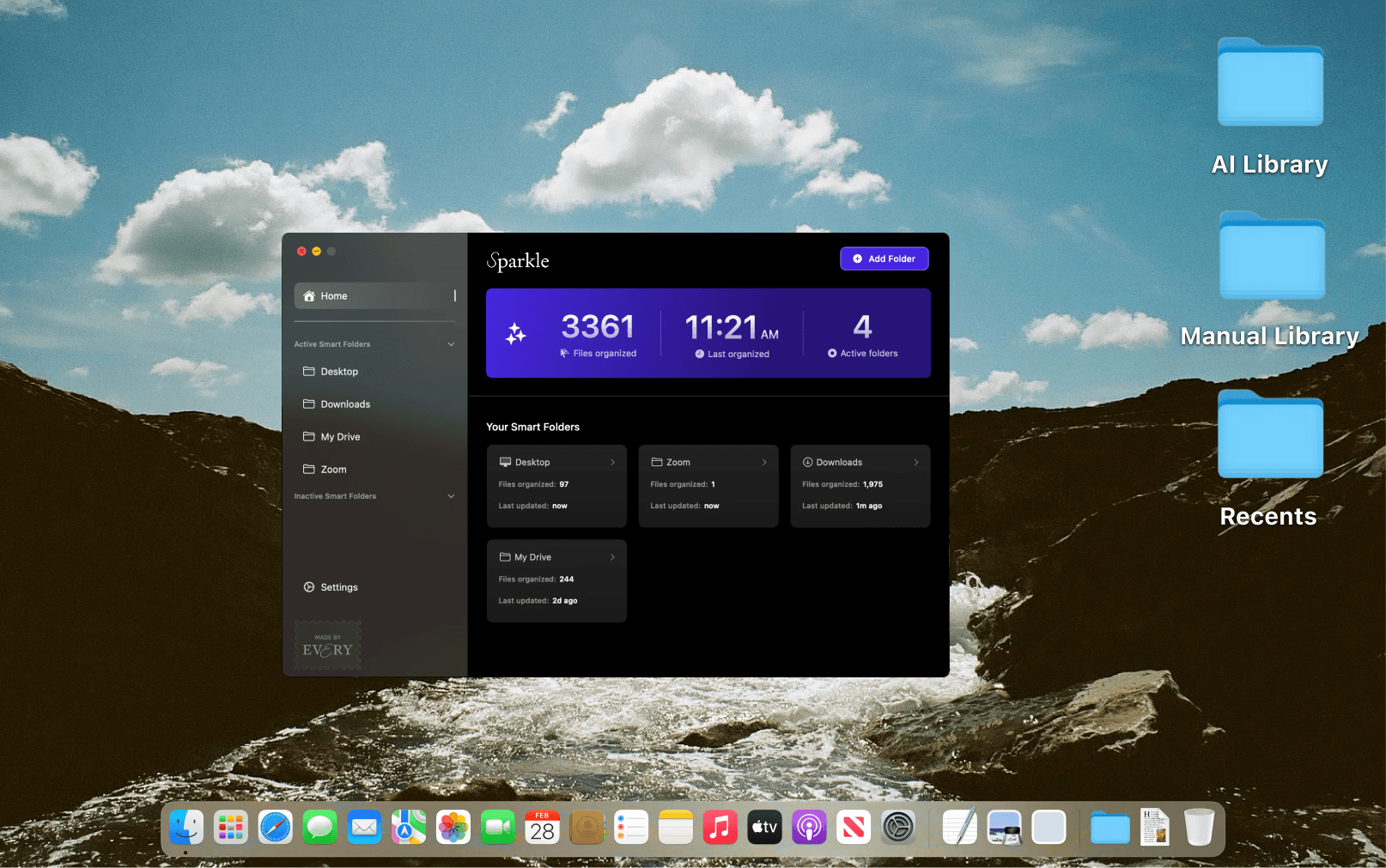
- Turn any folder into a Smart Folder
Pick which folders Sparkle should manage—Desktop, Documents, and Downloads—or add a custom folder.
- Sparkle will customize your Smart Folder
Instantly, Sparkle will add new sub-folders to your Smart Folder based on the types of files you typically keep in that folder. It’ll then organize your files into those sub-folders.
- Never organize again
Let Sparkle handle organizing your computer so you can find files instantly in your smart, self-organizing folder system.


Wonderful way to liberate human time and spend more time on creative work.

Tiago Forte
CEO, Forte Labs
Set it and forget it
No more wasting time sorting files manually. Just
save your files, and Sparkle takes care of the rest.
Sparkle organizes all your folders
Select the folders you want to organize
Choose which folders Sparkle should manage.
Sparkle works great with Dropbox, Google, Box, and any other cloud provider.
Every smart folder is uniquely designed for you
Sparkle creates a custom folder system
Once set up, Sparkle automatically organizes files into: ✅ Recents—where new files go first before being sorted ✅ Manual Library—a space for files want manage yourself ✅ AI Library—where Sparkle creates a custom folder structure and organizes loose files
Built-in duplicate detection
Find and remove duplicate files in seconds
Sparkle finds and flags duplicates automatically. It scans the folders you choose and detects true duplicates locally — even when filenames don’t match.
No more messy cloud files
Turn your cloud drive into a smart folder
Sparkle also works with cloud storage like Google Drive and Dropbox, as well as external hard drives, keeping your files structured no matter where they’re stored.

Security is our priority
Sparkle uses file names to organize your life so you don’t have to. We carefully chose AI models to ensure your information is used to do one thing, and one thing only—organize your computer. File names stored in our database are deleted every 30 days.


Save an average of 3.5 hours per week
Join 10,000+ happy users
Monthly
Save $10/year
$10
/month
billed monthly

15-day free trial
Unlimited organizations
Cancel any time
Yearly
Save $21/year
$99
/year
billed yearly
15-day free trial
Unlimited organizations
Cancel any time
Lifetime

$179
/once
one time
Mac app—yours to keep
Unlimited organizations
Priority feature access
or

and get full access to Cora, Spiral, Monologue, Sparkle and the
entire Every content library for only $30/mo
Installed this, and for the first time, have a
reasonable folder structure.

Nathan Labenz
Frequently asked questions
Got more questions? Email us at sparkle@every.to
What folders can Sparkle organize?
What will Sparkle do to a folder if I give it permission to organize it?
What kind of permissions do I need to give Sparkle?
What if I need a file or folder in the top-level organization adjacent to Recents, AI Library, and Manual Library?
How is Sparkle different from Hazel?
Can I stop Sparkle from organizing certain files?
Can I create my own folders inside Sparkle?
Will Sparkle delete any of my files?
Can Sparkle organize external drives?
Will Sparkle make changes to any other system permissions?
What should I do if I don’t like how Sparkle organizes my files?
Will Sparkle move folders that apps use to store data?
Does Sparkle work with iCloud Drive and Dropbox?
Will Sparkle slow down my Mac?
Your privacy, always protected
Sparkle never opens, reads, or downloads your files.
🔒
We only use file names, nothing else
Sparkle does not access your files’ contents. It uses file names to organize your folders, ensuring your documents stay private.
🗑️
Your details are deleted every 30 days
Your file names are stored only for organization purposes and are automatically deleted from our system every 30 days—no action needed.
🚫
No file access, no sharing
We never store, share, or sell your data. Your files stay on your device—Sparkle simply organizes them for you. Your files remain yours, and yours only.
🔐
Security you can trust
Sparkle runs locally on your Mac and does not upload your files anywhere. Your information stays encrypted, secure, and under your control.