

详细内容
Black Friday Deal:Get Lifetime Access for $149-Save 60% today
Mood Board AI Board Editor MyRoomDesigner.AI
The Nr.1 AI Mood Board Designer
Create Stunning Mood Boards in Seconds
Our AI-Powered Moodboard Maker simplifies the process—just choose your style, and let our smart technology craft beautiful, professional mood boards tailored to you. Say goodbye to design stress and hello to creativity!
Start to create nowLearn how it works
- Free moodboard gallery
- Cancel anytime

AS SEEN ON




Mood Board AI
Effortless Mood Boards Creation
-
Mood Board Creation With One-Click
-
For Interior Design, Fashion, and More
-
Style and Color Selection
-
Additional Customization
-
Easy Item Removal & Clean Up
-
Seamless import into Mood Board Editor
AI-generated Mood Boards
Whether for interior design, fashion, or restaurant branding, Mood Board AI turns ideas into stunning mood boards effortlessly.

Customize freely
Upscale, find real life items from your board, or import your AI-generated mood board into a Mood Board Editor for further customization.

Your browser does not support the video tag.
Easy item removal & clean up
With our Mood Board Editor, you can create beautiful mood boards and easily make a shopping list of your favorite items, complete with prices to share with others.
How it works
Step by Step to Your Stunning Mood Board
Follow these clear and simple steps to bring your creative ideas to life with Mood Board AI.
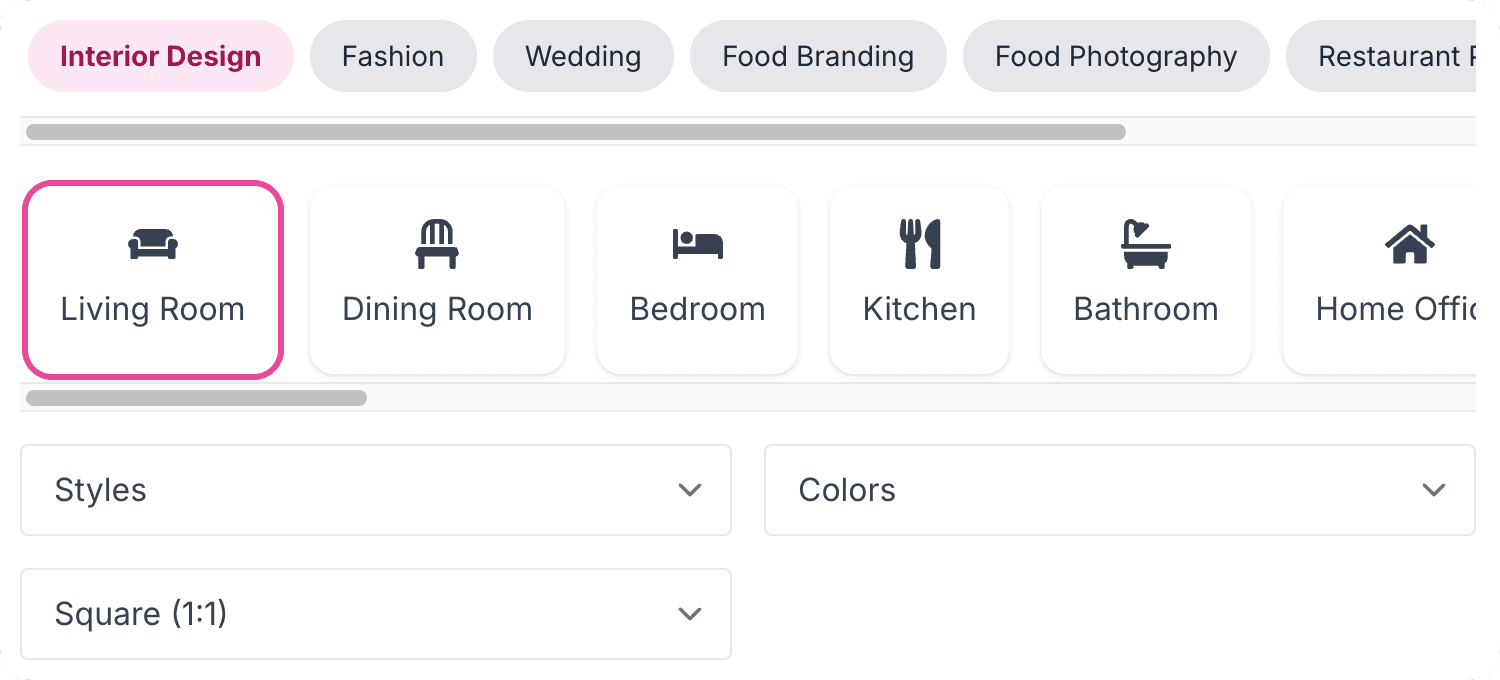
Step 1
Start with Your Vision
Begin by defining your creative vision—whether it's for a room, a brand, or an event. Lay the foundation for your stunning design journey.
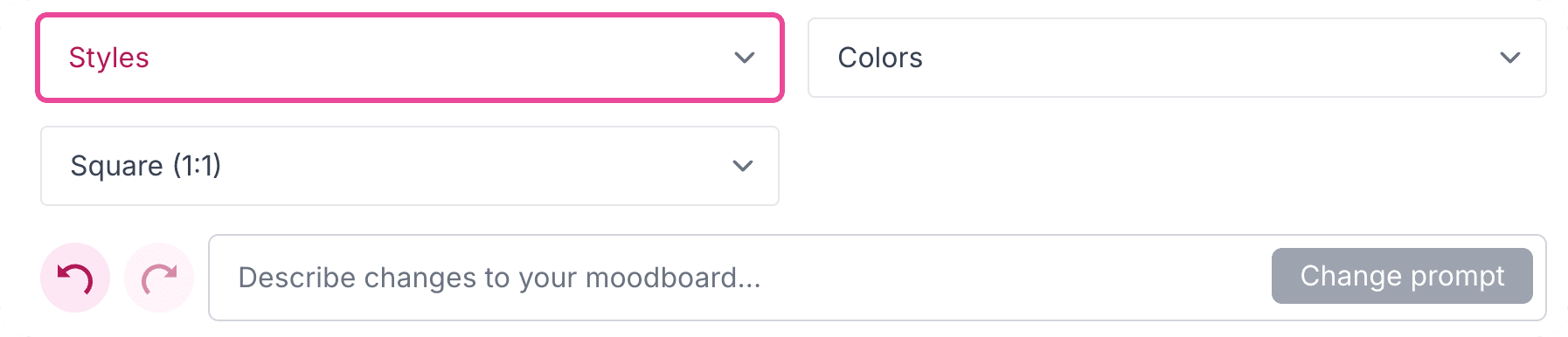
Step 2
Choose Your Style
Select an aesthetic—modern, vintage, or minimalist—and choose color palettes or layouts that inspire you.
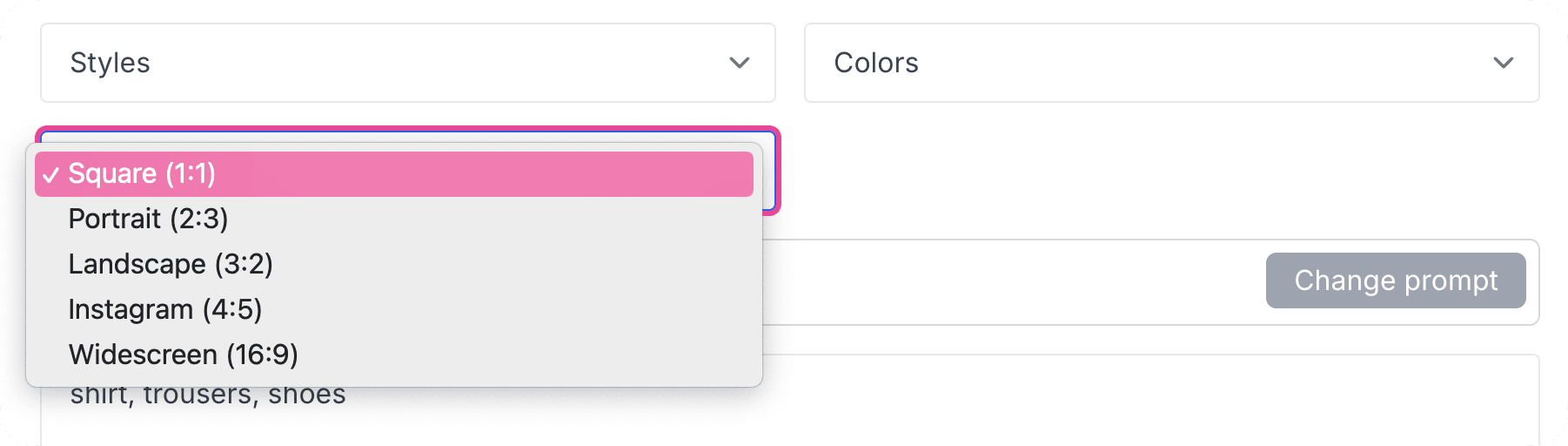
Step 3
Add Custom Details
Personalize your board with unique touches like colors, or board layout.
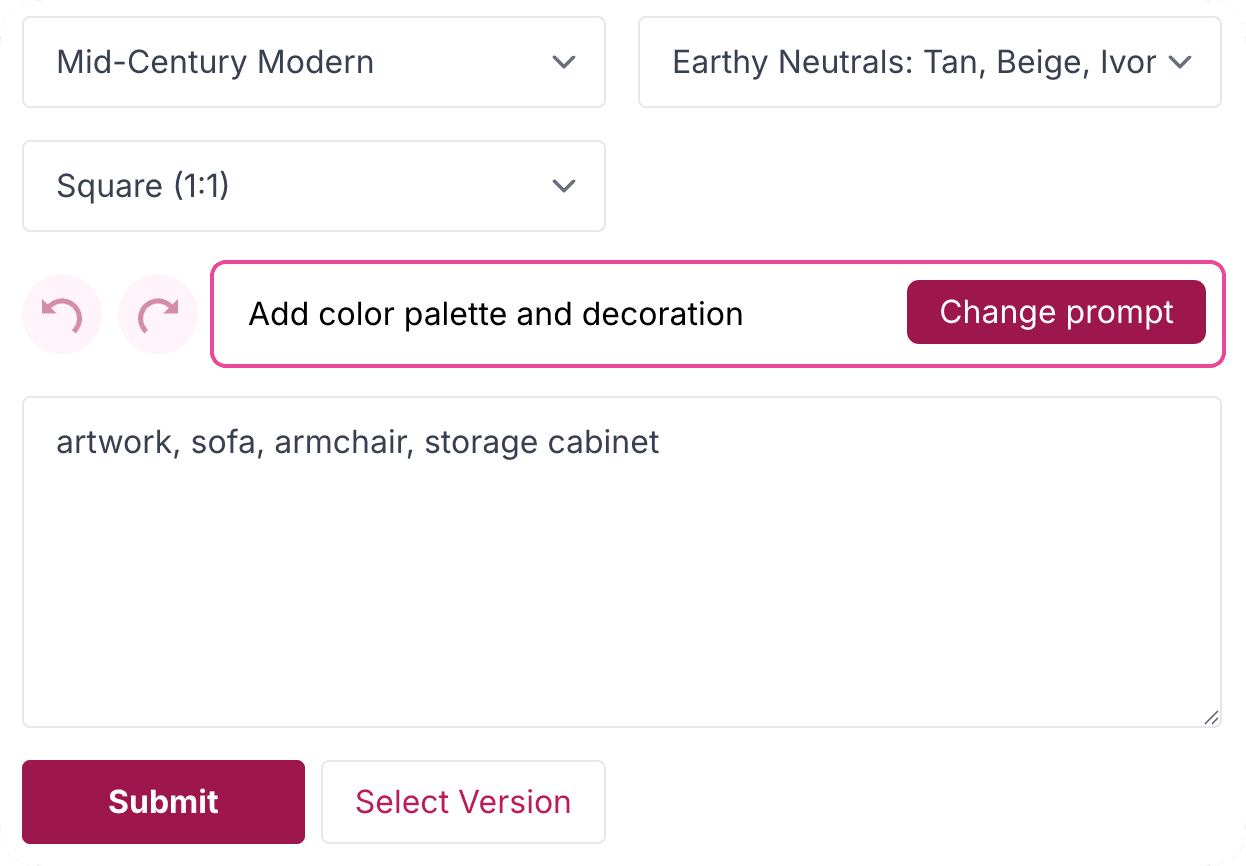
Step 4
Chat and Personalize
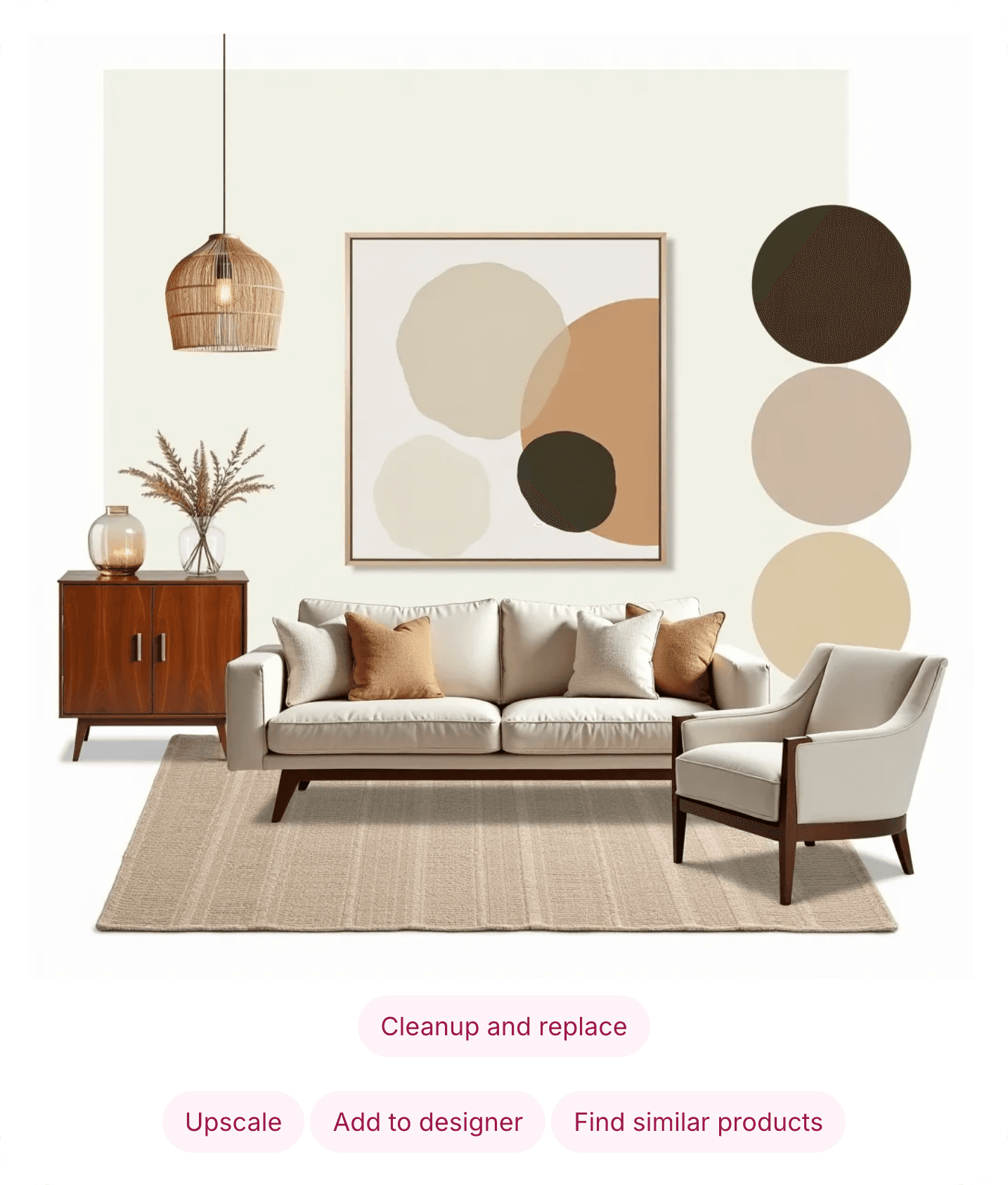
Customize your dream mood board by describing your wishes and clicking 'Change prompt.' The AI will update the prompt and bring your ideas to life in the design. Click the 'Submit' button to generate your design.
Step 5
Refine Your Mood Board
Effortlessly clean up, upscale your design, or discover real-life products inspired by your generated mood board.
Step 6
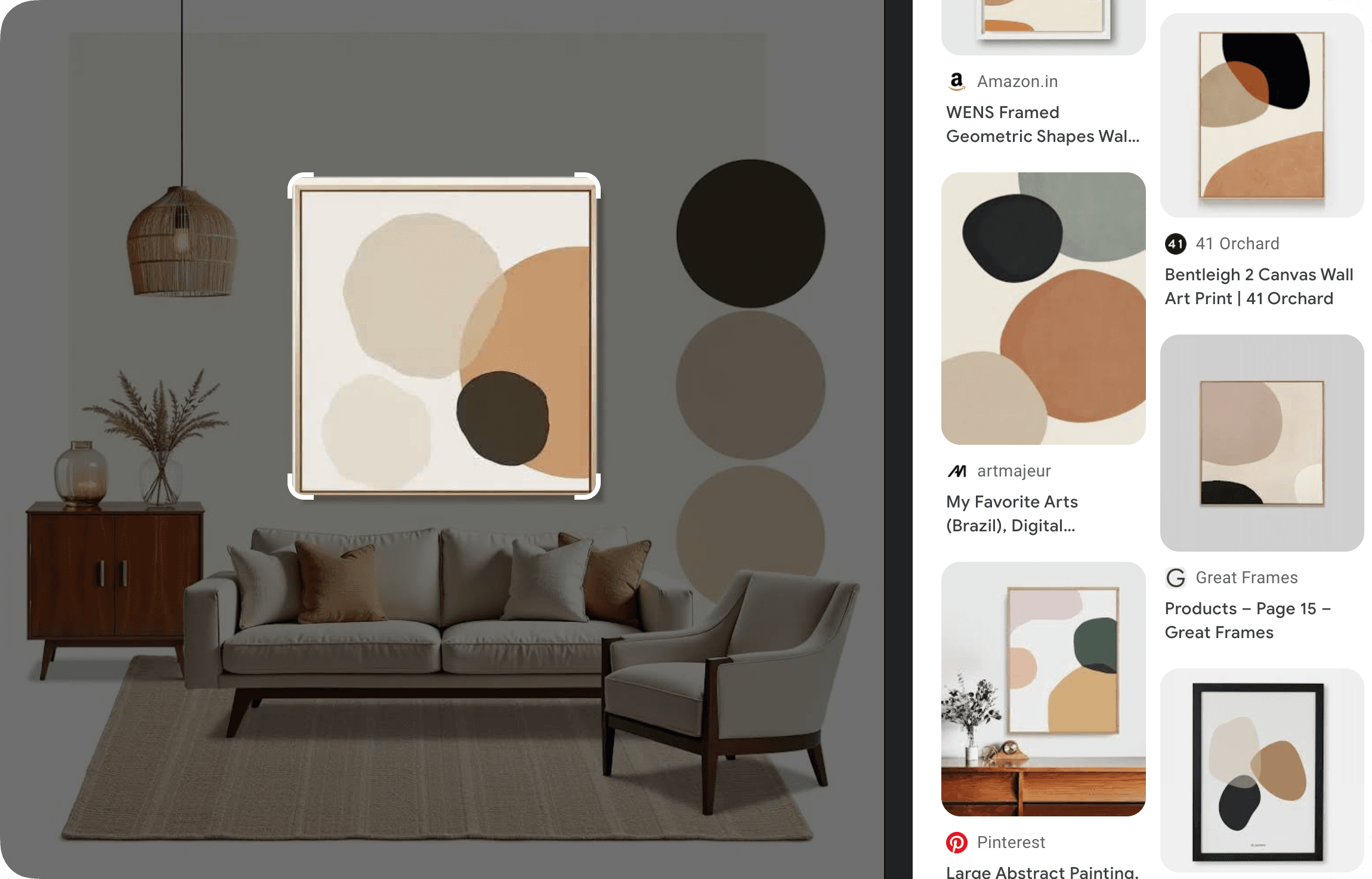
Discover Real-Life Products
Integrate curated product suggestions seamlessly to bring your mood board to life.
Your browser does not support the video tag.
Step 7
Add to Mood Board Editor
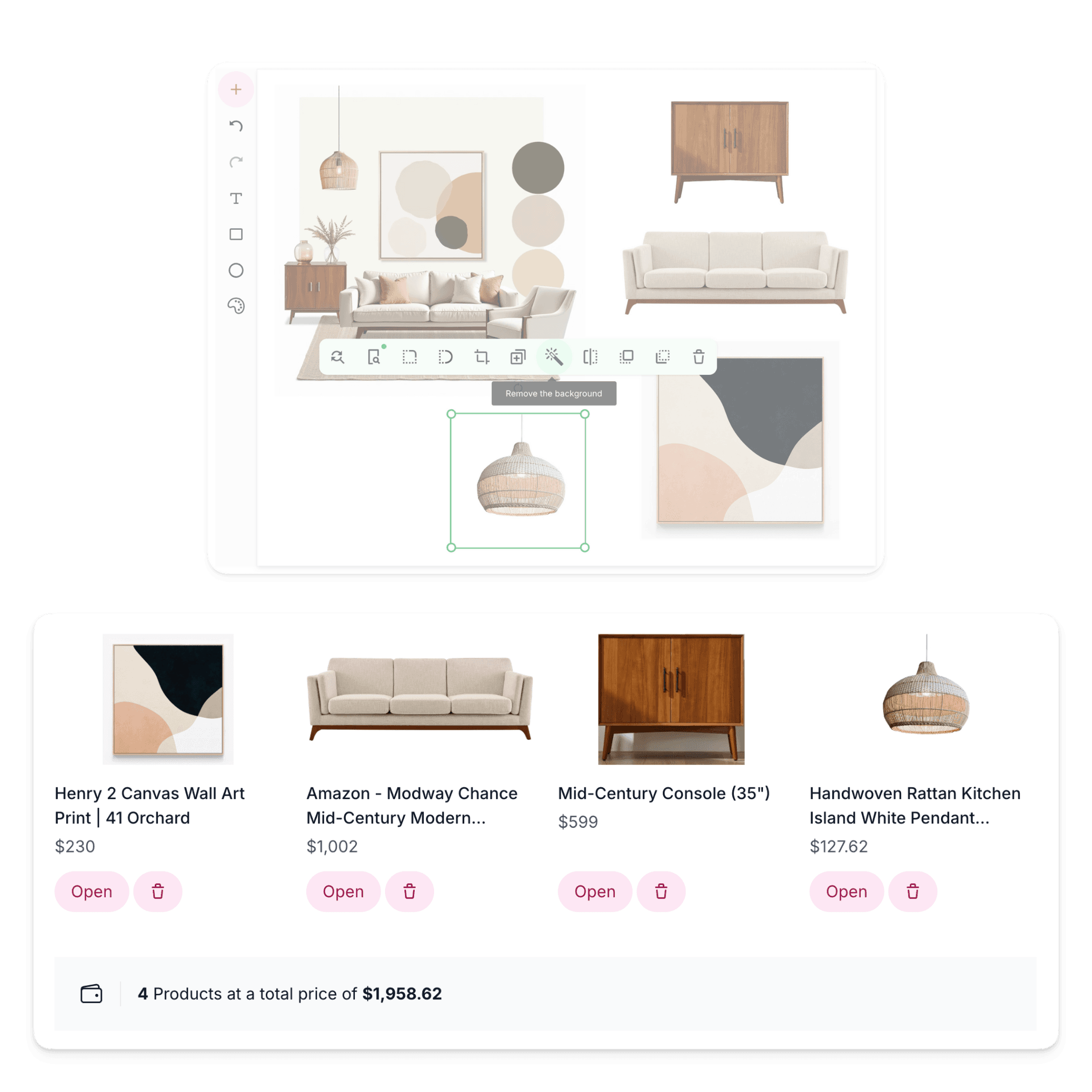
Seamlessly import your AI-generated board into the Mood Board Editor to customize further, add real-life products, and create a shopping list.
Step 8
Add Products to Create Shopping List
After adding your design to the Mood Board Editor, easily add products, create a shareable shopping list, and refine items by removing backgrounds, cropping, flipping, or duplicating.
Step 9
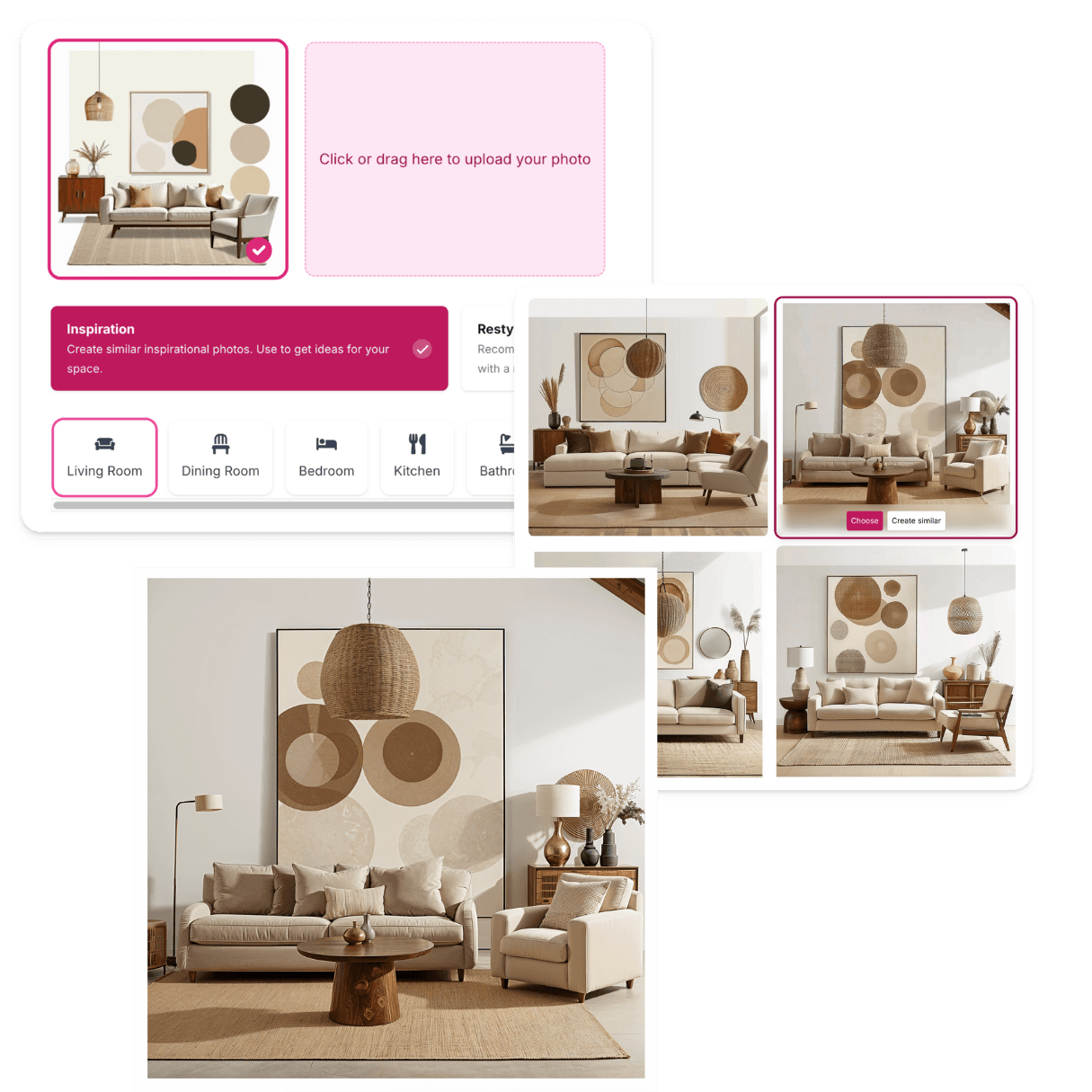
Transform Your Mood Board into 3D
Upload your mood board to the MyRoomDesigner.AI tool and transform it into a 3D design. Simply upload the photo, select the "Inspiration" button, wait for the AI to analyze your photo, and then click "Generate."
Mood Board AI
Board Editor
3 in 1
Instead of one you actually buy three
Three essential tools come together to create the ultimate toolkit for your home design journey.
MyRoomDesigner.AI
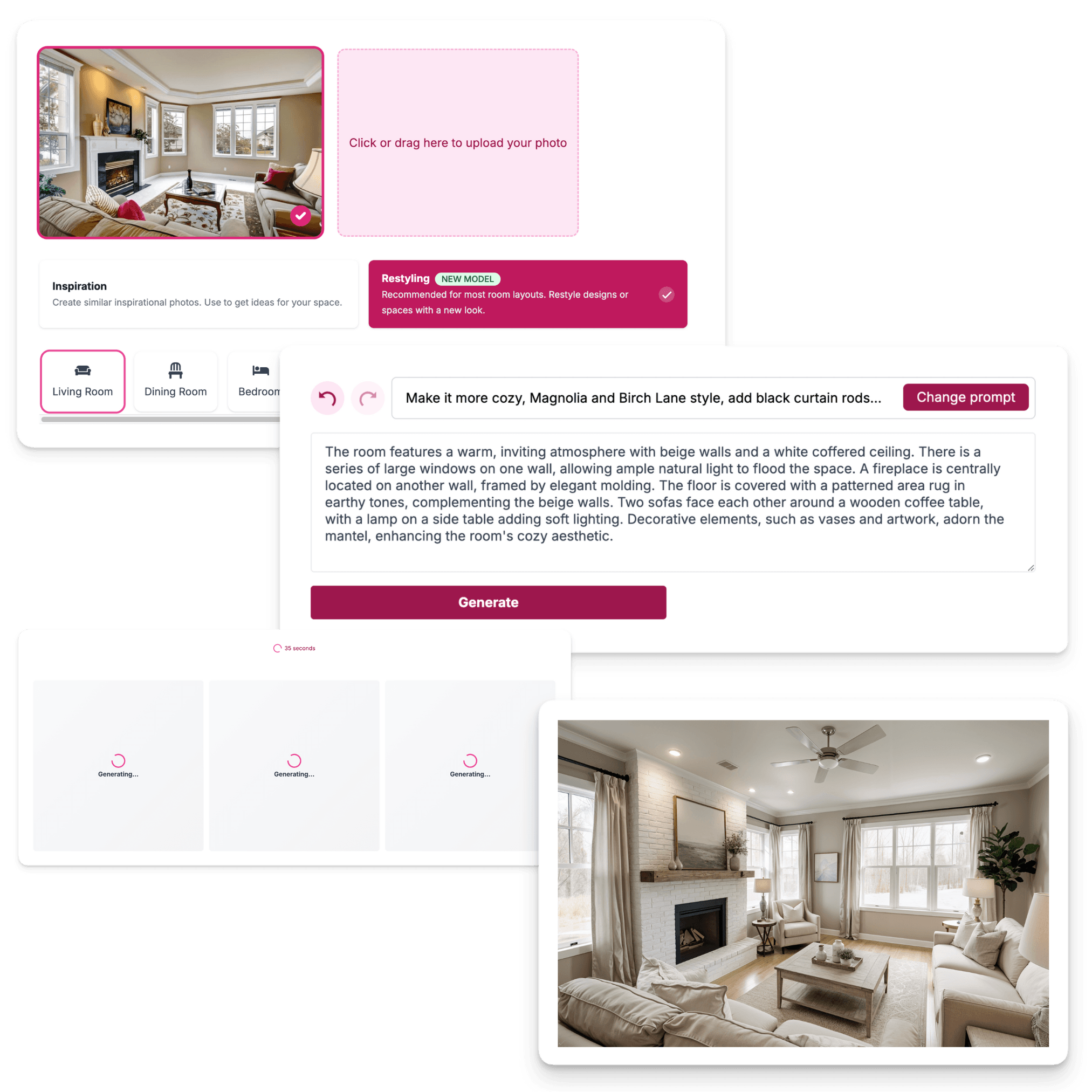
A tool that simplifies interior design by detecting your room's layout. Interactively chat to add or swap furniture and materials.
-
Room Design With One-Click
-
Detects Room Layout
-
Interactive Chat For Changes
-
High-Resolution Upscale
-
Easy Item Removal & Clean Up
Mood Board AI
Effortlessly create stunning mood boards and color palettes that capture the essence of your design vision in just a few clicks.

-
Mood Board Creation With One-Click
-
For Interior Design, Fashion, and More
-
Style and Color Selection
-
Additional Customization
-
Easy Item Removal & Clean Up
Mood Board Editor
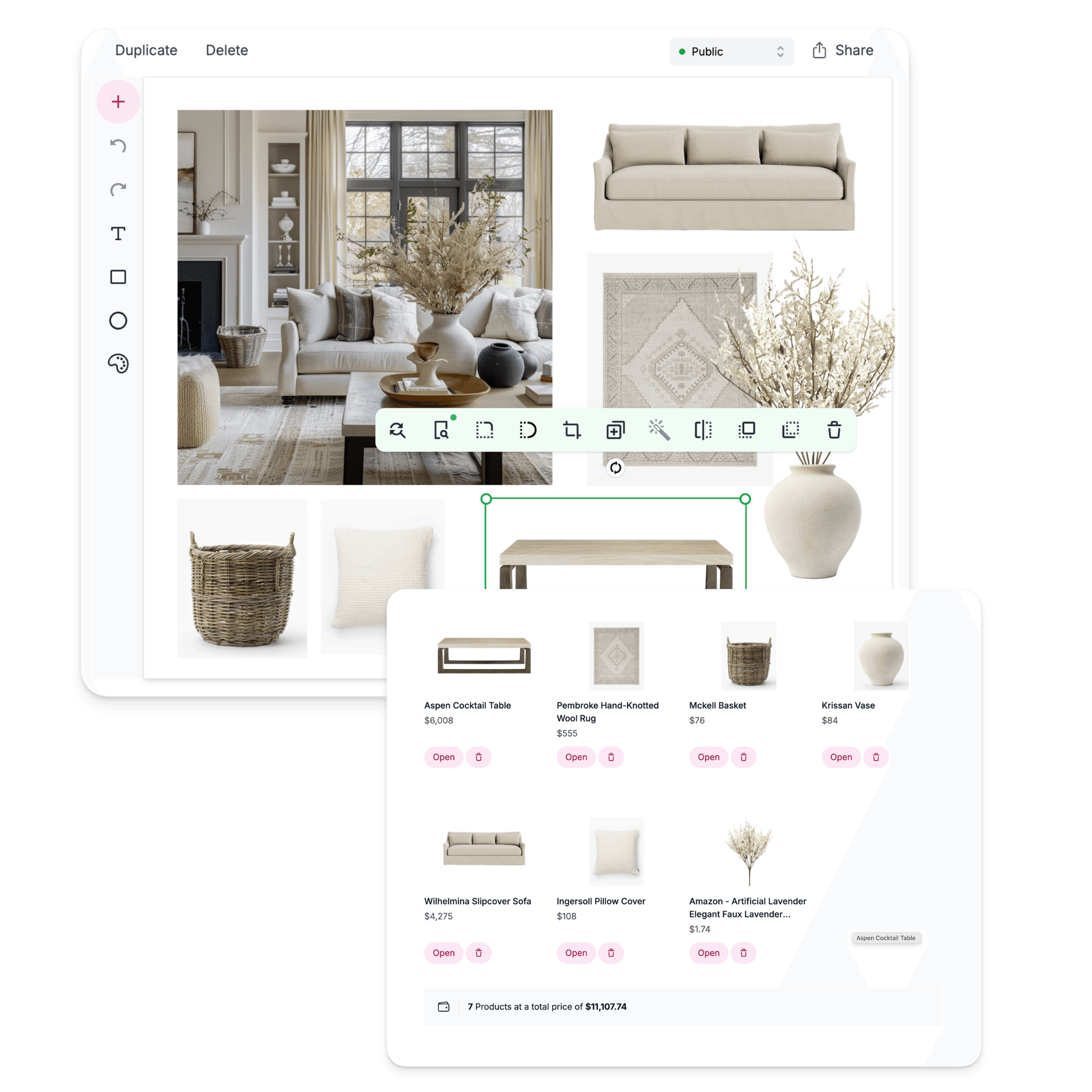
Unleash your creativity with a powerful suite of tools, including a shopping list creator, background remover, and more.
-
Shopping List Creator
-
Background Remover
-
One-click Import of Favorites
-
Crop, Flip, and Duplicate Items
-
Find Similar Products
Our Story
Where it all began
Back in 2020, with a simple idea in mind, we set out to create a tool for interior designers. Gabor saw Marta struggling with limited mood board tools, which were often either beautiful but impractical, or functional but uninspiring.
This inspired us to build our own tool that merged aesthetics and functionality—the MoodBoardly Mood Board Editor. As AI technology advanced, so did our vision, and we expanded to create MyRoomDesigner.AI and MoodBoardAI, a full toolkit for every creative journey.
Mood Board Editor
Our journey began with the Mood Board Editor, a tool designed to make mood boards beautiful, functional, and practical with features like integrated shopping lists.
The AI Revolution
As AI technology advanced, we recognized an opportunity to enhance our tools. The result? MyRoomDesigner.AI and MoodBoardAI—a full suite for every designer's needs.
Future Vision
We're constantly evolving, driven by feedback from designers like you. Our mission is to build a tool that supports every aspect of your creative journey, now and in the future.
Meet the Founders
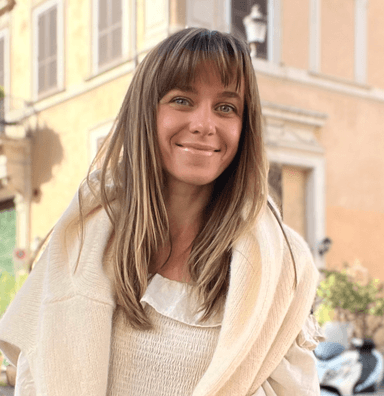
Marta Herget
Founder & CEO

Gabor Herget
Founder & Developer
Frequently Asked Questions
What areas can I generate mood boards for with Mood Board AI?+
Mood Board AI allows you to create mood boards for a wide range of areas, including interior design, fashion, wedding design, food branding, food photography, restaurant photography, kitchen design, living rooms, dining rooms, bedrooms, gardens, yoga studios, and more. Simply upload your images, and the AI will help curate the perfect visual inspiration for your project.
What types of rooms can I design mood boards for using Mood Board AI?+
You can design mood boards for various spaces including: Interior Design, Living Room, Dining Room, Bedroom, Kitchen, Bathroom, Home Office, Library, Nursery, Kids Room, Yoga Studio, Garden and more.
How do I create the perfect mood board with Mood Board AI?+
1. Begin by choosing your creative focus, whether you're designing a room, curating fashion looks, or planning a wedding. 2. Choose from design aesthetics like contemporary, vintage, or minimalist to set the tone for your mood board. 3. Add specific elements like plants, curves, or a fairytale theme to make your design unique. 4. Pick your favorite from four suggested boards, upscale your selected image for higher resolution, or create similar options. 5. Effortlessly refine your AI-generated design with the "Clean Up and Replace" feature. 6. Get tailored product suggestions that perfectly match the style and theme of your mood board.
Can I further customize the design with specific elements?+
Yes! You can add extra wishes and specific elements you want in your design, whether it's specific furniture pieces, colors, or additional details like plants or fairytale elements. Simply write them down and click the "Change prompt" button to update your design accordingly.
Can I refine the AI-generated design?+
Yes! You can use Mood Board AI's intuitive "Clean Up and Replace" feature to quickly refine the design, removing unwanted elements or making changes to better suit your vision. Additionally, you can upscale the selected image to a high resolution for enhanced photo quality, ensuring you have the best visual representation of your design. You can also add your AI-generated photo to the Mood Board Editor for further customization and create a shopping list for that design.
How can I use the Mood Board AI to find products for my design?+
Yes, you can! After generating your mood board, simply click the 'Find similar products' button. By selecting items in your mood board photo, you can discover real-life products that match the style.
How can interior designers use this tool for their projects?+
With MyRoomDesigner.AI, MoodBoard AI, and Board Editor, interior designers can easily create multiple design concepts, mood boards, shopping lists, and color palettes. The tool also allows for the creation of client-ready presentations, helping designers enhance their creative process, streamline their workflow, and present polished, professional designs to clients.