

详细内容
Supports designs from any CAD and 3D modeling software
(JPG/PNG formats)


ONE-CLICK AI rendering engine
Render your design keeping the geometry and materials unchanged

1. Upload your design
Upload a design of interior or architectural design from Archicad, SketchUp, or any other CAD or 3D modeling software. Currently, jpg/png formats are supported.

2. Select the engine
Use the Render engine to make your design photorealistic while keeping the geometry and textures unchanged.
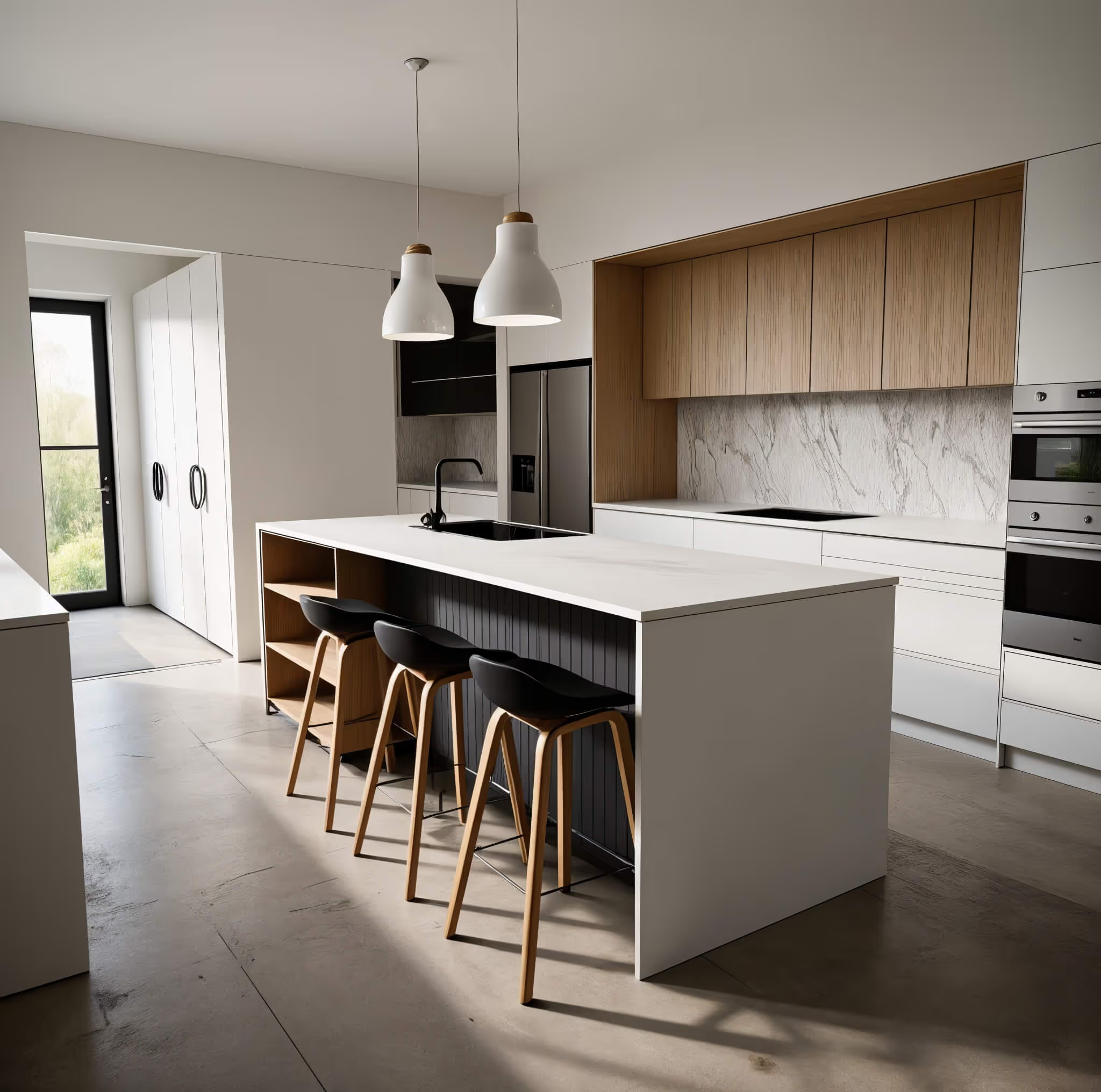
3. Generate & download your render
Our AI engine will handle all modeling, lighting, and texturing, and produce a photorealistic render in under 10 seconds. Download it in 4K resolution and share with your client or edit further if needed.
AI SKETCH TO RENDER
Experiment with endless design variations using AI style transfer
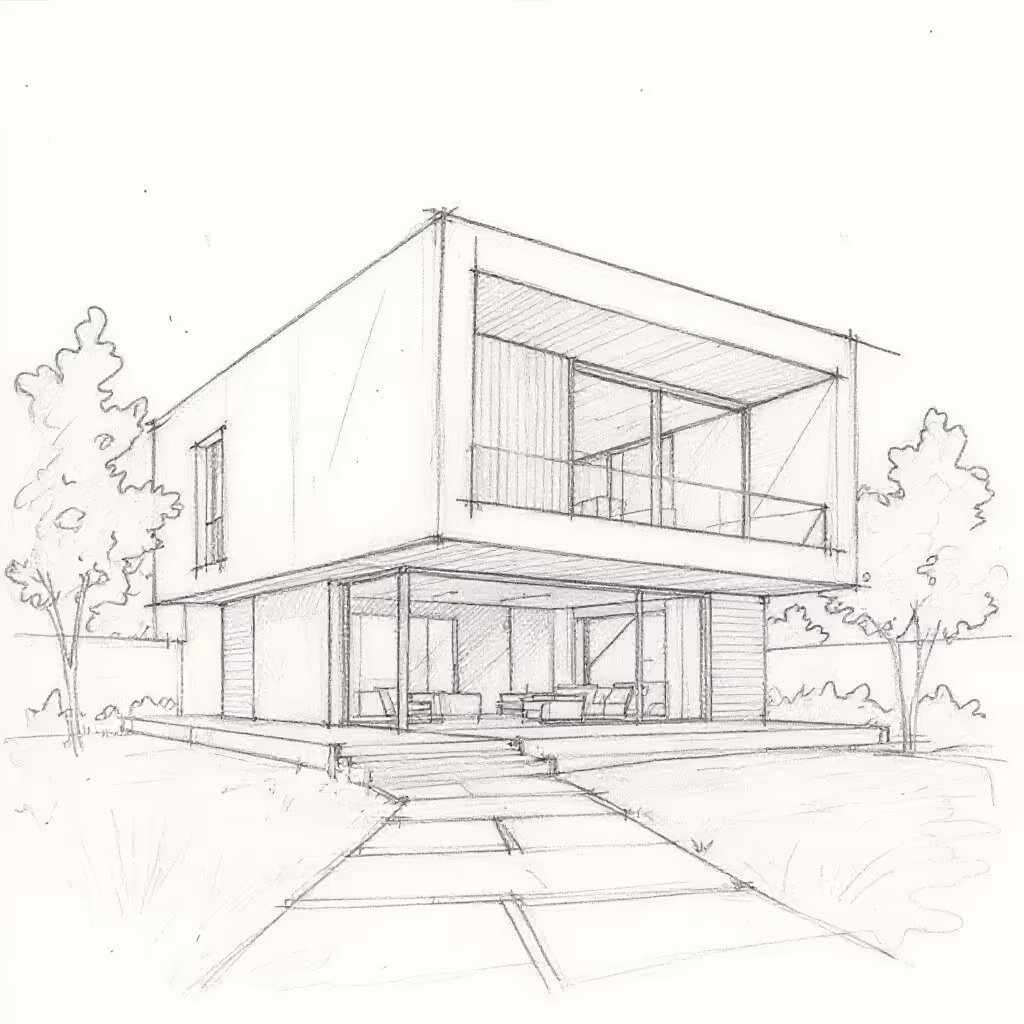
1. Upload your concept
Upload a rough conceptual model (sketches and line drawings work too!) to experiment with different styles.
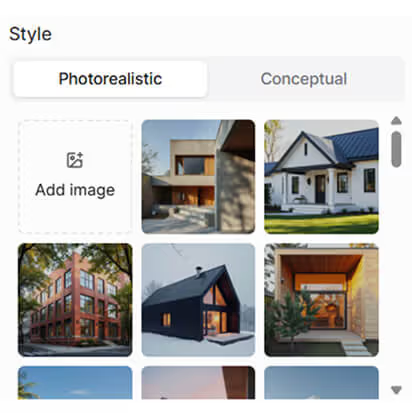
2. Add a reference image
Upload an image of a design you want MyArchitectAI to draw inspiration from. You can also pick one of the presets from our style library.

3. Apply the style
The style from your reference image will be seamlessly blended onto your original image, creating a unique concept in no time. The geometry of your input design will be kept unchanged.
AI RENDER EDITING
Quickly replace materials, add or remove objects, change lighting and landscapes, and more

1. Enter the render editing mode
Test new materials and textures, and fix imperfections without rerendering from scratch or opening Photoshop.

2. Select the area to edit
Pick a new material from our library, upload your own, or describe it with words.

3. Apply the change
MyArchitectAI will regenerate only the selected area of your render while leaving everything else untouched. Your new render will be ready in seconds.
AI ENHANCER
Enhance the details of low-resolution renders in one click

1. Upload your low-resolution render
Instantly post-process your renderings using AI. Reduce noise, improve textures and colors, and make 3D people look more realistic—all without manual work.
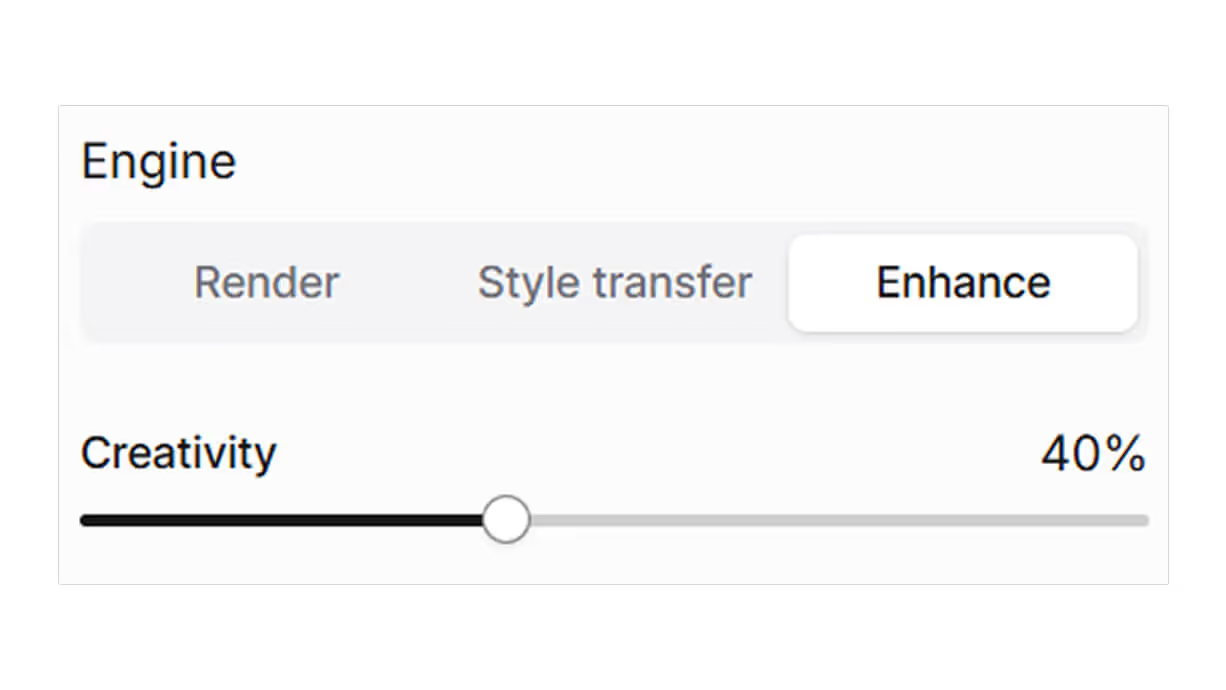
2. Adjust the level of creativity
Use the creativity slider to control how much artistic freedom the AI enhancer has—higher values for more creative control, lower values for subtle refinements that stay true to your original render.

3. Enhance
The enhance engine will apply all adjustments for you, making your rendering more detailed and realistic.
1,500,000+
Renders generated to date
9.3s
Average rendering time
0
Time to learn needed
"By far the best in terms of speed, accuracy-to-geometry, and customization"
I believe MyArchitectAI will offer amazing competition to Lumion, who I've heavily relied on in the past! Not only do you provide spot-on accuracy quickly, but there aren't a ton of hardware requirements which I think is a huge advantage compared to renderers like V-Ray and Lumion. It's uncanny the quality you deliver, I'm still blown away!

Luke Vercia
Visualization Artist
Any architectural or interior design rendered in seconds
Accelerate the conceptualization process and help clients better understand your vision early on.
Architecture rendering

Interior design rendering
Furniture rendering

Sketch rendering

Start visualizing your designs now.
Get 10 renders for free Book a demo
Make speed your competitive advantage
No more waiting for days and paying hundreds (or thousands) of dollars per image. AI rendering makes your ideation process more efficient without sacrificing quality.

Physically-based rendering software
Rendering services
Average time to render one image
9.3 seconds
Hours/days
Days/weeks
Cost
$29/month
$500+/year
$250+ per one render
Render quality
9/10
10/10
10/10
Software update frequency
Weekly
Monthly +
Time to learn
None
Weeks
Long-term contract
No
Yes
No
System requirements
None
High
None
Quick support from founders
Yes
No
Sometimes
Basic plan
$96/year
Basic features for up to 10 users with everything you need.
Business plan
$192/year
Advanced features and reporting, better workflows and automation.
Enterprise plan
$384/year
Personalised service and enterprise security for large teams.
User access
Basic features
Saved reports
10
20
Unlimited
Individual data
20GB
40GB
Unlimited
Support
Automated workflows
200+ integrations
Reporting and analytics
Analytics
Basic
Advanced
Advanced
Export reports
Scheduled reports
API access
Advanced reports
Saved reports
Customer properties
Custom fields
User access
SSO/SAML authentication
Advanced permissions
Audit log
Data history
"Incredibly realistic renderings in seconds"
I have tried most of the other rendering programs on the market and they don't even come close to the speed and quality. It is also very helpful to have a team of professionals at your fingertips, that can answer any questions within seconds.

Eric Carlson
Owner, Carlson Design Group
"Best AI rendering software"
I'm so glad we found MyArchitectAI. It's been the best AI tool I've found for our architectural renderings. In addition to being easy to use, it gets us the best result of any product we've tried and is an incredible value!

Travis Billingham
Real Estate Advisor, Compass
"Stands out for its simplicity and efficiency"
My main goal when I started using MyArchitectAI was to find an alternative to V-Ray and Twinmotion, as rendering with both is extremely time-consuming. MyArchitectAI stood out to me thanks to its low learning curve and the ability to produce rapid results—something that has made a big difference in my workflow.

Herwig Hostens
Interior Designer & Decorator
Let AI render your architecture projects in record time
Create a free account—signing up is a breeze.
Get 10 renders for free Book a demo
Features coming soon
We have a lot of ideas on our roadmap—here's an overview of the AI rendering features we're currently working on, and will work on in the near future.
You can follow our progress here.
Coming in December
Auto-saving history
Manage projects more efficiently with features such as auto-saved render history and organizing renders into projects.
Coming in December
Animations
Animate static renders into short videos with one click.
Planned
Automatic prompting
MyArchitectAI will automatically understand the content of your uploaded design and create the prompt for you.
Planned
Consistency across multiple scenes
This feature will let you render multiple scenes (either interior or exterior) of the same project using the same aesthetic.
End-to-end protection for your designs

IP ownership
Your designs, 100% yours. Every render you create with MyArchitectAI is fully owned by you and stays completely private.

Data protection
Your data is secured with industry-leading encryption, ensuring its safety every step of the way.

Service reliability
Always on when you need it. Our robust cloud infrastructure guarantees consistent performance and high system availability.


Still have questions?
Message us (the founders) using the live chat, and we'll do our best to help!
Frequently asked questions
Does MyArchitectAI produce the same level of detail as physically-based architecture rendering tools?
The main purpose of MyArchitectAI is not to create the final visuals but to let you iterate through client feedback faster and win more work. With 10% of the time and effort you can get 90% of the result of traditional 3D rendering software.
Does AI rendering require powerful hardware?
Not at all! You can use MyArchitectAI on any device, even a Mac or a mobile phone. The images are rendered on our high-end GPUs and only then displayed in your browser. That's why the process doesn't overload your computer like physically-based 3D rendering software.
How long does it take to visualize one scene?
99% of renderings are ready in under 10 seconds. The remaining 1% are occasional timeouts when too many users are visualizing their designs at the same time.
Do I have to download or install anything?
Nope. MyArchitectAI is a cloud-based AI rendering software, which means the whole process runs directly in your browser. No installs needed.
Can I use MyArchitectAI if I don't have any 3D modeling skills?
Absolutely no 3D skills are needed. Simply upload a screenshot of your architectural or interior design, describe the desired aesthetic, and our AI renderer will handle all modeling, texturing, and lighting for you.
Can I use my renders anywhere?
If you subscribe to the Pro plan, you’ll have full commercial rights to all your creations and can use them however you want.
What file formats can I upload?
MyArchitectAI supports JPEG, PNG, and WEBP formats for uploading CAD exports and sketches of architectural and interior designs. Plans are not supported (yet).
What devices is MyArchitectAI compatible with?
MyArchitectAI is available on any device (desktops, mobiles, tablets), in all major web browsers. Windows, Mac, and Linux compatible.
By clicking "Accept", you agree to the storing of cookies on your device to enhance site navigation, analyze site usage, and assist in our marketing efforts. View our Privacy Policy for more information.
Manage your cookie preferences
Essentials
Always active
Necessary for the site to function. Always On.
Marketing
Used for targeted advertising.
Personalization
Remembers your preferences and provides enhanced features.
Analytics
Measures usage and improves your experience.
Thank you! Your submission has been received!
Oops! Something went wrong while submitting the form.