详细内容
Make buying easierwith interactive demos .
Better understand your buyers.Use signals from interactive demo engagement to reveal your buyer interest and intent.
Try a demo
Try a demo nowSee how Navattic works
Website Embed: Branching [Q3 '25]
Skip to captureSkip to content
Delight your buyers.
See how tobuild, share, and use signalsfrom demos at every point in the buyer journey.
Let's tailor your demo experience
Select your role to see how to best use interactive demos.
MarketingSales + PresalesGrowth + Product
# Demo: Website Embed: Branching [Q3 '25]
> [Try the demo](https://capture.navattic.com/cm4u9wy8y000003lf9ygd5yjv)
## Flow 1: Starting Flow
### Step 1
Delight your buyers.
See how to build, share, and use signals from demos at every point in the buyer journey.
Let's tailor your demo experience
Select your role to see how to best use interactive demos.
## Flow 2: Website: Marketing Use Case [Q3 '25]
### Step 1: Navattic
Welcome to the marketing demo
For this demo, you're a product marketing manager at Sample App.
You're building a demo for a new Dashboard launch for prospects, target accounts and customers.
### Step 2
To build a demo draft quickly while maintaining quality and brand guidelines, start with Copilot.
Copilot was built on best practices from 30,000+ demos created on Navattic.
### Step 3
Capture your new product
Copilot is an AI assistant that works behind the scenes as you take captures of your product.
### Step 4
Copilot will take a first stab at writing demo copy, anchoring tooltips, and crafting a cohesive demo story.
### Step 5
Look behind the scenes of your first draft Copilot demo, and you can make any adjustments you need to copy or captures.
### Step 6: Navattic
Clean up messy product data
After taking captures, you notice your product data is a bit messy.
Mass edit demo data using our Chart and Table AI editor.
### Step 7
Repurpose for multiple use cases
Once you've created your first marketing demo, use Use Case prompts to repurpose your demo for sales enablement or customer training.
Customize prompts with brand guidelines and messaging docs to make sure demos match your tone of voice.
### Step 8: Navattic
Personalize to your brand
Before sharing your demo, use an AI-generated theme that pulls brand colors from your website to match your brand guidelines.
### Step 9: Navattic
Share on any channel
Embed your demo on your website, link via emails, or share in social campaigns.
You can also download a gif preview of your demo for email or social (see example above).
### Step 10: Navattic
Get alerted on account activity
View demo activity in Navattic or receive email alerts when a target account views your demo.
Or send to CRM or Slack for retargeting campaigns or custom follow-ups.
### Step 11
Build and share a launch-ready demo in a few clicks
Use Copilot and AI editing to draft and polish demos for new product launches with built-in demo best practices.
Then use demo engagement signals to understand which target accounts are showing intent for your new feature launch.
Get a personalized walkthrough of Navattic or get started with one free (free forever) demo.
## Flow 3: Website: Launchpad Sales Use Case [Q3 '25]
### Step 1
Welcome to the sales/presales demo
For this demo, you're a rep at Sample App
You're meeting with Sandra from ACME tomorrow and want to understand what parts of your product her team is interested in before the live call.
For sales demos, we recommend using Navattic Launchpad to create customizable demos.
### Step 2
To make the most of your call with Sandra, use Launchpad to send her a personalized demo over LinkedIn and email.
### Step 3
Pull demos straight from the Launchpad Chrome Extension as part of your day-to-day workflow.
### Step 4
Before meeting with Sandra, send an intro with a link to an interest-level interactive demo.
This gives Sandra the option to start exploring the product on her own before you meet.
### Step 5
Sandra can select her level of interest to experience a fully customized demo.
### Step 6
After Sandra went through the demo, you got an email notification of her engagement.
Sandra feels like the demo was custom-made for her, and you learn exactly what she cares most about.
### Step 7
In the initial live call, there was clear interest from Sandra and her team.
### Step 8
Sandra and the team can now review the demo after the call.
Using our built-in stakeholder identification, Sandra can also share the demo with colleagues.
### Step 9
They can share the demo with Jason and Miranda, letting them buy in and better champion the product.
### Step 10
Here we can see that Jason got an email from Sandra inviting her to view the demo.
You can now reach out and share relevant resources with the your new stakeholder Jason.
### Step 11
Share custom demos earlier in the sales cycle
Learn more about how reps use Launchpad to send relevant demo experiences without pulling in SEs for every call.
Or get a personalized walkthrough of Navattic Launchpad.
## Flow 4: Website: Growth Use Case [Q3 '25]
### Step 1: Navattic
Welcome to the growth demo
For this demo, you're a growth or product manager at Sample App.
You're embedding a demo of your new Analytics Dashboard on your website and in your product to improve user activation.
### Step 2
To build a demo draft quickly while maintaining quality and brand guidelines, start with Copilot.
Copilot was built on best practices from 30,000+ demos created on Navattic.
### Step 3
Copilot will take a first stab at writing demo copy, anchoring tooltips, and crafting a cohesive demo story.
### Step 4: Navattic
Clean up messy product data
After Copilot builds a first draft, you notice your product data is a bit messy.
Mass edit demo data using our magic editor.
### Step 5: Navattic
Segment demo visitors
Let website visitors choose their own adventure and select which product area, persona, or use case they're interested in.
### Step 6: Navattic
Share in any channel
Embed on your website or add a callout in your product to a lightbox demo.
You can also download a gif so users can preview your demo (see example above).
### Step 7: Settings · navattic-website
A/B test your demos
Choose two demos variation and traffic distribution for each.
Monitor A/B test performance like demo engagement and CTA clicks within Navattic analytics.
### Step 8: Navattic
Share demo event activity
Send demo events to any events platform using our Navattic JS snippet.
Analyze how demo engagement impacts product activation and feature usage.
### Step 9
Convert and activate high-intent visitors
Uncover demo engagement on your website and improve feature adoption for existing users.
Get a personalized walkthrough of Navattic or get started with our one free (free forever) demo plan.
Powering the best product demos,from next-gen startups to global industry leaders.
Use insights from product demos atevery point in the buyer journey.
Growth
Turn warmed up website visitors into leads
Uncover and activate high-intent visitors viewing your website demos
Try a demo for growth
Your demo
Try demo
New lead


Sales + Presales
Share demos earlier in the sales cycle
Send and present relevant demo experiences without needing to pull in an SE for every call
Try a demo for sales
Slack alerts

NavatticApp12:25 PM
Mary from Lattice viewed Website Demo for 1 min

NavatticApp12:26 PM
Ken from Coupa viewed Overview Demo for 3m

NavatticApp12:27 PM
Meghan from Mixpanel viewed Sales Leave behind for 5.4m

NavatticApp12:31 PM
Zack from Gusto viewed Website Demo for 4.6m

NavatticApp12:25 PM
Mary from Lattice viewed Website Demo for 1 min
NavatticApp12:26 PM
Ken from Coupa viewed Overview Demo for 3m
NavatticApp12:27 PM
Meghan from Mixpanel viewed Sales Leave behind for 5.4m
NavatticApp12:31 PM
Zack from Gusto viewed Website Demo for 4.6m
Marketing
Target accounts most engaged with your product
Identify prospects or customers going through new feature or upsell demos
Try a demo for marketing
AI Copilot
Build demos in just a few clicks
Our AI Copilot is built on best practices from 30,000+ demos built on Navattic. Instantly generate a first interactive demo with AI Copilot by just clicking through your product.
Click through your app
Capturing
Demo ready!
Welcome to Acme
Continue
Product Demos
Put your product at the center of your go-to-market
Build interactive demos with ease to delight buyers for every one one of your use cases.
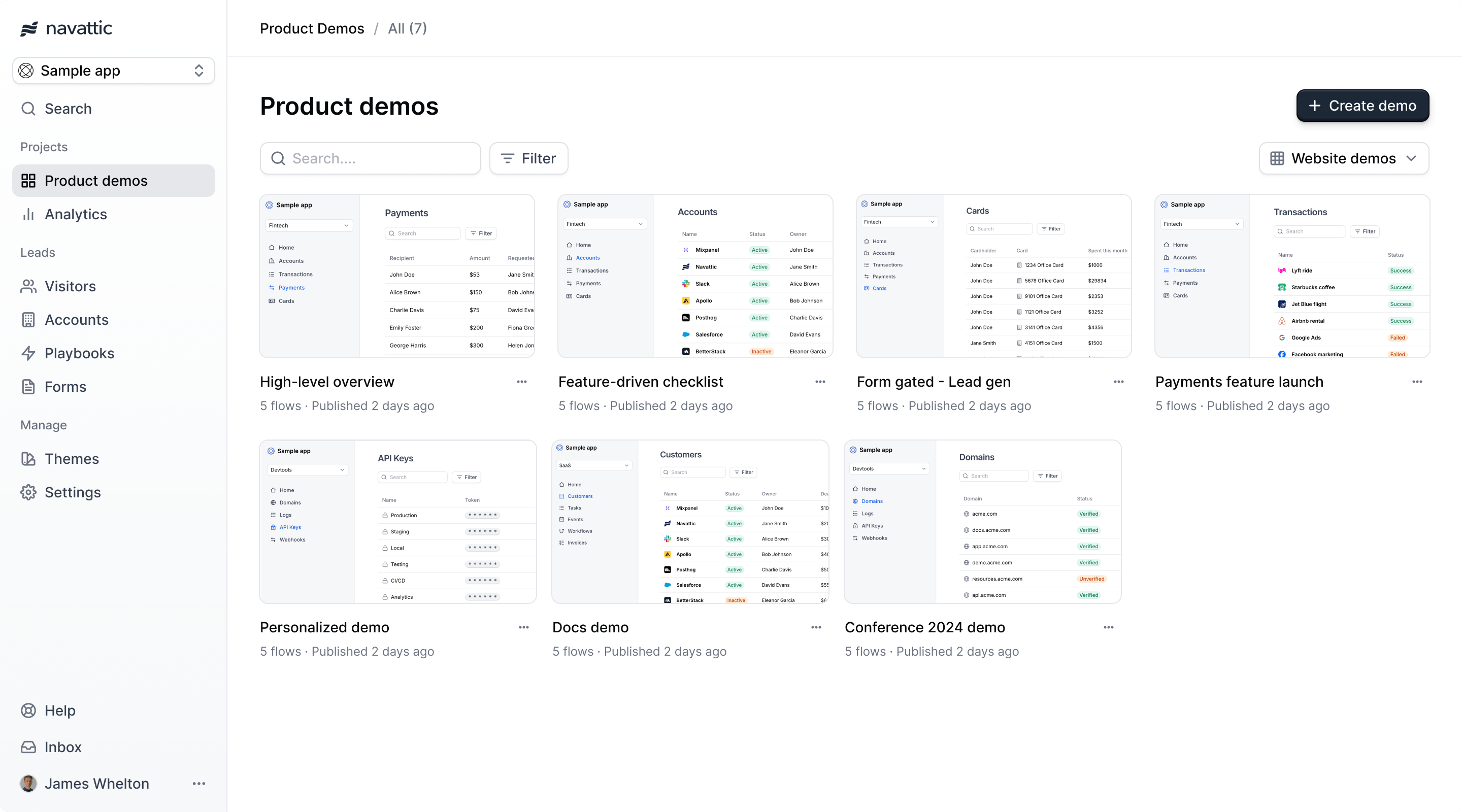
High level overview
Conference demo
Marketing Overview
Conditional demo
Feature growth demo
High level overview
Last published 1 minute ago
Website
Overview
Conference demo
Last published 24 days ago
Growth
Offline
Marketing Overview
Last published 58 minutes ago
Marketing
Overview
Conditional demo
Last published 1 day ago
Docs
Product
Feature growth demo
Last published 1 day ago
Growth
Website
Interest demos
Route visitors based on their selection to a custom demo.
AI Copilot
Instantly spin up demos for new use cases by clicking through your product.
Multilingual demos
Translate and share demos in any language around the world.
Offline demos
Download demos for use at conferences and tradeshows.
Playbooks
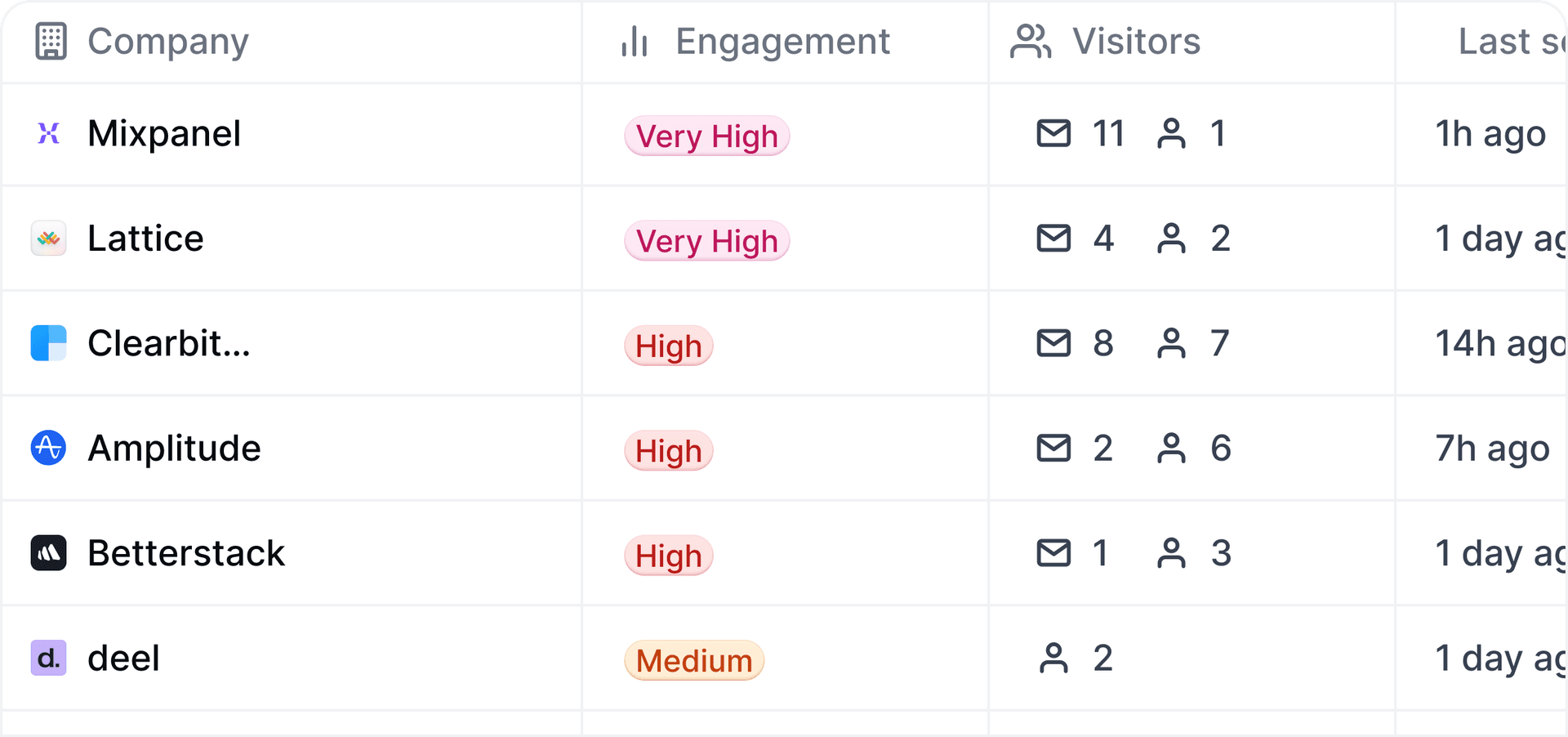
Act on accounts and leads that engage with your demo
Reveal how buyers are interacting with your interactive demos throughout their entire journey.
4
2
Low

Hannahspent5 minonWebsite Demo
13 mins ago
Website IntentPlaybook
Sent Slack to#website-intent
Engaged ICP Accounts
Active DealsPlaybook
Update Lead inHubSpot
Engaged ICP Accounts
Email alerts
Customize email alerts with demo engagement from specific prospects or accounts.
Slack alerts
Be notified exactly when a visitor engages with one of your demos.
Account tracking
Reveal deanonymized accounts who view your demos without needing a form.
Advanced filtering
Filter visitors and accounts by demo engagement and account firmographics.
Integrations
Integrate with your existing GTM stack
Sync account and lead demo engagement data with CRMs like Hubspot, Salesforce, or Marketo. Or share demo events with any events-based platform.
Hubspot
Active deals
Demos:
All
All
Employees:
1000+
1000+
Revenue:
$10M
$10M
Audience:
ICP companies
ICP companies

Sara Davis
28m 42s
Total time
18
Visits

Lisa Kalkov
1h 30m
Total time
12
Visits

Ashton Johnson
2min 6s
Total time
1
Visits
CRM integrations
Native support for the most popular CRMs.
Alert integrations
Receive real-time alerts via Slack and email notifications.
Event integrations
Ingest Navattic events into CDPs through a custom webhook.
Tracking scripts
Insert tracking scripts to send demo engagement to other platforms.

Looking to use Navattic for demo automation?
Launchpad is purpose-built for sales and presales teams.
Access to Launchpad includes Interest level demos,Sandbox demos,Launchpad extension,Email alerts, and much more.
4.8 stars · 450+ Reviews
Trusted by the fastest growing companies
The fastest growing software teams use Navattic to create better buying experiences.
"Since launching Navattic, it's been responsible for 15% of the leads on our website."