

详细内容
4.7/5 stars on the App Store
Less Noise, More Done.
NotePlan is a workspace for tech-savvy professionals blending tasks, notes and calendar into one powerful hub.
Try Free For 7 Days Web Login
Mac
iPhone
iPad
Web

Top 10 Notes Apps - AppleSince 2016 - Apple
I have tried all of the apps there are for doing this kind of thing and NotePlan, because it’s that combo of calendar, reminders and notes all in one place, has just worked for me

David Pierce
What’s in a productivity system? | The Vergecast
Digital Bullet Journal
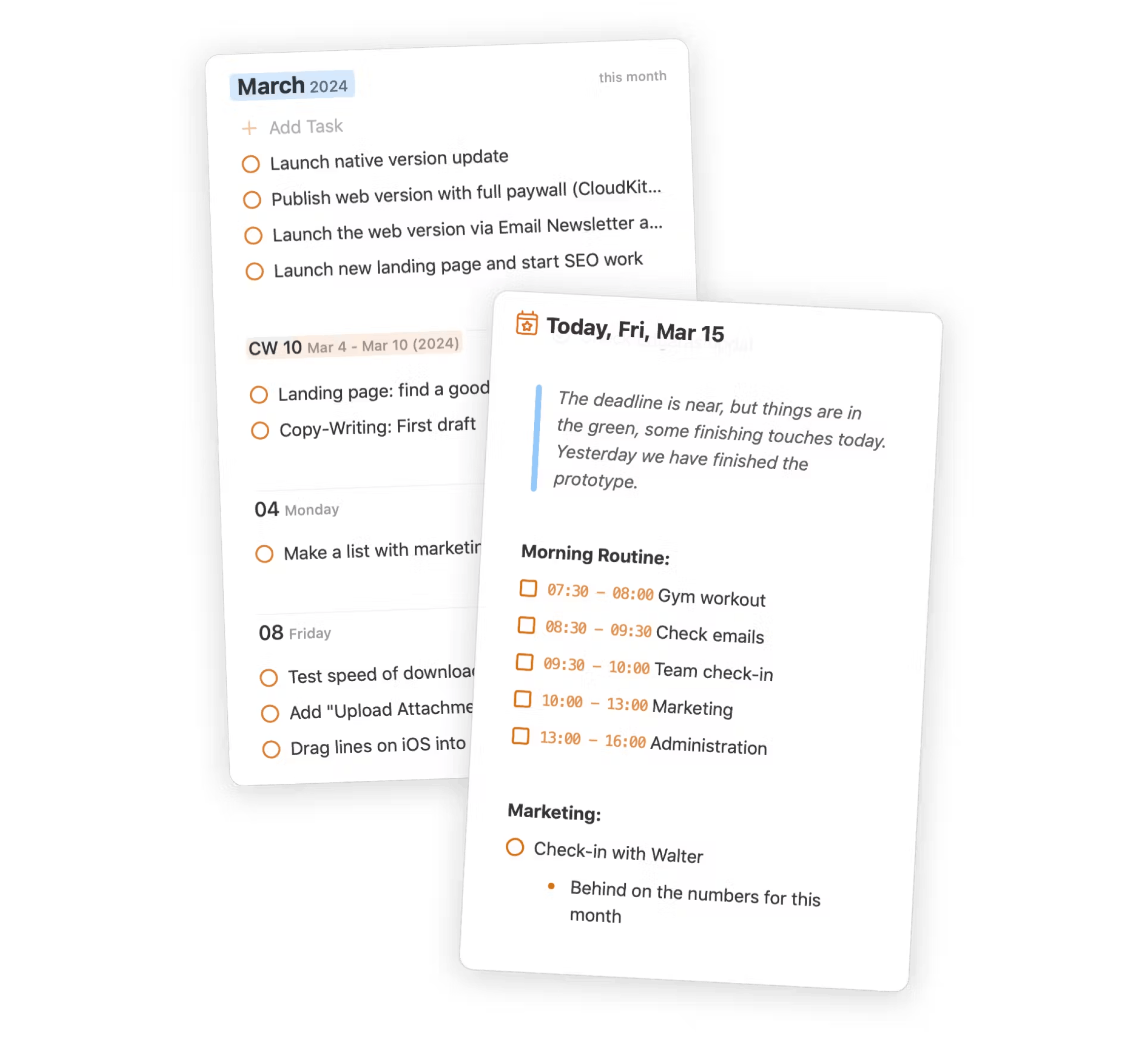
Plan and organize your days, weeks, and months.
Access daily, weekly, monthly, and yearly notes directly within your calendar view for seamless planning and scheduling. Stay organized every day without losing sight of long-term goals.
Daily NotesAutomatically generated daily pages for task planning and note-taking. Quickly add and organize tasks, events, and notes for each day.
Weekly, Monthly, Yearly Notes.Dedicated notes for longer-term planning. Break down large goals into smaller tasks. Easily reference and update plans across different time scales.
Upcoming Tasks Filter.Dynamic task list showing future commitments. Drag-and-drop interface for quick rescheduling. Filter tasks by date, project, or tag.
Personal Knowledge Management (PKM)
Link notes and tasks with markdown
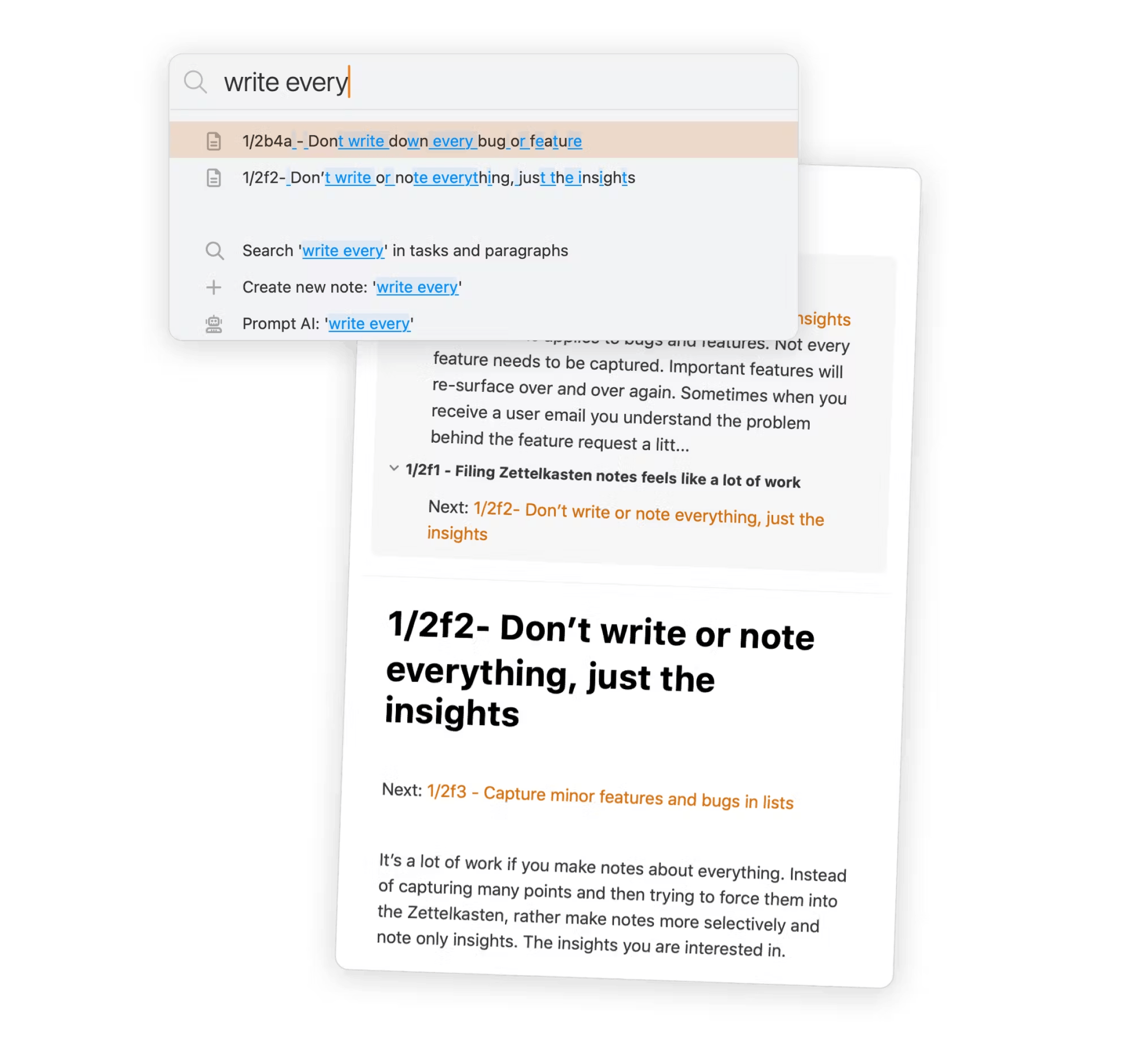
Take notes, link them together, and connect them to your tasks. Use markdown to organize and navigate through your ideas, projects, and meeting notes, all in one place.
Bi-directional LinkingCreate and view connections between notes. Automatically track references and see linked mentions across your note database.
Flexible Note OrganizationImplement custom organizational systems like PARA. Create nested folders, use tags, and set up your own categorization method.
Command Bar InterfaceQuick-access toolbar for app functions. Perform searches, run AI tools (summarize, rewrite), and execute plugin actions with keyboard shortcuts.
Task Management
Advanced task scheduling and organization tools
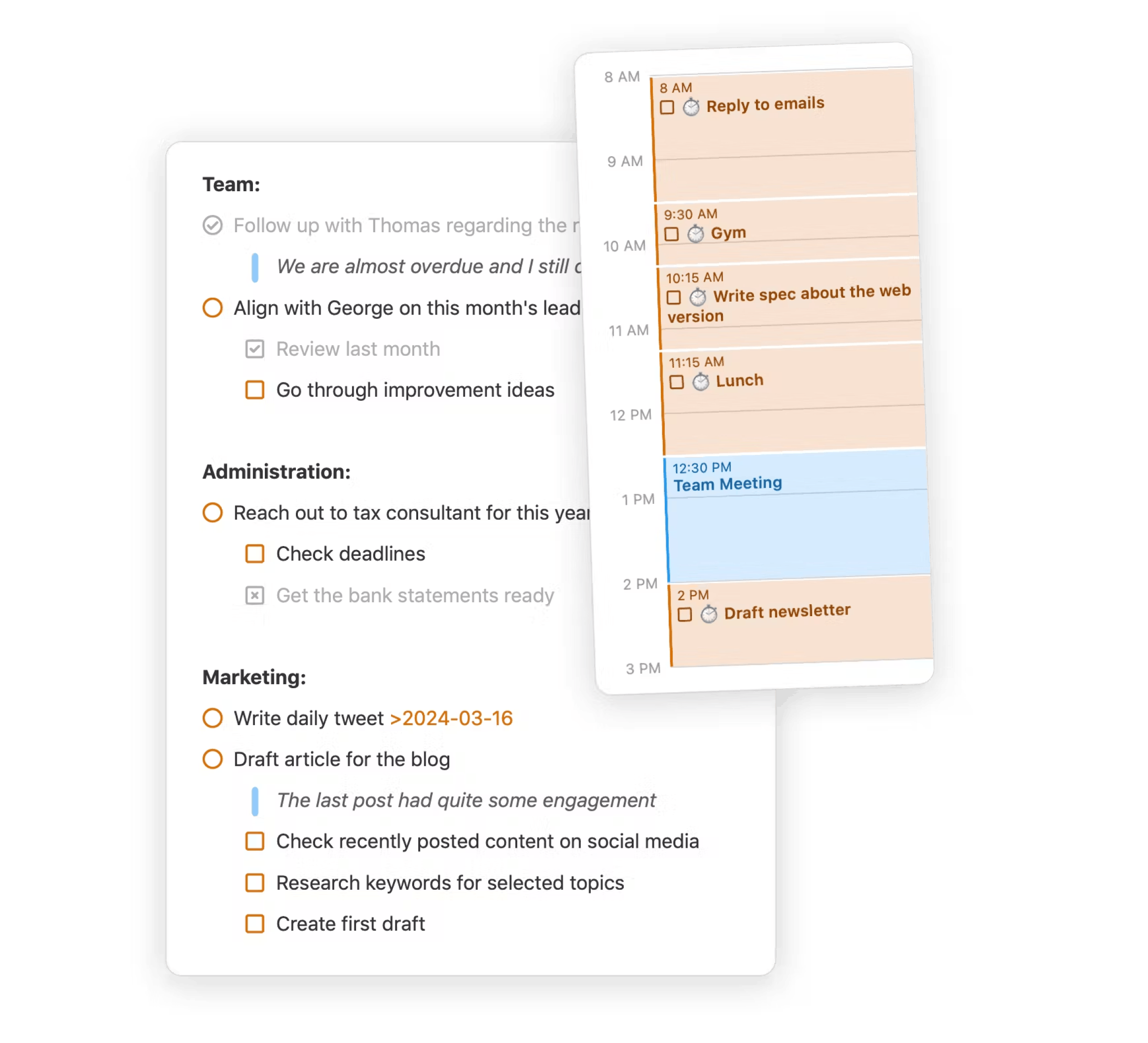
Set up recurring tasks, schedule time blocks, use filters to find what you need, create checklists within tasks, and more. Your tasks sync with the built-in calendar for easy scheduling.
ScheduleSet future due dates with quick keyboard commands. Schedule tasks from tomorrow to next year. Tasks automatically appear in relevant daily notes.
Time BlockAllocate specific time slots for tasks. Set duration and get notifications for time blocks. Integrate time blocks with calendar view.
Customizable Task FiltersCreate saved views based on multiple criteria. Filter tasks by due date, tags, projects, or note's path. Combine filters for precise task lists.
Customize and extend NotePlan to fit your workflow
Personalize your experience with templates, plugins, themes, and folders — all designed to adapt NotePlan to your unique needs.
Customizable and Reusable Templates
Create and save note templates. Instantly apply them to new notes for consistent formatting and structure.
`---
title: ☀️ Daily Note (Simple)
type: empty-note
Today's Goals
[...]
Tasks
[...]`
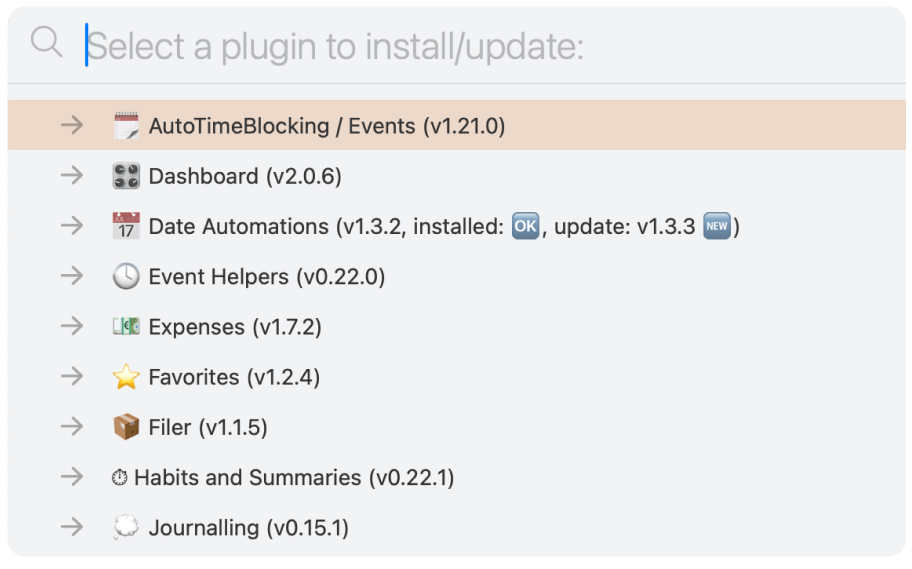
Extend with Plugins
Extend app functionality with custom scripts. Automate workflows and add new features.
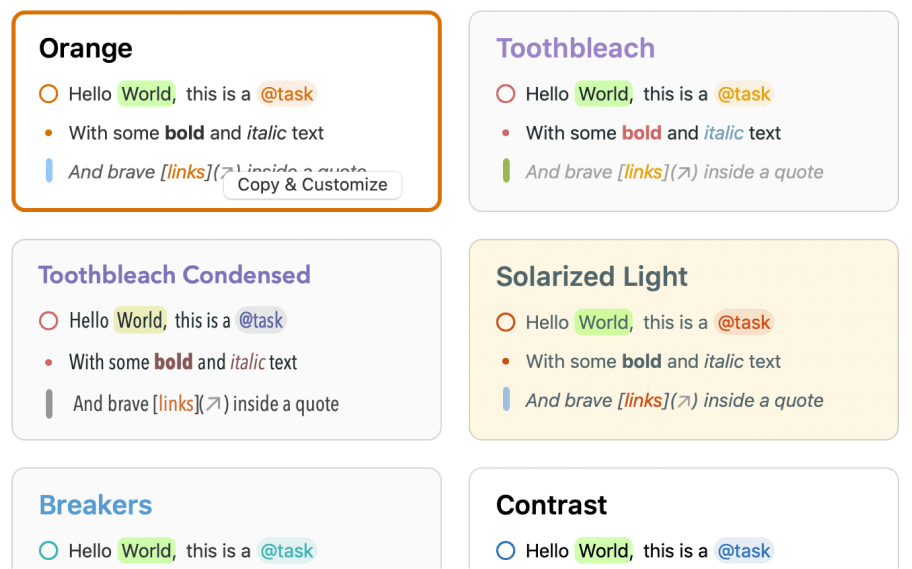
Personalize appearance with Themes
Personalize fonts, colors, formatting, and even Markdown styles for a perfect workspace.
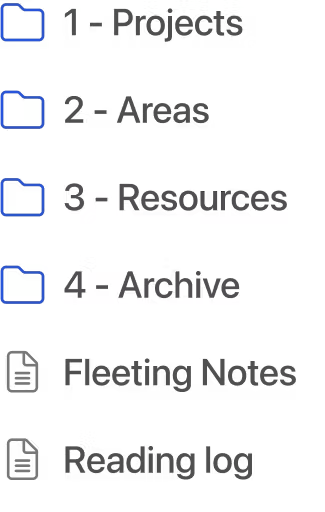
Organize Notes with Folders
Use folders to categorize and manage your notes. Create nested folders for detailed organization and easy navigation.
Advanced Templating with Javascript
Enhance templates with JavaScript code for advanced automation, including task management and full access to NotePlan's API.
`<% const response = await fetch('https://api.adviceslip.com/advice'); %>
<% const data = JSON.parse(response); %>
<% const advice = JSON.parse(data.slip.advice); %>
Random Advice: "<%- advice %>"`
Features you'll love
Calendar & Remindersare natively integrated with macOS and iOS. Always keep an eye on upcoming meetings and timeblocks.
MarkdownCreate tasks and format notes using keyboard-friendly Markdown syntax, storing all content in portable plaintext files.
Instantly Syncall of your tasks and notes everywhere between our MacOS, iOS and web app.
Tags & Mentionsto streamline organization with #tags for topics and @mentions to assign tasks, all instantly searchable from the sidebar.
Publish Notesto share a read-only version of your note on the web with outside collaborators.
Templatesto kickstart your daily note, project, or meeting minutes. Save time by reusing your existing content.
Auto-Insert TemplatesAuto-apply note templates with customizable frontmatter for different schedules.
Sketch & TranscribeDraw and handwrite notes on iPhone or iPad. NotePlan's AI converts your handwriting into text.
NotePlan AIGenerate and rewrite content, convert rough notes to structured text, and create quick summaries.
Voice NotesRecord and transcribe voice input directly into notes. Create custom transcription prompts for efficient note-taking.
iOS ShortcutsCreate custom shortcuts to add content to NotePlan via taps, Siri commands, or Action button on all Apple devices
Google Calendar SyncView and create Google Calendar events directly within NotePlan's interface alongside your daily notes.
Loved by people who are serious about productivity
From task management to note-taking, NotePlan users love the all-in-one approach to get more done each day.
"We dont give full shows to single apps very often but this one is worth checking out, its just flexible enough without being overwhelming"

David Sparks
Mac Power User Podcast ( Ep #756)
-
As a startup founder, I must be as productive as possible. NotePlan is the first app that continues to feel fast and responsive, supporting my full calendar, to-do lists, project plans, and meeting notes! Highly recommended!
Clint Laskowski
Founder & CEO - Summary Medical, Inc.

-
NotePlan is a critical part of my workflow. I've converted fully to Markdown for all of my notes and NotePlan handles this so well, bringing together my daily agenda items and any associated notes I take.
Brad Rokosz
Enterprise Strategist

-
The best note taking app - I’ve tried all of the different note taking apps – Obsidian, Roam, logseq, Craft – you name it. [...] NotePlan ticks all of the boxes that the others don’t. 💯% worth it!
bdotdub
Nov 15 - Apple App Store

-
The seamless integration of my calendar, tasks, and notes ensures that even the most hectic day or week is under control and all in one place. I cannot imagine doing what I do without NotePlan.
Evan Hunter
Technical Solutions Architect - Cisco Systems, Inc.

-
First class - Apart from the excellent functionality I have never known a more responsive development team. Best in class! I am very positive about the future of NotePlan and it is now my go to app for note taking.
Peter E
Nov 15 - Apple App Store

-
It is a wonderful note-taking app which helps me not only to keep track of my thoughts, but also of what I need to do and when.
José Suárez
Head of Technology at Digitt

-
I always have context when doing my tasks. It is simple yet powerful and I positively love that it is built around Markdown, which allows for great interoperability with other apps.
Ricardo Liberato
Agile and DevOps Entrepreneur - SOLID REASON

-
The best task, time and work management tool - This app is what everyone needs - a simple but very effective note-taking and work management tool. The positives are too long to list [...]
GrantR10
Jan 3 - Apple Mac App Store

-
Best planning app for me - The only productivity app that has stood the test of time for me. Using since May 2018.
sergey-k-k
Dec 28 - Apple Mac App Store

One subscription. All apps. Every device.
Stop procrastinating, start getting things done.
Download NotePlan, open your daily note, and get started.
No setups, no tinkering, no plugins. Just you, your tasks, and your notes.
$8.33 / month
$99.99 billed annually. Cancel anytime.
$12 / month, billed monthly
Start Free Trial
- On your Mac, iPad, iPhone, and Web
- Plan, track and achieve your goals
- No setup is needed, download and start
- No more context switching (3 apps in one)
- Integrated with Calendar and Reminders
- Offline-first with local markdown files
- Seamless native (Apple) CloudKit sync
- Discord community for learning and help
VAT may apply, all prices in USD.
Discover NotePlan in 7 days
Discover the features of NotePlan over the course of 7 days and learn how to create your perfect productivity hub. Discover the benefits of linking your tasks, notes and your calendar! Filled with tips, tricks, and shortcuts!
We care about your data. Read our privacy policy
Powered by EmailOctopus
Prismic Toolbar iFrame