

详细内容

Easy to use Email Integration for Notion
Save and send emails directly from your Notion workspace in less than a minute. No coding expertise required.
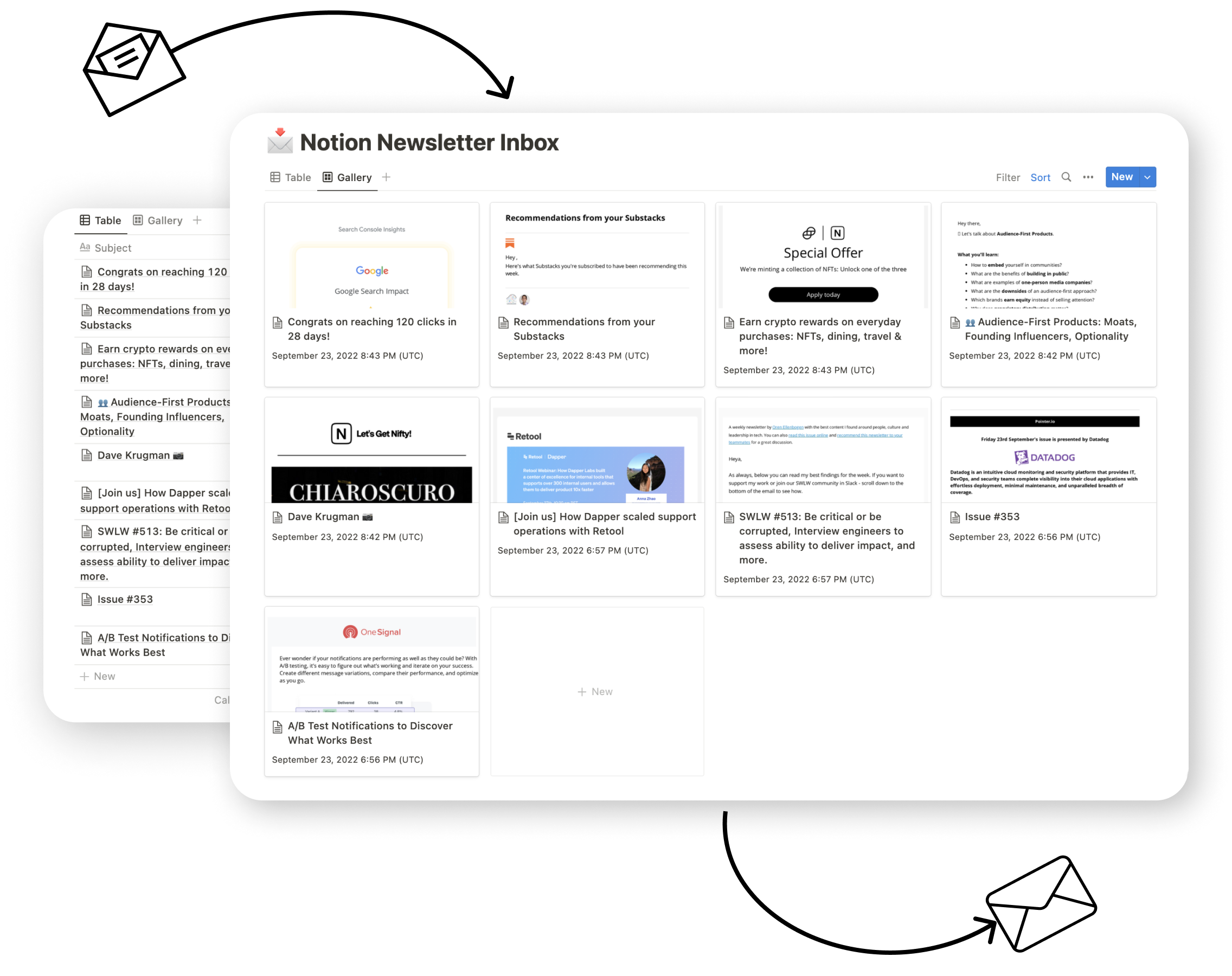
Save email to Notion
Transform your Notion database into an efficient email hub. Assign each database an exclusive email address and save any email, along with its essential details like date, attachments, and sender information, directly in your Notion workspace.
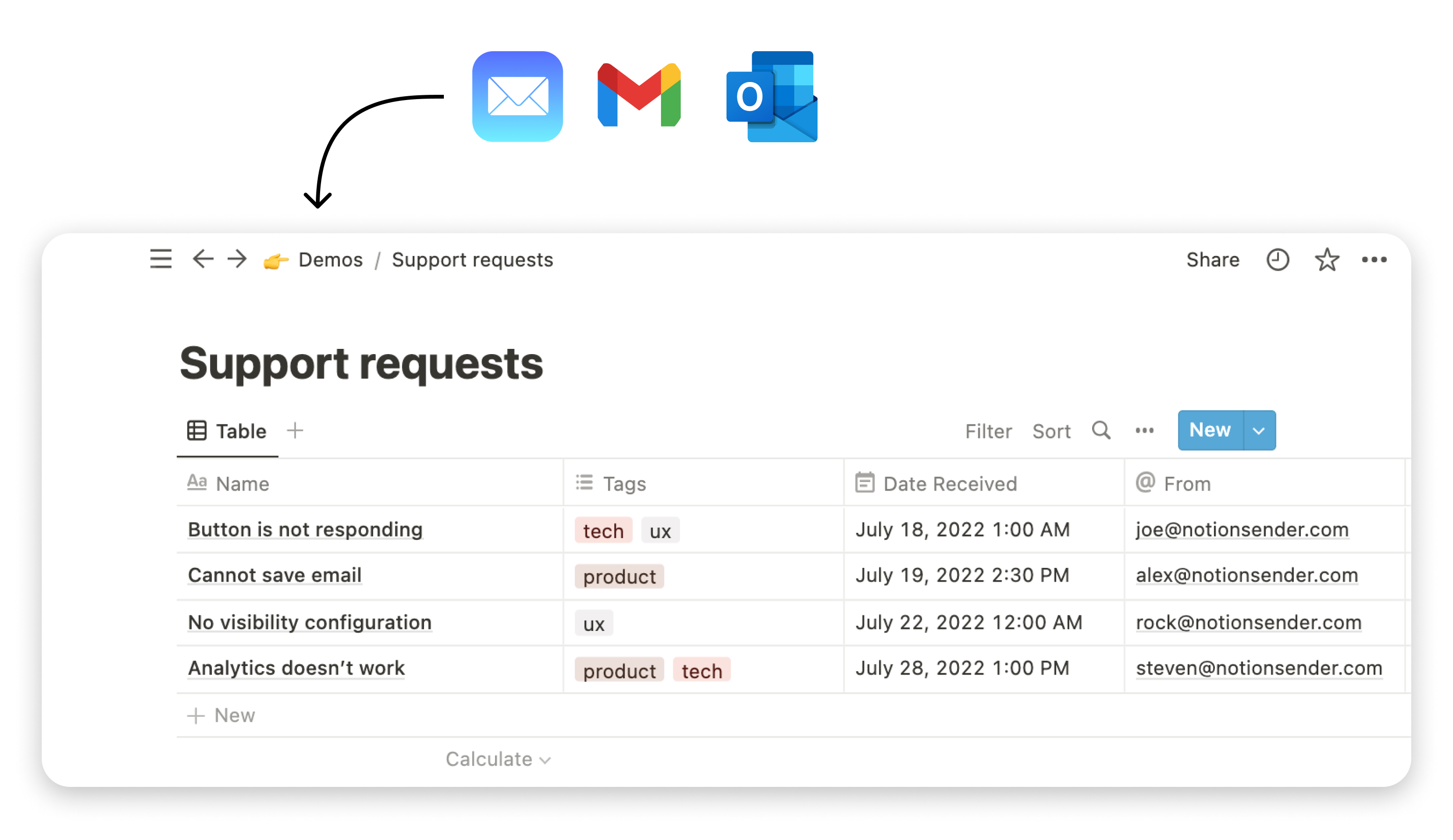
Unique Email Address for Your Notion Database
Get a unique email address to directly store emails in your Notion database. You have the flexibility to enable or disable it whenever you need.
Email Content saved in Notion
Keep all your essential information in Notion. Use the Email widget to view styled emails or switch to Plain Text mode to save emails as native Notion blocks.
Smart Data Extraction and default values
Extract valuable information from emails and leverage AI to capture data points relevant for you. Summarize and categorize your emails easily.
Effortless Setup in Less Than a Minute
Get started swiftly with our user-friendly setup. Spend less than a minute, and you're ready to start receiving emails in your Notion workspace.
Intelligent Property Extraction
Extract text information from emails and save it to the Notion properties. To start extracting properties, describe data for extraction in the property description.
Financial Transactions and Billing
Invoice #12345 Due for Payment
Dear Customer, Please note that your invoice #12345 issued on 01/05/2024 for the amount of $500 is due by 01/20/2024. Regards, XYZ Corp.
Extracted Properties
Invoice Number
12345
Issue Date
01/05/2024
Amount Due
$500
Due Date
01/20/2024
Event and Meeting Coordination
Webinar Confirmation: AI in Business on 02/15/2024
Thank you for registering for 'AI in Business' webinar. The event is scheduled for 02/15/2024 at 3 PM EST. Meeting link: [webinarlink.com].
Extracted Properties
Event Title
AI in Business
Event Date
02/15/2024
Time
3 PM EST
Meeting Link
[webinarlink.com]
Business Communications
Team Meeting on Project Alpha - 01/10/2024
Reminder: The next team meeting on Project Alpha is scheduled for 01/10/2024 at 10 AM in the main conference room. Please prepare your updates.
Extracted Properties
Project Name
Alpha
Meeting Date
01/10/2024
Time
10 AM
Location
main conference room
Send email from Notion
Craft and send emails from Notion pages, all without leaving your Notion workspace. Automate your email-sending process with automatic delivery based on page status. Leverage the power of template expressions like {{page.Name}} to personalize your emails.
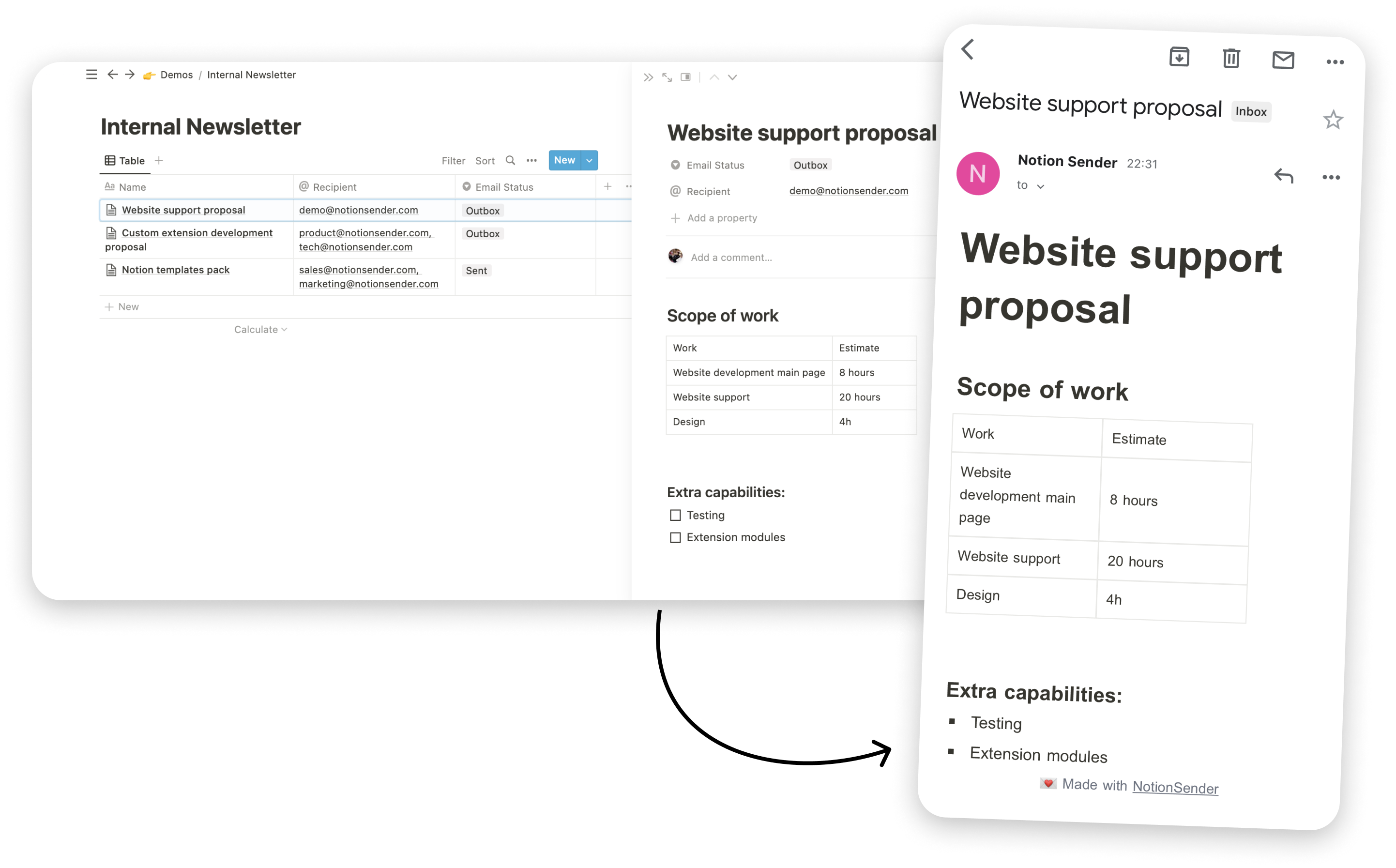
Dynamic emails with templating
Use Notion page properties as variables in your email content, enabling you to create dynamic, tailored emails that address your recipients' specific needs or contexts.
Notion styled emails
Transform your Notion pages into fully compatible emails, ready for all major email clients, with NotionSender. Unleash the full potential of Notion's formatting blocks.
Flexible recipients and attachments
Add attachments to your emails directly in Notion. The email field is designed to support multiple addresses, separated by commas. Alternatively, you can connect separate recipient database.
Scheduled and automated delivery
Enable auto-sending for your emails. All messages marked as "Outbox" are sent out promptly, automating your email dispatch process.
Email Sending for Every Need
Discover the power of efficient email communication for various business needs with NotionSender. From organizing meetings to managing invoices, our service streamlines your email interactions.
Business Meetings and Calls
Reminder: Upcoming Strategy Meeting – April 5, 2024
Dear Team,
Just a quick reminder about our strategy meeting scheduled for April 5, 2024, at 10:00 AM EST. We'll be discussing Q2 targets and brainstorming on new market expansion plans.
Please ensure to review the attached agenda and come prepared with your ideas.
Invoice and Financial Transactions
Invoice #4567
Dear Client,
Thank you for your business! Attached is Invoice #4567 for the services rendered in March 2024. We appreciate prompt payment by April 15, 2024. Please let us know if you have any questions.
Project Management and Team Coordination
Project Update: Website Redesign – Week 3 Progress
Hi Team,
Great work this week on the website redesign project! We've completed the initial design phase and are on track for the development stage. Please find attached the progress report and next week's tasks. Your feedback and suggestions are welcome.
Event Planning and Management
Event Planning Update: Annual Gala 2024
Dear Committee Members,
I'm pleased to share that we have secured the venue for our Annual Gala 2024. The next step is finalizing the catering and entertainment options. I've attached a list of potential vendors. Please share your preferences by the end of this week.
Documentation and Reports
Monthly Sales Report – March 2024
Dear Team,
Please find attached the sales report for March 2024. The report highlights key performance metrics and areas for improvement. We will discuss this in detail in our next team meeting. Your insights will be valuable.
How to use Notion email integration
1
Connect Your Notion Workspace
Begin by creating your account on NotionSender. Once registered, navigate to the 'Integrations' section and select 'Connect Notion Workspace'. Follow the prompts to establish a secure connection between NotionSender and your Notion account. Grant access to at least one page.
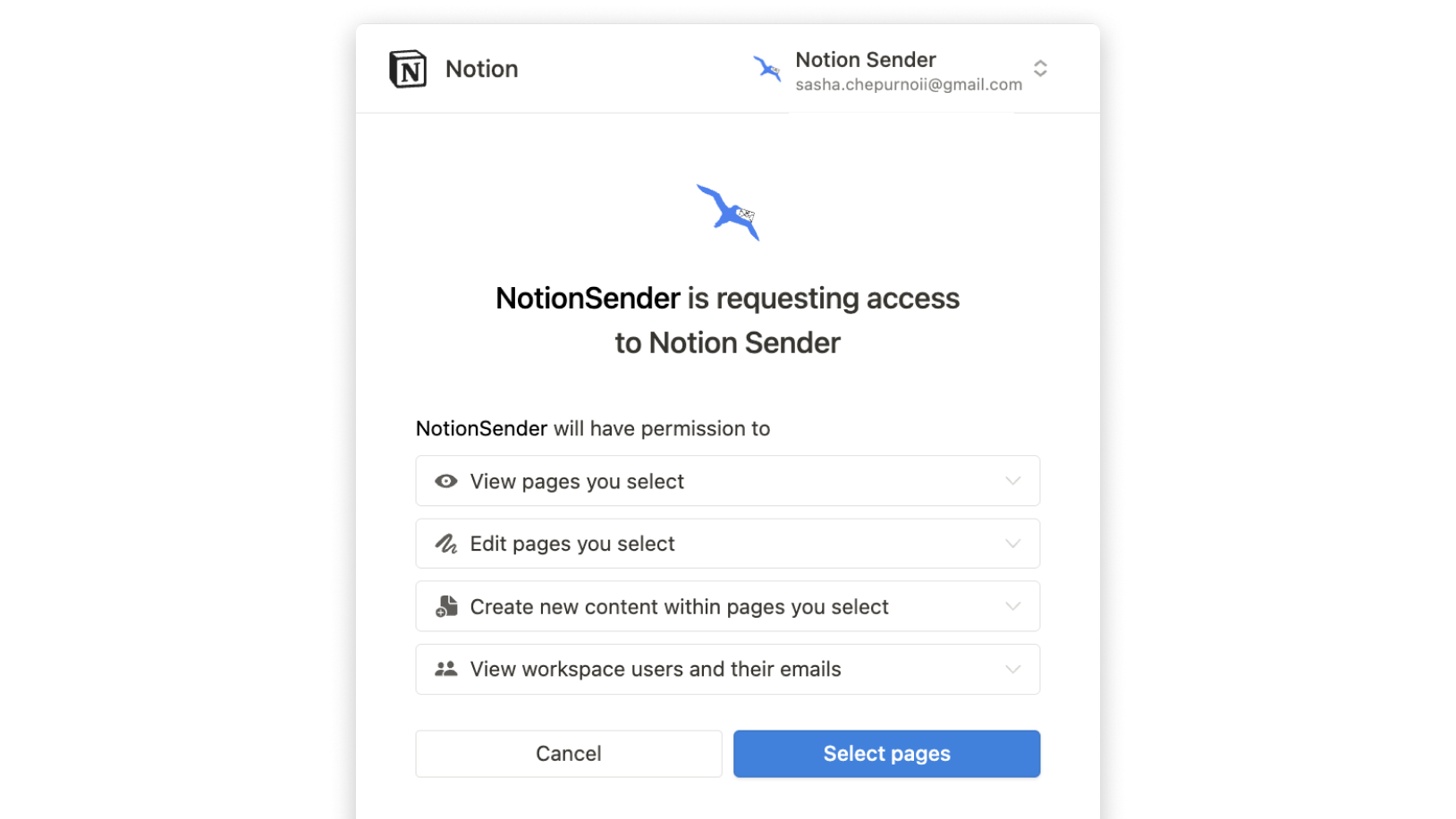
2
Set Up Your Notion Database
Either create a new Notion database or select an existing one where you'd like to save or send emails. Grant access to at least one page to create new databases with NotionSender. Ensure the NotionSender integration can access databases to use it for email integration.
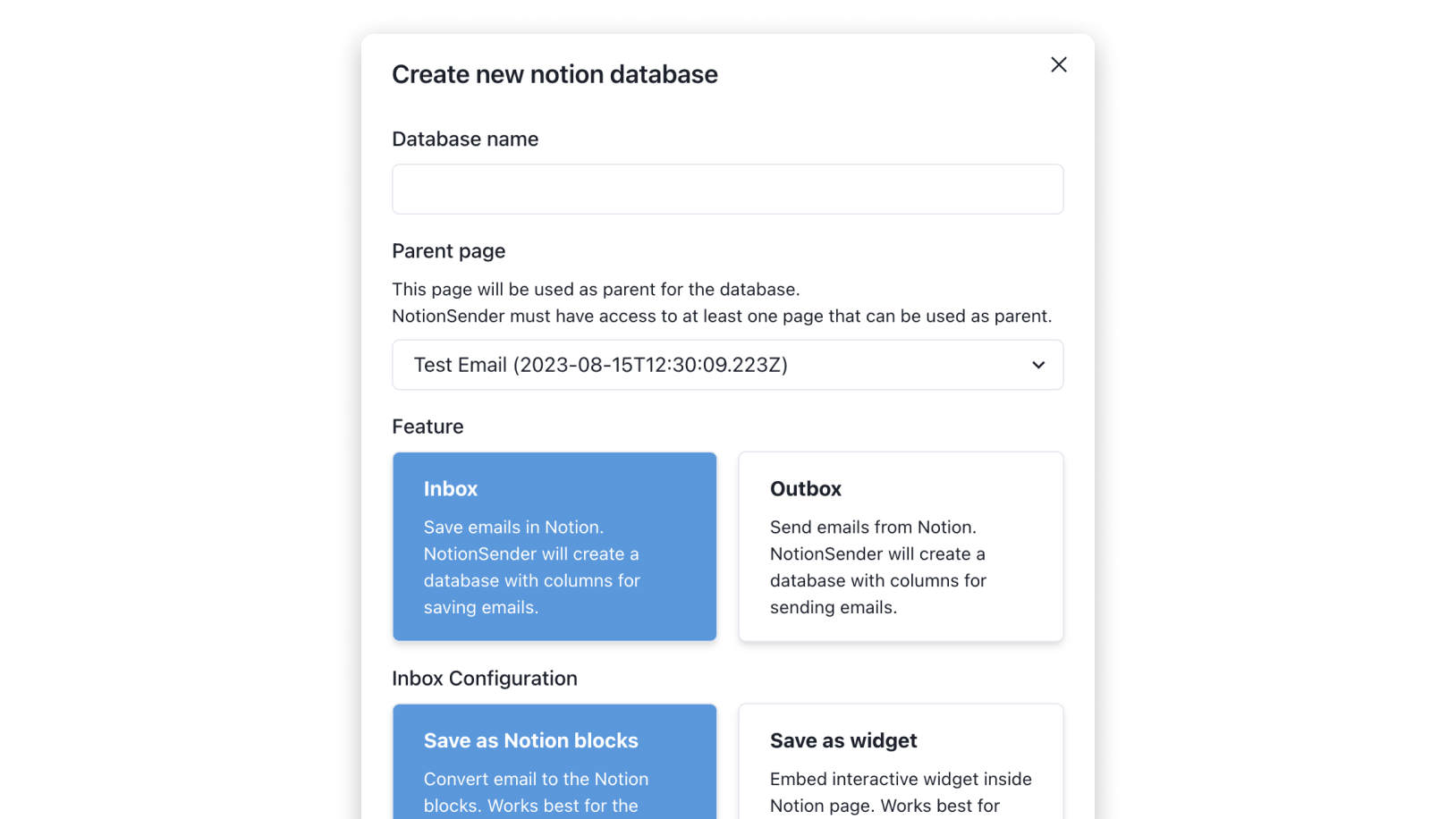
3
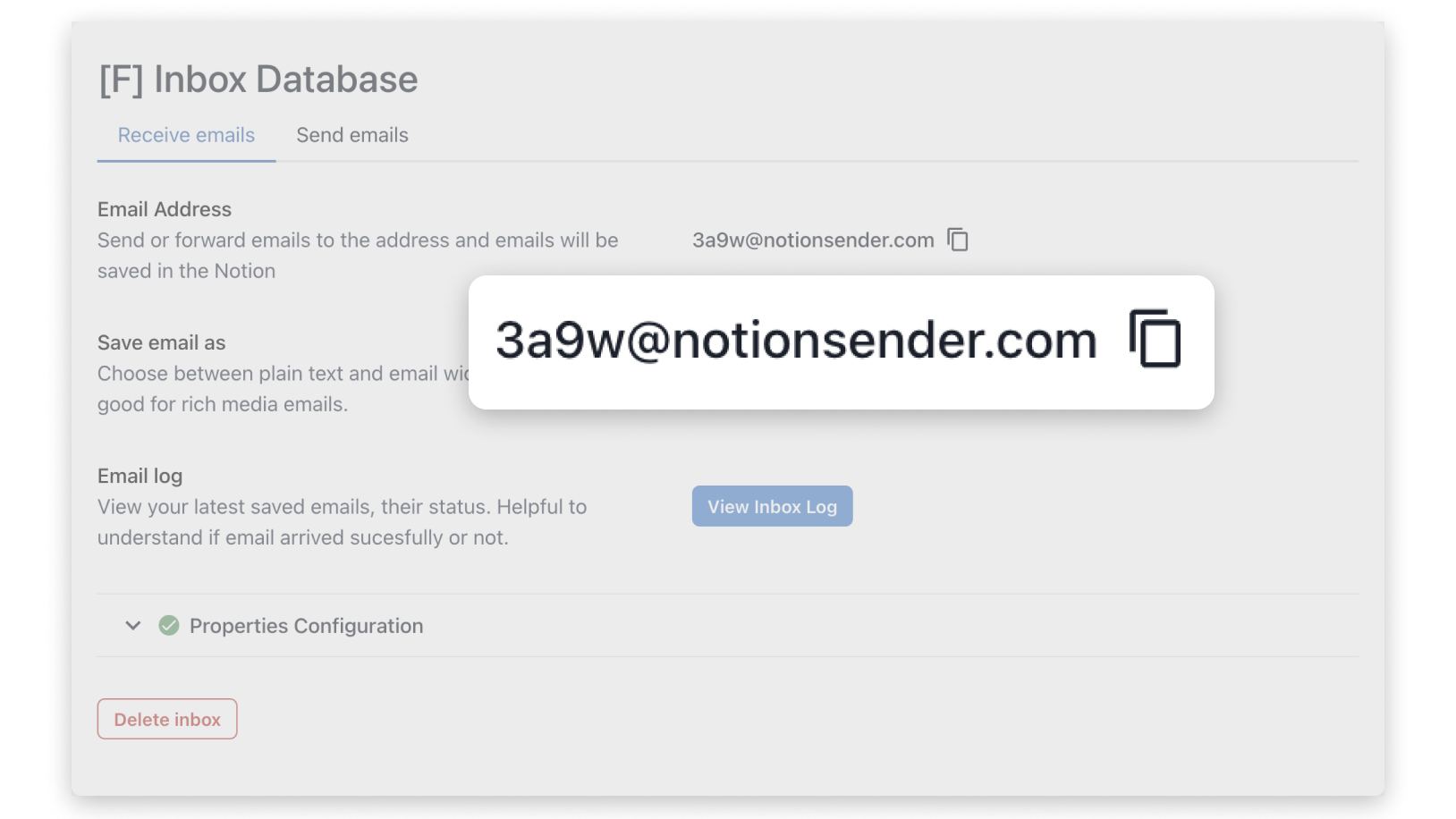
Saving Emails to Notion
Once database created or configured, NotionSender will provide you with a unique email address linked to your Notion database. Use this personal NotionSender email address to forward or send emails, and they'll automatically populate in your specified Notion database.
4
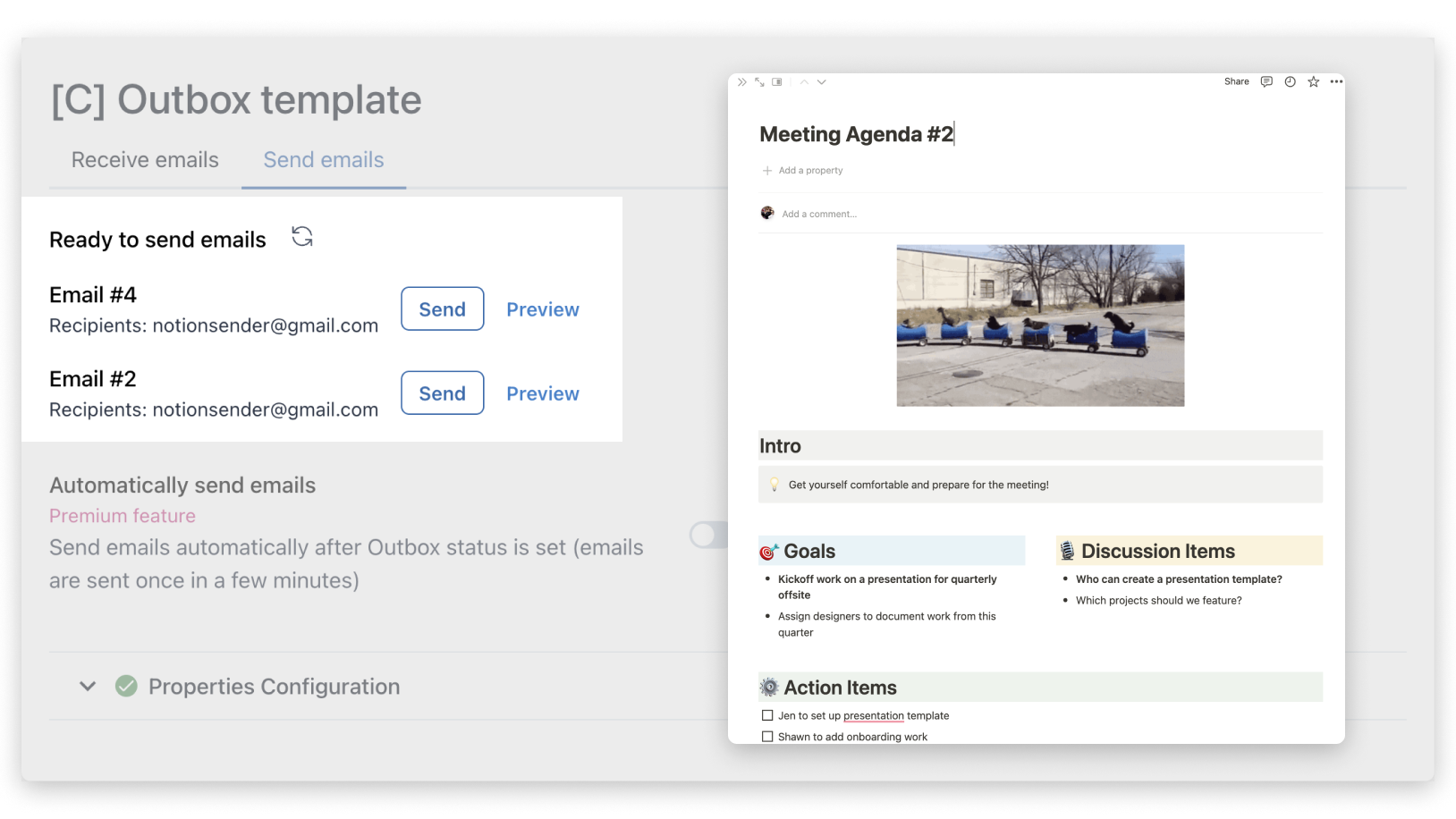
Sending Emails from Notion
Inside your Notion Outbox database, create a new page and format it as you would an email, specifying the recipient, subject, and body. Once your email content is ready in Notion, use NotionSender's functionality to send it directly to your recipients.
Hear It From Our Users
Discover why users trust NotionSender

Megan W.
"I used to juggle between my email client and Notion constantly. Saving attachments directly in my Notion workspace has been a game-changer. With NotionSender, I no longer need to hop between multiple platforms. Everything I need is right in Notion."

Lucas M.
"I was amazed at how quick the setup was. In less than a minute, my Notion workspace was connected and configured. I can direct emails to specific projects and always know where to find them. The UX is intuitive and seamless."

Oliver T.
"I often receive brief update emails from my team, and NotionSender's email parser is a lifesaver. It swiftly transforms those short emails into Notion blocks, keeping my workspace organized, searchable and up-to-date"

Leonardo F.
"Being able to add attachments directly in Notion and send to multiple recipients has made my email communication so much more efficient. Best Notion Gmail integration I've used"
Pricing
Free Trial
$0
/ mo
Enjoy most of the Premium Features
Save 100 emails monthly
Send 50 emails monthly
💎 Premium
MonthlyAnnual-20%
$19 / mo
Save up to 10,000 emails
Send up to 5000 emails
Property Extraction with AI
Convert emails into Notion blocks
Unlimited email addresses
Save and send attachments
Email previews for Gallery view
Embed for media-rich emails
Email templating and scheduling
Custom sender address
Watch our step by step tutorials
How to save emails to Notion
media loading
10
10
10
10
0:00
0:00 / 0:37
1080p720p540p360p270pAuto
Quality
1x
Audio

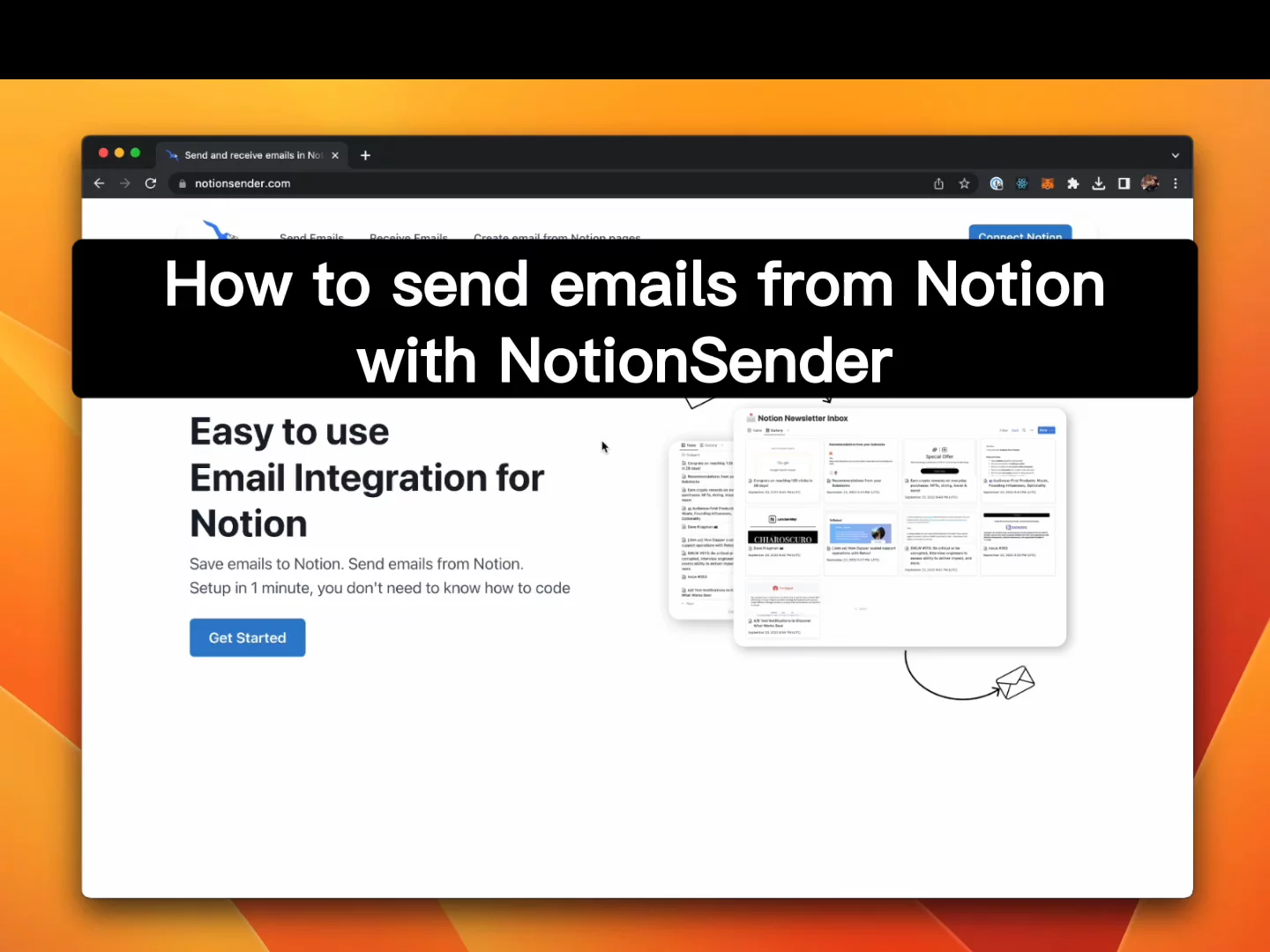
How to send emails from Notion
media loading
10
10
10
10
0:00
0:00 / 0:43
1080p720p540p360p270pAuto
Quality
1x
Audio
Feature guides
Saving emails to Notion
This guide provides detailed instructions on saving emails to Notion using NotionSender.
Sending emails from Notion
This guide provides detailed instructions on sending emails from Notion using NotionSender.
Notion templates to get you started
Use templates to quickly setup email integration to save emails to notion, send emails or newsletters.
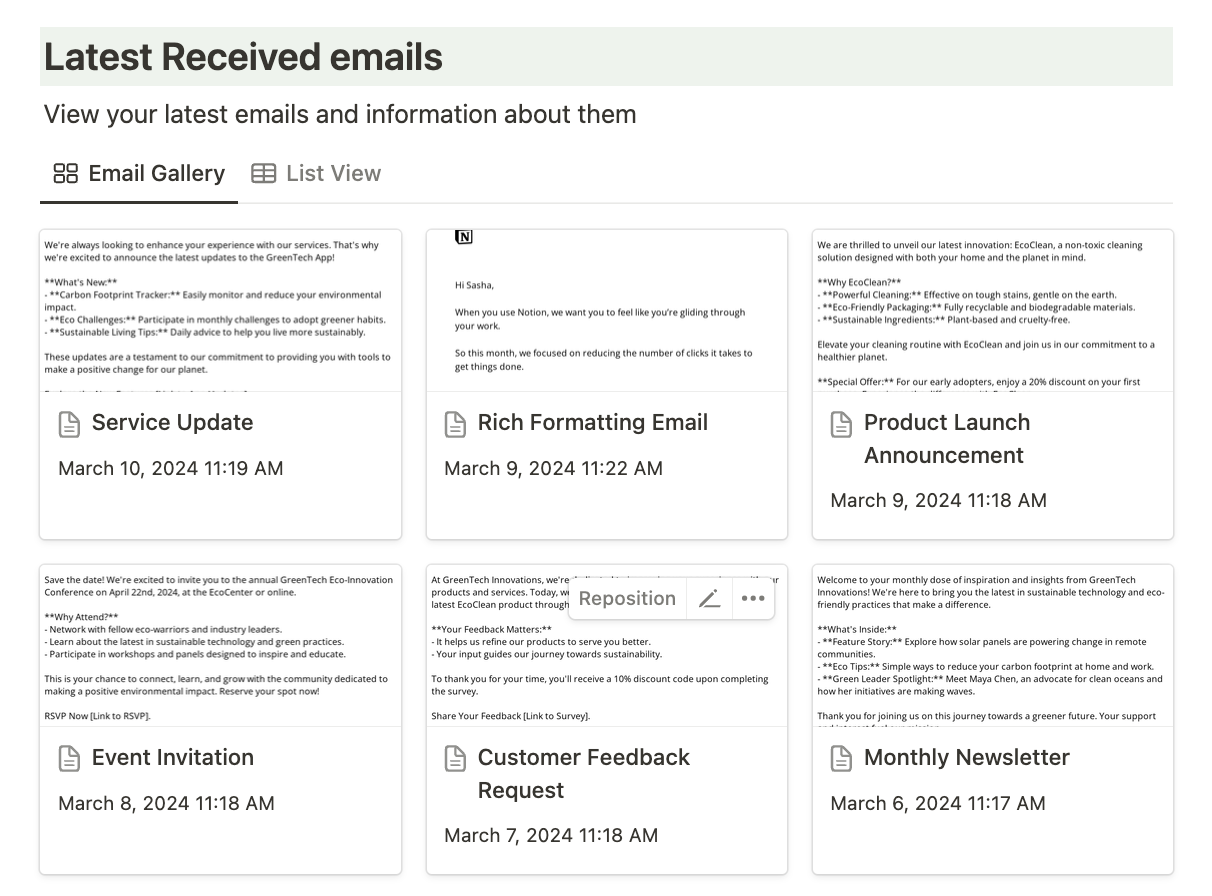
Notion Email Hub Template
Template designed to simplify email organization, featuring multiple views and pre-configured settings for efficient management. This template provides an intuitive way to keep your emails organized, saving you time and hassle.
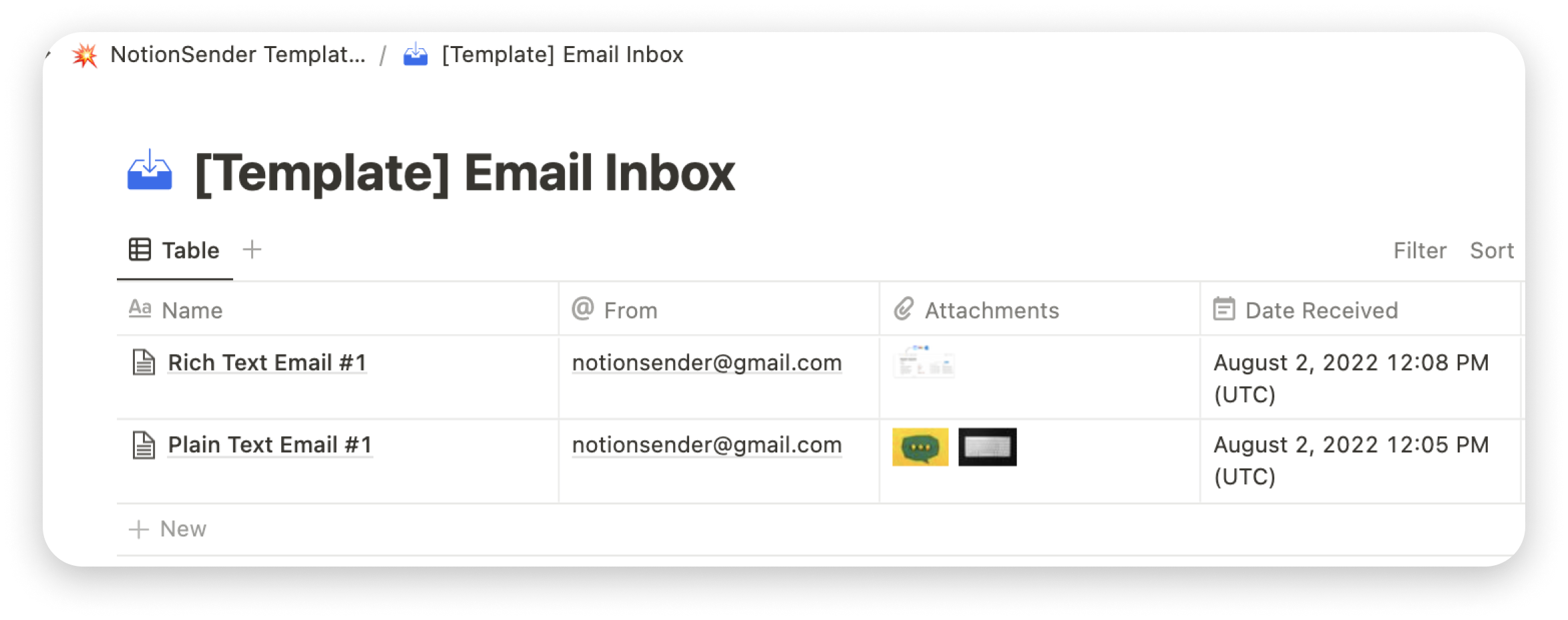
Email Inbox Example
Save emails to Notion with this example. Create a unique email address for notion database.
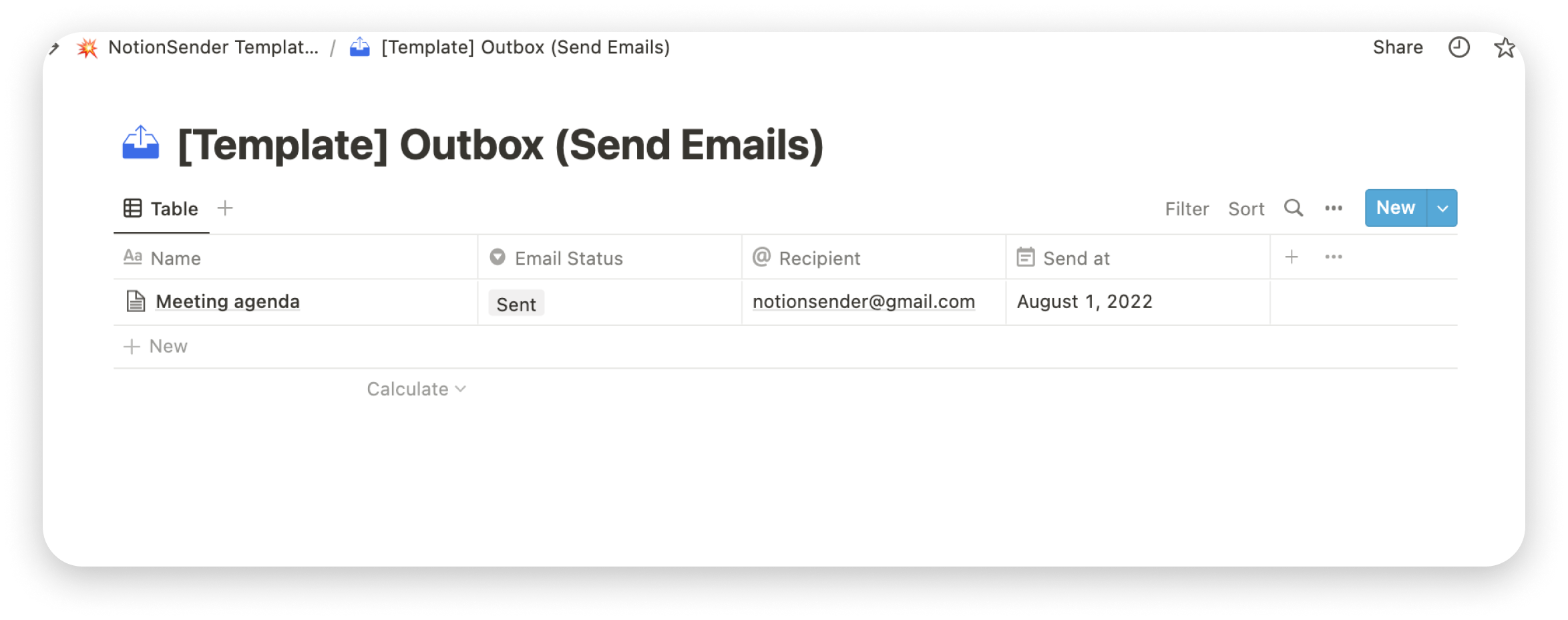
Email Outbox Example
Send emails from Notion example. Configure email status properties, create email inside the Notion and send them.
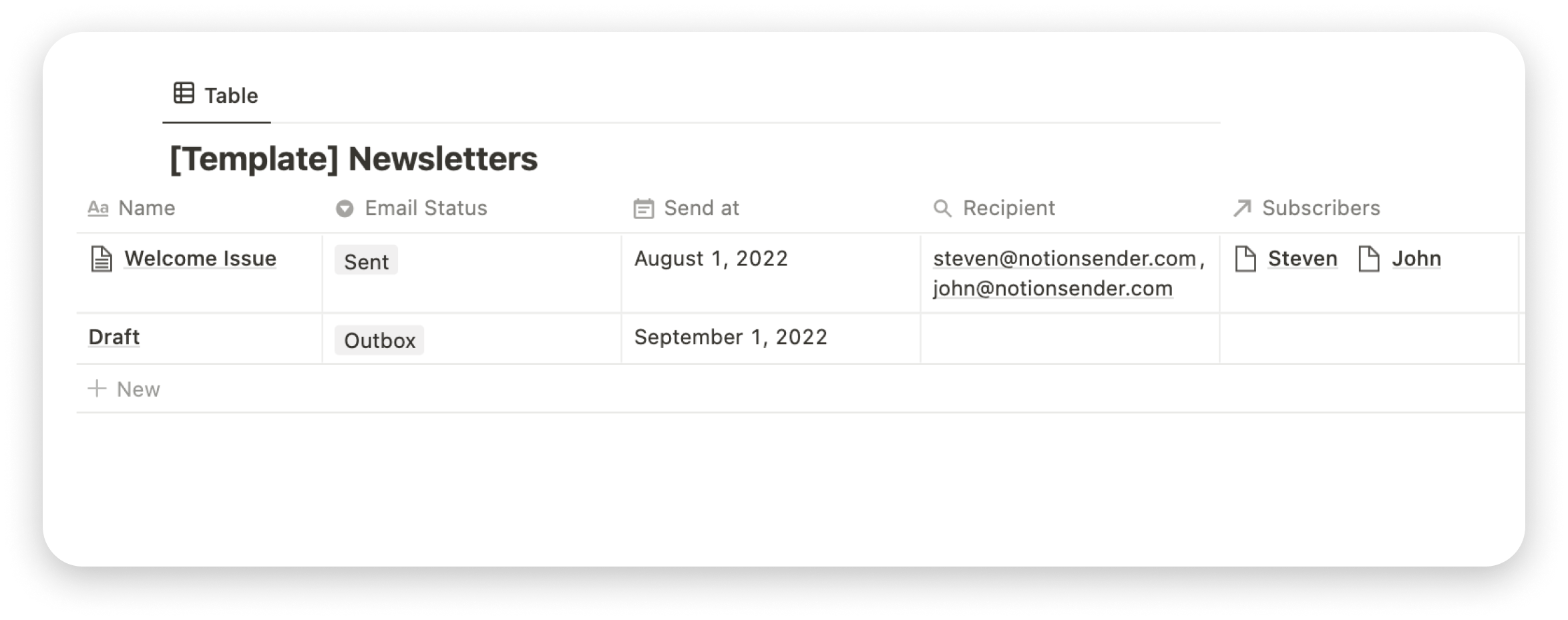
Newsletter Example
Create and send newsletters from Notion example. Manage subscribers lists with Notion database. Create newsletter in the Notion.
Frequently Asked Questions
- How do I send an email to a Notion database?
Start by creating an email inbox address for your Notion database using NotionSender. Once the inbox is set up, you can direct emails (using 'to', 'cc', or 'bcc') to this address, and they will be saved directly in your Notion database.
- How can I save emails from Gmail to Notion? (Notion Gmail integration)
After creating an email address for your Notion database, you can configure your Gmail account to forward emails to Notion. Just set up a filter in your Gmail settings to forward emails to the email address you've generated.
- How can I save emails from Outlook to Notion? (Notion Outlook integration)
Once you've created an email address for your Notion database, go to your Outlook settings and configure email forwarding. Just enable forwarding and use the generated email address as the destination. Your emails will then appear in Notion.
- How can I save emails from Apple Mail to Notion? (Notion Apple Mail integration)
After generating an email address for your Notion database, you can set up automatic email forwarding in your Apple Mail Preferences. Add a new forwarding rule to direct emails to the Notion database email address you've created.
- How do I send an email from a Notion database?
You can easily send emails from your Notion database with NotionSender. Once your Notion database is connected and configured, you can compose emails as Notion pages. You can specify multiple recipients, schedule delivery, and send the email by marking it as 'ready to send.’
- How can I view emails in Notion?
You can view emails directly in your Notion app in two ways. Either use the embeddable email widget to save a web view of your email inside Notion, or use the plain text option or image view to display your email content.
- How do I use template expressions when sending emails from Notion?
In Notion, you can reference any database page property when drafting an email. All variables are stored in the 'page' context. For example, if you have 'name', 'cost', and 'ai_summary' as properties in your Notion database, you can reference them in your email using this syntax: {{page.name}}, {{page.cost}}, and {{page.ai_summary}}. Ensure there's no whitespace between words or at the end of the Notion property name. Properties are case-sensitive.
- Can I send emails to multiple recipients at once from Notion?
Yes, you can. Our 'Flexible Recipients' feature allows you to use the 'email' or 'rollup' field to specify a list of recipients for your email. The 'email' field supports multiple email addresses, which should be separated by a comma.
- Is there a limit to the number of emails I can send or receive in Notion?
With our Free Plan, you can save up to 100 emails and send up to 50 emails every 31 days. If you subscribe to our Premium Plan, you can increase the limits.
- Can I attach files to emails I send from Notion?
Yes, you can send attachments using `file` field in Notion (For email sending databases). Max size of the attachments is currently 10MB.
- Can I schedule emails to be sent at a specific time from Notion?
Our Premium Plan offers the scheduling of emails. You can set a specific date and time for your emails to be sent. Don’t forget to mark your email as ready to send and enable automatic email sending for the Notion database in configuration.
- Is there a way to send emails from Notion using my email?
Yes, as a premium user, you can verify the custom email and we will use the verified email address as the sender for any emails you send from Notion.
- Can I customize the email design when sending from Notion?
You can use Notion's rich formatting blocks like tables, callouts, color and formatting, code, and synchronized blocks. NotionSender support most of the text editing features, as well as layouts. We continue expanding supported blocks. If you have specific feature requests - feel free to email us.
- How do I update or change the email address for my Notion database?
If you want to change the address for your Notion database - you can delete your NotionSender inbox and create a new one for this specific database in NotionSender. No data will be deleted from Notion.
- Can I save the email content as Notion blocks for editing?
Yes, with the Plain Text save option, you can save email content as Notion blocks. NotionSender will parse your email into native Notion elements and insert them to your Notion page. This allows you to easily view and edit the email content within Notion itself.
- How can I get support?
Support is only available on a paid plan. If you're on the Free Plan, you can access our FAQ section and video guides on the landing page. For direct support, please upgrade to a paid plan.
Level up your Notion workspace
Enhance your Notion experience with best email integration for Notion.
© 2022 Notion Sender.