

详细内容




Grow Organic Traffic on Auto-Pilot
Get recommended by ChatGPT & Rank on Google. Get done-for-you Blog Posts, Backlinks and Free Tools while you sleep.
 Join with Google
Get Started for Free


50k+ Articles Created
Problems & Solution
Your problem Our solution


Replace multiple tools with one powerful platform:
-

Keyword Searching -
Content Generation -
Content Optimization -
Images -
Localization
HOW IT WORKS
How we make magic happen
We handle the SEO heavy lifting. Relax while we create daily ranking content to keep you ahead of the competition.

Deep analysis of your business
We explore your niche, competitors, and target audience. Discover hidden keywords with high traffic potential and low competition.

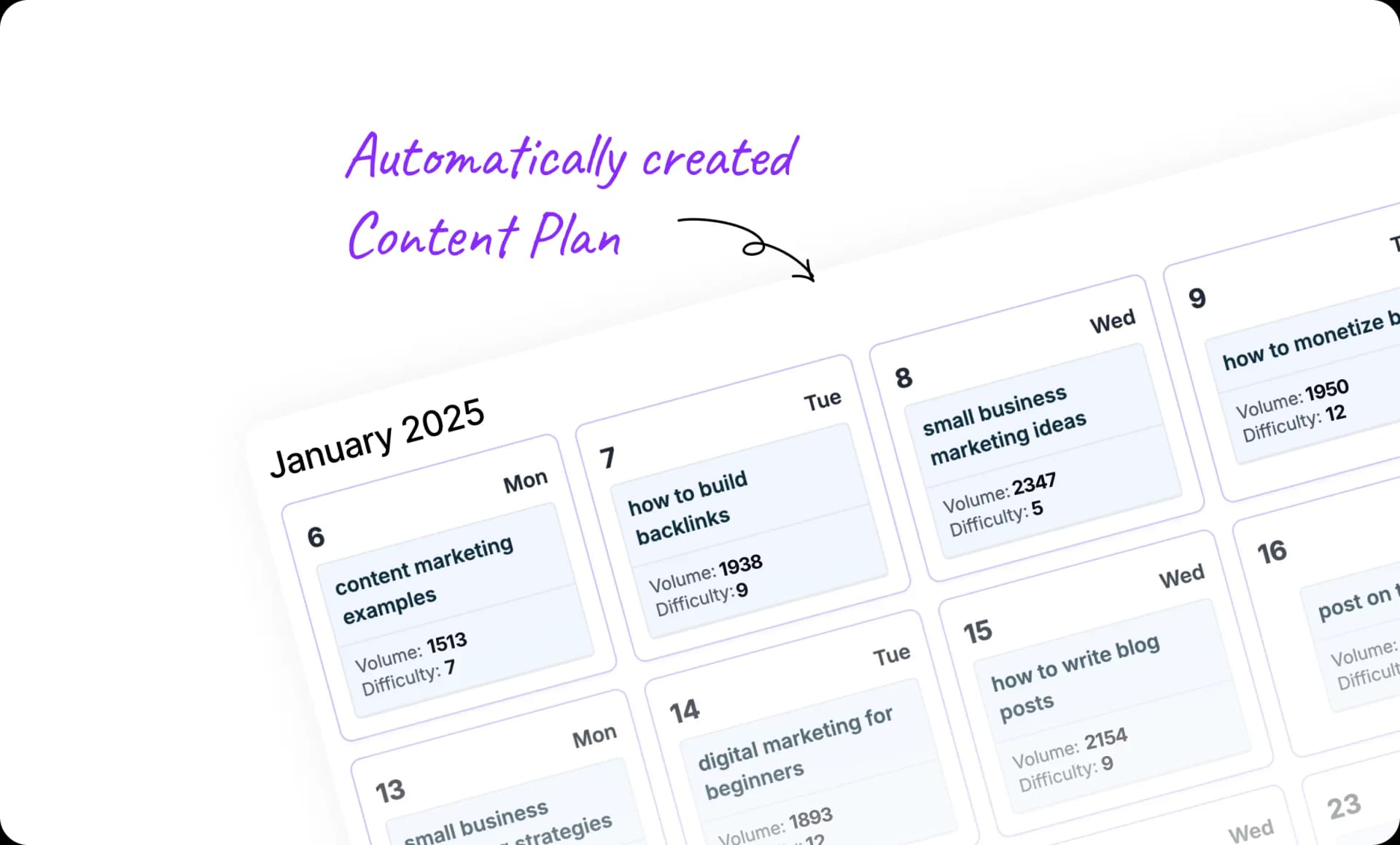
Get a powerful 30-day plan
Create a strategic content plan where each day focuses on a key phrase with the highest potential for your business.
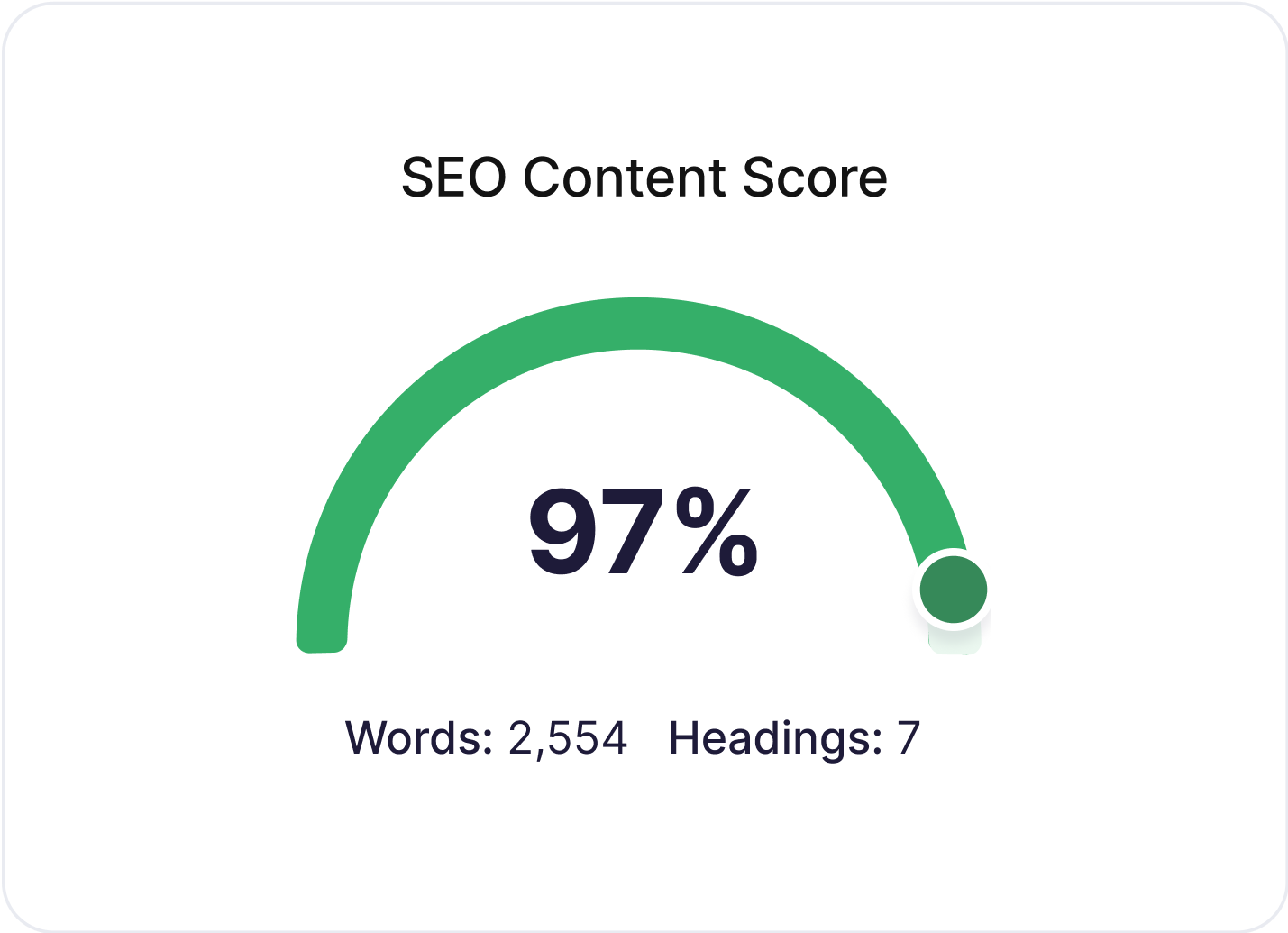
Generate articles on autopilot
We create and publish SEO-optimized articles based on selected keywords daily. Your blog grows automatically while you focus on your business.
FEATURES
Unlock your SEO growth
Get new SEO-optimized articles daily, effortlessly.
Automate SEO analysis and keyword research
Analyze and find the best keywords in your niche. Create quality articles daily matching your business goals. Generate keywords yourself anytime.

Create content that naturally ranks
Get SEO-ready articles that read naturally, based on powerful keywords. Every piece automatically includes strategic internal or external links.

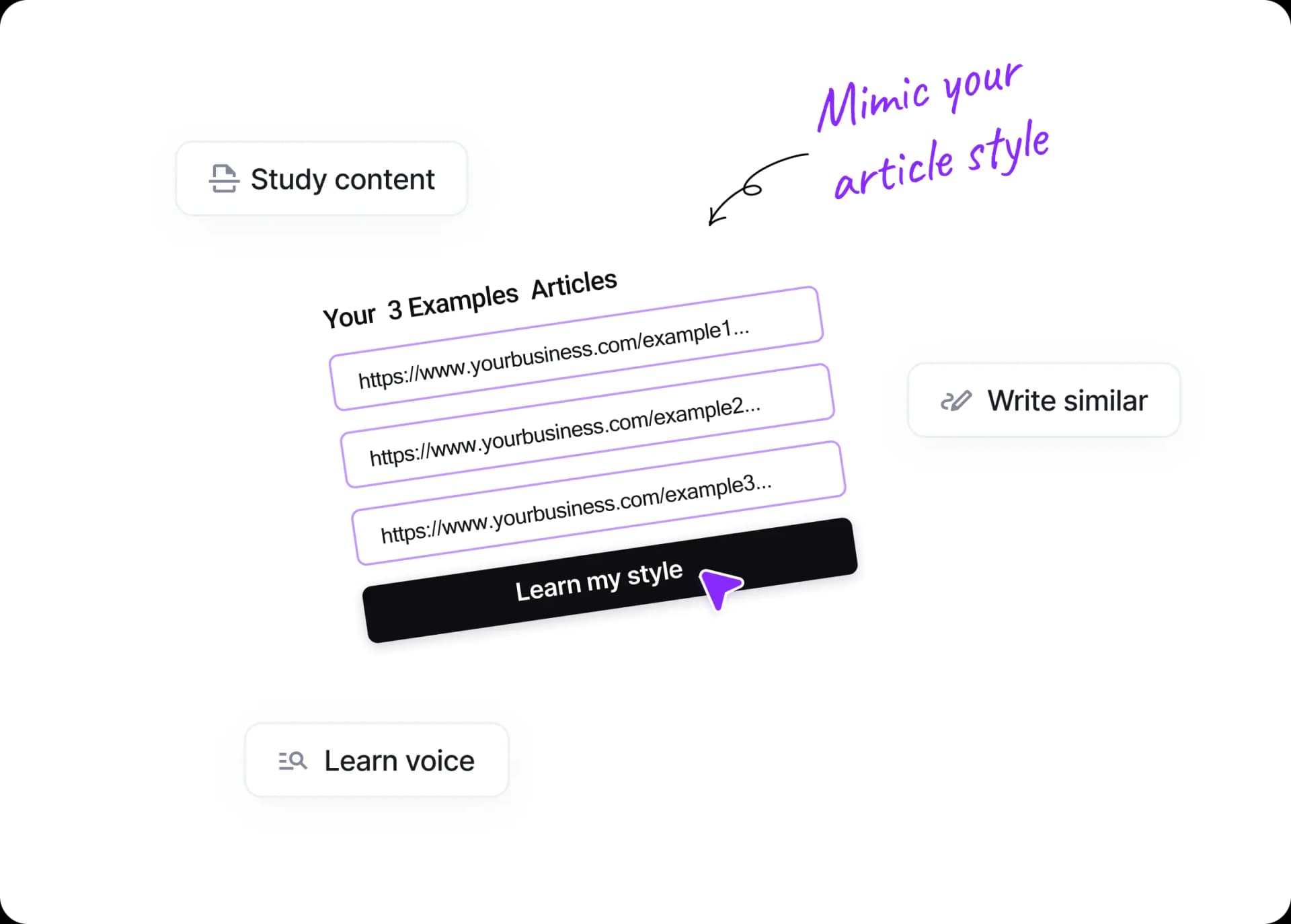
Write articles that sound like you
Create articles that follow your established content style. Share your published pieces and watch us match your unique voice.

Generate on-brand images
Enrich articles with unique visuals. Choose styles and add brand colors. We auto-insert them into content & as featured images.
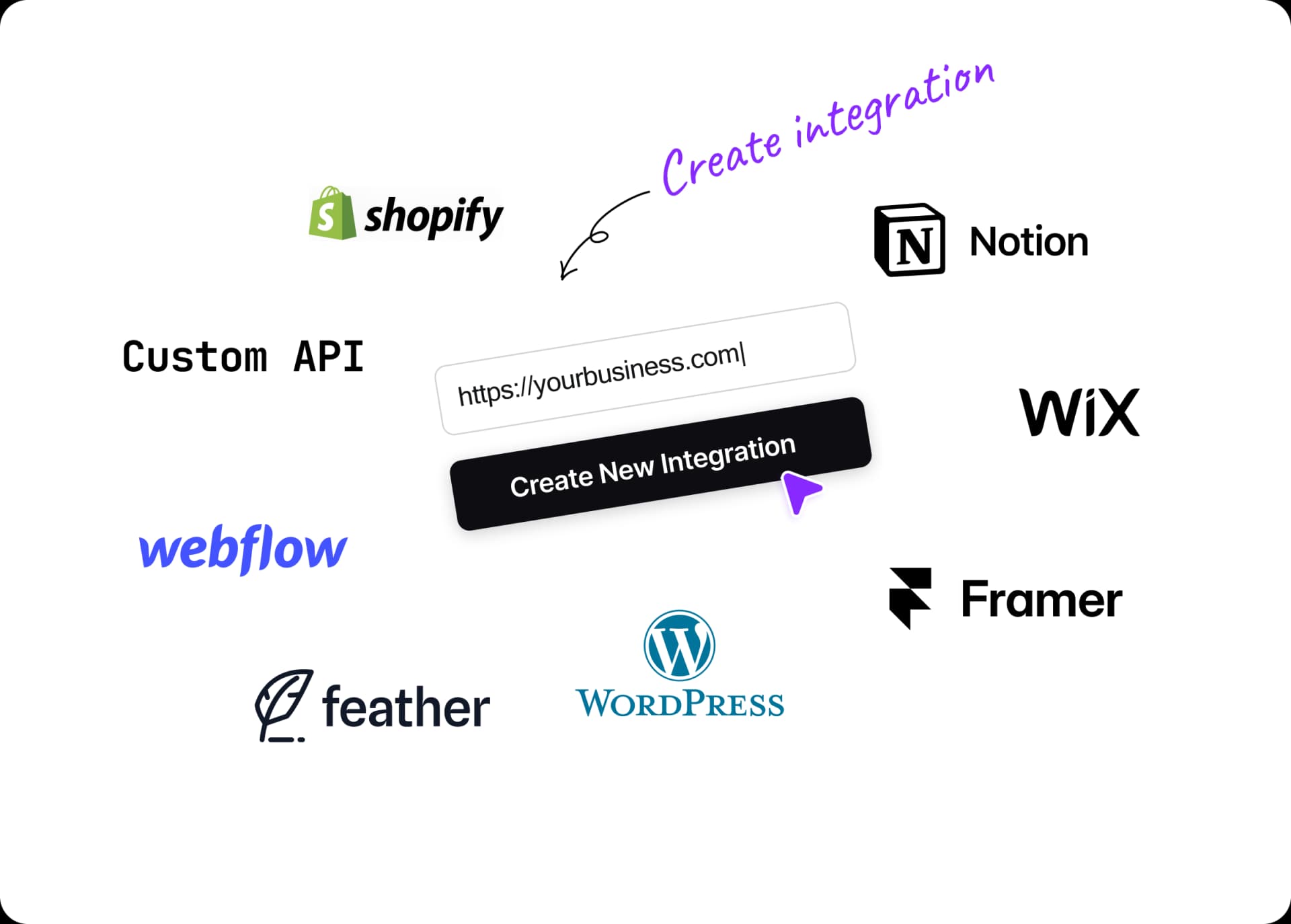
Publish content on auto-pilot
Set up once and forget about manual work. Integrates with WordPress, Webflow, Shopify, Notion, Wix, Framer and many other platforms. Your content goes live automatically.
BOOST VISIBILITY
Boost your domain rating with Backlink Exchange
Join our network to build quality backlinks that increase your Domain Rating and drive organic traffic.
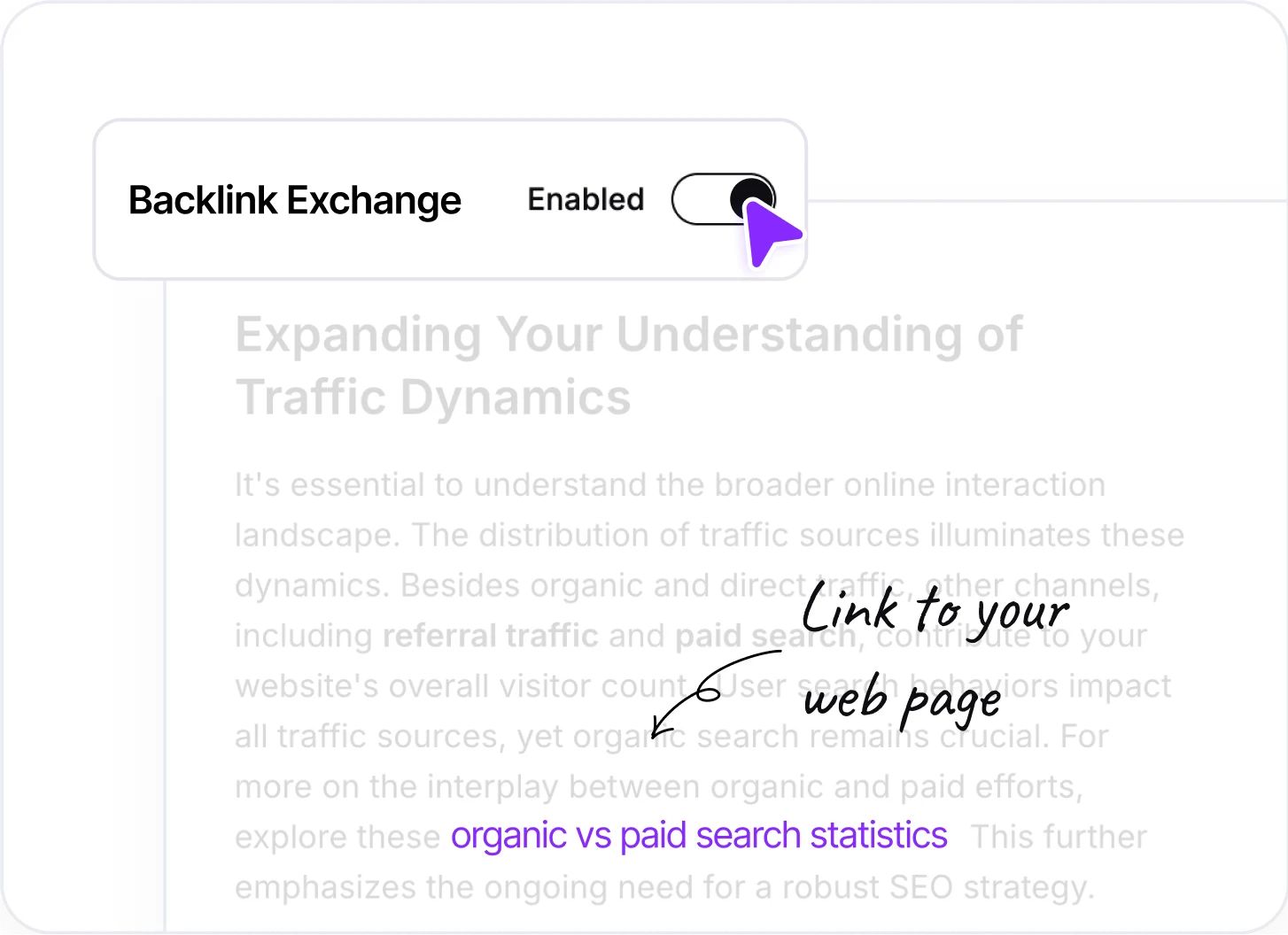
Automatic Link exchange
By enabling Backlink Exchange, you receive quality backlinks. When other users create content, our AI automatically adds links to your website in their articles. Each integration is monitored, ensuring maximum relevance.
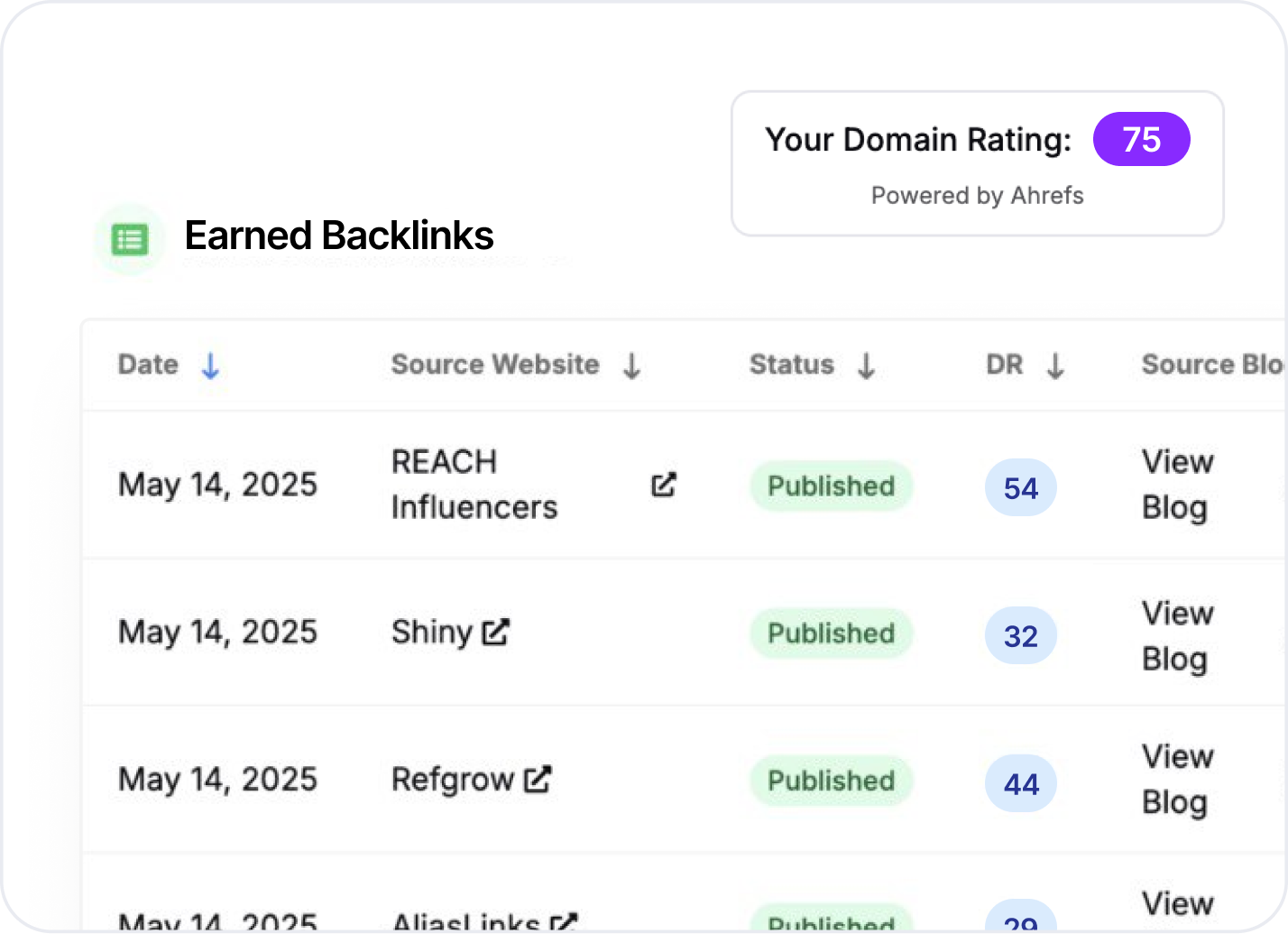
Track articles and results
You can monitor where your links are referenced and see your domain authority grow. Track the number of backlinks received and their direct impact on your SEO rating.
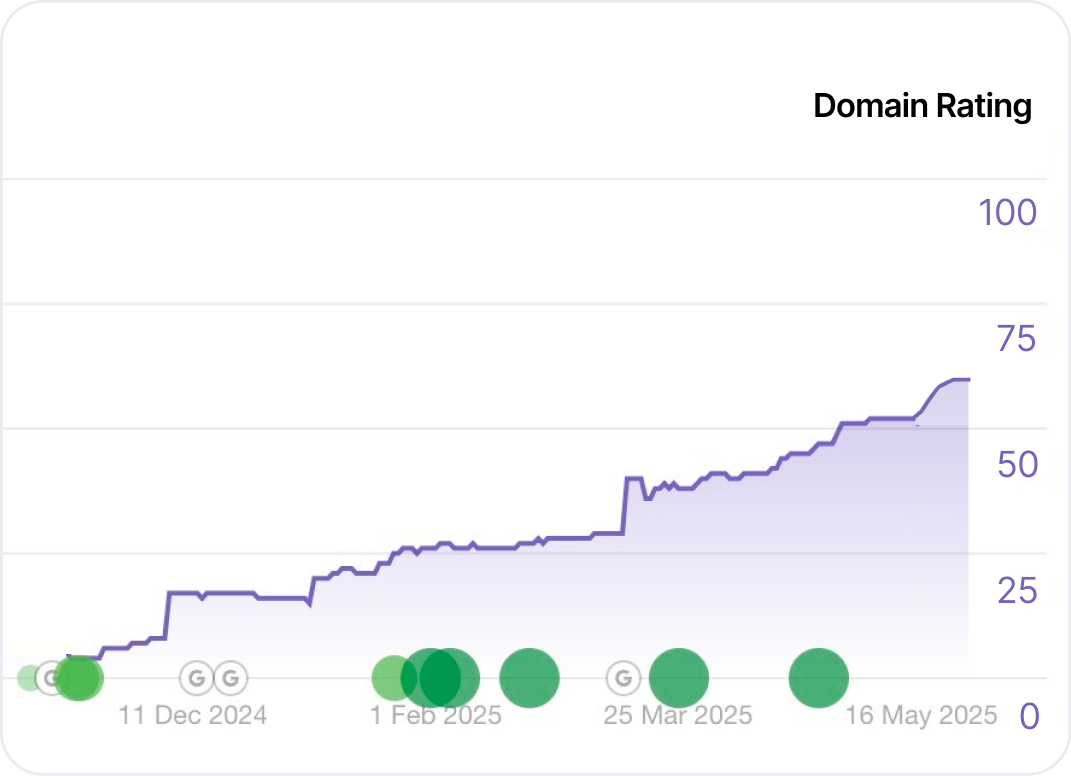
Your Domain Rating grows
Quality backlinks increase your Domain Rating, directly boosting your business growth. Higher Domain Rating is the backbone of organic traffic - bringing more qualified visitors who convert into customers.
And so much more you need to do your best work.

Write in your language
Generate high-quality content in over 150+ languages. Our AI creates articles in any language you need.
Edit article with AI
Easily edit your article to meet your exact expectations, ensuring every word aligns with your vision for standout content.
Generate unlimited keywords
Generate unlimited sets of keywords until you find the perfect match for your content
Multi-site package
Scale your content strategy by adding more websites to your package whenever needed.
Multi-user access
Invite multiple editors to your organization and collaborate seamlessly to generate impactful content together
Support
Get expert assistance 24/7, ensuring smooth operation of all platform features.

Writing Examples
AI-generated content that humans love to read.
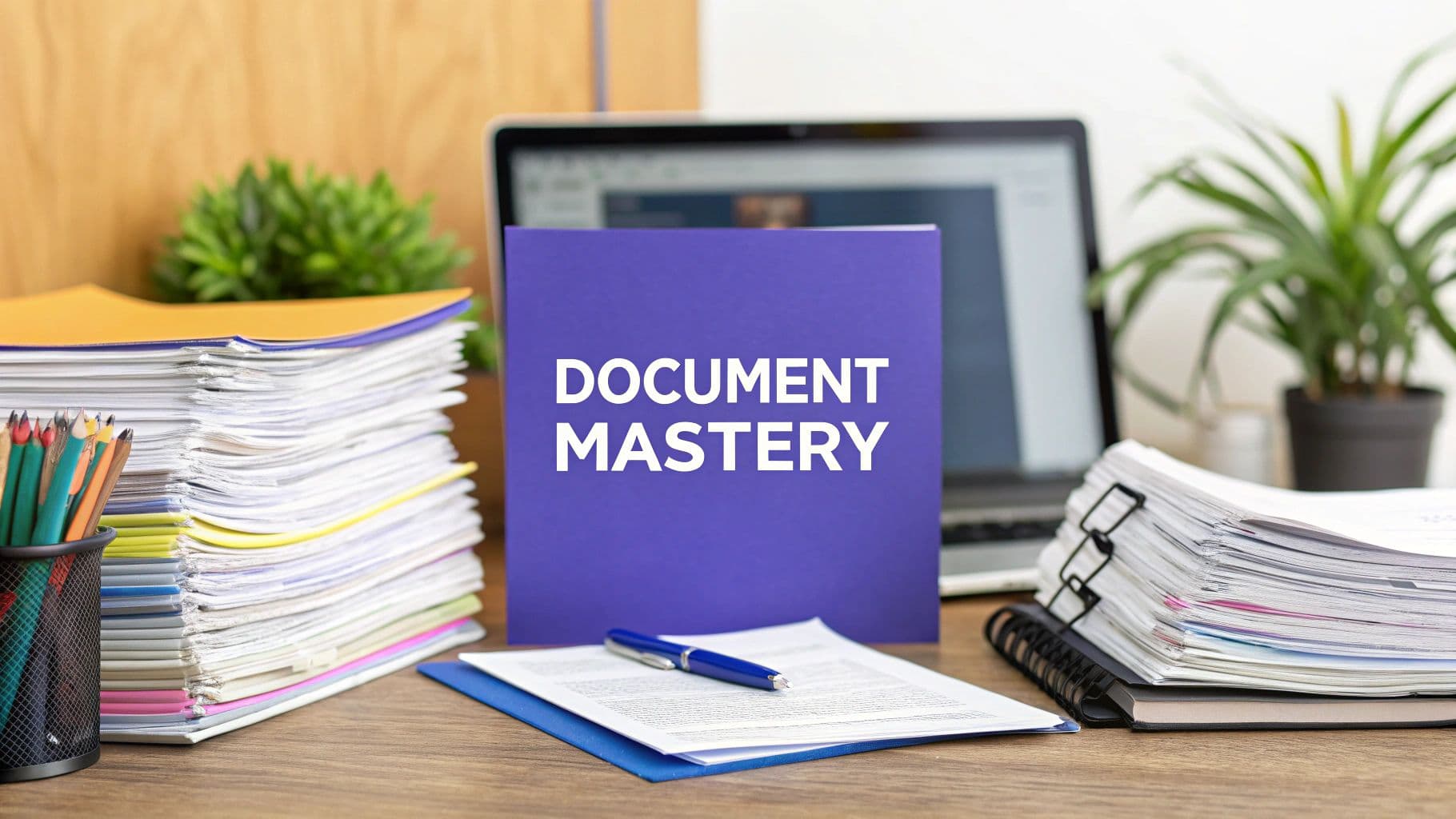
- Listicle
10 Document Management Best Practices to Improve Your Work
Read Examples

- Guide
How to Monetize Twitter: Proven Strategies for Content Creators
Read Examples

- Tools Listicle
Top 9 AI Video Generators: Transform Your Vision into Reality
Read Examples
10 Document Management Best Practices to Improve Your Work

- Listicle
How to Monetize Twitter: Proven Strategies for Content Creators

- Guide
Top 9 AI Video Generators: Transform Your Vision into Reality

- Tools Listicle
Taming the Document Deluge
Documents drive most modern work. From academic papers and legal documents to patient files and marketing materials, the effective handling of information is critical for success. But managing an ever-growing pile of digital files remains a stubborn challenge for many professionals. The switch from paper to digital storage has shifted the problem rather than solved it - trading overstuffed filing cabinets for chaotic digital folders.
Modern document management combines time-tested principles with new digital capabilities. The core goals remain constant: making files easy to find, access, protect, and use efficiently. The key is creating a system that fits your specific workflow and technical comfort level. Good document management does more than prevent lost files - it transforms information from a source of stress into a valuable resource that helps you work better.
This guide will walk through 10 proven document management practices that work across different roles and industries. You'll learn practical ways to:
- Organize files logically and consistently
- Find documents quickly when needed
- Keep sensitive information secure
- Enable smooth collaboration
- Free up time for meaningful work
Whether you're dealing with dozens or thousands of files, these strategies will help you take control of your documents and work more effectively. Let's get started.
1. Standardized Naming Conventions

Clear file naming rules are essential for keeping documents organized and easy to find. Without a good system in place, searching for important files becomes frustrating and wastes time. Whether you need to locate last year's research or tomorrow's presentation, having standardized names makes all the difference.
A strong naming system includes these key elements:
- Clear structure: Use a consistent pattern with descriptive elements like "ProjectName_DocumentType_Date.docx" instead of vague names like "Document1"
- Version tracking: Add version numbers (v1.0, v2.0) to easily identify the latest file
- Consistent dates: Format dates as YYYY-MM-DD to avoid confusion and enable sorting
- Department codes: Include team identifiers to improve organization (e.g. "Marketing_Report_2024-07-26_v1.0.pptx")
The major benefits of good naming practices include:
- Easy file location: Find documents quickly using search and filters
- Fewer mistakes: Clear names prevent accidental overwrites and deletions
- Better workflows: Standard names enable process automation
- Team alignment: A shared system helps everyone work together smoothly
Some challenges to consider:
- Staff training needed: Teams need guidance on using the new system
- Regular updates: Conventions may need adjusting as needs change
- Complex for big teams: Creating rules that work across departments takes effort
Major companies like Microsoft and Google rely on strict naming protocols to handle their vast document libraries effectively.
Key Tips for Implementation:
- Use YYYY-MM-DD format for universal date clarity
- Include version numbers to track changes
- Keep names brief but descriptive
- Document your rules clearly and share them widely. For more guidance, check out Technical Writing Best Practices.
From research teams to medical offices, good naming conventions help bring order to file management. They make work more efficient and help create a more organized environment. Read also: [Tips for Effective File Management]. (This placeholder link can be replaced with a real link when available).
2. Cloud-Based Document Management

Cloud-based document management is changing how organizations store and share information. By using cloud storage systems, companies can centralize their documents in one place, making them easy to access and share across teams. This approach goes beyond traditional local storage, enabling better productivity and simpler workflows. Companies across many sectors - from research labs to law firms to medical offices - are adopting this practice.
The key features focus on modern team collaboration needs. Multiple team members can work on documents at the same time, removing version control headaches. Regular automatic backups protect important data, while version history lets you retrieve older document versions when needed. Detailed permission settings help keep sensitive information secure by controlling who can access what.
Services like Google Drive, Microsoft OneDrive, and Dropbox have made cloud document management mainstream. These platforms let people store and access files from any internet-connected device. The rise of remote work has accelerated the adoption of these tools as teams need better ways to collaborate online.
Real companies show the impact of cloud document management. Uber uses Google Workspace to help its global teams collaborate on projects and share documents instantly, no matter where they work. National Geographic relies on Dropbox Business to manage its extensive collection of photos, videos and research materials, giving teams worldwide access to ongoing projects.
Pros:
- Access anywhere: Get to your documents from any device with internet, perfect for remote work
- Lower costs: Save money by removing the need for on-site servers and IT equipment
- Auto-syncing: Keep all devices updated with the latest document versions
- Better security: Major cloud providers offer robust security features
Cons:
- Internet required: Can't access files without a stable internet connection
- Ongoing costs: Monthly fees replace one-time hardware purchases
- Privacy concerns: Storing sensitive data with external providers needs careful consideration
Tips for Successful Implementation:
- Set up proper permissions: Use detailed access controls based on roles
- Train your team: Make sure everyone knows how to use collaboration features
- Check backups regularly: Verify your backups work and files are recoverable
- Create sharing rules: Set clear guidelines for internal and external file sharing
Cloud document management deserves attention because it solves key challenges in modern document handling. Organizations that adopt this approach can work more efficiently, collaborate better, and keep their operations running smoothly.
3. Metadata Management
Metadata management is a crucial element in efficient document systems. Think of metadata as labels and descriptions that help classify and organize your documents. This systematic tagging transforms scattered files into an organized, searchable collection - essential for students, researchers, legal professionals, and anyone handling large amounts of information.
Instead of just using file names or folders, metadata provides rich context through descriptive tags and categories. For example, a research paper can include metadata like "author," "publication date," "keywords," and "research topic." This allows quick document retrieval using any of these details, eliminating the need to manually search through folders or remember exact filenames.
The key components that power effective metadata systems include:
- Custom fields tailored to your specific needs
- AI-powered auto-tagging tools that speed up classification
- Search indexing that incorporates metadata for better results
- Standard classification frameworks for consistent organization
The main benefits of good metadata management include:
- Faster document searches that save valuable time
- Better organized files for improved efficiency
- Simplified compliance tracking for audits and reporting
- Streamlined document lifecycle from creation to archiving
However, implementing metadata comes with some challenges. It can be time-consuming to set up, especially for large document collections. The system needs ongoing maintenance to stay accurate and useful. Without proper planning, metadata schemas can become overly complicated, making them harder to use effectively.
Key Implementation Tips:
- Choose essential metadata fields that match your needs
- Use automation tools to reduce manual tagging work
- Review metadata regularly to maintain quality
- Create clear guidelines for consistent use across teams
Popular platforms like SharePoint, Box, and M-Files have helped make metadata management more accessible by including built-in metadata features that work for organizations of all sizes.
You might be interested in: Information Retrieval Methods to understand how search works in these systems. Metadata plays a vital role in finding information efficiently within large document libraries. Read also: Best Practices for Data Organization for more tips on optimizing your information management.
Metadata management is essential because it turns document repositories into powerful knowledge hubs. A well-designed metadata system helps users quickly find exactly what they need, making information truly accessible and useful throughout an organization.
4. Document Retention Policies

Document retention policies are essential for managing sensitive information effectively. These policies provide guidelines for how long to keep specific documents and when to dispose of them properly. Getting this right is crucial for staying legally compliant, managing storage efficiently, and reducing risks.
The approach to document retention has changed significantly over time. In the past, organizations simply kept everything, leading to overcrowded storage spaces. The rise of digital documents and new regulations like GDPR and HIPAA made it clear that systematic retention and disposal were needed. This shift shows how organizations now take a more active role in managing their information.
Key Elements of Strong Retention Policies:
- Clear Schedules: Detailed lists that group documents by type and specify how long to keep them. Regular updates ensure these schedules stay current with new rules
- Smart Disposal Systems: Using software to automatically remove expired documents helps avoid mistakes and saves time
- Regulation Tracking: Systems that monitor legal requirements and notify staff about upcoming disposal deadlines
- Complete Records: Keeping detailed logs of all document handling provides proof of compliance during audits
Why These Policies Matter:
- Following the Law: Meeting legal requirements helps avoid fines and legal issues
- Lower Costs: Getting rid of old documents reduces storage expenses
- Better Organization: Clear rules help staff handle documents properly
- Safety First: Proper document management reduces risks from keeping unnecessary information
Common Challenges:
- Complex Rules: Understanding various industry regulations requires careful attention
- Ongoing Updates: Policies need regular review to stay current
- Consistent Use: Success depends on everyone following the rules
Real Examples:
- KPMG: Uses advanced systems to handle client data while meeting strict regulations
- Hospitals: Follow detailed rules for patient records under HIPAA guidelines
Practical Steps:
- Get Legal Help: Work with lawyers to ensure policies follow all rules
- Review Regularly: Check policies yearly or when regulations change
- Safe Disposal: Create secure methods for destroying both paper and digital files
- Staff Education: Help employees understand why these policies matter
Well-designed retention policies backed by the right tools help organizations handle information better and stay compliant. This careful approach to managing documents is essential for modern businesses.
5. Version Control System
Document management requires a reliable system for tracking changes over time. Version control lets teams access previous document versions, compare modifications, and restore older versions when needed. This capability is essential for maintaining document accuracy and preventing lost work.
Consider a team of lawyers working together on a contract. Without proper version tracking, multiple drafts could circulate and create confusion about which is current. For medical researchers collaborating on papers, version control provides detailed tracking of all changes to maintain data integrity.
Key Features and Benefits:
- Change History: Track exactly what changes were made, when, and by whom for full accountability
- Version Access: Maintain a complete log of all document versions and access any previous iteration
- Document Recovery: Easily restore previous versions if errors occur or changes need to be undone
- Team Collaboration: Enable multiple users to work on documents simultaneously without conflicts using features like branching and merging
Industry Adoption:
Version control started in software development for managing code changes. Tools like Git became standard for developers. The benefits soon spread to other fields as specialized document management platforms emerged. Cloud-based solutions have made version control accessible to diverse users from students to business teams.
Advantages and Limitations:
Benefits:
- Prevents accidental data loss and overwrites
- Records document evolution and decision history
- Enables smooth team collaboration
- Maintains consistency across versions
Challenges:
- Can be complex to set up and manage
- Requires storage space for version history
- Staff may need training on proper usage
Popular Tools:
- GitHub: Offers robust document version control beyond just code
- Adobe Creative Cloud: Built-in version tracking for design files
Implementation Tips:
- Clear Versioning: Use a logical numbering system (v1.0, v1.1, etc.)
- Regular Backups: Keep separate backups of your version control system
- Document Changes: Note reasons for changes when saving new versions
- Access Rules: Set clear permissions for who can modify and access versions
A well-implemented version control system helps organizations maintain document integrity, improve collaboration, and boost productivity through better change management.
6. Document Security Protocols

Protecting sensitive information is essential for any organization that handles confidential data like student records, research, legal documents, medical histories, or business strategies. Document security protocols provide critical safeguards against unauthorized access and tampering. These protocols deserve careful consideration when establishing document management best practices.
Key security features that organizations should implement include:
- Encryption: Converts readable data into an encoded format that protects information during storage and transmission
- Access Controls: Defines user permissions and restrictions based on roles and individual needs
- Audit Trails: Records all document activities including access, modifications, and deletions to enable monitoring and investigations
- Multi-Factor Authentication (MFA): Requires multiple verification methods like passwords, security tokens, or biometrics for enhanced protection
The main advantages of strong security protocols are:
- Data Protection: Prevents unauthorized document access and changes
- Regulatory Compliance: Helps meet data protection requirements like HIPAA, GDPR, and FERPA
- Risk Management: Reduces potential data breaches and security incidents
- Access Control: Limits document access to authorized personnel only
Some challenges to consider:
- Setup Costs: Initial investments needed for software, hardware, and training
- Process Changes: Additional security steps may impact existing workflows
- Management Needs: Requires dedicated resources to administer complex protocols
Real Examples of Evolution:
Document security has evolved from physical controls to sophisticated digital protections. Services like DocuSign, Adobe Sign, and Microsoft Information Protection have made secure document workflows more accessible. For example, when a university implemented Microsoft Information Protection, they saw major reductions in student record breaches.
Implementation Tips:
- Regular Security Reviews: Schedule periodic assessments to find and fix vulnerabilities
- Staff Training: Educate employees on security practices and protocol compliance
- Protocol Updates: Keep security measures current with new threats and technologies
- Activity Monitoring: Check access logs regularly for suspicious behavior
By implementing proper document security protocols, organizations across sectors - from schools and law firms to marketing agencies and healthcare providers - can effectively protect sensitive information while maintaining efficient document management systems.
7. Workflow Automation
Document workflow automation shifts manual, paper-based tasks into efficient digital processes for routing, approval, and processing. By digitizing document flows, organizations improve speed, minimize mistakes, and always know the status of important files.
Why HR Teams Need Automation for Document Management: A Keynote by Jean Mauris from Avokaado - YouTube
Photo image of Automate With Avokaado
Automate With Avokaado
60 subscribers
Why HR Teams Need Automation for Document Management: A Keynote by Jean Mauris from Avokaado
Automate With Avokaado
Search
Watch later
Share
Copy link
Info
Shopping
Tap to unmute
If playback doesn't begin shortly, try restarting your device.
More videos
More videos
You're signed out
Videos you watch may be added to the TV's watch history and influence TV recommendations. To avoid this, cancel and sign in to YouTube on your computer.
CancelConfirm
Share
Include playlist
An error occurred while retrieving sharing information. Please try again later.
0:00
0:00 / 17:09
•Live
•
Key features of workflow automation include automated routing based on predefined rules, digital signatures for faster approvals, real-time status tracking, and integration with existing business systems like Salesforce and ServiceNow. These capabilities make it essential for modern document management.
Cloud computing and digital tools have made workflow automation more accessible. Platforms like Adobe Experience Manager, Nintex, and K2 pioneered robust workflow solutions. Integration into popular business platforms has further simplified adoption.
Consider a university research department managing grant applications. Rather than passing paper documents between stakeholders, workflow automation routes applications digitally to faculty, department heads, and committees while tracking progress. This speeds up processing and prevents lost documents. Similarly, law firms use automation for contract approvals - gathering digital signatures and storing final versions securely.
Real-World Examples:
- HR Onboarding: Organizations use ServiceNow to automatically route new hire paperwork, policy documents, and forms for electronic signatures
- Sales Process: Sales teams automate proposal creation, contract management and quote approvals in Salesforce to reduce sales cycles
Implementation Tips:
- Identify document processes that are slow or error-prone
- Map out each workflow step, role and decision point
- Select automation tools matching your needs and skills
- Train users thoroughly to drive adoption
- Track metrics like processing time to optimize workflows
Benefits:
- Faster processing
- Fewer errors
- Complete visibility
- Lower costs from reduced paper and manual work
Challenges:
- Setup costs
- Change management
- Technical expertise needs
By replacing manual document handling with automated digital workflows, organizations gain speed, accuracy and control. The proven benefits make workflow automation an essential practice for modern document management.
8. Document Classification System
An organized document classification system is essential for effective document management. It creates a clear framework for organizing documents by their content, purpose, and sensitivity level. A good system makes it much easier to find, access, and manage documents - whether you're an individual or large organization.
Document classification has changed significantly as information has become digital. While early systems used basic folder structures similar to filing cabinets, the huge increase in digital files showed this wasn't enough. Organizations needed better ways to control access, search documents, and meet compliance requirements. This led to more advanced systems with metadata, tags, and automated tools.
Key elements of an effective classification system include:
- Hierarchical Structure: Documents are organized in a tree structure with broad categories divided into specific subcategories. For example, a law firm might sort by "Case Type" (like "Criminal Law"), then by "Client," "Date," and "Document Type" ("Contracts," "Letters").
- Security Classifications: Documents get security levels like "Confidential" or "Public" to control who can view and edit them. This is vital for regulated industries like healthcare and finance.
- Category Tags: Adding descriptive tags makes documents easier to find across different categories through keyword searches.
- Search Features: Well-organized categories and consistent tags help users quickly locate exactly what they need.
Benefits of Using a Classification System:
- Better Organization: Replace messy folders with logical categories
- Enhanced Security: Protect sensitive data through access controls
- Easier Compliance: Meet regulations like GDPR by properly classifying documents
- Fast Document Access: Find files quickly using categories and tags
Potential Challenges:
- Setup Time: Creating a thorough system requires significant initial planning
- Regular Updates: The system needs periodic review to stay current
- Staff Training: Users must learn proper document handling procedures
Tips for Success:
- Clear Categories: Create well-defined categories that match your needs and industry
- Regular Reviews: Check and update classifications periodically
- Use Automation: Consider tools that can automatically tag and classify documents, as discussed in this Document Automation Software Comparison
- Written Guidelines: Make clear rules for classification, tagging, and security
For example, academic researchers can use classification to manage research data effectively. A climate scientist might organize files by "Region," "Data Type" (e.g., "Temperature," "Rainfall"), and "Source" (e.g., "Satellite," "Field Studies"). This makes it much easier to analyze data and work with colleagues. Marketing agencies can similarly organize client materials and campaign data.
The value of document classification is clear for anyone managing lots of information. From students organizing research to medical staff handling patient records, a good system creates order and efficiency. That's why document classification remains a core best practice for managing documents effectively. Read also: [Tips for Choosing Document Management Software].
9. Regular Auditing and Cleanup
Document management systems need ongoing maintenance to work effectively. Just like any system, they need regular check-ups to ensure peak performance and compliance with regulations. Regular auditing and cleanup helps prevent the buildup of outdated files that can slow down the system.
The process involves methodically reviewing and maintaining your document system. This means setting audit schedules, creating cleanup procedures, checking compliance, and tracking system performance. Modern systems offer helpful features like automatic review reminders, version tracking, and analytics dashboards to make this easier.
With more digital data and strict rules like GDPR and HIPAA, regular system checks have become essential. Old manual review methods no longer work well enough. Modern document management software now enables more efficient automated auditing.
Real-world examples:
- Law Firms: Must regularly review and remove old case files to keep storage costs down and meet legal requirements
- Healthcare Providers: Need systematic audits to follow HIPAA rules for secure patient record storage and disposal
- Marketing Agencies: Handle large amounts of client files and need regular cleanup of old campaign materials
Key Benefits:
- Better Efficiency: Finding documents becomes easier with less clutter
- Lower Costs: Removing unneeded files reduces storage expenses
- Compliance: Regular checks help meet legal data requirements
- Faster Performance: Clean systems work better with quicker searches
Main Challenges:
- Time Requirements: Audits take dedicated effort, even with automation
- Resource Needs: Large systems may need significant staff time
- Work Disruption: Poor planning can interrupt normal operations
Practical Implementation Tips:
- Create an Audit Schedule: Set regular review times based on your document volume
- Define Clear Rules: Make specific guidelines for keeping or removing files
- Include Key Staff: Get input from different departments about their needs
- Measure Results: Track storage use, search speed, and compliance to show improvements. Read more: Document Quality Control
You might be interested in: [Strategies for Effective Document Retention Policies]. (This is a placeholder, replace with a real link if available).
By maintaining regular system reviews and cleanup, organizations can keep their document management lean and compliant while reducing risks and maximizing value.
10. Employee Training Program
A strong document management system works best when your team knows how to use it properly. Having a well-designed employee training program makes the difference between just having a system and having one that delivers real results. The right training ensures everyone not only masters the tools, but also understands the importance of following established practices.
Here are the key components that make up an effective training program:
- Regular Training Sessions: Cover everything from basic navigation to advanced workflows specific to each department. These can be delivered through in-person sessions, online modules, or a mix of both approaches.
- Documentation Resources: Create clear, accessible guides and FAQs that employees can reference when they need quick answers about specific procedures.
- Knowledge Sharing Platform: Set up spaces where employees can exchange tips and success stories, like internal forums or periodic best practice workshops.
- Compliance Training: For regulated industries like healthcare and legal services, dedicated training on handling sensitive documents is essential to meet all regulatory requirements.
Key Benefits:
- Uniform Practices: Everyone follows the same procedures, leading to predictable and reliable document handling
- Lower Error Rates: Proper training significantly reduces mistakes and wasted time
- Higher User Adoption: When people feel confident using the system, they're more likely to embrace it fully
- Regulatory Adherence: Good training helps prevent compliance issues and potential penalties
Main Challenges:
- Time Required: Creating and delivering quality training takes significant effort from both trainers and staff
- Budget Impact: There are ongoing costs for maintaining materials and running training sessions
- Content Updates: Training materials need regular revision as systems and practices evolve
Real-World Examples:
Major companies like Microsoft and Google place high importance on document management training. While their exact programs aren't public, they're known for using custom learning platforms, role-specific modules, and regular skill assessments.
Implementation Best Practices:
- Schedule Regular Updates: Don't stop at initial training - regular refresher sessions keep skills sharp
- Focus on Practice: Include hands-on exercises so employees can build confidence in a low-pressure setting
- Get User Input: Ask trainees what works and what needs improvement to make the program more effective
- Keep Materials Fresh: Update content regularly to match software changes and new requirements
A solid training program turns your document management system into a true productivity tool. While it requires ongoing investment, the payoff comes through fewer errors, better efficiency, and smoother information flow across your organization.
10-Point Comparison: Document Management Best Practices
| Best Practice | 🔄 Complexity | ⚡ Resources | 📊 Outcomes | 💡 Use Cases | ⭐ Advantages |
|---|---|---|---|---|---|
| Standardized Naming Conventions | Medium; requires initial training | Low; periodic updates | Enhanced searchability and retrieval | Large organizations with extensive documents | Consistent, facilitates automation |
| Cloud-Based Document Management | Medium; setup and configuration | Moderate; subscription and training | Real-time collaboration and secure access | Remote teams and scalable environments | Accessible, automatic backups |
| Metadata Management | High; time-consuming to implement | Moderate; ongoing maintenance | Improved searchability and organization | Compliance-driven industries | Precise classification, easier lifecycle management |
| Document Retention Policies | Medium-high; regulatory challenges | Moderate; regular reviews | Legal compliance and risk management | Regulated industries and legal firms | Clear guidelines, storage reduction |
| Version Control System | Medium-high; requires systematic tracking | Moderate; training and storage | Prevents data loss and maintains history | Environments with frequent document updates | Facilitates collaboration and accuracy |
| Document Security Protocols | High; robust and detailed implementation | High; investments in tools/training | Enhanced data protection and compliance | Settings with sensitive or regulated documents | Strong risk mitigation and controlled access |
| Workflow Automation | High; complex initial setup | High; technical expertise needed | Increased efficiency and error reduction | Processes needing streamlined document flow | Cost savings and improved tracking |
| Document Classification System | High; structured categorization required | Moderate; ongoing maintenance | Efficient retrieval and improved security | Organizations with large-scale document repositories | Better organization and compliance |
| Regular Auditing and Cleanup | Medium; scheduled review process | Moderate to high; resource intensive | Maintained efficiency and cost reduction | Environments requiring performance monitoring | Ensures compliance and optimized storage |
| Employee Training Program | Low-medium; recurring sessions | Moderate; continuous time investment | Improved compliance and consistent practices | Organizations with evolving document management needs | Better adoption and reduced errors |
Make Your Document Management Work Better
We've explored ten essential document management best practices in this guide - from basic file naming rules to cloud storage, security measures, and regular system reviews. These practices can help anyone - researchers, lawyers, marketers, educators - work more efficiently and securely with their documents. The key is having a clear plan. Start by identifying your specific challenges. Maybe you struggle with version control, or important files are hard to find. Focus first on fixing your biggest pain points, and make changes step by step. Most importantly, be consistent and review your system regularly as your needs change.
Document management continues to advance with new capabilities like AI automation and analytics becoming more common. Staying informed about new tools and methods through industry resources and training helps ensure your system remains effective. Regular evaluation keeps your processes running smoothly as technology evolves.
Key Takeaways:
- Organization: Use clear file names, tags, and folders to find and manage documents easily
- Security: Protect data with access controls, encryption, and compliance measures
- Process Efficiency: Use automation and cloud tools to save time on routine tasks
- Ongoing Updates: Regularly review and adjust your system to stay current with new needs and tools
Ready to handle your documents more effectively? Documind uses GPT-4 to help you work with PDFs in new ways. You can quickly summarize research papers, find key details in contracts, and even create a custom chatbot for your document collection. With support for 95+ languages, strong security, and easy website integration, Documind helps you get more value from your documents. Work faster and more efficiently - try Documind today to see how it can improve your document management.
Check out the Outrank blog where All Articles are generated with Outrank:
AI IN SEO
Make AI recommending Your Business
AI chooses businesses based on SEO. Learn how and get ahead
How AI chooses what to recommend?
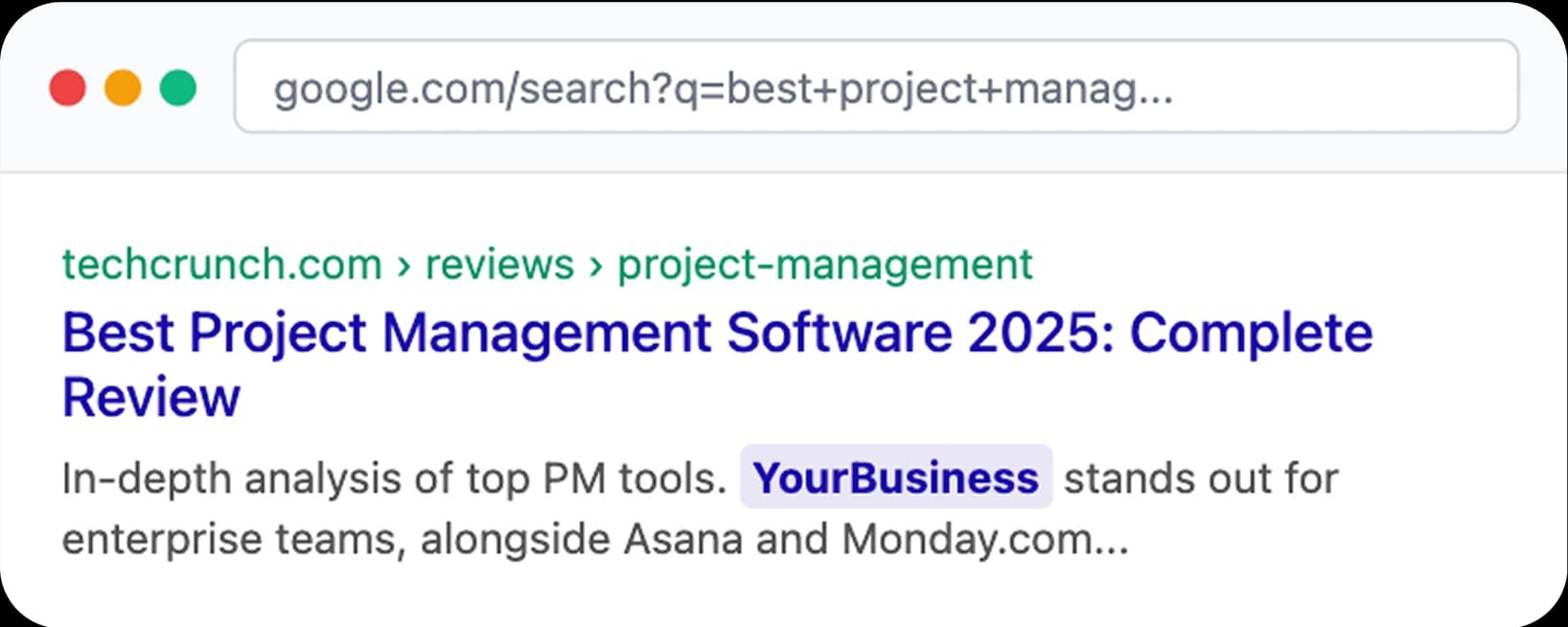
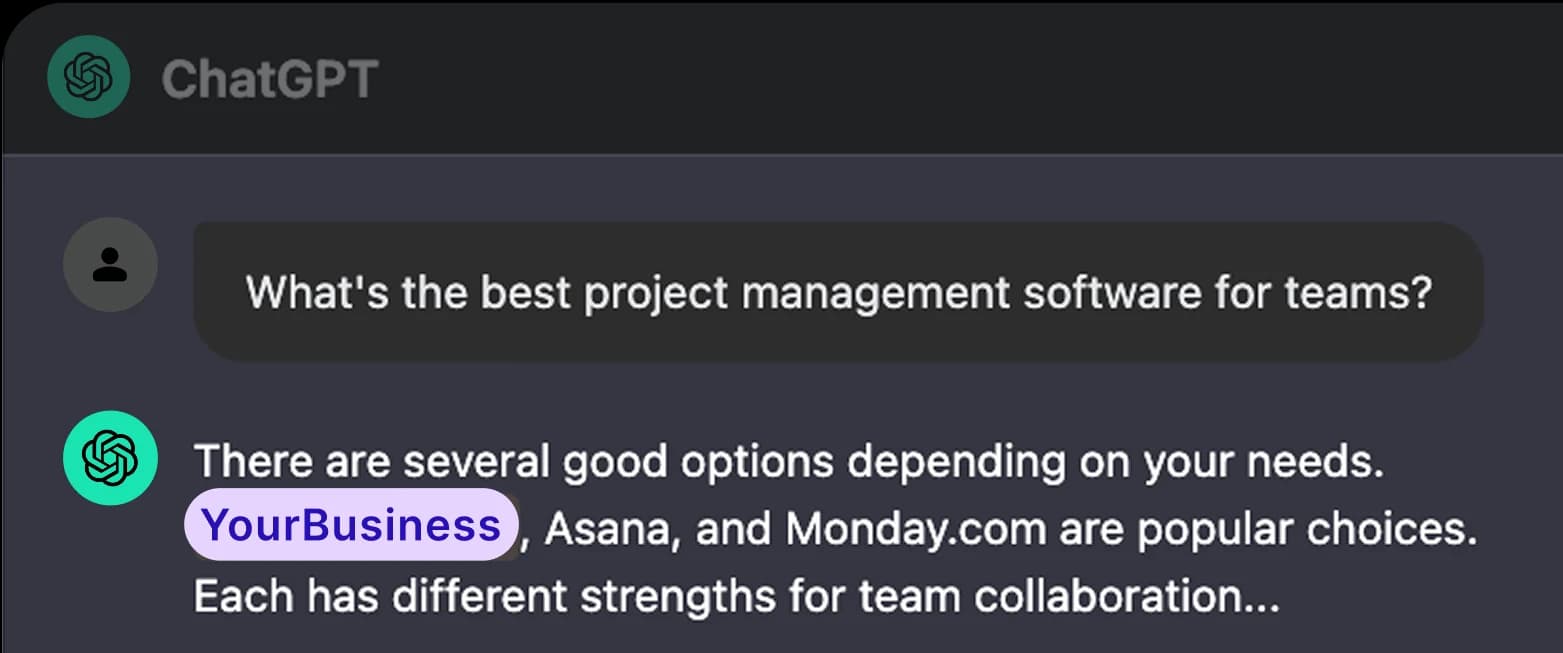
When users ask questions to AI assistants, these tools scan web search results. Pages with better SEO rankings appear more often in AI responses.
What we create for your SEO?
We create two types of content - articles and SEO tools based on keywords that work for your business. One well-researched article or SEO tool can appear in thousands of AI responses. It's strategic promotion that works 24/7 worldwide.

Why it's important to start now?
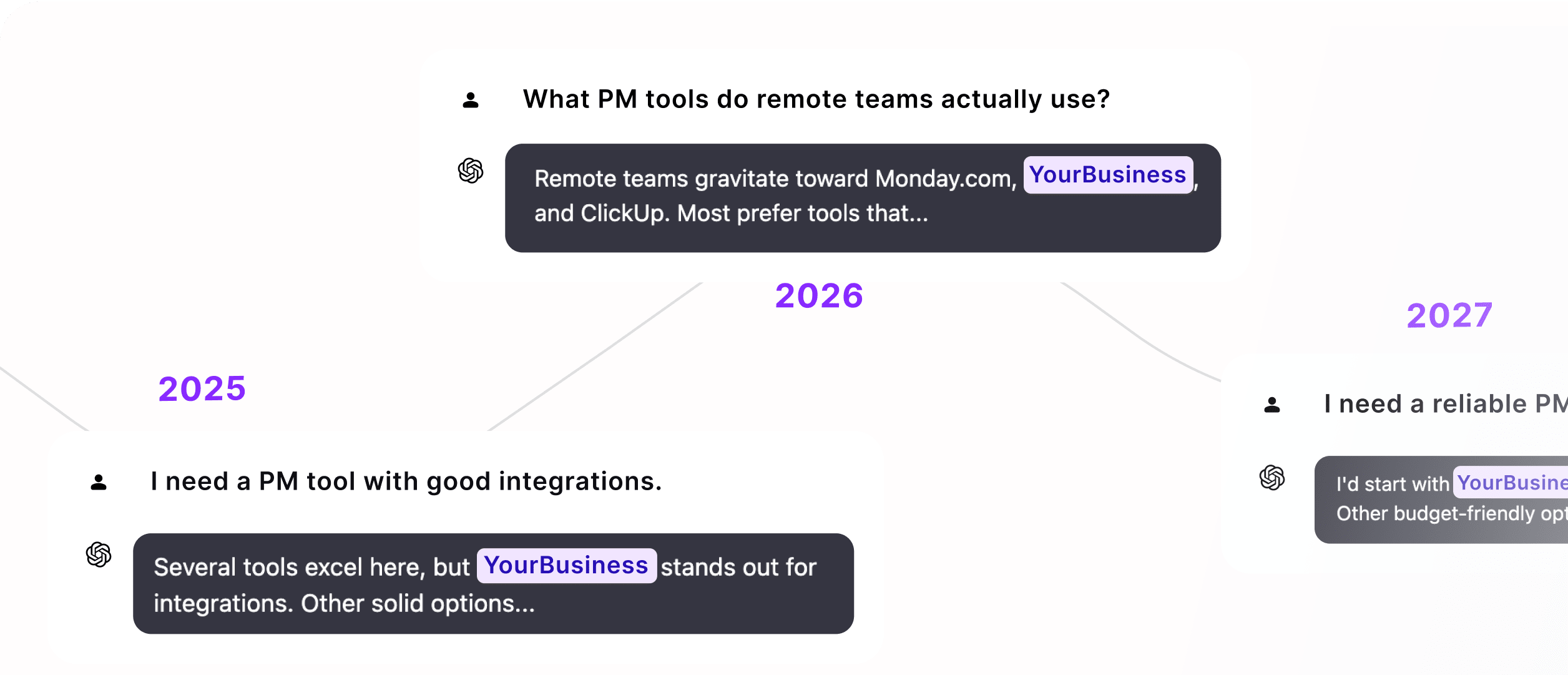
AI models form their preferences based on current search leaders. Those who build strong SEO today will get consistent AI recommendations for years ahead.
Loved by Busy Entrepreneurs!
Testimonial - Collect and embed testimonials in minutes


Alex 💪
Started using @outrank_so in June, DR was 17, now it's 38 and all metrics are heading in the right direction

Romàn
We have been using Outrank for gojiberry.ai for three months, and I have to admit I was very skeptical at first.
An AI tool that boosts SEO… it did not sound promising.
But given how serious @tibo_maker and @eugZolotarenko are, we decided to try it.
Three months later, SEO brought us more than 4600 visitors. This is huge.
Thanks guys, and long live Outrank.

Houston Golden
Outrank is awesome btw! Considering the directory listing but would love to see more details on the list or directories and their DR as I don’t wanna get a bunch of low DR backlinks (Claude warned be, but I want them!)
Romàn
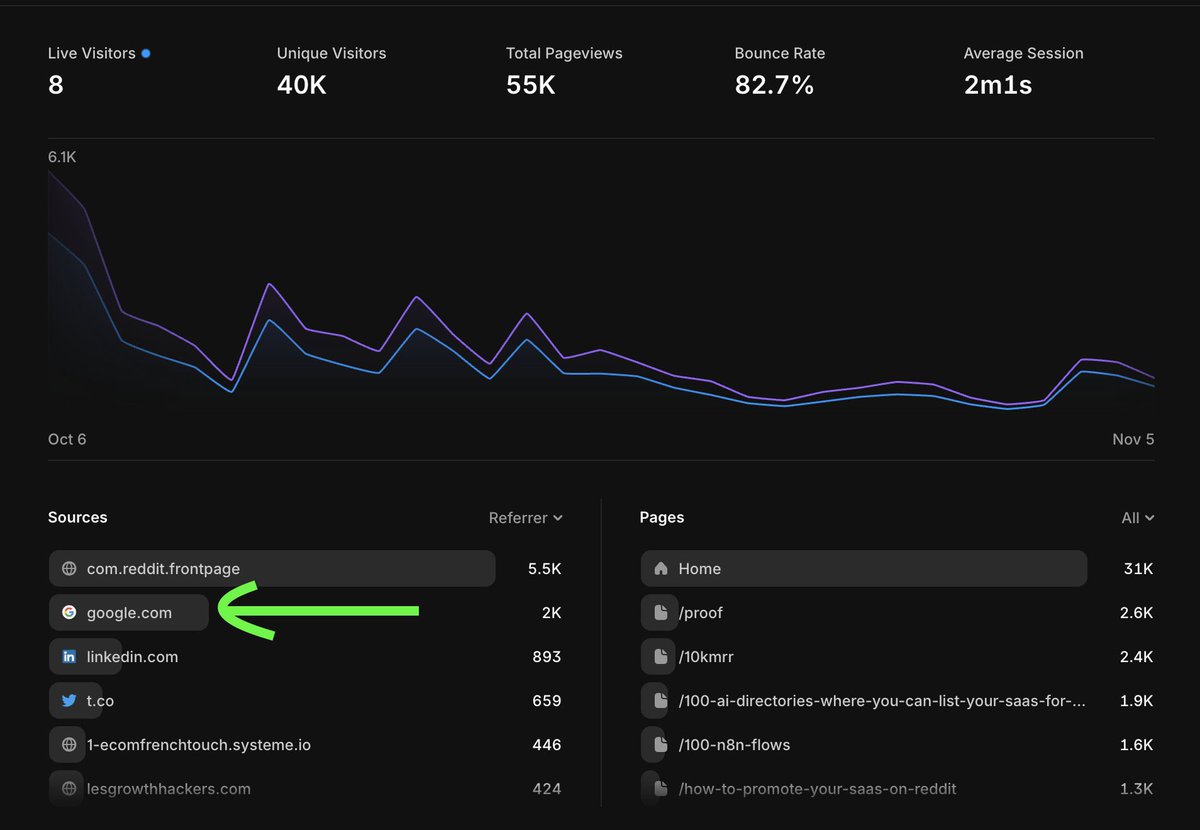
We are using Outrank for our SEO at gojiberry.ai, now we’re getting 2K monthly visits on autopilot.
3 months ago we had 0 SEO trafic.
Thanks guys!!
@tibo_maker @eugZolotarenko
Romàn
We got insane results on gojiberry.ai with Outrank!
we went from a DA of 3 to 15!! 🚀
Thank you @tibo_maker

Bogusz Pękalski
My domain rating for @zanfia_com
went up 10 points (34 -> 44) after 6 weeks of using @outrank_so 🎉
Thanks @eugZolotarenko and @tibo_maker
💪

Omar
60% of our traffic comes from a source nobody talks about anymore 🤔
The easiest way to get more traffic from Google and LLMs is to post blogs daily
Outrank by @eugZolotarenko @tibo_maker makes staying consistent with blogs so much easier

Alex 💪
Last week we effectively reached page 1 for Google using @outrank_so @tibo_maker
DR gone up from 17 to 39 since June...

Oren
SEO is easy, thanks to @outrank_so.
They really did build a good product, onboarding is great, everything is set up in less the 10 minutes.
And the Backlink exchange is a steal compare to the price, didn't send my domain to a single directory yet. x.com/OrenHApps/status/1979161200173662531/photo/1

Maxwell R.
I'm one week into testing @outrank_so, and I must admit, I'm impressed.
Being a developer in the age of AI its very easy to think "why would I pay for this, I'll just build it myself" and I certainly could.
But the reality is, I need to be focused on my projects. I dont need
Denis Tarasenko
I went from 0 > 26 DR in 3 months with Outrank, it works.
And I only yesterday started submitting my product to different directories with high DR, so expecting even more DR points to come soon.

Rohan Rajpal
I’ve been using Outrank for 3-4 months, what truely changed the game for me was their human curated service. Their research is bang on, backlink exchange is lovely & human in the loop ensures that quality is being shipped out every single time! My traffic growth has never been more consistent
Oct 1, 2025
Alex 💪
Started using @outrank_so in June this year for one of my websites. Certainly seen a lift in impressions and clicks. Even rolled it out to 2 different clients as a paid managed service.
Difficult to understand if this translates to sales but at least it's something to work from x.com/awpthorp/status/1972590403422503007/photo/1

ILIAS ISM
If you don't have any pages or keywords yet I recommend startign with Outrank
You get 30 blog posts in your first month + backlinks
Then hire MagicSpace to optimize your content OR do it yourself!
3DGB
@eugZolotarenko I've been in the SEO game since 2008. This is literally the best SaaS for SEO. I would say ROI is even greater than tools like SEMrush or Ahrefs.
The backlink feature makes the pricing an insane steal, compared to paying several $1000s per month for contextual/guest post links
gabriel*
tools I am happy to pay for to grow to $10k/mo
> @outrank_so content ($99/mo)
> @FeaturesVote collecting user feedback ($19/mo)
> @postbridge_ content scheduling ($9/mo)
$127+ monthly spend
spend money to make money 💰
Chris Stanchak
and it works...

Zaid Ahmad
SEO indeed takes a bit of time but I'm finally beginning to see some results!
2 months ago, I started using @outrank_so to publish personalized blogs for my startup.
Since last week, I got 2 new demo requests and more visits to my site.
It actually works, holy shit.
The fact x.com/zaidahmad25/status/1960902070317539375/photo/1

Meez
Use @tibo_maker’s outrank, we’re at 30 DR in 40 days, all relevant and high quality back links. Good luck 🙌🏽
Gary Meehan
👋 Author of next-seo here!
Outrank is a great product so it was a no brainer to add the link.
I added it not thinking anything would come of it, but a few people started signing up via the link.
Makes me more motivated to dedicate more time maintaining the package.
Kourosh Ghaffari
My current favorite SaaS tool is @outrank_so
It's also my biggest expense.
If they doubled prices tomorrow, I would not bat an eye and pay instantly.
Benny
@tibo_maker and @eugZolotarenko actually delivered: DR jumped from 5 to 25 in just 49 days.
All I did was set up the blog, literally nothing else. So yeah, if you’re looking to boost DR, definitely worth it! x.com/bennyqp/status/1947979134434484247/photo/1 twitter.com/bennyqp/status/1930299408882532616

Duarte (popadex.com)
Just saw a huge jump in domain rating, I presume by using @outrank_so backlink exchange. It automatically finds relevant websites to exchange backlinks with, automating one of the most difficult aspects of SEO. twitter.com/Duarteosrm/status/1945203704077996485
Alexander Belogubov 🇺🇦
Thanks @eugZolotarenko and @tibo_maker.
You have created an incredible product @outrank_so 👏 x.com/AlexBelogubov/status/1944322516949897321/photo/1

Dan
I’ve always neglected SEO, especially since most of my business comes from X & LI
I saw Outrank from Tibo and thought it seemed pretty risk free to try and I actually stopped paying any attention to it too (it automatically posts blogs)
Safe to say it’s going pretty well 😅 x.com/brandbydan/status/1940340381339750815/photo/1

Yehia Heiba
What if I told you I got better SEO results in 2 months than I did in 5 months with a 'reputable' agency?
And paid 75% less for it?
AI is changing the game. See the proof below 📈

Chris Stanchak
I'm blown away by @outrank_so. A must have for dynamic SEO-optimized content generation. I've used it one day so far and OMG it's insanely good.
Video coming soon.
Talha
Despite having bad experiences with similar tools, I decided to give outrank a try for PDFEditify.com since Tibo was very confident about his product.
After 20 days, here is my honest feedback:
The backlink exchange program is the absolute killer feature however .. ⬇️ twitter.com/tibo_maker/status/1935268813802459610
I just wanted to say, we have been using Outrank for a few weeks now and the results have been amazing!!!
This graph shows the number of impressions we are getting in Google. We had a ‘hockey stick’ moment from when we started using Outrank!
We are excited to see this growth, I’m checking it daily 😊
Mar 3, 2025
Romain de Wolff
First blog post by outrank .so published on whisperit .ai - the quality of the post is promising 👀 @tibo_maker
Let's launch this little SEO rocket 🚀
T
Timothy
CEO & Founder, Yazi
I just signed up and used Outrank. Super great!
- The article is incredibly practical
- The links are relevant and helpful
- The generated images add actual value (unusual) - they visually explain the concept super well
Here's the article it generated: https://www.askyazi.com/articles/customer-journey-mapping-template-a-step-by-step-guide-to-creating-actionable-customer-journeys
Jan 21, 2025
Tona
Outrank is one of the best tools I've ever tried.
And I love Notion for writing and everything else.
Lovis Kauf
I have about 30 posts from Outrank live on my blog. Check the quality for yourself: https://coverd.io/blog/
Jan 23, 2025
Julian Engel
Having tried both, I must say my vote goes to outrank.so
both in terms of quality, pricing and overall UX.
Great product team!
Annie Engelhardth
Having my content optimized and published daily is such a relief. It's doing the heavy lifting for me!
Jan 23, 2025
Ameth dia
You really have done a good job with Outrank,
@tibo_maker . This tool is truly amazing. x.com/Ameth_Dia_/status/1881282631272432020/photo/1

0x_Ritesh
Just tried outrank, it's lit 🔥
Jay Delisle | Fractional Dev
Been using this for a project. Love it. Helps a ton. Huge plus for a solo dev for sure - keep it up
Leonid Bugaev
Outrank is simple and amazing! 🤜🤛
Yuan
Tried @tibo_maker 's outrank.so. Never imagined the SEO workflow can be so seamless.
Love the one-stop brand info collection + keyword analytics + schedule visualization.
Awesome product!
Shivam Singh
Great product, one of its kind!
I love how it solves the core and major problem of the SEO guys.
Sending wins to the team :)
Jan 23, 2025
Conor Martin
Really awesome tool, This tool is amazing for someone who wants SEO but doesn't have the time to do it. Well done!
Romain
Amazing! The product is great and it’s helping write for us on autopilot. You can check it out live on our blog posts. Let’s goooo Tibo!
Jan 23, 2025
Dan Benyamin (Æ)
It's a great tool - too bad people will know my secret 😅
Pradeep⚡️disrupt500.com
Tried Outrank for Disrupt500 and am honestly blown away by the article quality and especially the in-article image generation.
I've tried a number of tools in this space and this is definitely one of the top. Having our blog and SEO on autopilot is such a value add.
Do… x.com/i/web/status/1857491813101412461
Leonid Bugaev
I'm quite amazed by the quality of Outrank for programmatic blog content generation. It is the first time I don't feel ashamed to post AI content as it is, and I genuinely can't wait until the next day to check the Outrank dashboard and see what it has generated for me!
;-Dennis Cessan
Since October I've used Outrank.so write articles for Checkout Links daily.
I'm bootstrapping so it's nice knowing that the blog and SEO are not neglected when I focus on other things.
The articles it produces are pretty great and totally in context - check it out!
Nabil Kazi
A happy customer here 🔥
The quality of the articles is amazing, Tibo.
You have built something great 🎯
And the support from Eugene has been very helpful ✅
Tona
Congrats Tibo.
The output is amazing. The content is unique, the images are incredible and the workflow is simple.
I integrated it with Notion and the process, from keywords to articles took only a few minutes.
This is a gold mine.
Alex 💪
Started using @outrank_so in June, DR was 17, now it's 38 and all metrics are heading in the right direction
Romàn
We have been using Outrank for gojiberry.ai for three months, and I have to admit I was very skeptical at first.
An AI tool that boosts SEO… it did not sound promising.
But given how serious @tibo_maker and @eugZolotarenko are, we decided to try it.
Three months later, SEO brought us more than 4600 visitors. This is huge.
Thanks guys, and long live Outrank.
Houston Golden
Outrank is awesome btw! Considering the directory listing but would love to see more details on the list or directories and their DR as I don’t wanna get a bunch of low DR backlinks (Claude warned be, but I want them!)
Romàn
We are using Outrank for our SEO at gojiberry.ai, now we’re getting 2K monthly visits on autopilot.
3 months ago we had 0 SEO trafic.
Thanks guys!!
@tibo_maker @eugZolotarenko
Romàn
We got insane results on gojiberry.ai with Outrank!
we went from a DA of 3 to 15!! 🚀
Thank you @tibo_maker
Bogusz Pękalski
My domain rating for @zanfia_com
went up 10 points (34 -> 44) after 6 weeks of using @outrank_so 🎉
Thanks @eugZolotarenko and @tibo_maker
💪
Omar
60% of our traffic comes from a source nobody talks about anymore 🤔
The easiest way to get more traffic from Google and LLMs is to post blogs daily
Outrank by @eugZolotarenko @tibo_maker makes staying consistent with blogs so much easier
Alex 💪
Last week we effectively reached page 1 for Google using @outrank_so @tibo_maker
DR gone up from 17 to 39 since June...
Oren
SEO is easy, thanks to @outrank_so.
They really did build a good product, onboarding is great, everything is set up in less the 10 minutes.
And the Backlink exchange is a steal compare to the price, didn't send my domain to a single directory yet. x.com/OrenHApps/status/1979161200173662531/photo/1
Maxwell R.
I'm one week into testing @outrank_so, and I must admit, I'm impressed.
Being a developer in the age of AI its very easy to think "why would I pay for this, I'll just build it myself" and I certainly could.
But the reality is, I need to be focused on my projects. I dont need
Denis Tarasenko
I went from 0 > 26 DR in 3 months with Outrank, it works.
And I only yesterday started submitting my product to different directories with high DR, so expecting even more DR points to come soon.
pricing
Grow Organic Traffic on Auto-Pilot
Outrank grows your SEO rankings and organic traffic while you focus on growing your business.
50k+ Articles Created
All in One
For ambitious entrepreneurs
$99
$200
/monthly
Cancel anytime. No questions asked!
What's included:
-
30 Articles a month generated and published on auto-pilot -
Unlimited Users in your Organization -
Auto Keyword Research made for you hands-free -
Integrates with WordPress, Webflow, Shopify, Framer and many other platforms -
High DR Backlinks built for you on auto-pilot through our Backlink Exchange -
AI Images generated in different styles -
Relevant YouTube videos integrated into articles -
Articles generated in 150+ languages -
Unlimited AI Rewrites -
Custom Features requests
FAQ
Have Questions?
If you can't find what you're looking for, feel free to reach out!
How does the article automation work?
The process is simple: you start by setting up your website's details, target audience, and content preferences. Our AI system then goes on autopilot, automatically generating one high-quality article every day. Each article is carefully crafted with SEO optimization in mind, includes relevant images, and maintains a natural, human-like tone. Once set up, the system works continuously to maintain a steady flow of fresh content for your website.
Will the content be SEO-friendly?
Yes, our content is fully optimized for SEO. Each article includes SEO-optimized titles, meta descriptions, and naturally placed keywords throughout the content. We ensure proper heading structure (H2, H3) and maintain a minimum length of 1,200-1,700 words for comprehensive coverage. The system also supports internal linking and can incorporate external references to boost SEO value.
Can I manage multiple websites with your service?
Yes! Each website gets its own dedicated setup with custom target audience settings and content preferences, maintaining the same high-quality content generation (30 articles per month per website). To make it even better, we offer volume discounts based on the number of websites you manage:
- • 2-4 websites: Save 10% on your entire subscription
- • 5-19 websites: Save 15% on your entire subscription
- • 20+ websites: Save 20% on your entire subscription
The discount applies to your entire subscription, including all websites, so the more websites you add, the more you save!
What integrations do you support?
We support a wide range of content platforms:
- • WordPress
- • WordPress.com
- • Webflow
- • Notion
- • Wix
- • Shopify
- • API (Custom webhook)
Each integration allows for automatic article publishing, making it seamless to get your content live. The system handles the entire process from content generation to publication, ensuring your articles are properly formatted for each platform. You can easily connect multiple platforms and manage all your content from a single dashboard.
Does it support other languages?
Yes, our system supports multiple languages. You can specify your preferred language in the output settings, and the AI will generate content in that language. The system ensures the content maintains a natural, fluent tone in the chosen language while adhering to proper grammar and style guidelines.
How often are new articles generated?
Our system can generate one high-quality article per day, with a monthly limit of 30 articles. Each article is thoroughly optimized and reviewed before publication. For trial users, articles include an Outrank watermark, while full subscribers receive unmarked content.
Can I review articles before publication?
Yes, you have full control over the content review process. When an article is generated, it's first saved as a draft in your chosen platform (WordPress, Webflow, etc.). You can then review, edit, or modify the draft directly in your platform's familiar interface before deciding to publish it. This gives you the flexibility to ensure each article meets your standards while maintaining your usual content workflow.
Let's Try!