

详细内容
Introducing PDFToQuiz
Transform PDFs into interactive quizzes in seconds
Our AI-powered platform automatically converts your PDF documents into engaging quizzes, saving you hours of manual work.
Start Acing Your Exams Today
Start acing your exams today by transforming your messy PDFs, lecture notes, and study guides into interactive quizzes in seconds. Whether you're prepping for finals, revising last-minute, or just want to test your knowledge, our AI-powered tool helps you learn faster and retain more. No more rereading lecture notes, just upload, convert, and start testing yourself.
Built for students, tutors, and lifelong learners, PDFToQuiz is your shortcut to better grades while studying. Say goodbye to time wasting while studying and hello to active recall.





153,234 students improved their grades
How PDFToQuiz Works
Instantly generate auto-graded quizzes with zero setup. Our smart AI extracts questions, formats them, and lets you test yourself in seconds.
Convert Your PDF into a Quiz
Upload your PDF file by dragging and dropping or selecting from your device. PDFToQuiz's intuitive interface makes it easy to transform study guides, worksheets, or lecture notes into interactive quizzes or tests in seconds.
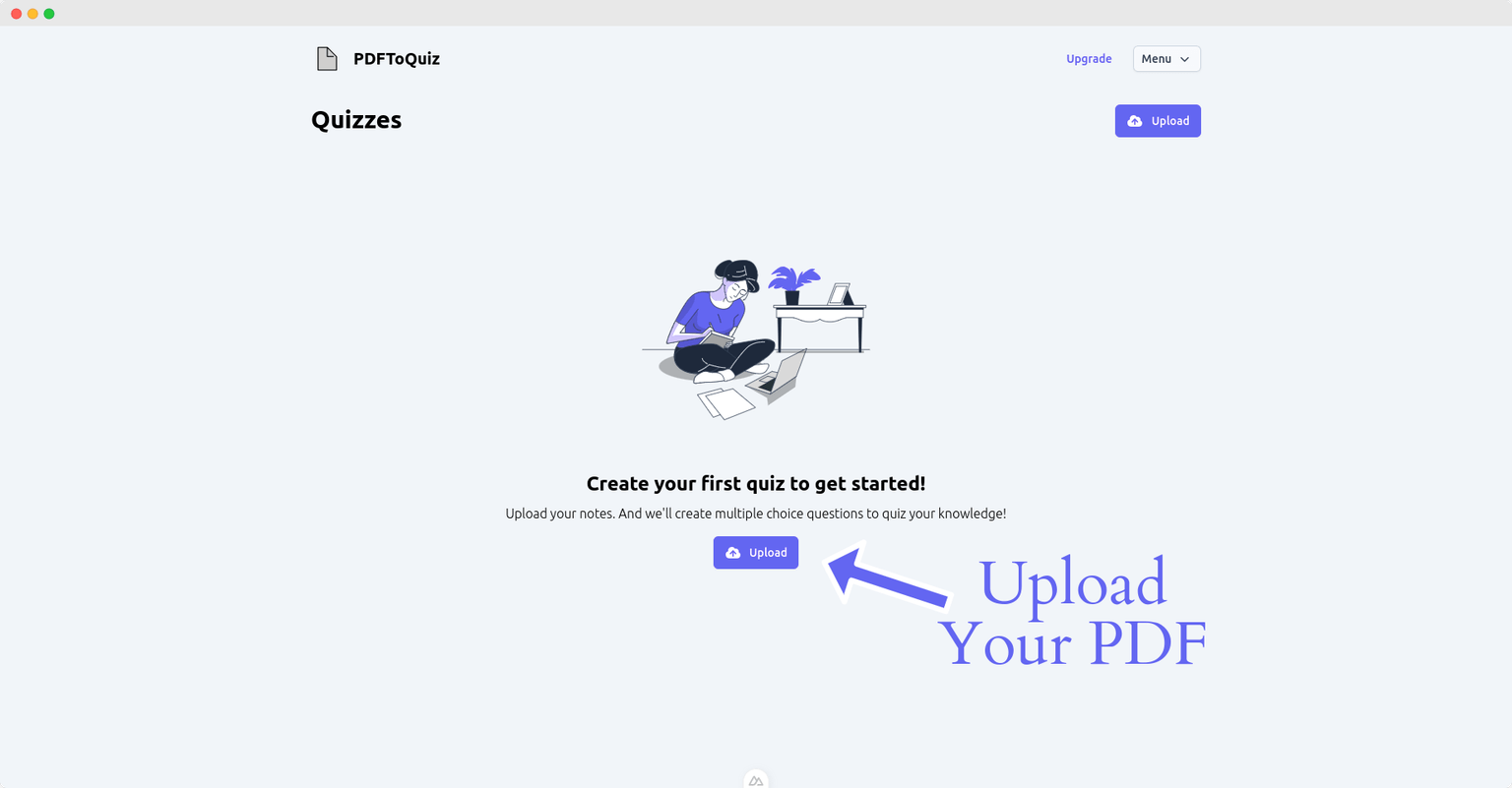
Generate Questions Based on your Content
Our quiz generator scans your PDF and automatically creates a variety of question types, Multiple Choice, Fill in the Blank, True/False, and Long Form Answers. Save time and boost test scores with quizzes tailored to your content.
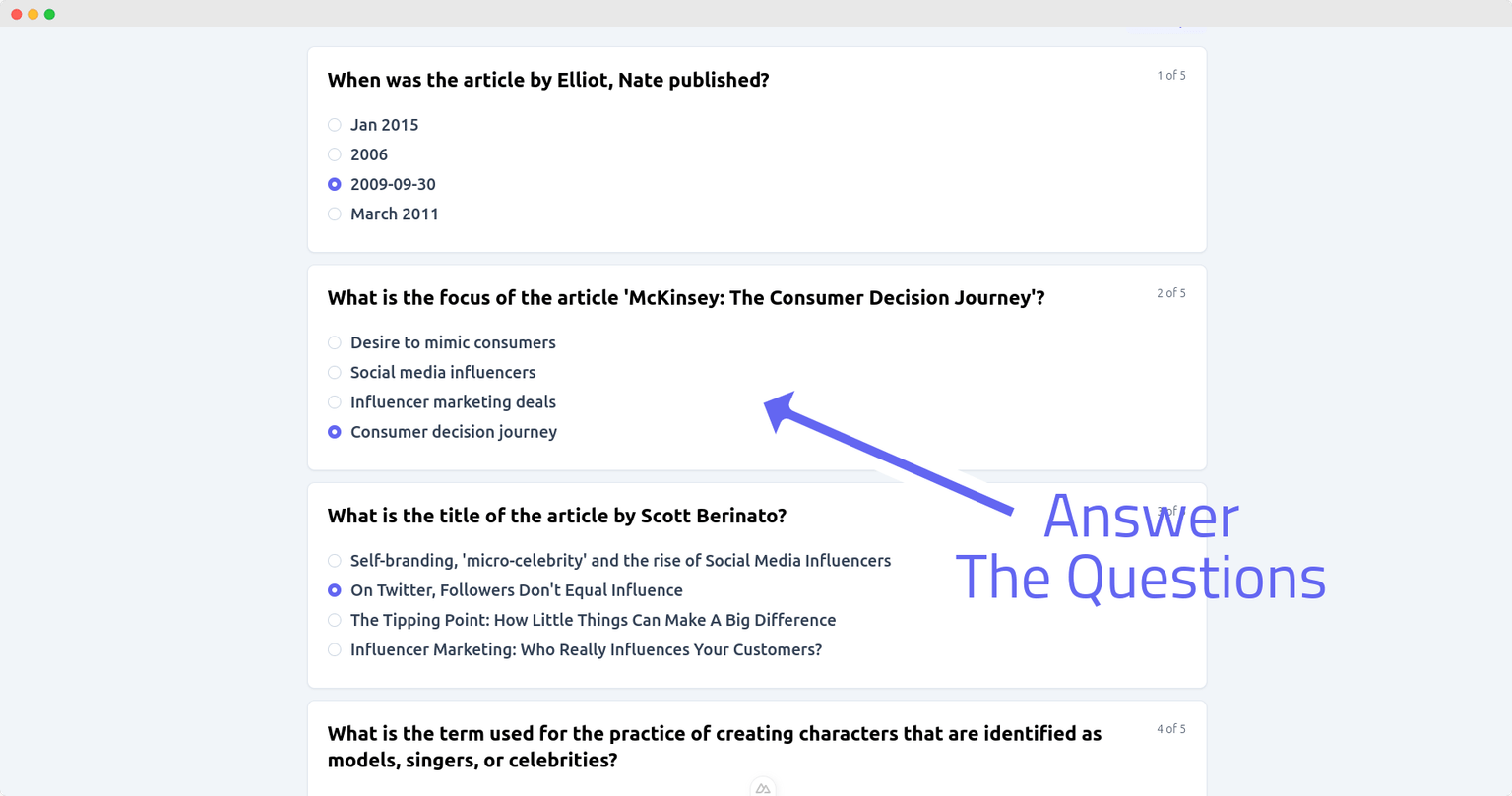
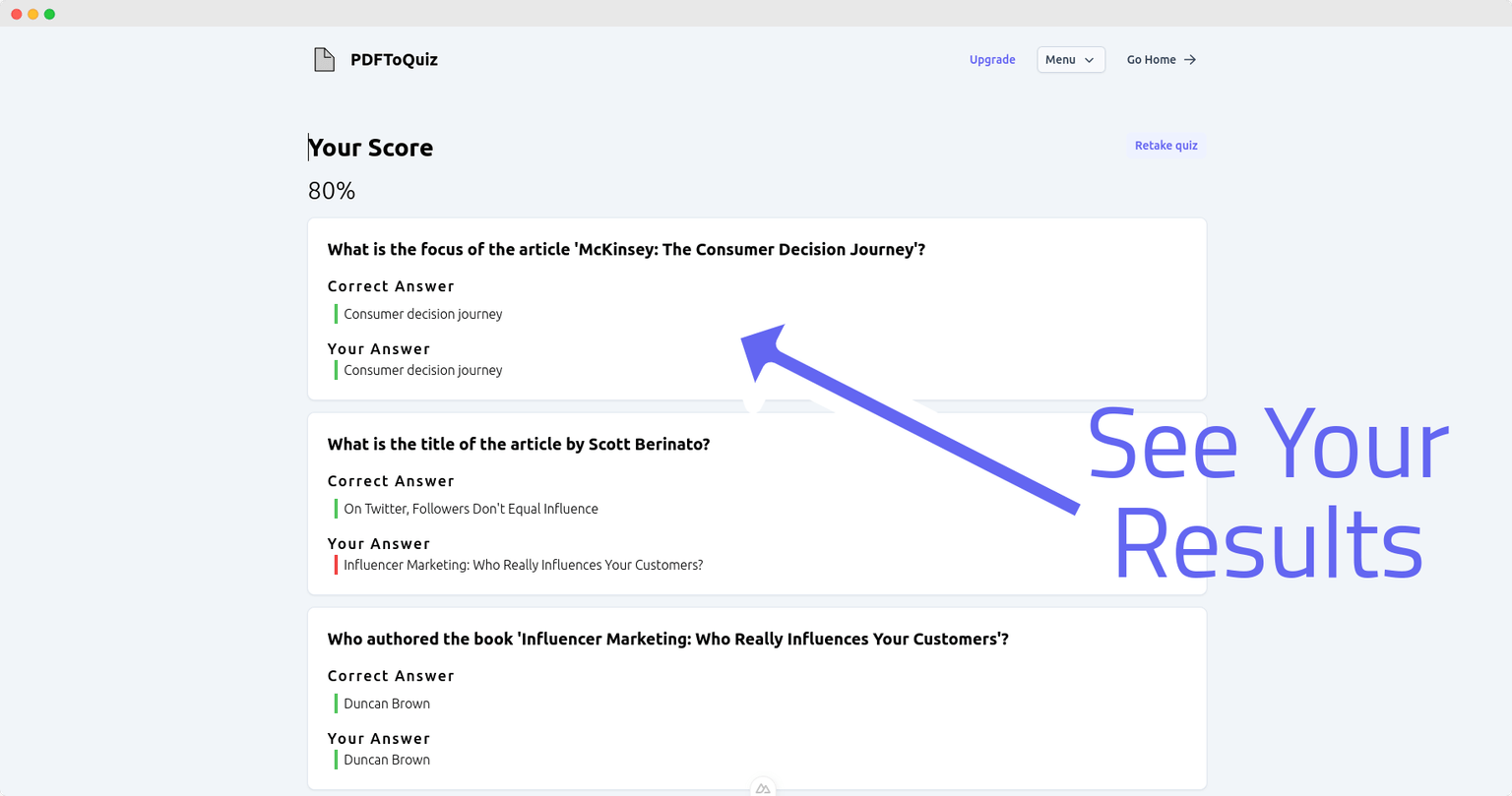
Take your Quiz and Get Instant Feedback
Complete your custom quiz and receive instant results. Identify knowledge gaps, reinforce key concepts, and track your progress all in one seamless experience.
Effortless Quiz Creation, Smarter Learning
Turn any content into a polished, auto-graded quiz in seconds. Our AI handles question generation, formatting, and feedback so you can focus on learning, teaching, or scaling your content.
AI Quiz Generation
Automatically generate quizzes from PDF, url, or text topic using advanced AI models.
Multiple Question Formats
Support for diverse question formats such as Multiple Choice, True / False, Fill in the Blank & Long Form to match different learning styles and assessment goals.
AI Deep Explanation
Receive detailed explanation for each question to improve clarity and learning value.
Pro Feature
AI Feedback on Quiz Results
Get instant insights on performance, strengths, and areas for improvement.
Progress Tracking
Monitor quiz completion, scores, and learning trends over time with built-in analytics.
Generate Quiz in Multiple Languages
Create quizzes in dozens of languages to support global learners and multilingual classrooms.
Chat with your Upload
Interact with your uploaded content using conversational AI to extract insights or generate summaries.
Pro Feature
Download Quiz to PDF, CSV or XLSX
Export your quizzes in multiple formats for offline use, pdf, csv or xlsx.
Shareable Quiz Link
Instantly share quizzes with students or colleagues via a secure, public link.
Who Uses PDFToQuiz
From teachers and students to researchers and trainers, PDFToQuiz helps turn static documents into interactive, auto-graded quizzes.
🎓 Teachers & Educators
- Convert worksheets into auto-graded quizzes in seconds.
- Create formative assessments from lecture notes or handouts.
- Engage students with interactive content no LMS required.
Marc Corrigon
High School Teacher
🧪 Researchers & Academics
- Extract key concepts from papers and turn them into review questions.
- Create study guides from published materials.
- Enable peer-to-peer testing with minimal setup.
Mike Delahunty
Researcher
🧑🎓 Students & Self-Learners
- Test yourself on lecture slides, notes, or downloaded PDFs.
- Create flash quizzes for exam prep.
- Study smarter with active recall built into your materials.
Charles Wang
University Student
Trusted by the most elite universities
Join over 200,000 students and teachers who have supercharged their study with PDFToQuiz












Flexible Plans
Whether you're a teacher, student, or training professional, PDFToQuiz offers simple, scalable pricing to turn your documents into interactive, auto-graded quizzes
| Free<br>Try out our features<br>$0<br>Try for Free | Pro<br>For dedicated students<br>$8.99<br>/month<br>Subscribe to Pro | |
|---|---|---|
| Features | ||
| Quiz Creations | 1 | Unlimited |
| PDF Max Upload Size | 1 GB | 5 GB |
| PDF Page Limit | 10 | 100 |
| AI Chat Assistant Message | 10 | Unlimited |
| AI Feedback on Results | ||
| Advanced AI model | ||
| Study Mode | ||
| Share Quiz | ||
| Track Progress | ||
| Download Quiz | ||
| Email Support |
- Free
Try out our features
$0
Try for Free
Features
Quiz Creations
1
PDF Max Upload Size
1 GB
PDF Page Limit
10
AI Chat Assistant Message
10
AI Feedback on Results
Advanced AI model
Study Mode
Share Quiz
Track Progress
Download Quiz
Email Support
- Pro
For dedicated students
$8.99
/month
Subscribe to Pro
Features
Quiz Creations
Unlimited
PDF Max Upload Size
5 GB
PDF Page Limit
100
AI Chat Assistant Message
Unlimited
AI Feedback on Results
Advanced AI model
Study Mode
Share Quiz
Track Progress
Download Quiz
Email Support
Frequently Asked Questions
Got questions? We've got answers. Here are the most common questions about PDFToQuiz.
How does PDFToQuiz work?
PDFToQuiz uses advanced AI technology to analyze your PDF documents, extract key information, and automatically generate various types of quiz questions including multiple choice, true/false, fill-in-the-blank, and long-form questions. Simply upload your PDF and our system does the rest in seconds.
What file formats are supported?
Currently, we support PDF files up to 4.5 MB for free users and the same limit for Pro users. We're working on expanding support for other document formats in the future.
How many questions can I generate from one PDF?
The number of questions generated depends on the content and length of your PDF. Our AI analyzes the document and creates an optimal number of questions to cover the key concepts effectively. Free users can upload PDFs up to 10 pages, while Pro users can upload up to 100 pages per document.
What languages are supported?
These are the languages that are supported:
Albanian
Arabic
Armenian
Bengali
Bulgarian
Catalan
Chinese
Croatian
Czech
Danish
Dutch
English
Estonian
Filipino (Tagalog)
Finnish
French
Georgian
German
Greek
Hebrew
Hindi
Hungarian
Icelandic
Indonesian
Italian
Japanese
Korean
Latvian
Lithuanian
Macedonian
Malay
Norwegian
Polish
Portuguese
Romanian
Russian
Serbian
Slovak
Slovenian
Spanish
Swahili
Swedish
Thai
Turkish
Ukrainian
Urdu
Vietnamese
Can I customize the quiz questions?
Yes! After the AI generates your quiz, you can review, edit, and customize the questions to better suit your study needs. You can also choose which types of questions to generate (multiple choice, true/false, etc.).
Can I share my quizzes with others?
Absolutely! Both free and Pro users can share their generated quizzes with classmates, students, or colleagues. This makes it perfect for group study sessions or classroom use.
What's the difference between Free and Pro plans?
Free users can upload 10 pages, with access to basic quiz types and community support. Pro users get unlimited PDF uploads, up to 100 pages per document, access to long-form questions, quiz downloads in multiple formats (CSV, XLSX, PDF), and email support.
How accurate are the AI-generated questions?
Our AI is trained to identify key concepts and create relevant, accurate questions. However, we always recommend reviewing the generated questions to ensure they meet your specific study requirements. The AI gets better over time as we continue to improve our algorithms.
Can I download my quizzes?
Pro users can download their quizzes in multiple formats including CSV, XLSX, and PDF. This makes it easy to use your quizzes in other platforms or print them for offline studying.
Wall of Love
See why educators & students love PDFToQuiz
PDFToQuiz.com has made studying so much more fun and effective. The quizzes are interactive and help me understand the material faster. Since I started using it, my exam scores have improved significantly!
Lila N.
College Student
I've been using PDFToQuiz.com for a few weeks and even recommended it to my entire class. The quizzes help me retain information better, and I've noticed a big jump in my test scores. It's made study sessions quicker and more productive.
Avery S.
High School Student
This tool is a lifesaver! I can convert my lecture notes into quizzes and test myself before exams. My grades have gone up, and I feel more confident going into tests. Highly recommend it to anyone looking to boost their marks.
Jake T.
University Student
PDFToQuiz.com is amazing! I used it to create quizzes from my biology notes, and it helped me score an A on my last exam. The quizzes are spot-on and really help with memorization.
Paul R.
High School Student
Studying has never been easier. I use PDFToQuiz.com to turn my notes into quizzes, and it's helped me stay on top of my coursework. My grades have improved, and I feel more prepared for exams.
Sam K.
College Student
I love using PDFToQuiz.com! It makes studying so much more efficient. I used to struggle with retaining information, but now my quiz scores are higher, and my exam results have improved. It's a game-changer!

Pradeep M.
University Student
Bring your Study to the next level.
Elevate your study game with PDFToQuiz! Turn your long PDFs into quick and easy quizzes because who says studying can't be easy?
Chat Widget