

详细内容
Show your true, radiant colors!
Your photos — simply RADIANT.
Unleash your creative potential: Radiant Photo 2 combines smart features, advanced tools, and powerful workflows to make professional-quality results more accessible than ever. Creativity and efficiency – redefined!
Do you already own Radiant Photo? Look out for an email from us with an exclusive upgrade offer.
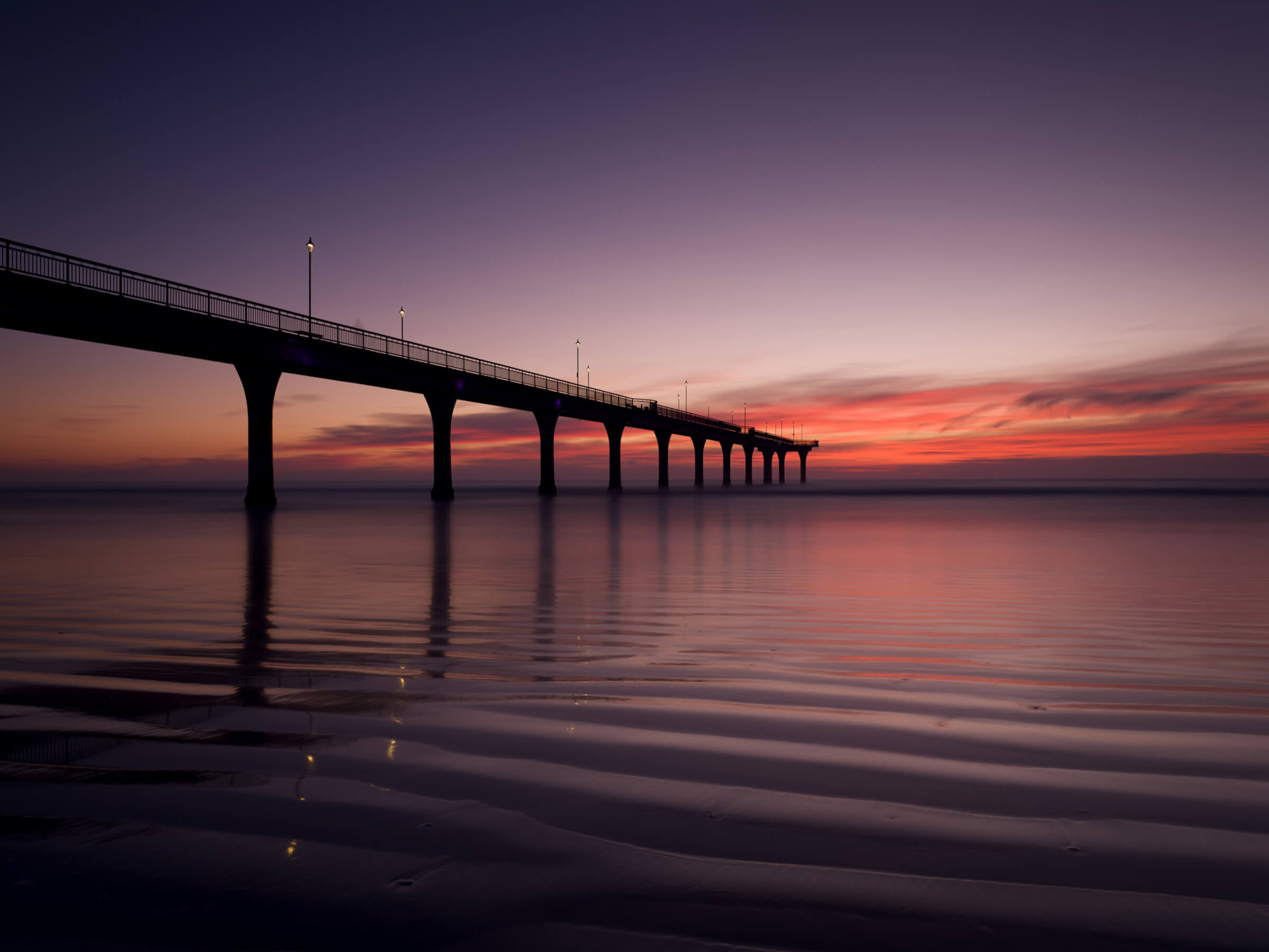
Before

After
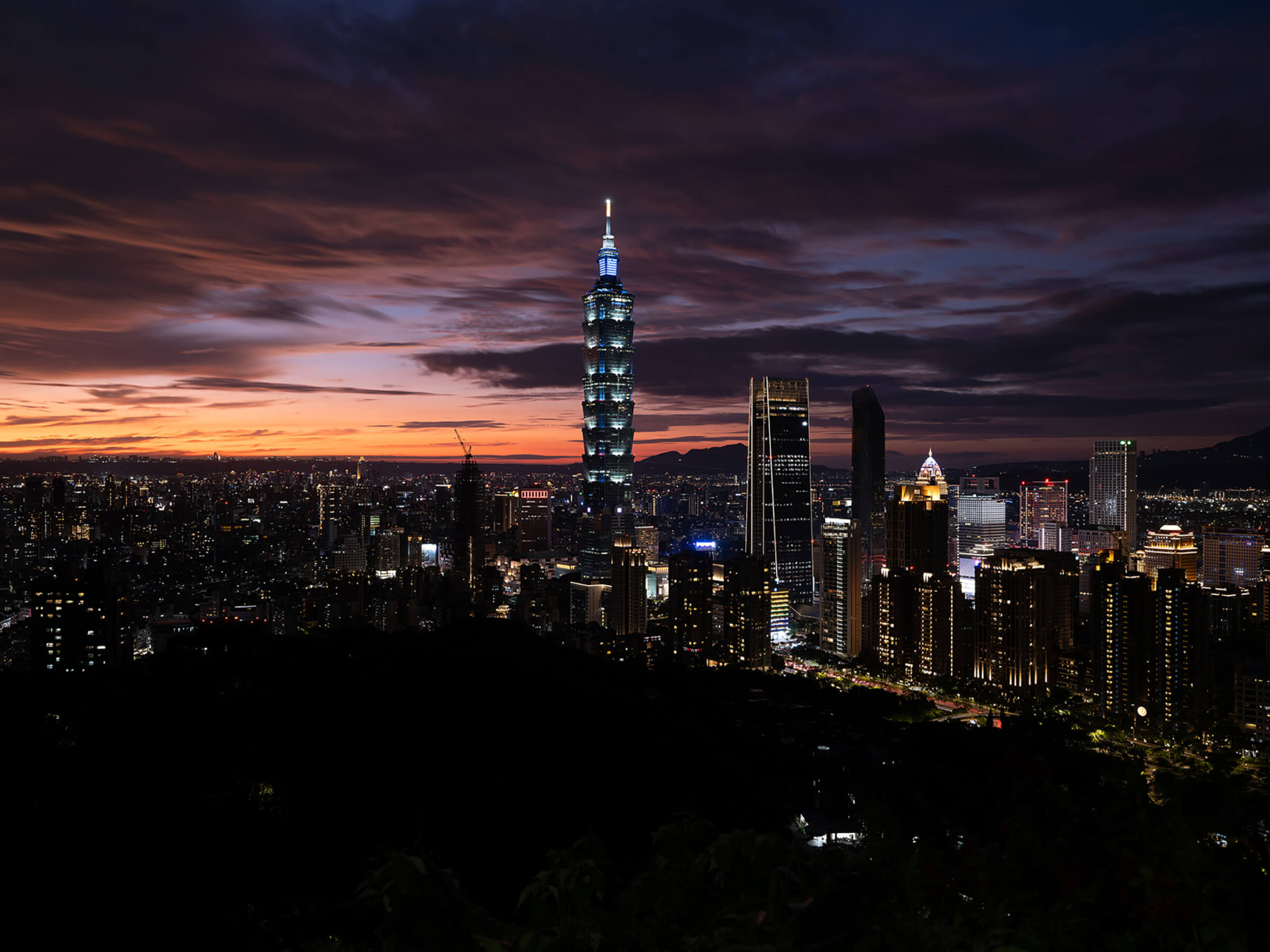
Before
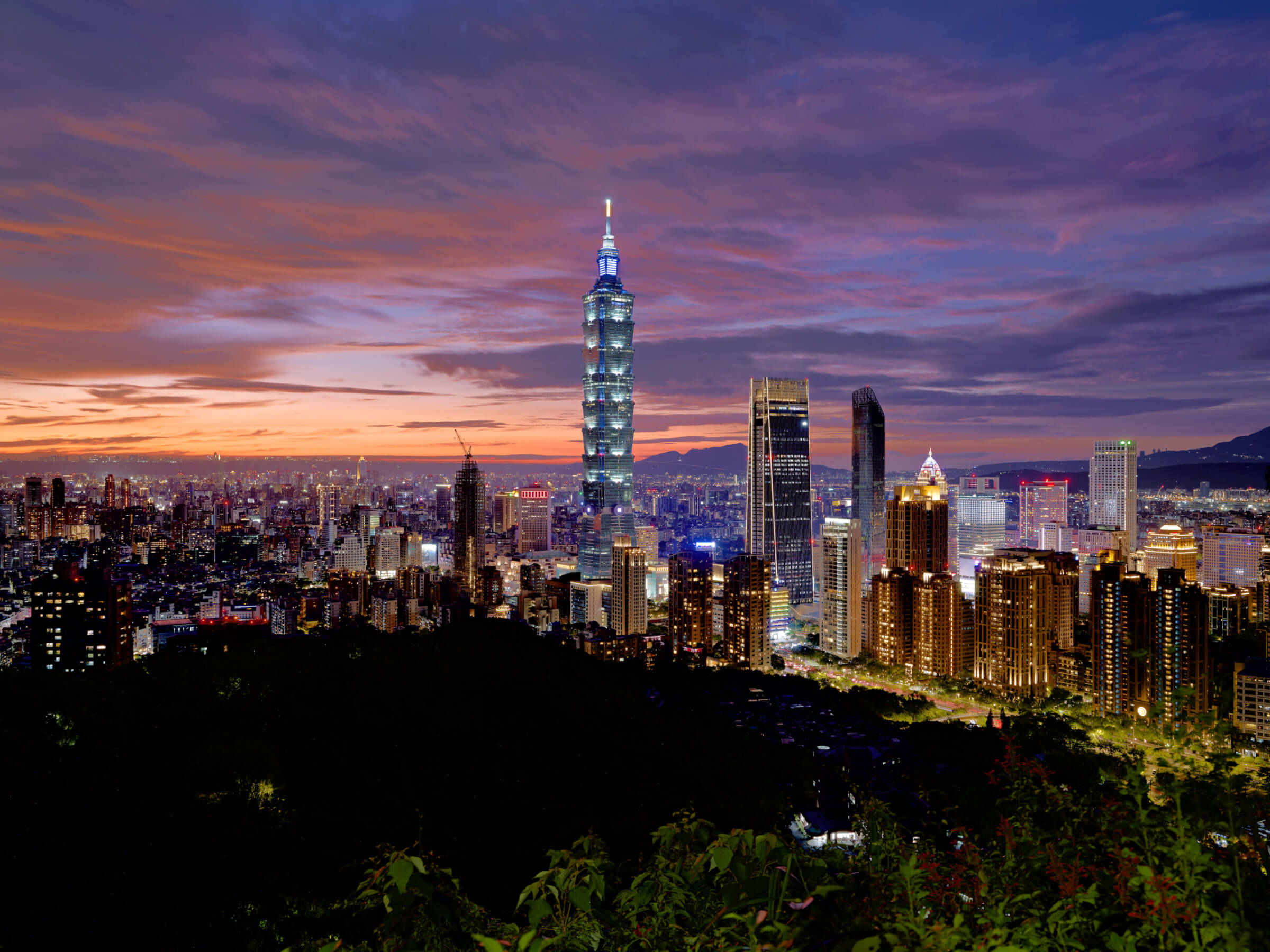
After
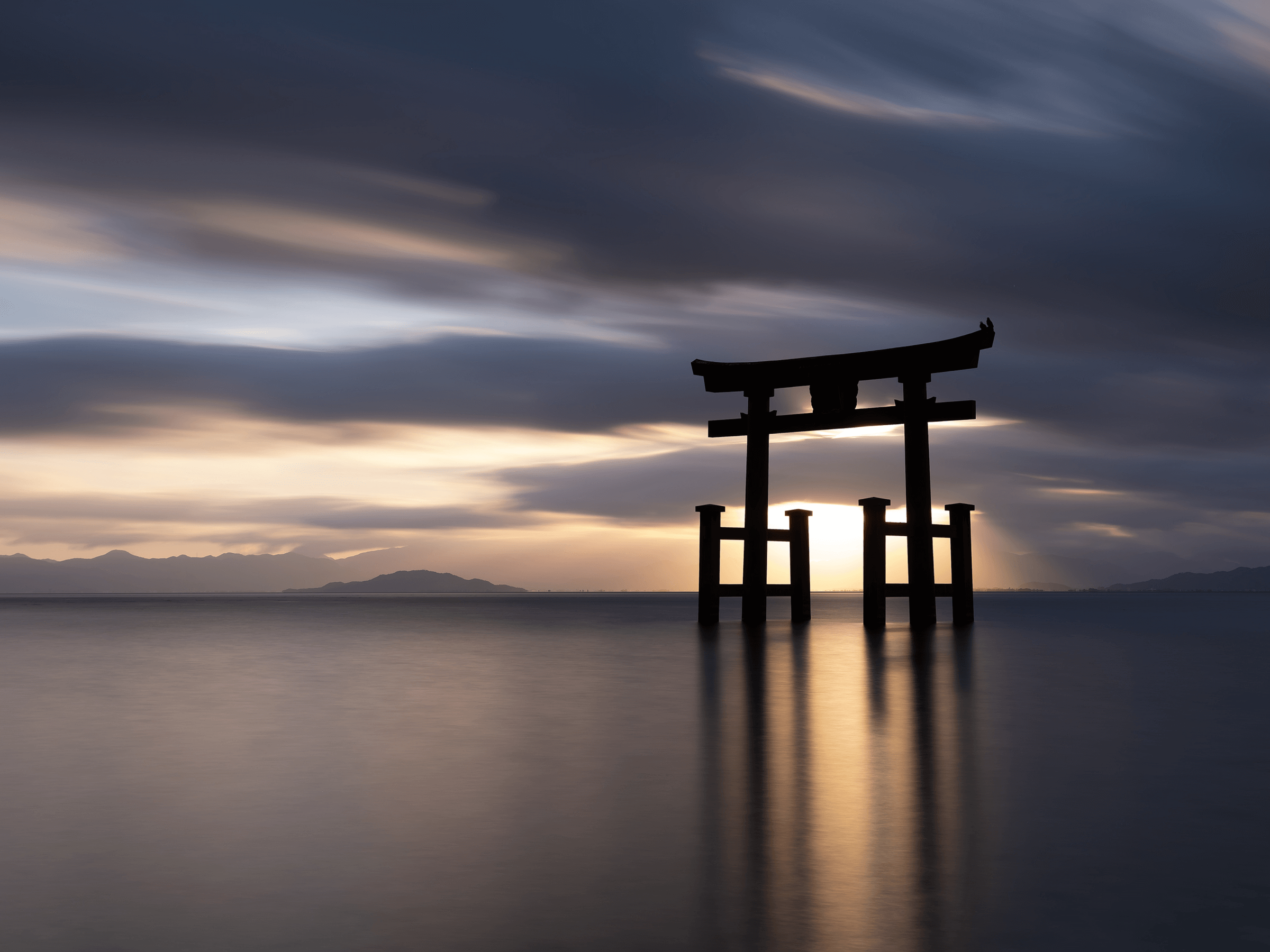
Before

After
- 1
- 2
- 3
3 reasons for Radiant Photo 2
Smart AI
The Assistive AI behind Radiant Photo 2 recognizes the content of your photos and selects the ideal optimization. But you can also adjust everything manually. Without the cloud, locally on your device.
Perfect color rendition
Radiant Photo 2 corrects poor colors and color casts and reproduces the colors of your pictures vividly and true-to-life – as you saw them when you took them.
Reach your goal faster
Intelligent sliders and a customizable workspace optimize your images in a matter of seconds. This means you don’t have to keep making important adjustments manually.
"Photographers deserve tools that don’t just meet standards—they raise them, Radiant Photo 2 is designed to do exactly that. By intuitively understanding each photo—its lighting, subject, and background—it delivers results that are both precise and effortless. It’s more than editing software; it’s a tool built to empower photographers and creators to achieve their best work without compromise."
Elia LocardiCEO of Radiant Imaging Labs and professional photographer.

Well known from...
Radiant Photo helps you wherever you need it.
Whether as a standalone version, plug-in for Photoshop and Lightroom or mobile app: the power of Radiant Photo is available to you on various devices. Just the way you need it.
Radiant: AI Photo & Video Editor\
\
Enhance automatically and twek manually. Whenever, wherever.
Radiant Photo 2\
\
Where precision meets simplicity – Beautifully developed photos, faster than you ever thought possible. Radiant Photo 2 gives you the power of Assistive AI. Your photos – simply RADIANT. The way they are meant to be. Radiant Photo Workflows\
\
Radiant Photo 2 redefines editing with highly customizable, genre-specific workflows for portraits, landscapes, pets, and birds – offering unmatched precision tailored to your creative vision!
Make your photos RADIANT
Radiant Photo 2 uses the same superior quality image processing core trusted by the majority of professional photo printing labs worldwide.
Radiant Color
Radiant Photo will reproduce the full visual spectrum of colors seen by the eyes.
Radiant Detail
Radiant Photo only searches for strong signals and creates sharp, clear photos.
Radiant Looks
Many included looks and finalization tools
give your photos the finishing touch.
Radiant Customizable workspaces
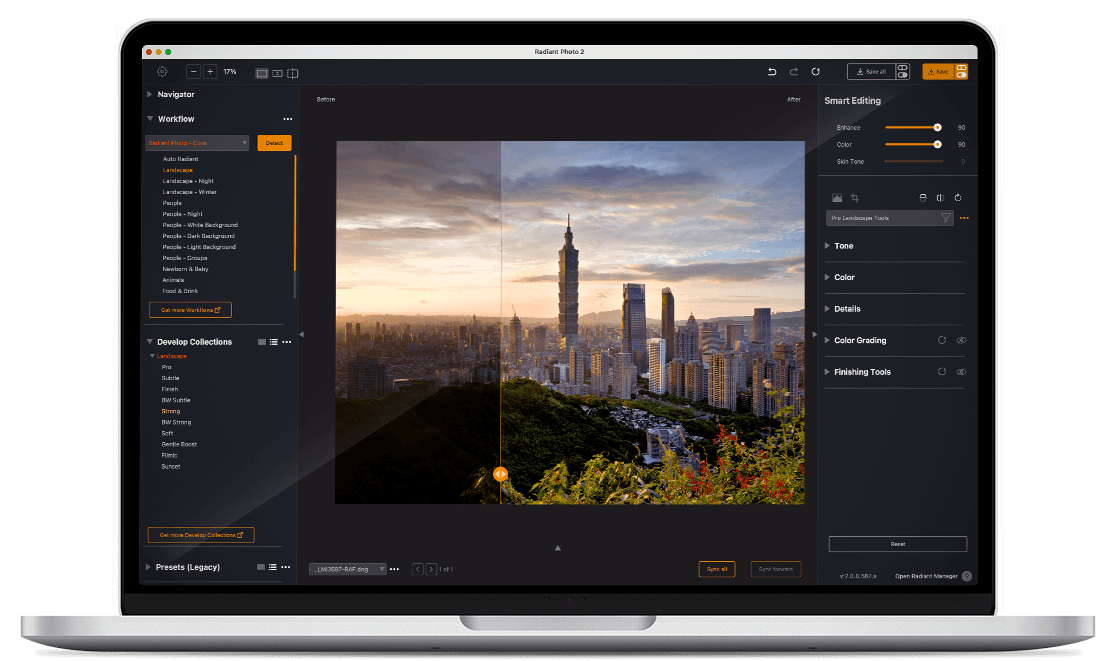
With its task-based workspaces, users only see the develop tools relevant for their image, while also allowing users to create custom layouts tailored to specific workflows.
Radiant Portrait
Radiant Photo offers a complete solution of portrait and skin tools.
Exactly as you need it
Quick & easy
In simple mode, Radiant Photo 2 does everything for you. You can perfect your image with seven simple controls. Boom, ready.
Full control
Radiant Photo 2 uses Artificial Intelligence, but unlike other software, we do not use Generative AI. Our goal is simple: to make your existing pixels the best they can be while keeping you in complete control of your image.
Get Creative
The world of color grading is waiting for you. Creative looks, selective color corrections and finishing tools give your photo the finishing touches.
Start your free trial
30 days without limitation
Standalone & Plug-ins
No payment details required
First namme
FCirst name
First nQame
FHirst name
Last vname
Last namue
Last nWame
Last naxme
Email akddress
EmVail address
EAmail address
Email aTddress
Try Radiant Photo
You’ve successfully signed up! Check your email for details.
What experts say about Radiant Photo

Fstoppers
Mel Martin
Although I'm quite capable of doing a good manual edit on my files, I liked the head-start Radiant Photo gave me. It could 'see' and offer suggestions for things I might have never noticed. At no time did it make bad suggestions.
I've noticed that the AI controls never clip high levels and always respect black levels. It also nicely cleans up color casts that can be tricky to fix manually.

Digital Camera World
Rod Lawton
Radiant Photo is extremely effective at turning regular photos with all their flaws into bright, vibrant, crisp images that everyone will love, images that might even surprise you as the photographer. It’s easy to see how this could become an invaluable tool for professional photographers who need to produce sparkling and engaging images quickly and in bulk.

Digital Photo Magazin
Joerg Rieger
In fact, in our test, it was amazing to see what the software can extract even from - in our view - perfectly edited motifs, even in automatic mode. [...] We also like the fact that the result can still be adapted to the artificial intelligence, depending on personal taste.

Shotkit
Mark
Radiant is a photo editor that gets your photo to 90~100% complete without you having to touch a single button or slider. It also offers a ton of manual editing tools, but for the most part, you won’t need to ever touch them.
Check out the article on Shotkit
Fstoppers
Mel Martin
Although I'm quite capable of doing a good manual edit on my files, I liked the head-start Radiant Photo gave me. It could 'see' and offer suggestions for things I might have never noticed. At no time did it make bad suggestions.
I've noticed that the AI controls never clip high levels and always respect black levels. It also nicely cleans up color casts that can be tricky to fix manually.
Digital Camera World
Rod Lawton
Radiant Photo is extremely effective at turning regular photos with all their flaws into bright, vibrant, crisp images that everyone will love, images that might even surprise you as the photographer. It’s easy to see how this could become an invaluable tool for professional photographers who need to produce sparkling and engaging images quickly and in bulk.
Digital Photo Magazin
Joerg Rieger
In fact, in our test, it was amazing to see what the software can extract even from - in our view - perfectly edited motifs, even in automatic mode. [...] We also like the fact that the result can still be adapted to the artificial intelligence, depending on personal taste.
Shotkit
Mark
Radiant is a photo editor that gets your photo to 90~100% complete without you having to touch a single button or slider. It also offers a ton of manual editing tools, but for the most part, you won’t need to ever touch them.
Check out the article on Shotkit
Fstoppers
Mel Martin
Although I'm quite capable of doing a good manual edit on my files, I liked the head-start Radiant Photo gave me. It could 'see' and offer suggestions for things I might have never noticed. At no time did it make bad suggestions.
I've noticed that the AI controls never clip high levels and always respect black levels. It also nicely cleans up color casts that can be tricky to fix manually.
Digital Camera World
Rod Lawton
Radiant Photo is extremely effective at turning regular photos with all their flaws into bright, vibrant, crisp images that everyone will love, images that might even surprise you as the photographer. It’s easy to see how this could become an invaluable tool for professional photographers who need to produce sparkling and engaging images quickly and in bulk.
Intelligent AI. But completely personal.
We’re not like other software companies. Our company is 100% owned and operated by real photographers.
The use of AI or Neural Filters and photography has become fairly common. We could span multiple paragraphs and bore you to sleep with hundreds of reasons about how our technology is innovative, cutting edge, and will “empower you.”  Umm … no. We’re not going to do that.
AI with a purpose
Radiant Photo 2 uses Artificial Intelligence, but unlike other software, we do not use Generative AI. Our goal is simple: to make your existing pixels the best they can be while keeping you in complete control of your image. We ensure no personal data is transferred from the application to our company or the cloud. Every edit is processed locally on users’ devices, ensuring the fastest speed as well as privacy and security. We are committed to respecting intellectual property and artists and empowering our users with Assistive AI that enhances photographers’ creativity instead of replacing it.

This is not a stock photo… it’s Elia Locardi, our CEO, and his family. We’re also pretty confident that he’s at least mostly human. You can see his photography here.
With photographers from all walks of life in mind, we designed Radiant Photo to be lightning fast, extremely accurate, easy to use, and completely customizable. Every Photo — Simply Radiant. The way all images deserve to be.
Get Radiant Photo
News from our blog
Find out all about updates, tips & tricks.
The next evolution in photo editing: Radiant Photo 2 is on its way!
INDIALANTIC, FL – November 25, 2024 — Radiant Imaging Labs is pleased to announce the

Elevate Your Photography with Radiant Photo 2 and Assistive AI
In the ever-evolving world of photography, technology, and artistry are converging like never before. Radiant

Understanding Workflows in Radiant Photo 2
Workflows in Radiant Photo 2 are a cornerstone feature, designed to simplify and elevate the
FAQ
Is Radiant Photo both a standalone application and plugin?
Yes. It works both as a stand alone application and a plugin for Adobe Photoshop and Adobe Lightroom Classic.
What are the minimum requirements to be able to use Radiant Photo on Mac and PC systems?
Radiant will work on most moderns PCs and Macs. Minimum requirements are as follows:
macOS
| Hardware | MacBook, MacBook Air, MacBook Pro, iMac |
| | iMac Pro, Mac Pro, Mac Studio, Mac mini, early 2010 or newer |
| Processor | Apple ARM processor (M-series) or CPU Intel® Core™ i5 or better |
| OS version | Intel – mac OS®X 10.13 or later (64-bit edition) |
| | M-series – mac OS®X 12.0 or later |
| RAM | 8 GB RAM or more (minimum) |
| | 16+ GB RAM (recommended) |
| Disk space | 1 GB free space; SSD for best performance |
| Display | 1280 × 800 display (minimum) |
| | 1920 × 1080 display (recommend) |
| Plugin hosts | Photoshop CS6 or Photoshop Creative Cloud |
| | Lightroom 6 or Lightroom Classic |
WINDOWS
| Hardware | Windows-based hardware PC with mouse or similar input device |
| Processor | CPU Intel® Core™ i5 or better or AMD Ryzen |
| OS version | Windows® 10 or Windows® 11 (64-bit editions) |
| RAM | 8 GB RAM or more (minimum) |
| | 16+ GB RAM (recommended) |
| Disk space | 1 GB free space; SSD for best performance |
| Display | 1280 × 800 display (minimum) |
| | 1920 × 1080 display (recommend) |
| Plugin hosts | Photoshop CS6 or Photoshop Creative Cloud |
| | Lightroom 6 or Lightroom Classic |
| | Corel PaintShop Pro X6, X7, X8, or X9 V22 |
What programs will support Radiant Photo as a plugin?
Radiant Photo will operate as a plugin with:
- Adobe Lightroom Classic 4 or newer
- Adobe Photoshop CS6 or Creative Cloud
- Corel PaintShop Pro X6, X7, X8, X9, V22
Will updates be free?
We provide a premium product at a fair price. Most people buy a perpetual licence. That’s a fancy way of saying that you own a copy of a really useful piece of software for as long as it’s installed on a working computer that meets the system requirements. No, it won’t run on a Commodore 64, I checked.
Let’s have a look.
- You buy the software… it’s yours.
- We’ve got a bunch of cool features we’re working on that will be available as free updates.
- We have free add-ons (and some great paid ones too).
- We’ll be releasing a paid upgrade in the future. Totally optional. You can try it for free. Buy it if you like it. It’s that simple.
Is there a trial version?
Yes, of course! You can test the software without any limitations, standalone and plug-in.
Just use the free trial forms which are available basically on every page. 🙂
I don’t want to buy yet, but I want to know what’s coming.
Perfect! You can sign up for the Radiant newsletter here.

0
×
Shopping Cart
I"m sorry, there was an issue.
Total
Free
Checkout
Have a promo code?Apply
Your cart is empty.
Change cookie settings
Close GDPR Cookie Settings
- Privacy Overview
- Strictly Necessary Cookies
- Marketing Cookies
Privacy Overview
This website uses cookies so that we can provide you with the best user experience possible. Cookie information is stored in your browser and performs functions such as recognising you when you return to our website and helping our team to understand which sections of the website you find most interesting and useful.
Strictly Necessary Cookies
Strictly Necessary Cookie should be enabled at all times so that we can save your preferences for cookie settings.
Enable or Disable CookiesEnabledDisabled
Marketing Cookies
This website uses Google Analytics and Google Tag Manager to collect anonymous information such as the number of visitors to the site, and the most popular pages.
Keeping this cookie enabled helps us to improve our website.
Enable or Disable CookiesEnabledDisabled
Enable AllEssential cookies onlySave Changes
Notifications