详细内容
Send Receipts by SMS. AI Handles Bookkeeping for You
Save 97% of your time by texting receipts directly into Xero or QuickBooks. Retrieve data, rename, categorize, and upload the file in just 5 seconds.
Checking your Browser…
Verify you are human
Verifying...
Stuck here? Send Feedback
Success!
Error
Having trouble? Send Feedback
Expired. Refresh
Timed out. Refresh

#1 Receipt AI App



As seen on


Great SMS Solution
I absolutely love the concept of Receipt AI! It's amazing how technology has advanced to the point where we can easily manage our receipts simply by taking a picture and text!
Steve | Business Owner
Simplify Travel Expenses
Making expense reports is PITA. I used to travel for work and it was such a pain to record all my receipts and make the report I would just not do it for a lot of stuff and just pay out of pocket for my own expenses while traveling (food, random cab rides, etc). With Receipt AI, I can just text all my receipts while on a trip and that is really helpful.
Noteng | Hacker News
Big Time Saver
I've historically used a few different expense management tools and would spend 30-60 minutes a month saving images of receipts to properly expense items. It was a nightmare experience but was mandatory within big Corp. Receipt AI is very simple to use if you use QuickBooks and/or Xero.
Sean | Gary Group Capital
21949+ Receipts Uploaded
97% Higher Productivity
37313 Minutes Saved
$32.8 M+ Total Expenses
1. Upload Receipts.
Anytime, anywhere
Perfect for Business Travelers.

Simple as it-is
Upload Receipts on the go - SMS, Email or Website.

Privacy
Your Data. Just where you want it.

Receipt Intelligence
AI-opening possibilities.

2. One-Click Reconciliation.
Peace of mind
Perfect for Accountants and Bookkeepers.

Auto-categorize
Connect with QuickBooks and Xero.

Stay ahead
Discover the true costs in your Projects.

Empower decisions
Charts. Data. Insights.

After Uploading a Receipt:
If you use QuickBooks Online: Click Match. Done.
See how receipts appear in QuickBooks (3 examples) → 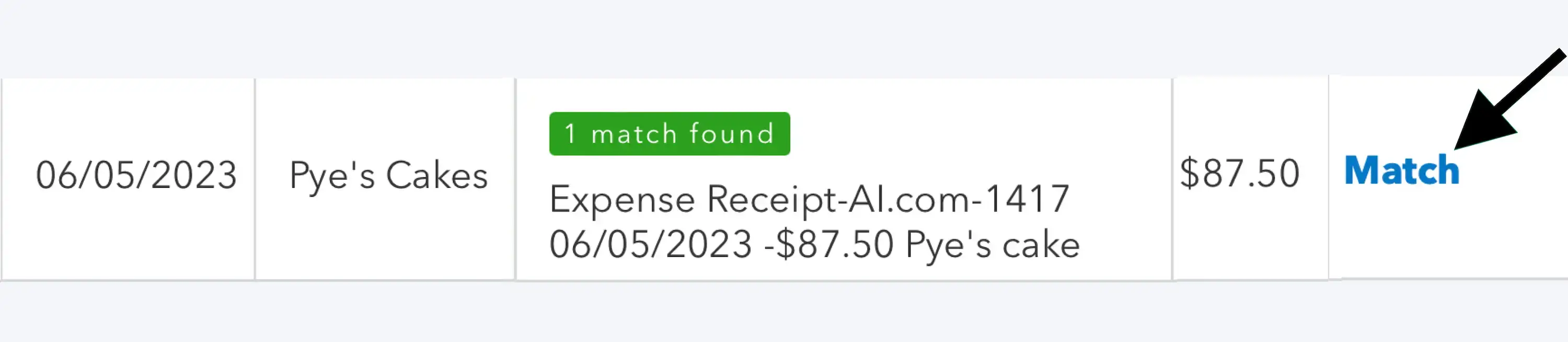
If you use Xero: Click OK. Done.
See how receipts appear in Xero (3 examples) →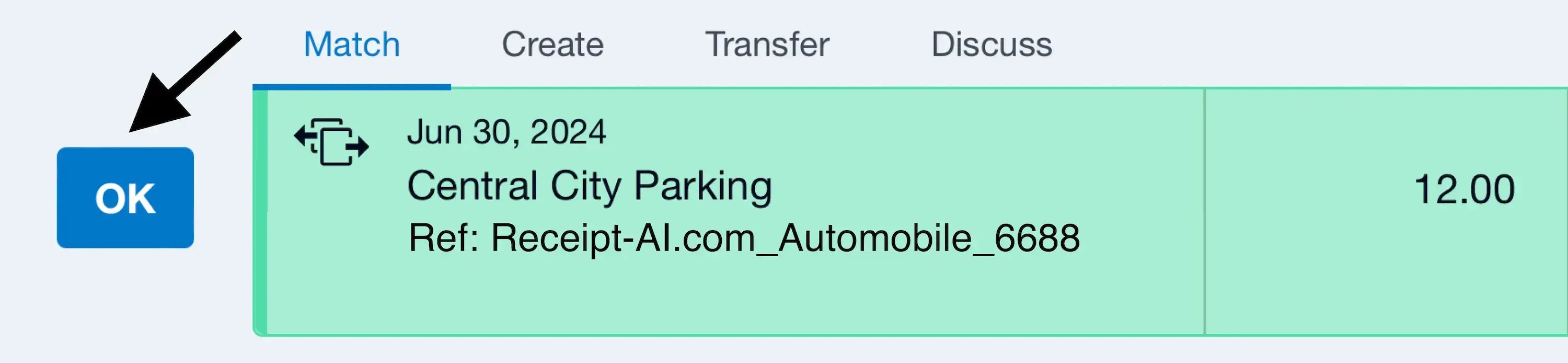
The Power of Receipt AI.
Now available for One-Click Reconciliation


May 1, 2024
Paris Baguette Chicago
$14.25
Meals & Entertainment
2239 South Wentworth Avenue, Chicago, Il 60616
+1(872) 318-2026
Meeting with clients.
| # | Item | Qty | Unit price | Price | Category |
|---|---|---|---|---|---|
| 1 | Ham & Cheese Pastry | 1 | $5.09 | $5.09 | Meals & Entertainment |
| 2 | Blueberry Cream Cheese Pastry | 1 | $4.09 | $4.09 | Meals & Entertainment |
| 3 | Croissant | 1 | $3.99 | $3.99 | Meals & Entertainment |
| 4 | Very Berry Pastry | 1 | $4.79 | $4.79 | Meals & Entertainment |

Updated
less than a minute ago
Send → AI categorizes → Done
- Send a receipt by SMS, Email, or drag and drop.
- Receipt AI reads and categorizes each receipt — or each line item, if enabled.
- Done. It's in your Xero or QuickBooks, ready to reconcile.
Supporting 9+ Document Types
Receipts, Invoices, Checks. Bank Statements, Purchase Orders, and more.

Supporting 39 Languages
Hello, Receipt Inteligence.


Supported Image Formats
JPEG, PNG, PDF, TIFF, WEBP, HEIC or HEIF.
In case you missed anything.
Why do I need to keep receipts?
Purchases, sales, payroll, and other transactions you have in your business will generate supporting documents. It is important to keep these documents because they support the entries in your books and on your tax return.
USA
[ Learn more from IRS: What kind of records should I keep]
Canada
[ Government of Canada: Keeping Records]
Australia
[ Australian Government | Australian Texation Office: Keeping business records]
New Zealand
[ Business Govt NZ: Keeping tax records]
What makes Receipt AI unique?
What sets Receipt AI apart is its SMS-based receipt upload feature. Users can simply send a picture of their receipt via text message, and Receipt AI takes care of the rest: extracting data, renaming files, AI-categorizing expenses, ensuring secure storage, and uploading them. This SMS functionality allows receipt management to happen anytime, anywhere, without the need to download additional apps, making it exceptionally accessible and convenient.
Who is Receipt AI for?
Receipt AI is for businesses, finance teams, and individuals who handle expense reporting and need to manage, track, and organize receipts efficiently. Especially useful for teams that are frequently traveling, working on job sites, as well as for other on-site professionals.
What file formats does Receipt AI support for receipts?
Receipt AI supports the following file formats for receipts, including JPEG, PNG, PDF, TIFF, WEBP, HEIC, and HEIF.
What are the primary technologies used for Receipt AI?
Receipt AI is built on straightforward yet powerful technologies. It uses everyday tools such as email and SMS to collect receipts, and AI-driven algorithms to extract and sort information accurately. For financial tracking, it integrates directly with established software like QuickBooks and Xero to keep everything in sync.
Is my data in Receipt AI encrypted and safe?
Yes, every receipt in Receipt AI is encrypted and securely protected, as well as your account information. Safeguarding your data is our top priority.
Does Receipt AI support email upload?
Yes, Receipt AI supports email uploads. You can forward your receipt from the registered email address, with or without attachments. We aim to simplify the process for you.
How to include a memo to my receipt?
If you are using SMS, just type your memo as a text message along with the receipt photo before sending it to Receipt AI. If you are using email, add the memo in the subject line. You can also add or edit a memo anytime by clicking 'Edit Receipt'.
Where can I find my uploaded receipts on Xero?
Click Reconcile [xx] items, then Account transactions.
Where can I find my uploaded receipts on QuickBooks?
Search 'Attachments' using magnifier icon.
What happens if I upload the same receipt twice?
Receipt AI automatically detects duplicates. If the same receipt is uploaded more than once, it will be flagged as a duplicate and not pushed to your accounting software. This keeps your books clean and prevents double entries.
Can I send multiple receipts in one message?
You can send multiple receipts by email (up to three photos at a time). SMS messages can include only one photo at a time. Each photo is stored as a separate receipt in your account.
Do I need to include a message with my receipt image?
No, you don't need to type any messages. Our machine learning technology extracts information from the receipt image automatically such as date, vendor name and total amount. However, if you want to include a message, you can do so, and it will be displayed in your account.
Does it support countries outside of US and Canada?
At the moment, we support phone numbers from the US and Canada only, while email works worldwide. And we're actively working to bring Receipt AI to more countries soon. Type your email and be the first to know when we expand our reach.
Are you affiliated with any other AI receipt services with similar names?
No. Receipt-AI (receipt-ai.com) is our only official brand. We are not affiliated with or connected to any other services with similar names. Please ensure you are using our official website.
Can I use Receipt AI if I don't have accounting software?
You do not need accounting software to use Receipt AI. In fact, Good financial knowledge is key to making smart decisions and gaining insights.
How is 97% higher productivity calculated?
To calculate the 97% time saving, we compared the time required for the traditional method of uploading receipts to a computer, renaming receipts, and uploading them to our accounting software with the time needed for the Receipt AI process. We manually went through the traditional method as quickly as possible, setting a timer to track our speed. In contrast, with Receipt AI, we simply take a picture of the receipt and text it. By comparing the time difference, we found that we reduce repetitive work time by 97%.
Start uploading Receipts using SMS.
Save 97% of your time with efficient receipt processing
Works with Xero and QuickBooks
Perfect for businesses, big and small
No extra app downloads. Works with tools you already have (Email and SMS)


Made in the USA.
We value simplicity.

What's new? Accounting Tips, Product News & Stories
© 2025 Receipt AI, Big Green Company Terms Privacy
Use Case
QuickBooks Receipt Scanner with Receipt AI Your Top Choice Xero Receipt App Generate a Simple Expense Report with AI and SMS Receipt Management for Small Businesses Receipt AI: The Best Receipt Organizer Text Receipts to QuickBooks or Xero for Contractors
Articles
Blogs Our Stories Help and Support Accountants