

详细内容
Use code BLACKFRIDAY25 to get 50% OFF your first year.


- Budgeting\
\
Manage your personal budget with rollovers and comprehensive reports. - Receipt scanner\
\
Extract and categorize every line item on your receipts. - Bank statements\
\
Automatically convert bank statement PDFs into Excel. - For couples\
\
Share your accounts, bills, and budgets in real-time.
- How to setup email alerts\
\
Forwarding your bank alerts to your Skwad email - Importing old transactions\
\
Upload CSV, OFX, or QIF files to import your transactions. - Migrating from Mint\
\
Skwad supports your old Mint exports. - Optional bank sync\
\
Use Plaid or MX to connect your bank accounts.
The privacy-first budgeting app
Understand your spending without linking your bank. Skwad syncs your transactions using your bank's built-in email alerts.
Start your free trial
or
Continue with Apple
Continue with Google
Start your free trial
or
Continue with Apple
Continue with Google
Turn bank alerts intocategorized transactions


How it works
1. Get a scan address
Sign up to receive your dedicated Skwad scan email address.
2. Send transaction alerts
Set up automated spending & deposit alerts from your bank or credit card provider to your Skwad scan email address.
3. Skwad does the rest
Skwad converts these alerts into categorized transactions for you.
Your browser does not support the video tag.Your browser does not support the video tag.Instant Sync
Auto-categorize transactions on every swipe, tap, and transfer


Everything you need to navigate your financial journey
Reliable connectivity
Sync directly from the source, not intermediaries
No more broken reconnections
No more passwords & 2FA headaches
No delayed transactions
Take control of your spending
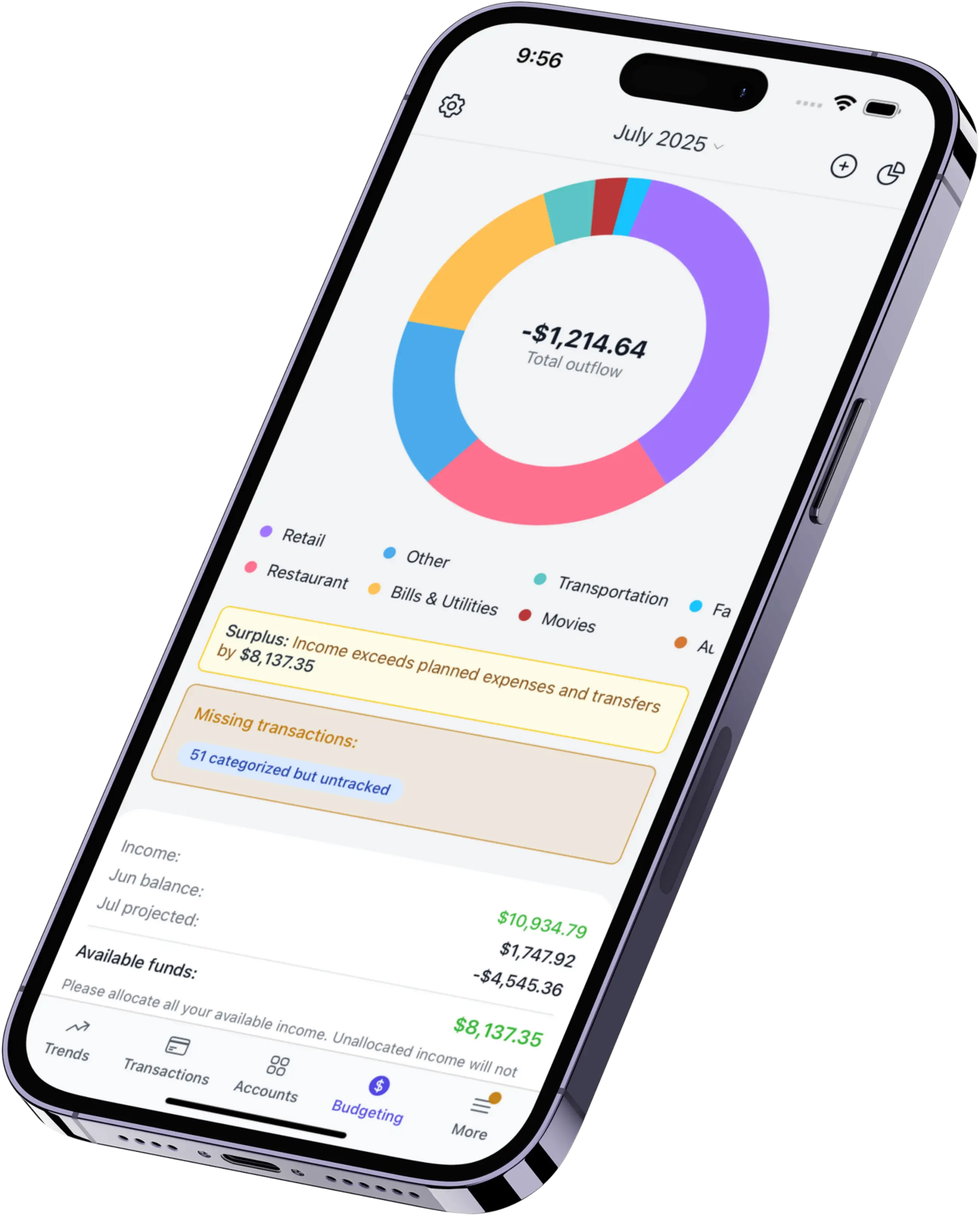
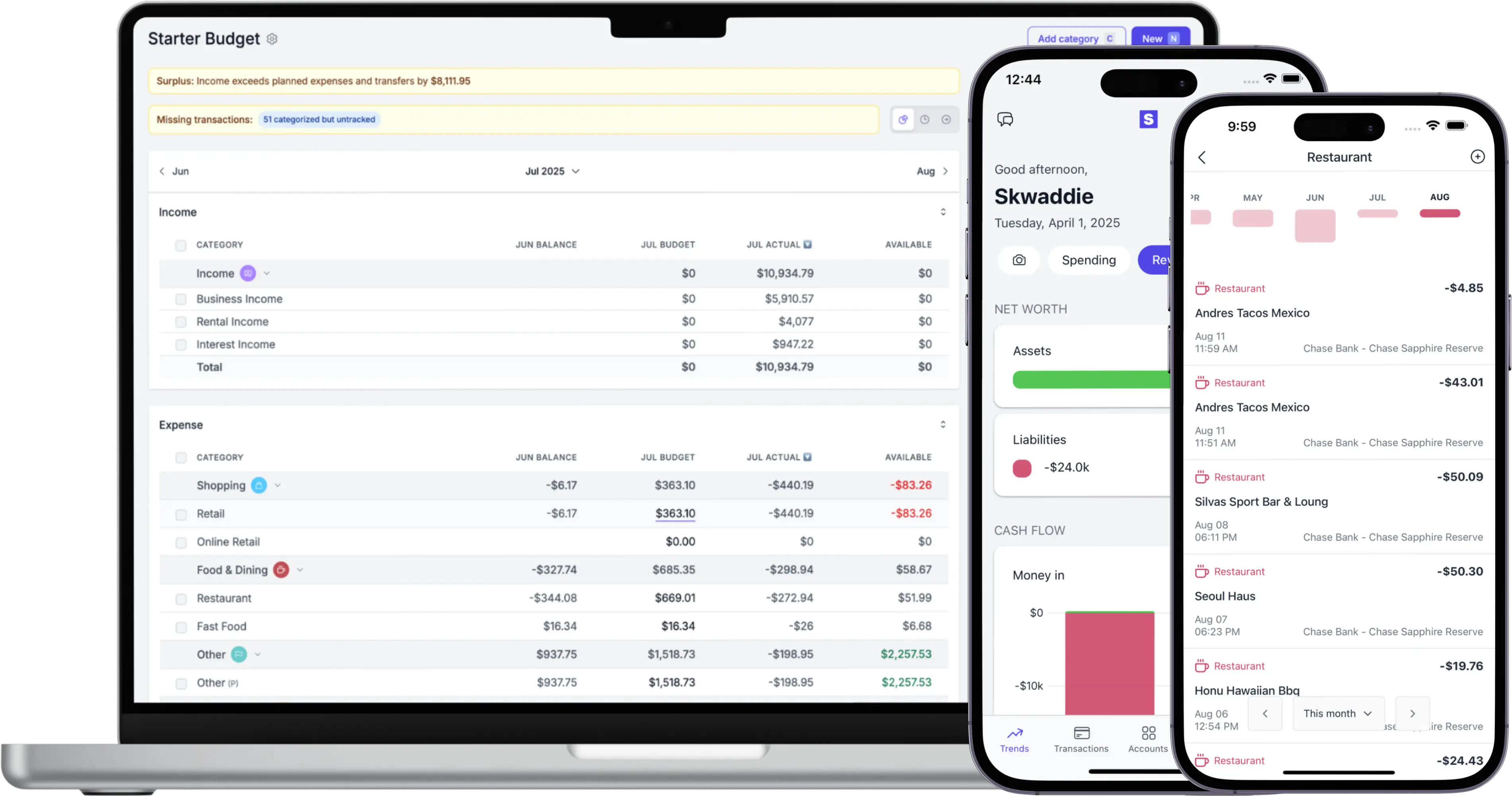
Visualize your cashflow & categories
Compare spending to previous periods
Export your data for offline analysis
Understand your finances
Auto-import from your email
Optional bank linking if you need it
Extract transactions from receipts and bank statements
Import from Csv, Excel, or Quicken
Customize your expenses
Fully customizable categories
Recategorize, split, or hide transactions
Breakdown transactions into line items
Enhance transactions with receipt data
Never miss a payment again
Get alerts for upcoming bills
Loan payment reminders
Sync bills to your calendar
Wave goodbye to late fees
Instant double charge alerts
Multiplayer mode
Invite one or more companions
Share your accounts and transactions
Eliminate debt together
Your first companion is free
Why members love Skwad

Skwad is the only app that solves my problem. Other apps don't have support for my older bank, but I do get email alerts and Skwad parses them well.
Cecilia B. 🇨🇦
I stopped using other apps because I was forced to re-sync my accounts EVERY SINGLE TIME I logged in. I've never had this issue with Skwad, and my transactions appear instantly.
Derek Z. 🇺🇸
I use Skwad to track my personal and business transactions. I uploaded over 6000 transactions and they were processed instantly.
Tammy C. 🇺🇸
I was never comfortable with sharing my bank passwords, so I used spreadsheets. Before Skwad I spent hours manually adding each transaction into my tracker. Skwad saves me hours every month.
Sonya O. 🇺🇸
Before Skwad, the apps I tried all had the same connection problems with my bank. Skwad is the only app that never has issues pulling my transactions.
Jason C. 🇨🇦
As a Canadian looking for a Mint alternative, Skwad is the best option I've found.
Elliot K. 🇨🇦
Security & privacy concerns? We've got you covered
Read the fine print. Your money may not be insured if your bank password is leaked through a third-party app.


Your password isn't the only thing at risk. Finance apps and their data providers have access to more information than you think.
With third-party providers
- Full account number
- Routing numbers
- Legal name and address
- Full transaction history
- And more...
With Skwad, you're in control
- Transaction and balance alerts you forward to Skwad
Why Skwad?
No ads. No compromises.
Our goal is to help you maintain your privacy and security while making better financial decisions. Sadly, the finance industry has become too comfortable with requiring you to provide your bank passwords to various apps and their third-party partners. Unlike other services, Skwad's email scans never require your bank passwords, account and routing numbers, or private information like your address or legal name — just simple transaction tracking and analysis. Skwad doesn't require bank logins for email scans, so there's no need to re-link accounts. Skwad's approach is also faster because your bank sends alerts immediately, and we process them instantly. Other apps typically refresh only after you login, or on a schedule, which can be hours or days after your purchase. We are here to assist you on your financial journey, and we promise never to sell you any unnecessary loans or credit cards. Additionally, we will never sell your data.
Start your free trial
Dive in
Learn more about Skwad and how we can help you achieve your goals.
Frequently asked questions
Is my bank supported?
Your bank is supported if you receive email alerts for transactions or balance updates. Most banks and credit unions have this feature. Check out our list of common accounts that work with Skwad.
My bank doesn't support email alerts. Can I still use Skwad?
Yes. Skwad supports bank linking with support for 11,000+ financial institutions.
What is a Skwad scan email address?
After signing up, you'll receive a unique email address from Skwad. You can forward email receipts, transactions alerts from your bank, or send attachments to this address to have them processed. See how it works.
Can I automatically import transactions?
Yes. Both email scans and bank linking automatically import your transactions and balances.
My bank only allows one email. Can I still use Skwad?
Yes. Your bank alerts can be forwarded to Skwad from your primary email address.
Are there different subscription plans available, and how do they differ?
Yes, see our pricing section for more details.
What about refunds or returns?
Skwad will automatically identify and categorize refunds and returns as soon as your bank sends the alert.
Can I upload my old transactions?
Yes. You can upload CSVs, Excel, or Quicken files from services like Mint, or your bank or credit card provider.
Can I manually add transactions?
Of course! You can manually add transactions in the app by typing them in or uploading a receipt image.
Can I track my net worth with Skwad?
Of course! Both email alerts and bank linking can be used to track your net worth.
How long do transactions take to process?
With email alerts, transactions get synced in seconds. For bank linking, it depends on your bank and the data provider, but most typically sync in 24 hours.
What file formats can I upload?
You can upload images, pdfs, and csv files directly on the website or app.
Is there a transaction limit?
No, we don't have a transaction limit.
Can I export my transactions?
Yes, you can export all your transactions as a CSV file for your accountant or for your own analysis.


© 2025 TCS Digital, LLC.
Created and hosted in the USA 🇺🇸
Data encrypted & stored with AWS 🔒
Bootstrapped & funded by our users.

Company
About Pricing FAQ Partnerships Affiliate program Skwad for Canadians
Legal
Terms of service Privacy policy Anti spam policy
Links
For couples Supported banks Budgeting Receipt scanner Get started Login
Compare
Skwad vs. Plaid Skwad vs. YNAB Skwad vs. Monarch Money Skwad vs. Simplifi Skwad vs. Actual Budget Skwad vs. Mint
Resources
Skwad book Free bank transaction categorizer How to setup auto import without bank linking Bank linking with 11,000+ financial institutions How to auto sync transactions to Google Sheets How to import old transactions
Try Skwad for free
Start your free trial