

详细内容

Professional, on-brand decks — 10x faster. Inside PowerPoint or Online.
Your data. Your brand. Your workflow. You stay in control - Slidely makes them better
Describe your presentation idea
Make a PPT for the stand-up today using our|
Attach any file Improve your .pptx file
Create Now
Or choose a prompt idea
Retail TurnaroundLogistics PlanFinTech AnalysisAI Initiative
Describe your presentation idea
Make a PPT for the stand-up today using our|
Create
Retail TurnaroundLogistics PlanFinTech AnalysisAI Initiative











Trusted by top MBA programs and Fortune 500 teams.
 \
\
SOC 2 Type II\
\
Regular Audits  \
\
OpenAI\
\
Zero Data Retention  \
\
Microsoft\
\
AI Cloud Partner
Secured by enterprise-grade partners.
What leading teams achieve with Slidely
Faster decks. Consistent branding. Higher-quality output, without changing how teams work.




As ex-BCG, I was quite skeptical of using AI for my slides apart from ChatGPT. Slidely broke the wall for me. It's become an essential part of my toolkit. I make changes and review slides with ChatPPT regularly now.
Abhimanyu
Consultant of Global Tech Strategy
Stop clicking around your slides. Talk to them instead.

Your (Ideas + Data + Brand) + CreatePPT = v1 of your deck
Slidely helps you shape the story, pull in the right data, and build a version one that already looks like it came from your team.
Create slides from PDFs or Images
Upload any design or old deck
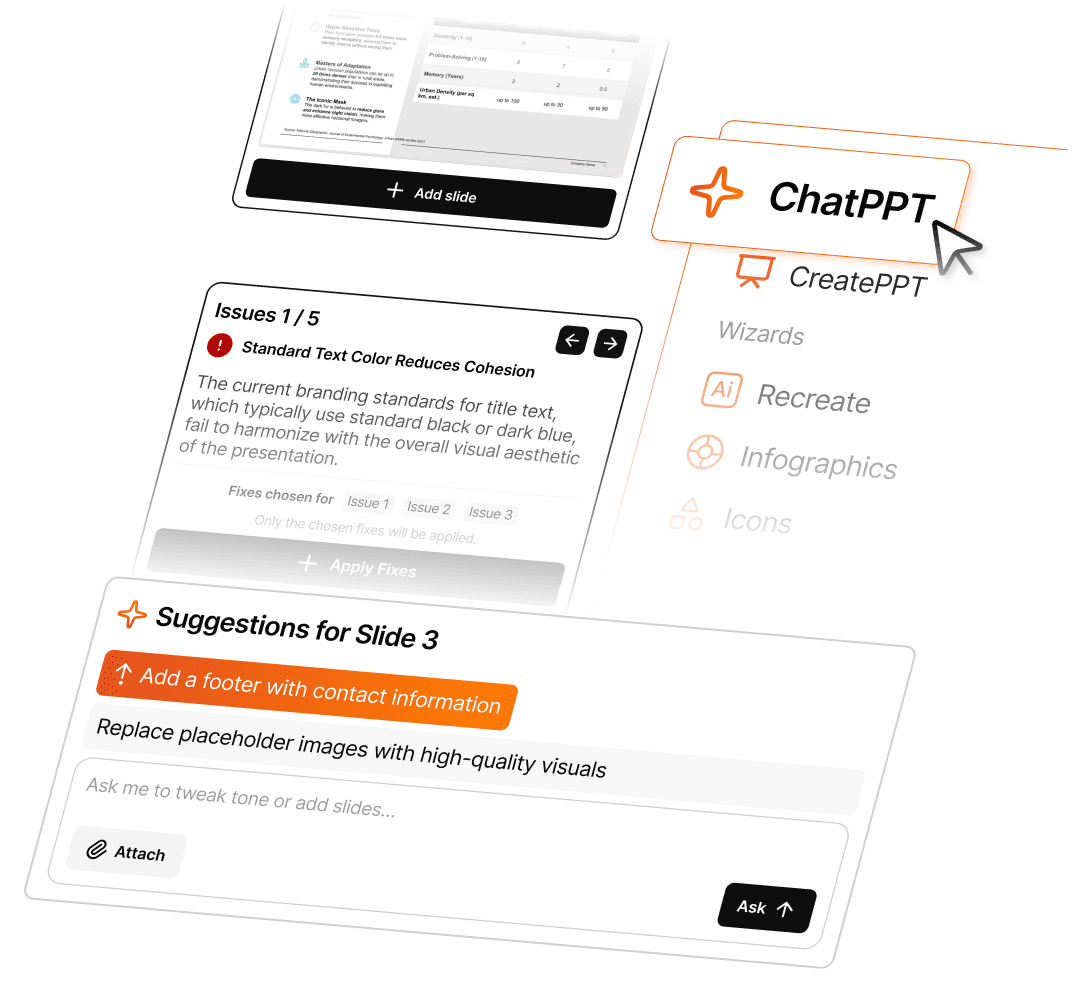
Just ask. ChatPPT edits for you.
Like ChatGPT, but trained for slides. Ask it to rewrite content, fix layouts, or check flow — even to "turn this table into a chart."
Ask AI to edit or create
Ask AI to rewrite & polish
Designed for teams that live in PowerPoint.
Slidely automates the parts of deck-making that slow you down - edits, data sync, and visual design.
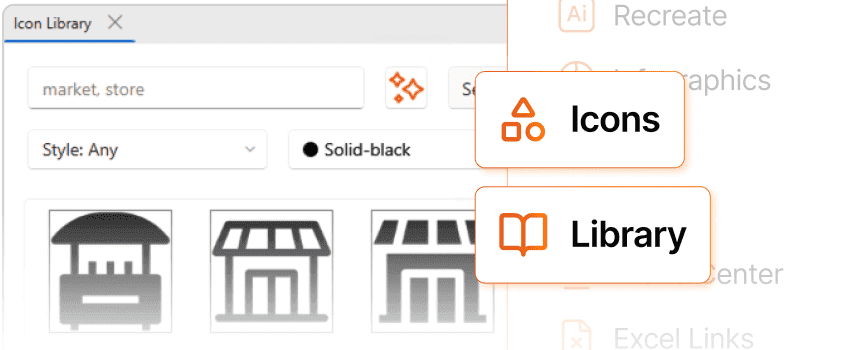
All icons & slides you need, built in.
Stop searching for the right visuals. Slidely gives you access to millions of business icons and curated slide layouts.
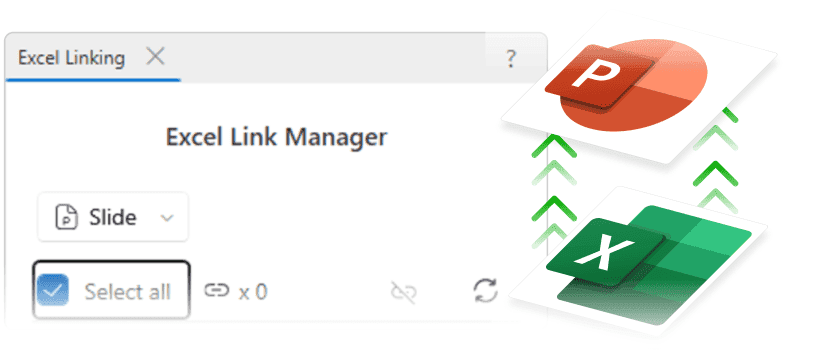
Excel Linking keeps numbers in sync.
Link Excel to PowerPoint once — and every update flows through automatically. No stale numbers. No manual refreshes.
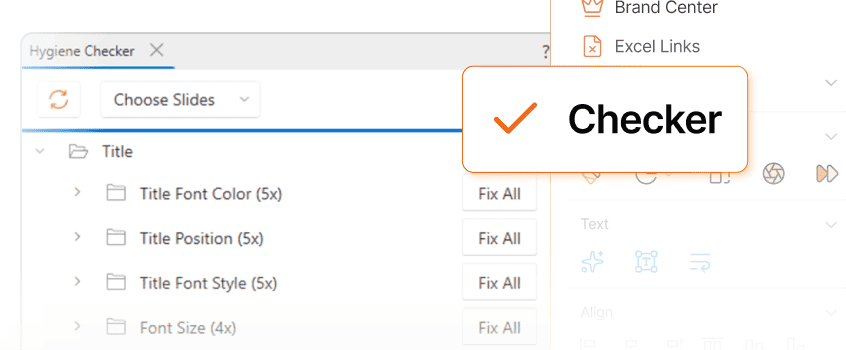
Hygiene Checker fixes your branding issues
Detect color and font mismatches and Auto-apply company standards
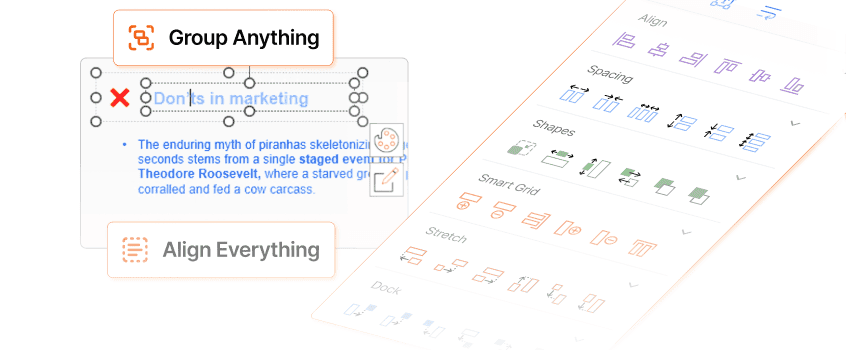
Utilities align everything without arrow-keys
Group items with smart grid and align, space, and position precisely
Try Slidely free for 15 days. No credit card needed.
Build on-brand PowerPoint decks faster than ever. Once you see the difference, you’ll never go back.
No new tool, still your PowerPoint. Just faster.
It lives in PowerPoint. Your flow stays the same.
Step 1
Download the PowerPoint add-in, install it in under a minute.


Step 2
Start editing your deck with AI, right inside PowerPoint.
Type what you need. Slidely builds, aligns, and refines your slides while keeping your brand intact.
One add-in. Three ways to move faster.
Start with a 5-day free trial. Choose the plan that fits your team and see how much time you can win back.
Individual
$16/month
For individuals who want to create stunning presentations with AI assistance.
Includes:
Unlimited slides and presentations per month*
Slidely AI PowerPoint Add-in
Export to PowerPoint
48-hour priority support
Teams
$25per user /month
For teams that need faster collaboration, centralized control, and data privacy.
Includes everything in Individual, plus:
Data excluded from AI training
24-hour priority support
Centralized user & license management
Consolidated billing
Enterprise
Volume pricing
For organizations that require compliance, scalability, and dedicated partnership.
Includes everything in Teams, plus:
Dedicated success channel with the Slidely team
Onboarding & retraining sessions
SOC 2 Type 2 compliance report access
Custom contract & invoicing
Everything you need to know. Clear. Simple. Answered.
From setup to security, here's how Slidely makes adoption effortless for teams and safe for organizations.
I also use ThinkCell. Do slides created or edited by Slidely AI work with ThinkCell?
Yes. Slidely AI creates fully native PowerPoint objects, so all your existing add-ins — including ThinkCell — continue to work seamlessly.
For example, if you ask Slidely to "create a chart from this table," the resulting chart will be a standard PowerPoint shape you can edit directly or use with ThinkCell, without any extra steps.