
详细内容

💥 Black Friday Sale: Get up to 60% offon your subscription for a limited time only 🛍️

ChatGPT Presentation Maker Make Presentation Slides with ChatGPT→
From Text to Slides in Seconds With AI Presentation Maker
Effortlessly create stunning presentations directly in Google Slides and PowerPoint by leveraging AI that's fast, intuitive and impactful.
Install SlidesAI
- Get started for free
- Works with Google Slides and PowerPoint
- No design skills required
Click to watch Step by Step Tutorial
How to use SlidesAI - AI Presentation Maker for Google Slides — Tella

07:58
Genuine User Experiences
See the Impact of Our AI Slides Generator
From 2000+ reviews
Downloads
15M+
“Working fantastic and very helpful.”
Saving me so much time by automatically generate sub-titles on each pages and analyze my paragraph to points form! highly recommend! The support is super fast and helpful, I didn’t even expect to get such a fast responds at late night time.
Tara Chen
“It makes formatting slides much easier than doing it manually”
SlidesAI.io is a great product that I could integrate seamlessly into Google Slides. The function of summarising the slide content into easily digestible bites of information is very useful. It makes formatting slides much easier than doing it manually. I had a question whilst learning to use the app and received a videocall directly from the designer of the app himself, who was able to help me troubleshoot effectively.
 Jackie Wildish
No need to learn a new tool
SlidesAI works natively with Google Slides and
 PowerPoint
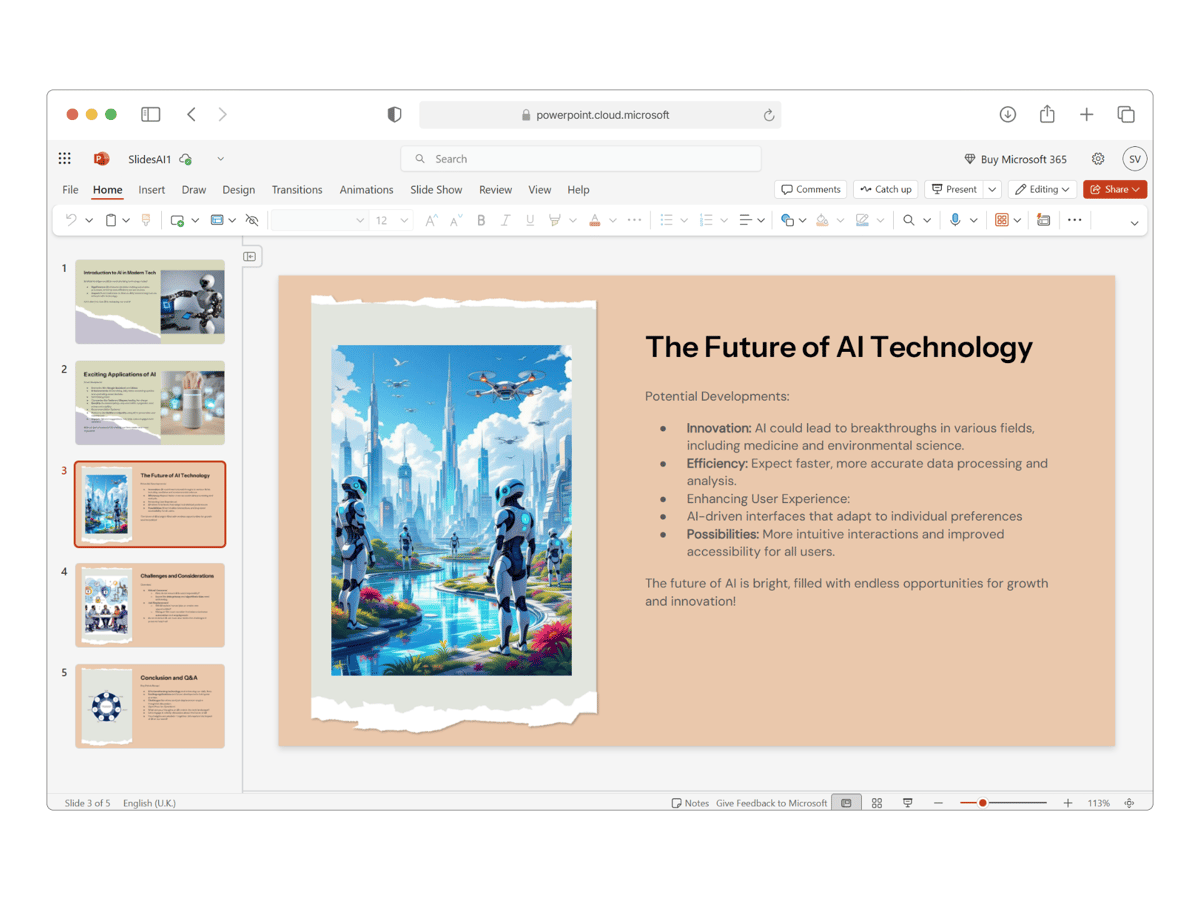
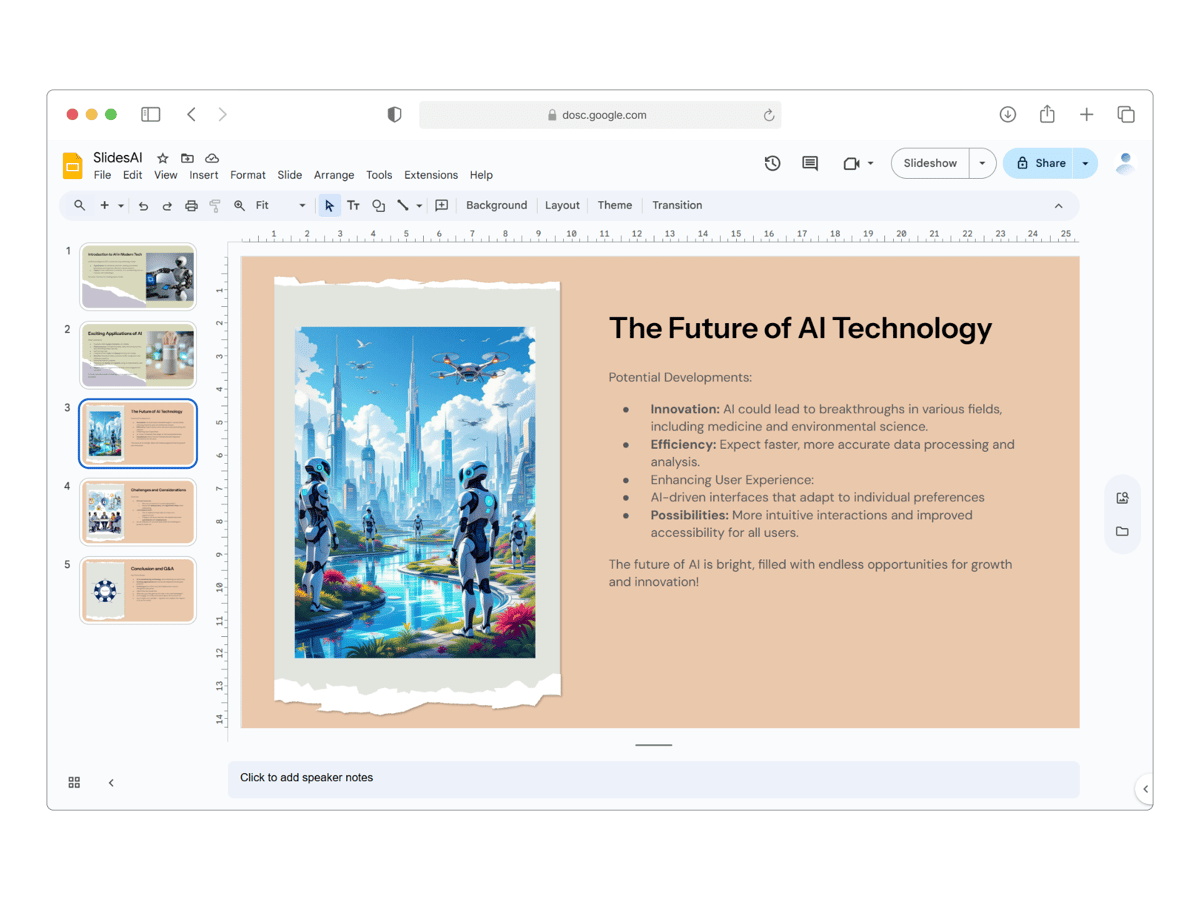
SlidesAI integrates seamlessly with Google Slides and PowerPoint, so you can create and edit presentations without switching platforms
 Just Launched
PowerPoint
 Native PowerPoint integration
- Optimized for Microsoft Office users
- Available in Add-ins store for Web and Desktop
 Install SlidesAI For PowerPoint
 15M+ Installs


Google Slides
- Seamless Google Slides integration
- Optimized for Google Workspace users
- Works in browser
 Install SlidesAI For Google Slides
How does it work?
Creating Slides Is Faster Than Ever With Our FREE Online Presentation Maker

Add your input
Input a topic, a script, notes, a document, or even a link and let SlidesAI do the rest.

Review Slide Outlines and Theme
Review or tweak generated outlines and pick a professionally designed theme for your presentation.

View in Google Slides & PowerPoint
Your presentations are created directly in Google Slides or PowerPoint - no need to learn a new platform
Supports 100+ languages
SlidesAI supports all major languages. Our AI Google slides generator app is translated into English, Spanish, French, Italian, Japanese and Russian
Welcome to SlidesAI
Bienvenido a SlidesAI
SlidesAI में आपका स्वागत है
SlidesAIへようこそ
Edit with SlidesAI
Create Presentations 10X Faster With AI
Fine-tune your slides instantly - from layout to language to visuals - all in one place.

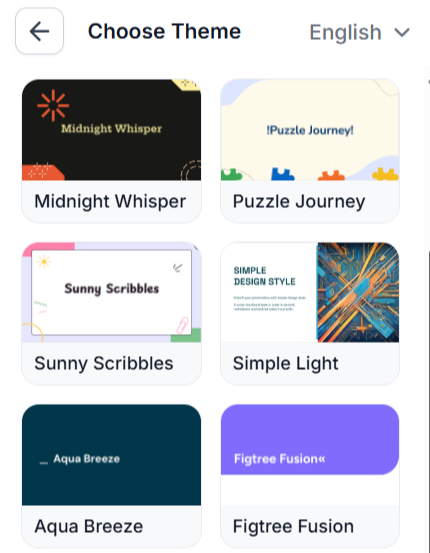
Edit Theme
Give your slide a fresh look using built-in themes and layouts.

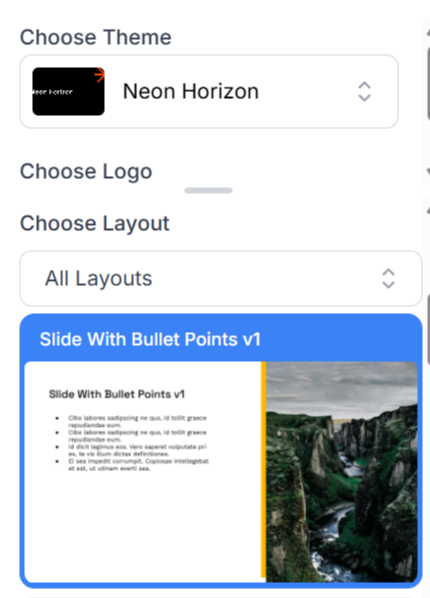
Remix Slides
Instantly rearrange content and design for a new layout.

Add Stunning Images Instantly
Search or generate images to match your slide - from AI visuals to web-ready stock. All without leaving the editor.


Shorten
Make your slides more concise by cutting out filler content.

Translate Content
Make your content available in several languages to reach diverse global audiences.

Rephrase
Rewrite for clarity, tone, or style without altering original essence.
Powerful, Simple, Effective
Perfectly Tailored to Your Unique Needs
EducatorsProfessionalsStudents
Teach Smarter, Not Harder
Quickly turn your lecture notes, lesson plans, or ideas into clean, visually appealing slides. Save valuable prep time and keep your students engaged with well-structured and easy-to-follow presentations. Try SlidesAI free and create your first lesson slides in minutes. Create
\
Get Add-On forGoogle Slides \
Get Add-In forPowerPoint
"Very cool extension! I am a middle school teacher and started making a choose-your-own adventure story about World War 2. I put a brief prompt and the program generated a 26 slide presentation that was quite a good outline, with great looking theme, fonts, and pictures"

Micheal Gallant
Middle School Teacher

Customer Testimonials
See what people are saying

Maria Vasilyeva
Great! In a few seconds you can get a structured presentation with a photo,it saves me a lot of time!Great tool! Thank you Anurag!

John Little
Just starting to play with the app. It was recommended by a friend and so far so good! Also,the tech support was fast and beneficial!

Oghale Agbawhe
This app exceeded my expectations. It is very useful and convenient, saves time andeliminates the stress of manually creating PowerPoints. I highly recommend it!

hassanain ali
working fantastic and very helpful. Saving me so much time byautomatically generate sub-titles on each pagesand analyze my paragraph to points form! highly recommend! The support is super fast and helpful, I didn’t even expect to get such a fast responds at late night time
Widi Oremo
Amazing product. It was very easy to use and intuitive.I was also assisted very promptly by its creator and team when I needed help.

Marcelo Caballero
Genial, te reduce los tiempos y bloqueos mentalespara realizar una presentacion de algun tema en especifico. asi es posible concentrarse en los detalles. Muy Util.
Pricing
⏰ Get up to 60% off on your subscription for a limited time only
Individual
Team
Institution
Find Your Ideal Plan
Monthly BillingYearly Billing
Basic
Good enough to get started
$0.00
$0.00
/month
- 12 Presentations / year
- 2500 Character Input / Presentation
- 120 AI Credits / year
🎉 SAVE 40%
Pro
Perfect plan for students
$8.33
/month
$5.00
/month
$8.33
/month
Billed at$60.00/year
- 120 Presentations / year
- 6000 Character Input / Presentation
- 600 AI Credits / year
- Document Upload
Get Started
🎉 SAVE 60%
Premium
For Educators and Professionals
$16.67
/month
$6.67
/month
$16.67
/month
Billed at$80.00/year
- Unlimited Presentations
- 12000 Character Input / Presentation
- 1200 AI Credits / year
- Document Upload
Get Started
This product is sold directly by Paddle.com, the official Merchant Of Record (MoR)/Reseller of SlidesAI. Additionally, Paddle is neither a subsidiary nor a related entity, nor a distinct person for SlidesAI.
Frequently Asked Questions
We've compiled a list of the most common questions we get asked.
Do I need to have a Google Workspace Account to use SlidesAI?
If you have a regular gmail account, you can use SlidesAI. You don't need a Google Workspace account. Just install SlidesAI from Google Workspace Marketplace
How do I run it from Google Slides?
Once you have installed SlidesAI from the Google Workspace Marketplace Click on Extensions > SlidesAI.io > Generate Slides
How can I cancel my subscription?
You can cancel your subscription at any time. To do so, please go to the 'Your Account' tab, You can follow this guide also please share your feedback with us so we can improve.
Do I need to create an account? No, you don't need to create an account separately. You can simply run SlidesAI from a Google Slide Presentation and your account will be automatically created.
I still have questions, how can I contact?
Please send us a message via that Chat Button on the bottom right corner of the page and we will get back to you as soon as possible.
We don't use Google Slides, can we still use SlidesAI?Yes! SlidesAI works seamlessly with both Google Slides and Microsoft PowerPoint. So you can use it regardless of your preferred presentation software, No need to learn a new tool, just use what you already know. Moreover you can even create slides just by chatting with SlidesAI chatGPT, no design skills required.
Turn Text into Stunning Presentations Instantly with SlidesAI!
Design stunning, unique slides with AI-generated visuals and text. Say goodbye to boring templates with our free AI presentation maker
Install SlidesAI for Google Slides → Install for PowerPoint
7 months free7 months free