

详细内容
#1 SQL Generator
Generate SQL Query in Seconds With AI
Generate, optimize, validate, format, and explain SQL queries like a SQL professional. We support most database engines, database schemas in any format and have plenty of useful helper tools to make working with SQL queries and databases as easy and accurate as possible.
Leading AI-powered SQL generators
SQL Made Dirt Simple
AI-powered SQL generators make working with SQL (and NoSQL) a piece of cake.
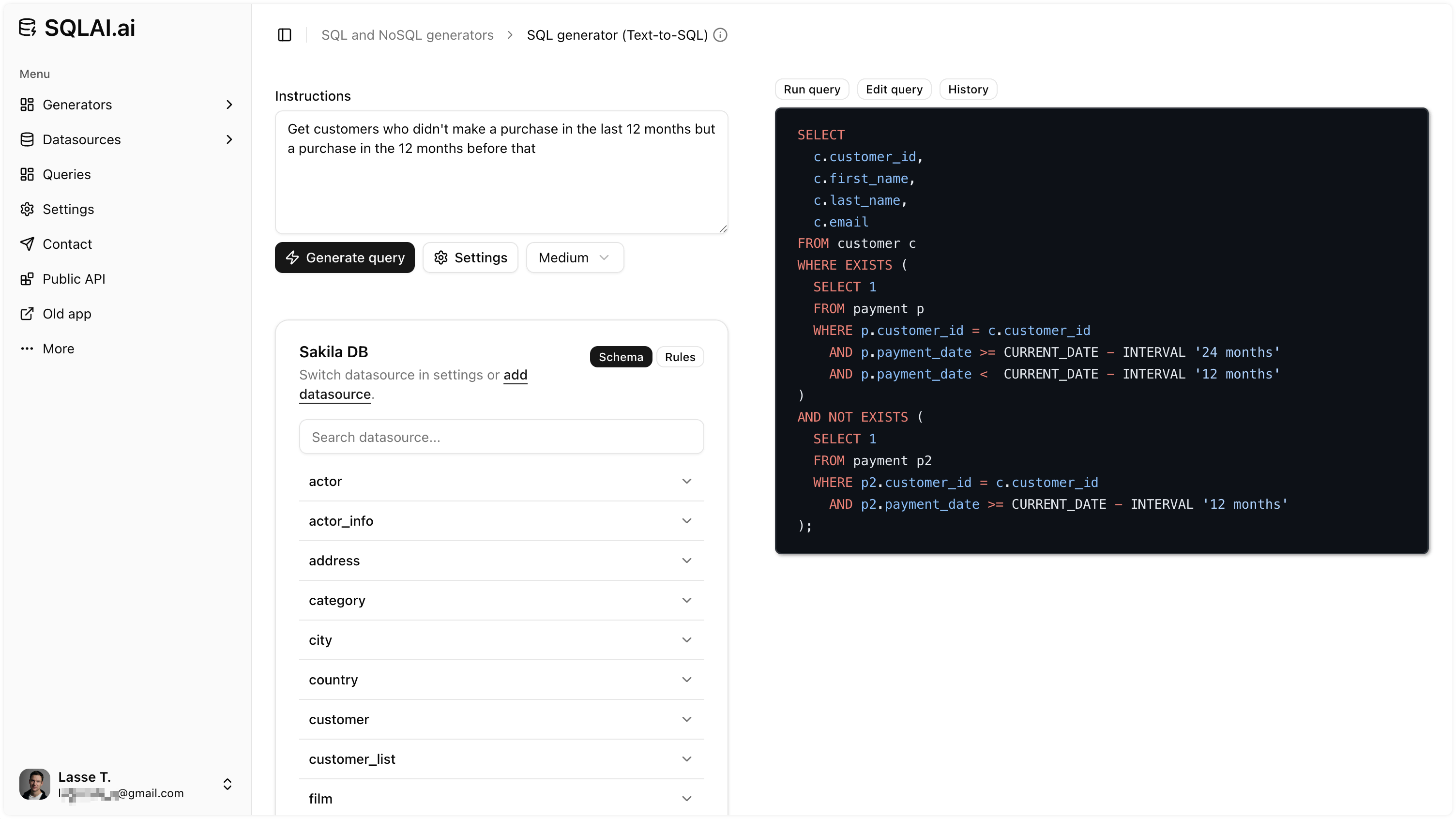
SQL Generator
Generate SQL Using Everyday Language
AI transforms your instructions into simple or complex SQL queries,including NoSQL, with the highest accuracy. Give instructions in any language.
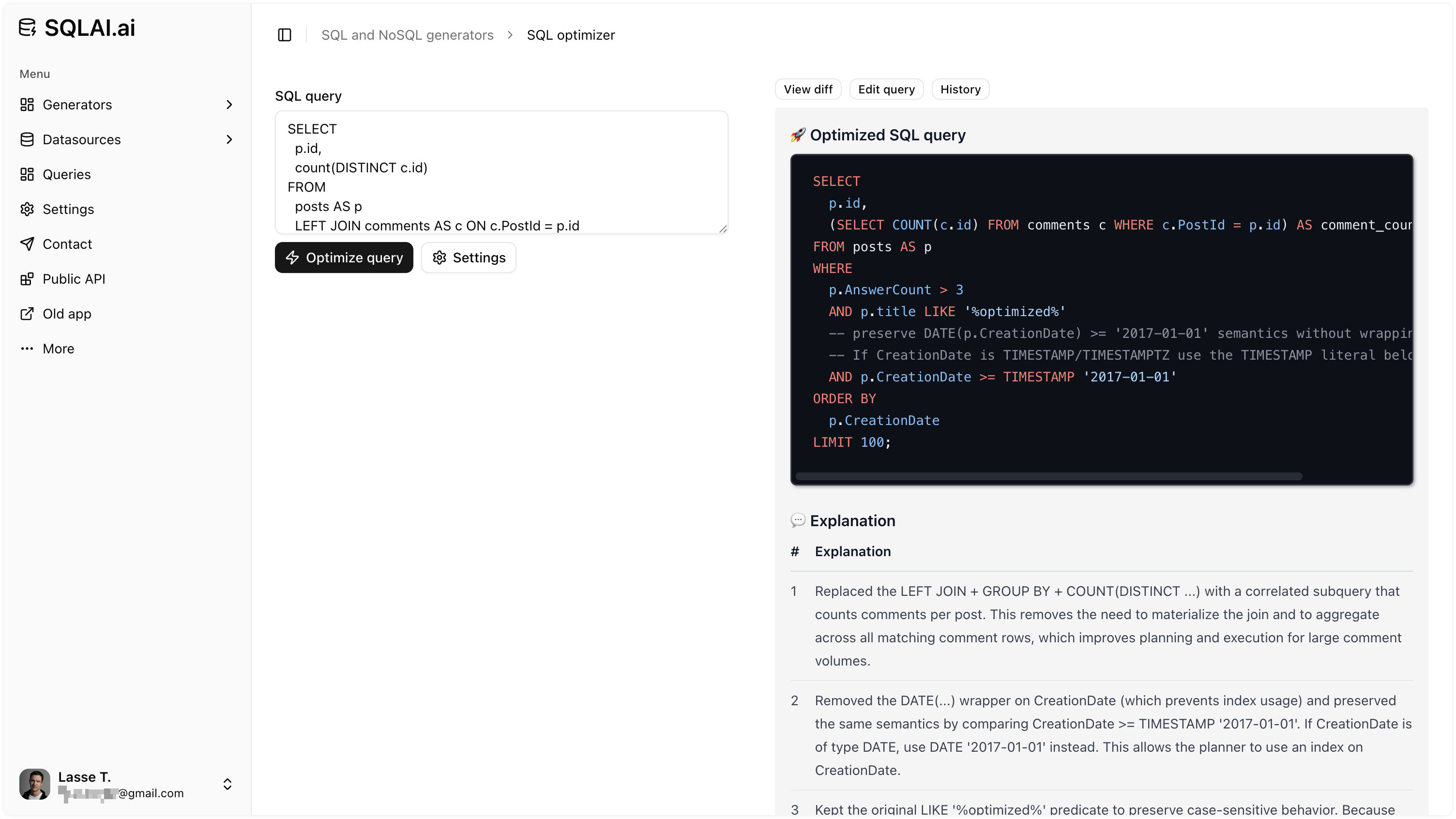
Optimize SQL
Optimize SQL Queries for Better Performance
Use our advanced SQL optimizer to effortlessly get SQL optimizations with a clear justification for each applied optimization. Optimized queries run faster and uses fewer resources.
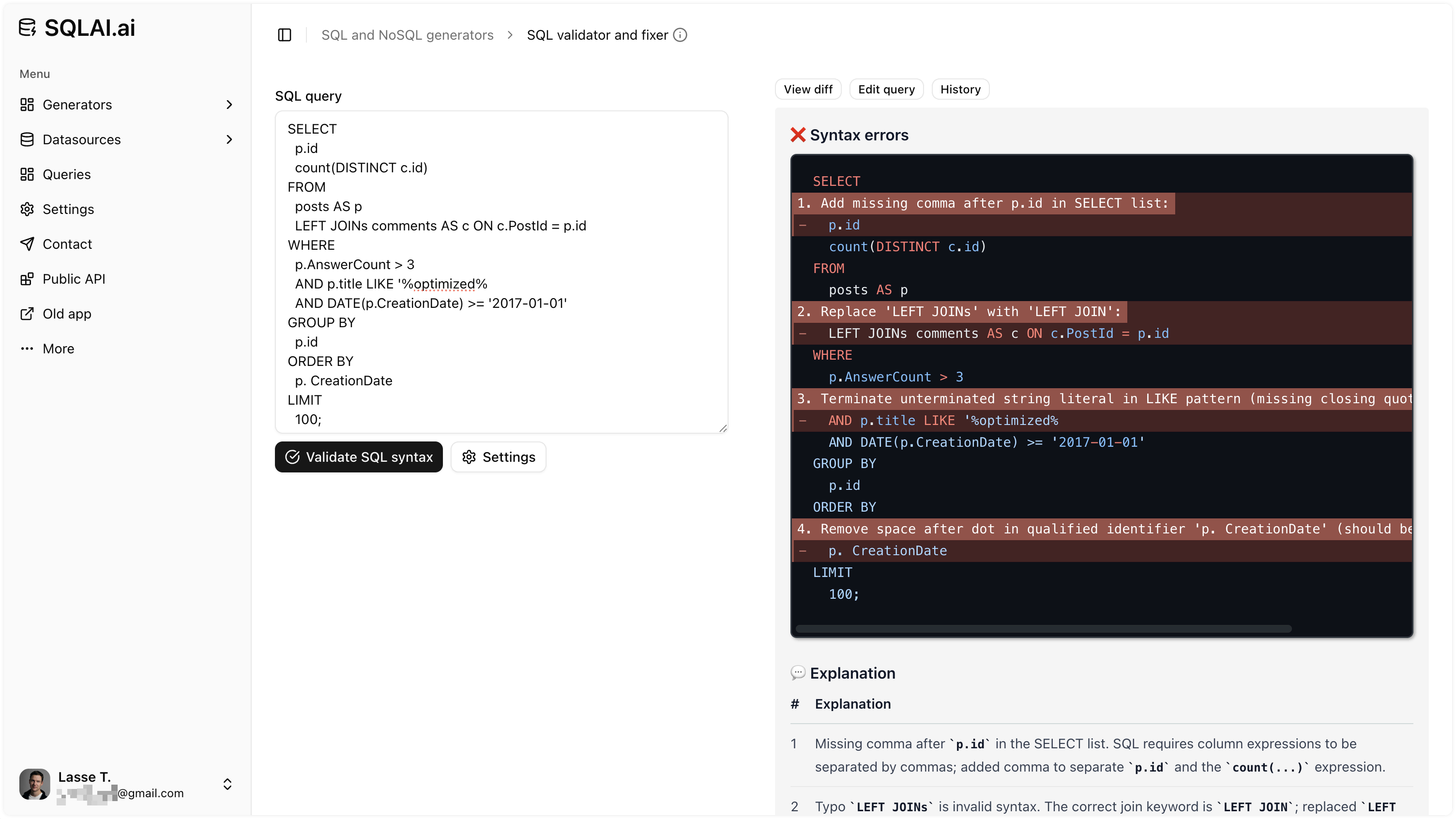
Validate SQL Syntax
Validate SQL Query Syntax and Fix Errors
Use our AI to scan your query for errors and suggest fixes. Suggested fixes includes explanations to ensures you understand what and why.
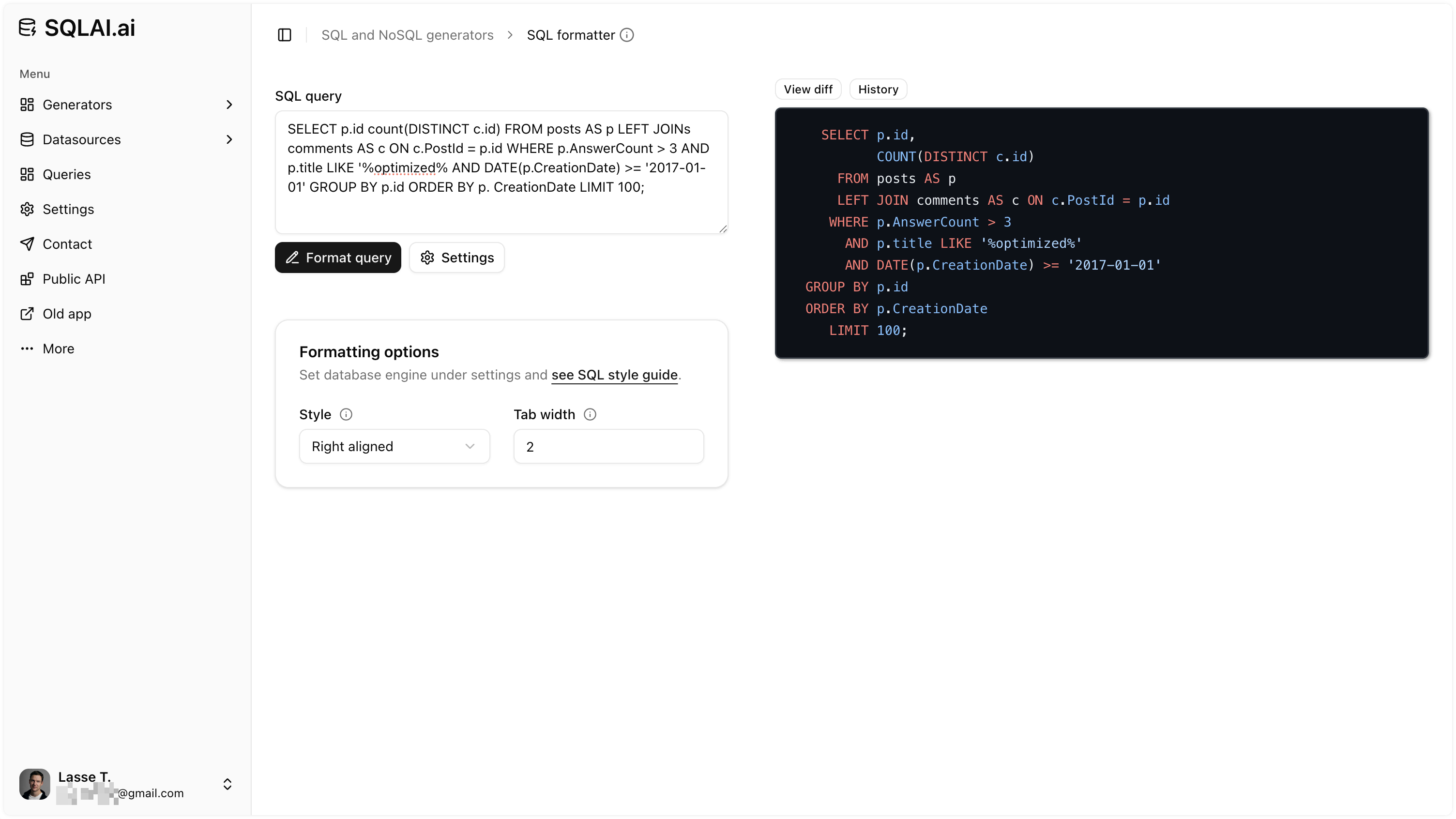
Format SQL
Format Any SQL Query For Improved Readability
Make SQL queries easier to read for yourself and team members.
Learn SQL
Explain SQL Query With Easy to Understand Breakdown
Get a detailed SQL query explanation with summary, visualized result and detailed breakdown. Explanations can be in your native language.
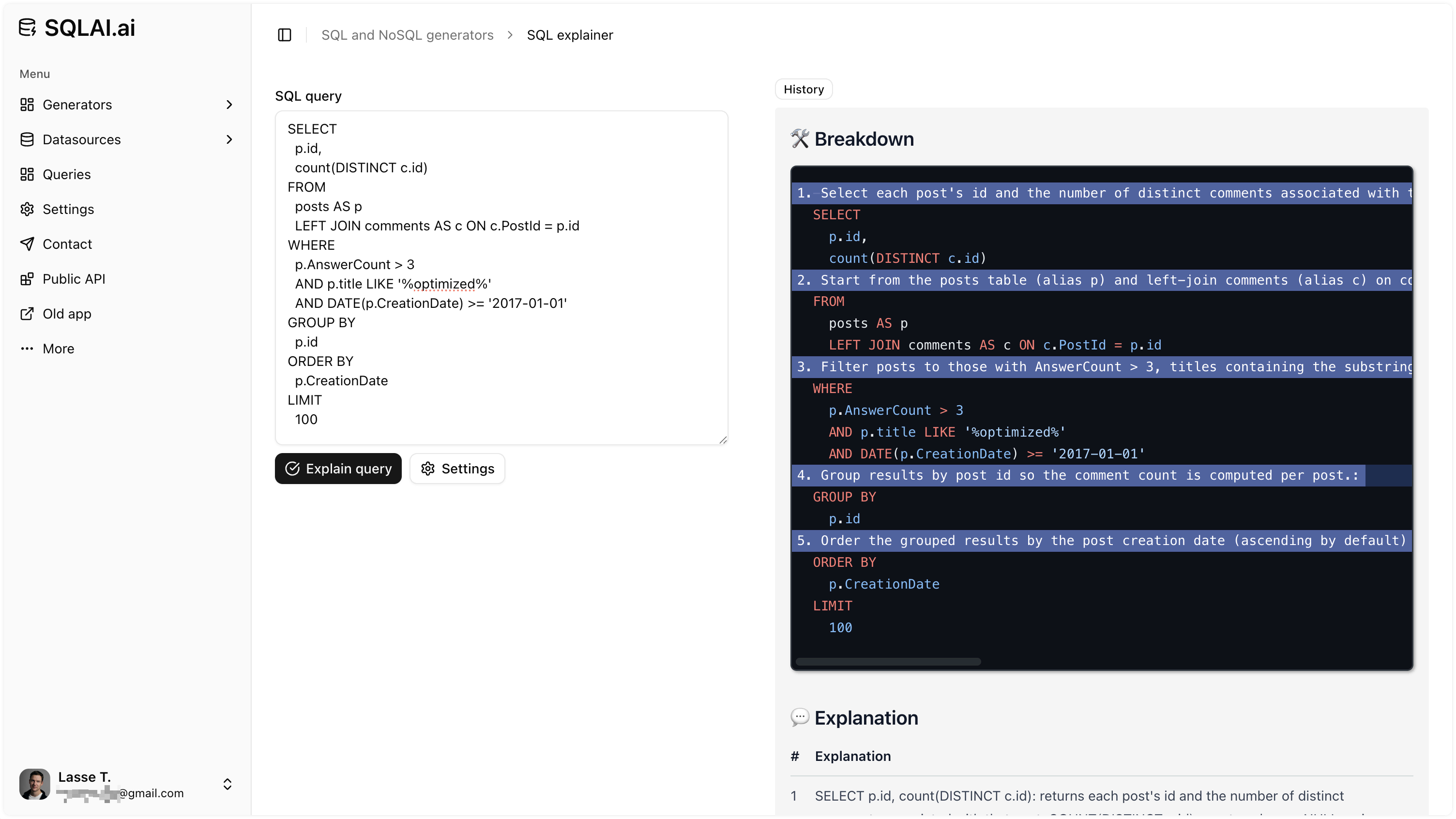
See all SQL and NoSQL generators
Trusted by More Than 150,000 Professionals
Benefits
Real outcomes teams see with SQLAI.ai.
Instant SQL, Even for Beginners
Go from question to correct query in minutes and learn by doing—no prior SQL required.
Accelerate Complex Work
Generate multi-join, CTE, and window-function queries with natural language, cutting review cycles and reducing mistakes.
Save Hours and Cloud Spend
Produce optimized, error-free SQL fast, lowering rework and compute costs across your data stack.
Insights on Live Data—Now
Run AI-generated SQL (and NoSQL) directly on connected sources to answer questions without waiting on the data team.
Data Sources
Add your data sources to increase accuracy (even large ones) and reference schema using autocomplete.
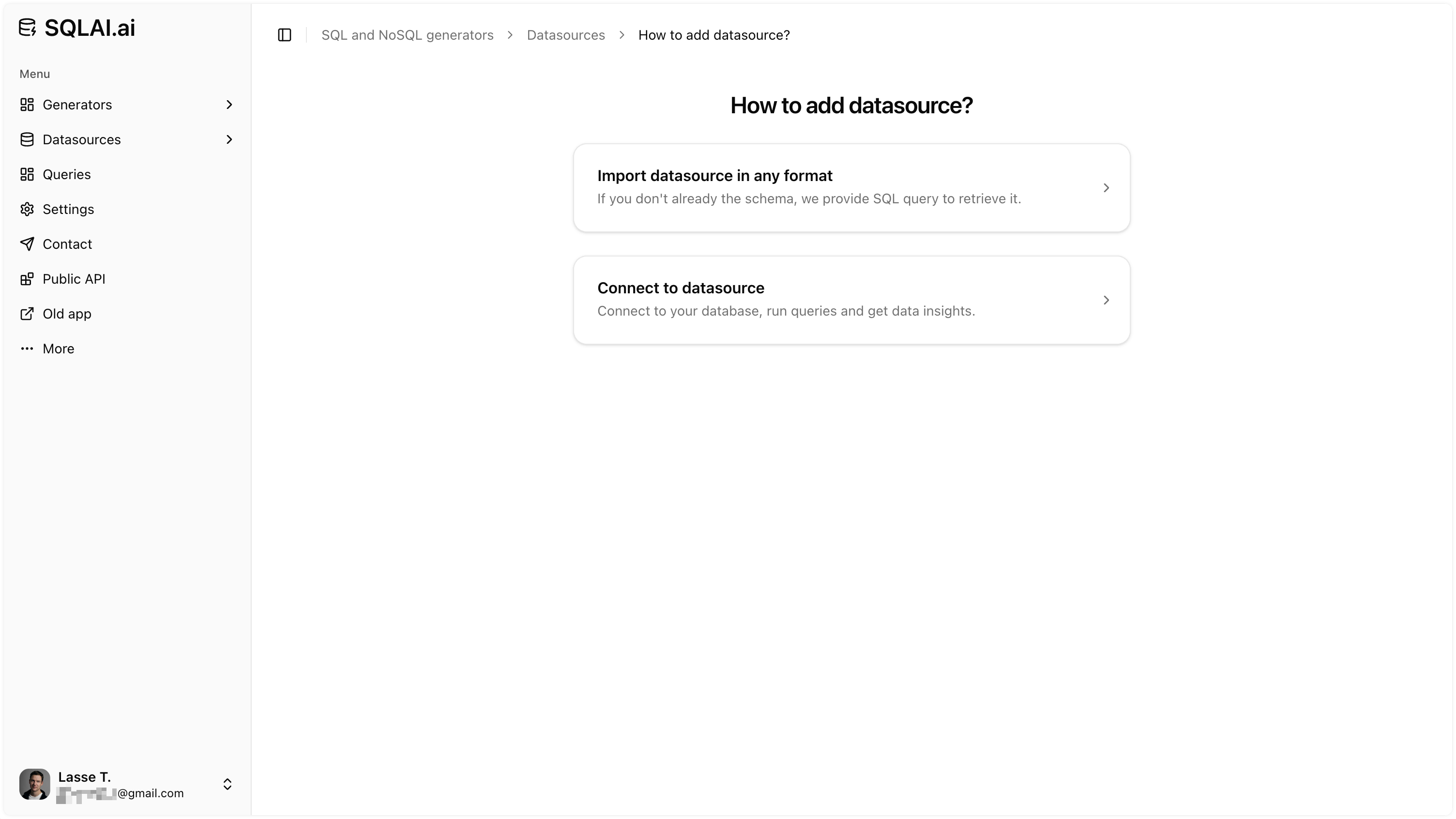
Adding Data Source
Add Data Source With a Single Click
Import your database schema in seconds with AI or connect to your database. Add data source.
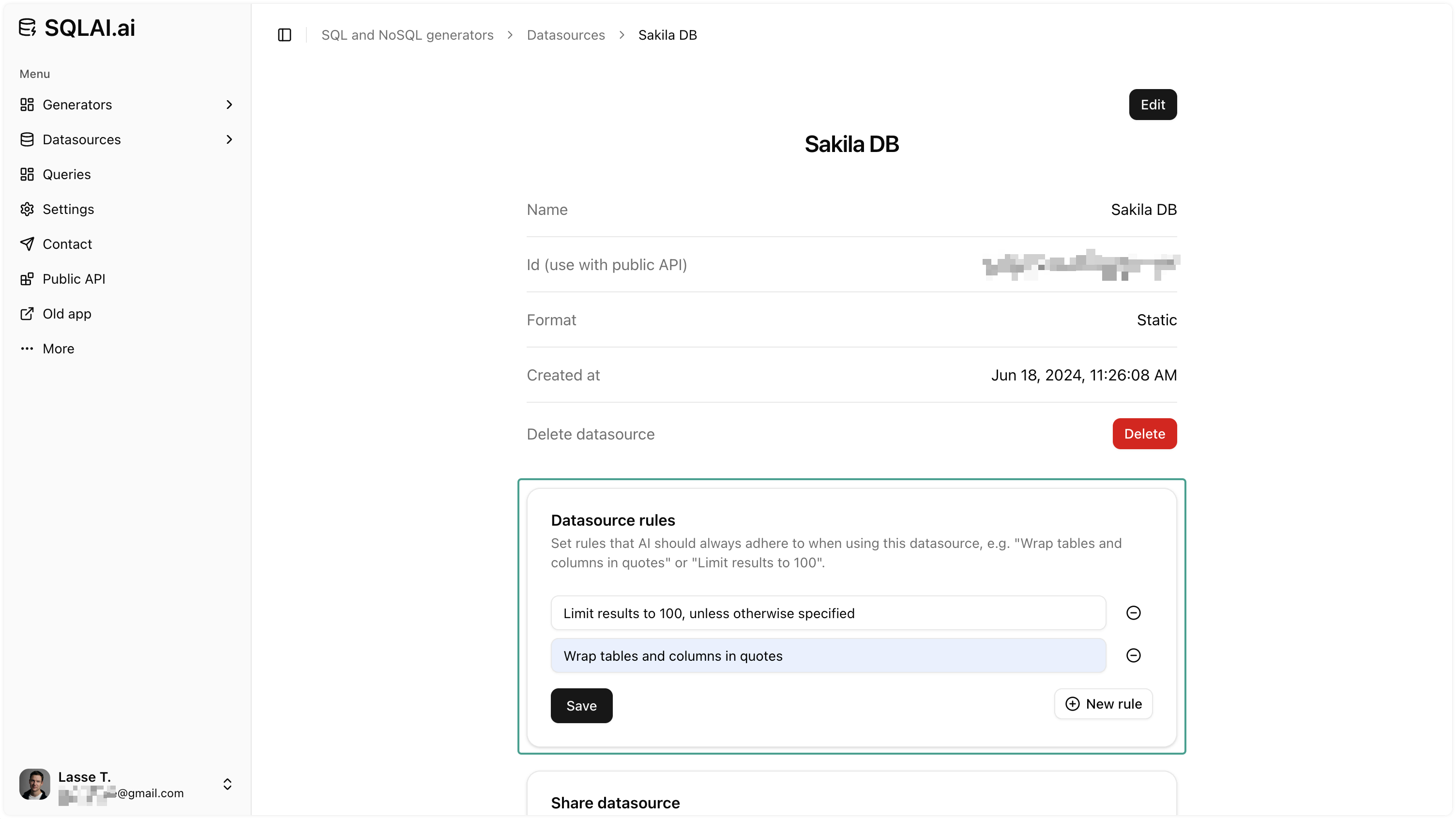
Data Insights
Run Queries on Connected Data Sources
Connected data sources don't just benefit from the increased accuracy, but also enables you to get tailored data insights using nothing but everyday language.
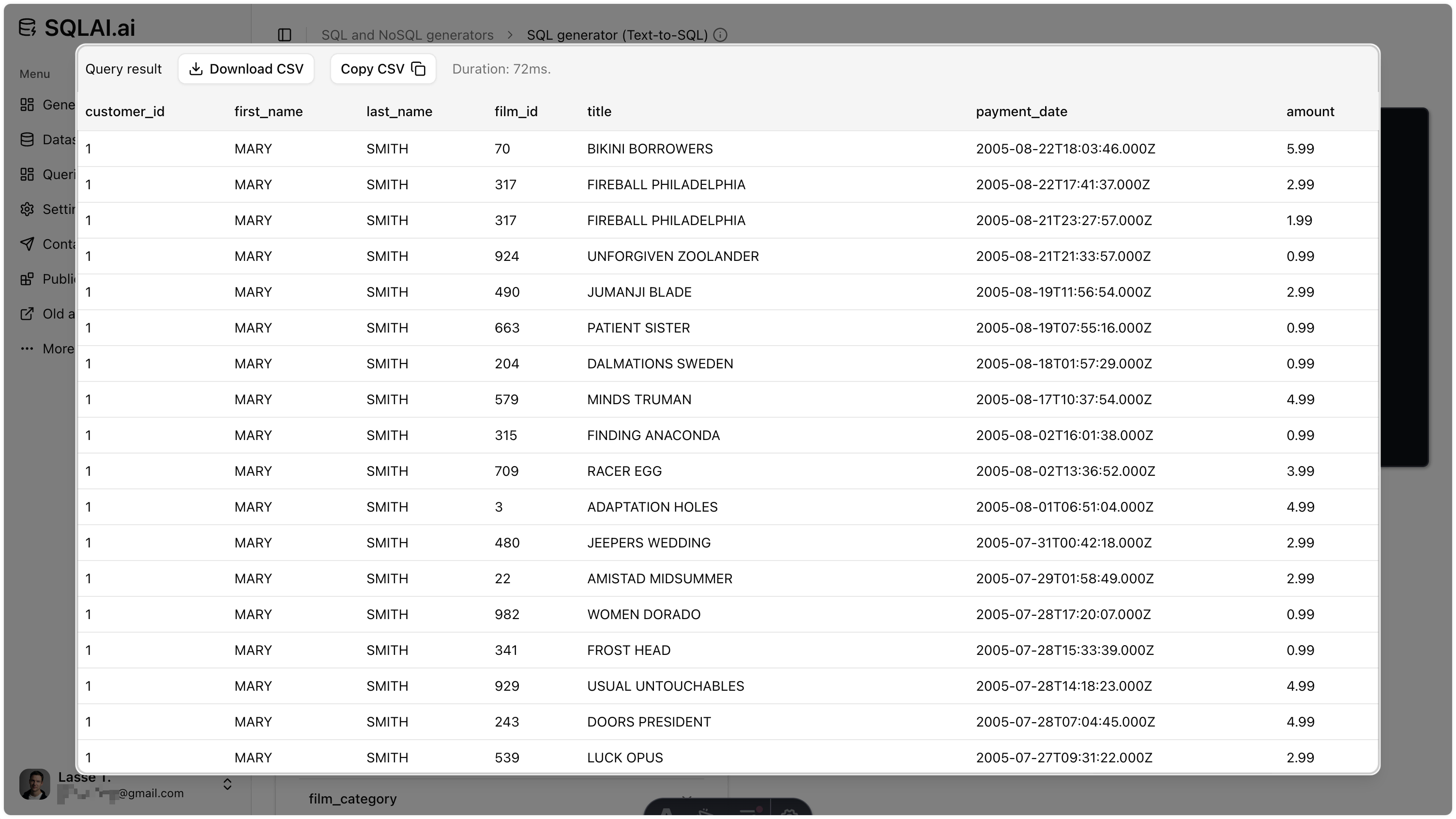
Data Source Rules
Use Data Source Rules for Increased Accuracy
Set rules that AI should adhere to for each data source, e.g. "Wrap table and columns in quotes" and "Limit results to 200". Its sort of a simple, but powerful RAG functionality that is quick to setup.
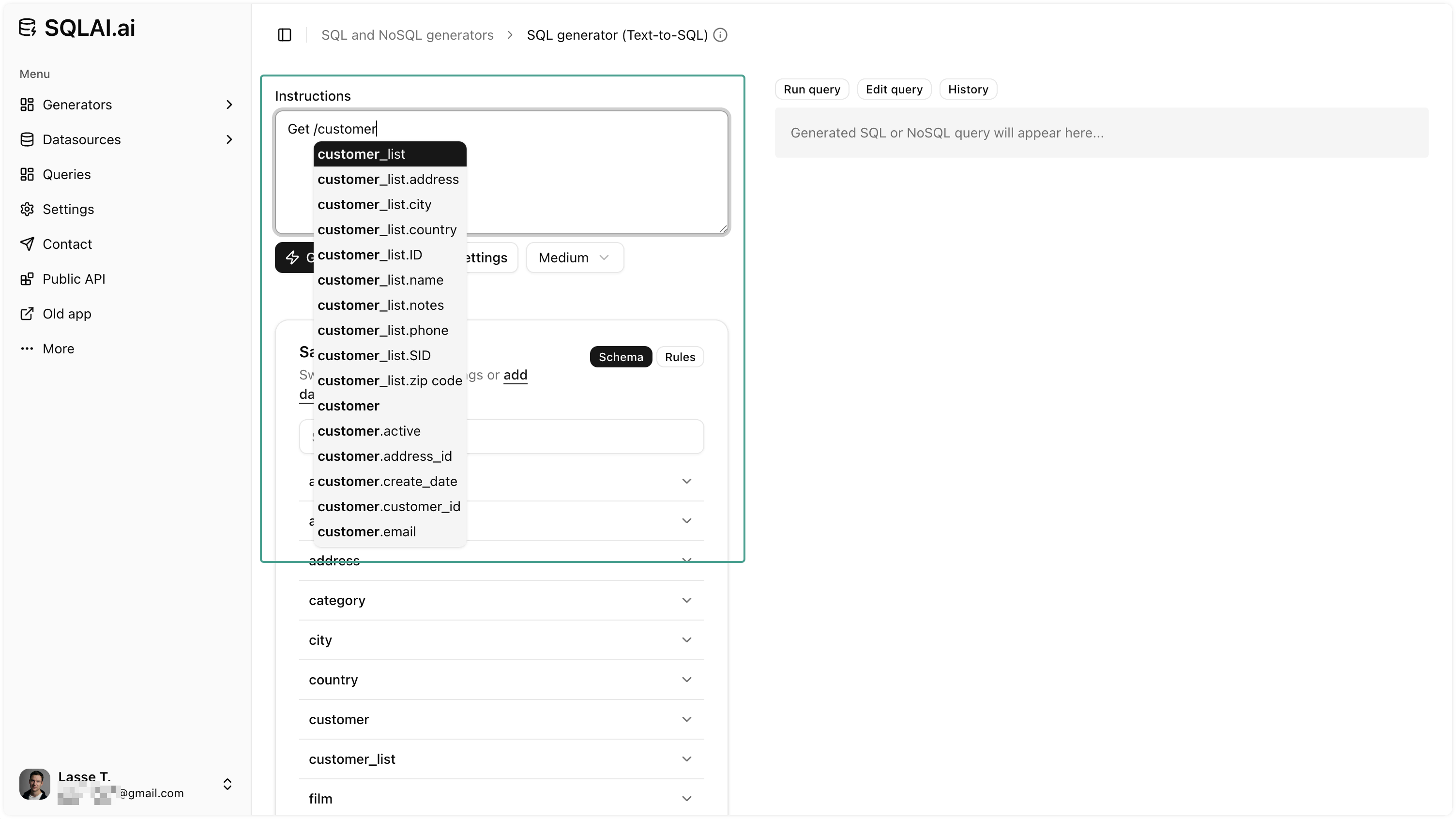
Schema Autosuggest
Effortlessly Access Database Schema While Typing
Trigger an autosuggest with your database's tables and columns. This makes writing instructions even faster and a great way to lookup table and column names. Can be configured on the settings page.
Large Schemas
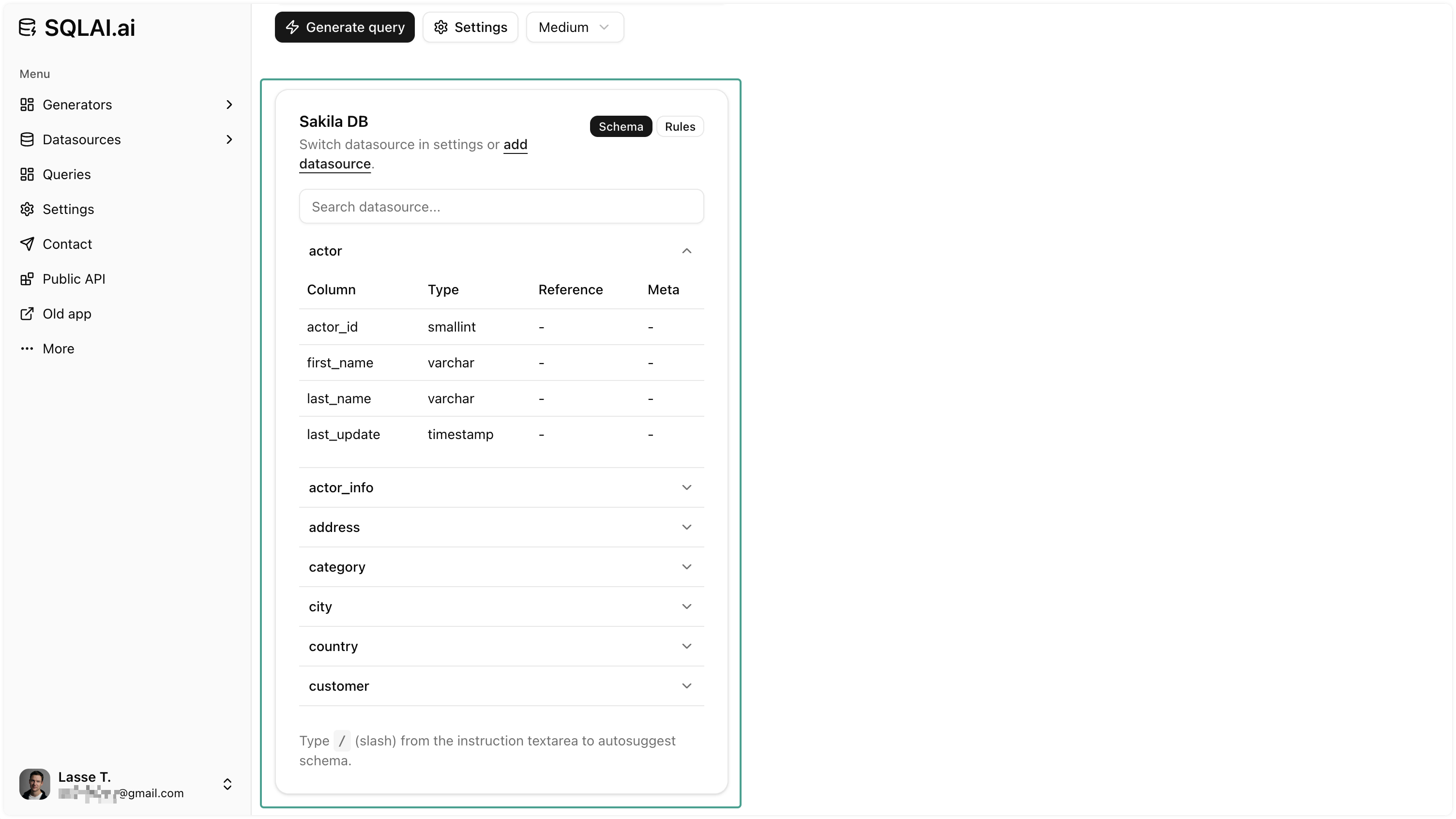
Use Data Sources With Large Database Schema
Add data source with large a database schema without expiring the AI's context window and still retain accuracy (tested with schemas containing 600+ tables).
Supported Database Engines
Below is a list of the most common databases that we support. See all on the supported databases.
 \
MySQL \
Connect  \
PostgreSQL \
Connect  \
SQL Server (MS) \
Connect  \
Oracle PL/SQL \
Connect
BigQuery
SQL (native)
 \
SQLite

Snowflake

DB2

Sybase

Redshift

Trino SQL (AWS Athena)
 \
Presto
 \
DynamoDB
PartiQL

GraphQL

Vertica
Cassandra
OrientDB

SAP Hana

Elasticsearch
Redis Query Engine

Splunk

ClickHouse
Microsoft Access

Neo4j

Apache Hive
Show all
Query Helper Tools
Generators have powerful helper tools to make working with SQL and NoSQL easier.
Run Query
Run Query On Connected Data Source
When using the SQL (or NoSQL) generator you can effortlessly run the generated query by clicking the "Run query" button.
Format Query
Format Query With Custom Rules
Format generated query according to custom formatting rules to ensure optimal readability.
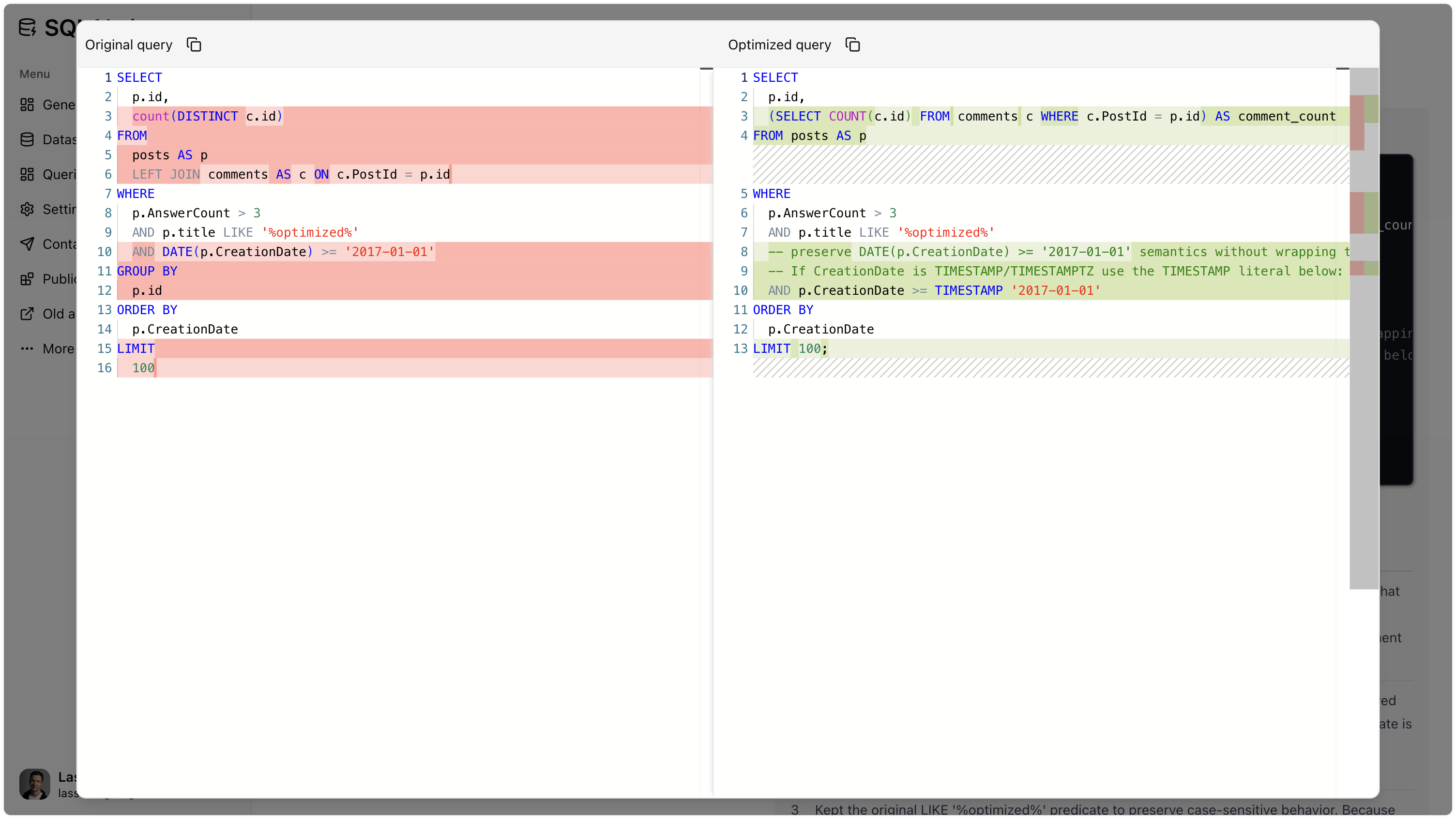
View Diff
View Diff Made By AI
When optimizing a query (or fixing it) click the "View diff" button to compare the changes made by AI to the original query.
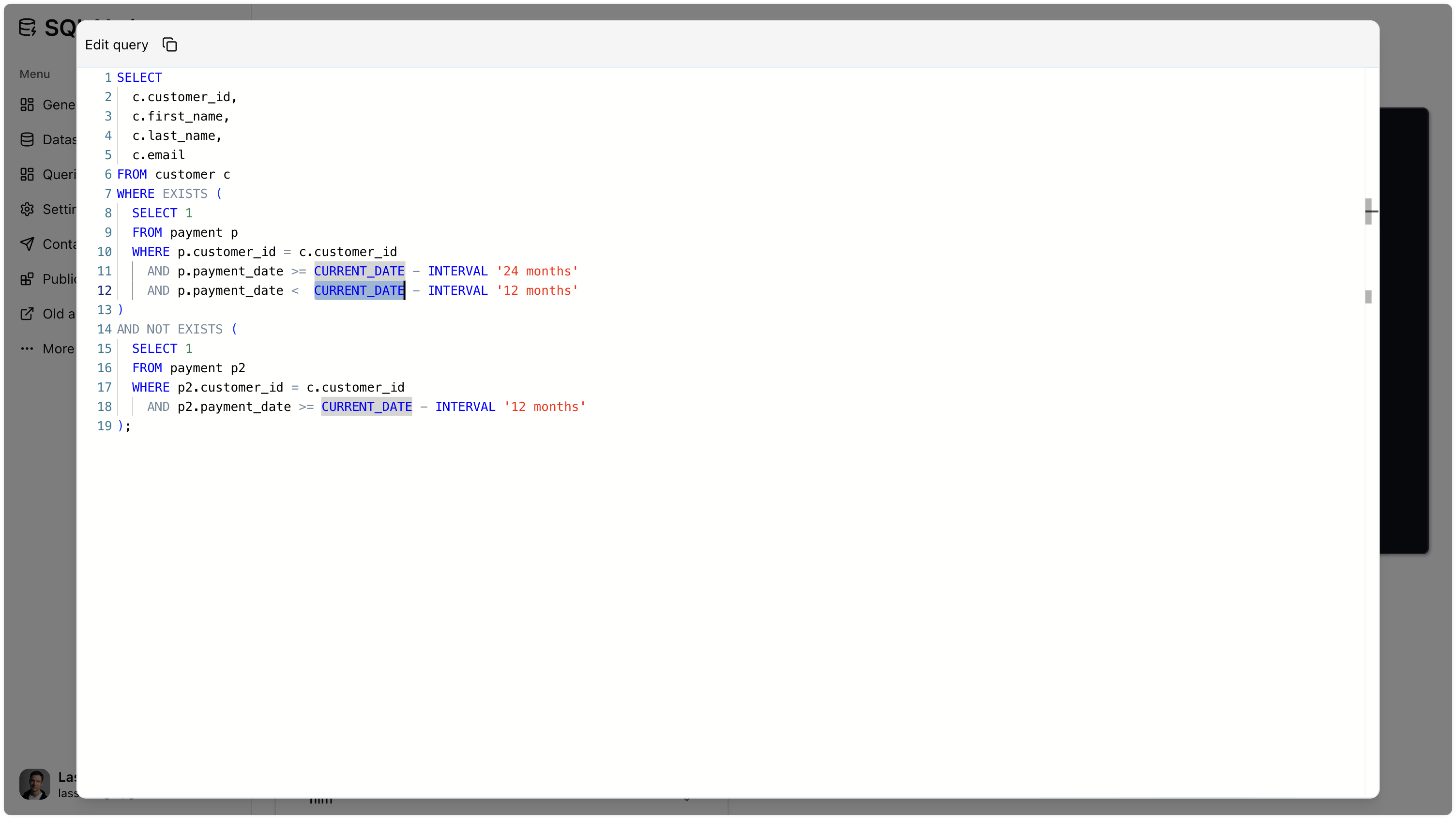
Query Editor
Edit Query Using Full-Fledged VS Code
If you want to make manual adjustments to the generated query, simply click the "Editor" button and a VS Code editor will open.
These are some of the build-in helper tools. Explore all in the app.
What our users say
FAQ
What is SQLAI.ai?
SQLAI.ai is an affordable, easy-to-use SQL multi-tool designed for both SQL beginners and professionals. Our core generators assist users in producing precise SQL or NoSQL queries, saving hours of work and resources. Additionally, SQLAI.ai is equipped with simple yet powerful helper tools, such as 'Run Query,' 'View Diff,' and 'Formatting.'
Who is SQLAI.ai for?
SQLAI.ai caters to a diverse range of users, from SQL beginners to seasoned professionals, each with different needs. While some require SQL generation, others seek data insights or SQL query optimization. Our users include developers, data analysts, business users, SQL learners, experienced SQL practitioners, small business owners, startups, and many more.
Why choose SQLAI.ai?
Here are some reasons to choose SQLAI.ai and why we stand out:
- Unprecedented accuracy through highly optimized prompts, powered by the world's leading AI model and data source rules
- Effortless handling of very large database schemas without exhausting the context window
- Instant result streaming (no need to wait 5-15 seconds for an answer)
- Fully encrypted and containerized database connectivity
- A variety of powerful helper tools
- Multi-lingual support (write in your preferred language)
- Ease of use and affordability (pays off in no time)
Do you have a public API?
Yes, we have a public API. You can read more about it here.
Do you have team subscriptions?
We are currently developing team subscriptions for companies. We will announce it on our social media accounts once launched.
Can I use SQLAI.ai with my large database schema?
Yes, SQLAI.ai has been successfully tested with databases containing over 600 tables to generate queries.
Does SQLAI.ai have documentation?
Yes, you can find our documentation here.
Is it safe to connect to my data source?
Yes, our data source connectivity acts only as a proxy between you and your data source. Connection credentials are stored fully encrypted on separate servers and can be deleted at any time. You can read more in our documentation.
Get started
Whether beginner or pro, explore the benefits for yourself.