

详细内容
Your Twitter History, Intelligently Preserved
Twitter Viewer / Media Viewer / Bookmarks Manager
Anonymous Twitter Viewer
View Twitter without account
Use Twillot's anonymous Twitter viewer to browse public accounts, tweets, and media without logging in. Save permanently to Twillot Vault—never lose a tweet again.
- No X account registration or login required
- Batch download Twitter images / videos / GIFs with one click
- More than a viewer—data analytics included
Join our waiting list to get access to the full features.
Twitter Data Management & Backup
Organize Twitter data with ease
Twillot offers multiple ways to backup bookmarks, likes, and tweet history. Use AI classification and local search to turn them into a searchable, exportable personal knowledge base.
- Auto-backup bookmarks, likes, and tweet history
- AI smart classification, instant local search
- Export to PDF / CSV / MD / Obsidian
Explore Twillot Organize X Bookmarks
If you are a serious Twitter user, start from here.
From Spectator to Master
Start anonymous, then sync data, finally build your knowledge base. At your own pace.
Step 1·Free
Anonymous Viewing
Enter your email and we'll create a private Twitter viewer link. Browse public accounts, tweets, and media on desktop or mobile without logging in.
Step 2·Extension / Archive Import
One-Click X Data Sync
When you have your own X account, install the Twillot extension or import official archives to auto-sync bookmarks, likes, tweet history, and follower networks.
Recommended
Step 3·Recommended
Basic Plan: Turn Content into Assets
Upgrade to Twillot Basic to unlock unlimited folders, AI auto-classification, lightning-fast local search, and export to PDF / CSV / Markdown / Google Drive. Transform scattered tweets into a searchable, analyzable knowledge base.
Start with Free Twitter Viewer Now See What Basic Plan Can Do
One Tool, Infinite Possibilities
Anonymous Viewer: Browse Without Login
- Browse public account timelines
- View complete tweet threads and replies
- One-click view and download images / videos / GIFs
- Clean, ad-free, distraction-free interface
Twitter Data Management: Never Lose Important Content
- Auto-backup your bookmarks, likes, and tweet history
- AI smart classification: organize by topic, sentiment, context
- Drag-and-drop grouping, color tags, unlimited folders
- Local indexing, millisecond search for any tweet or media
Export & Analytics: From Tweets to Reports
- One-click export to PDF / CSV / Markdown / JSON / Google Drive
- Visual table view with batch filtering, sorting, and pagination
- Media center: batch download Twitter images and videos
- Deliverable, shareable results for creators, researchers, and teams
Powerful, Yet Simple
Every feature designed to turn tweets into your knowledge assets
Search Twitter Bookmarks with Instant Results
Local indexing makes search blazing fast. No matter how many bookmarks and likes you have, find your target tweet instantly.
- Full-text search supports multiple languages
- Filter by author, date, media type
- Highlight matching keywords
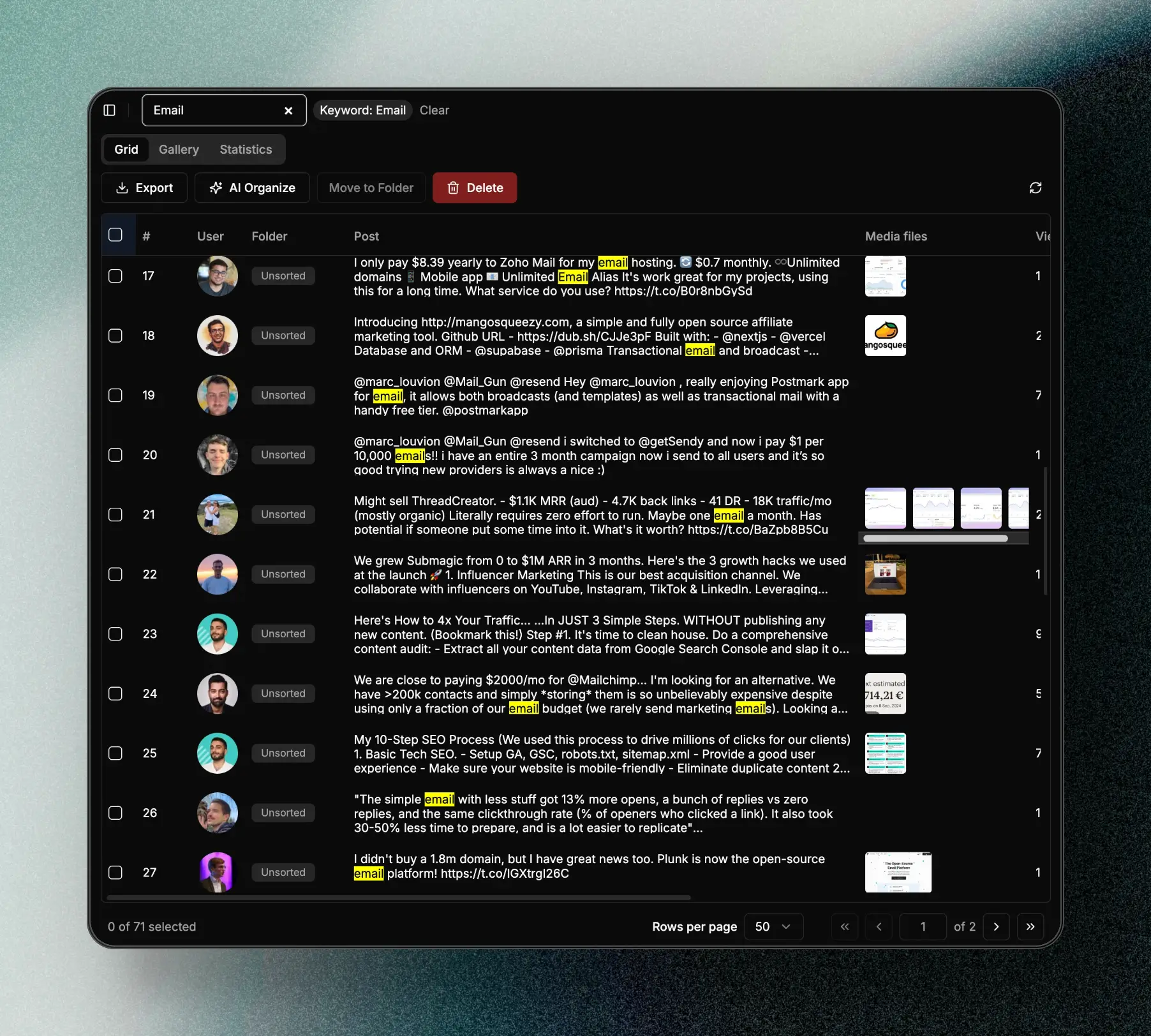
Unlimited Twitter Bookmarks Folder for Free
Organize your content with folders and tags. Drag-and-drop grouping, color labels—keep scattered tweets well-organized.
- Unlimited folder hierarchy
- Drag-and-drop batch organization
- Custom color tags
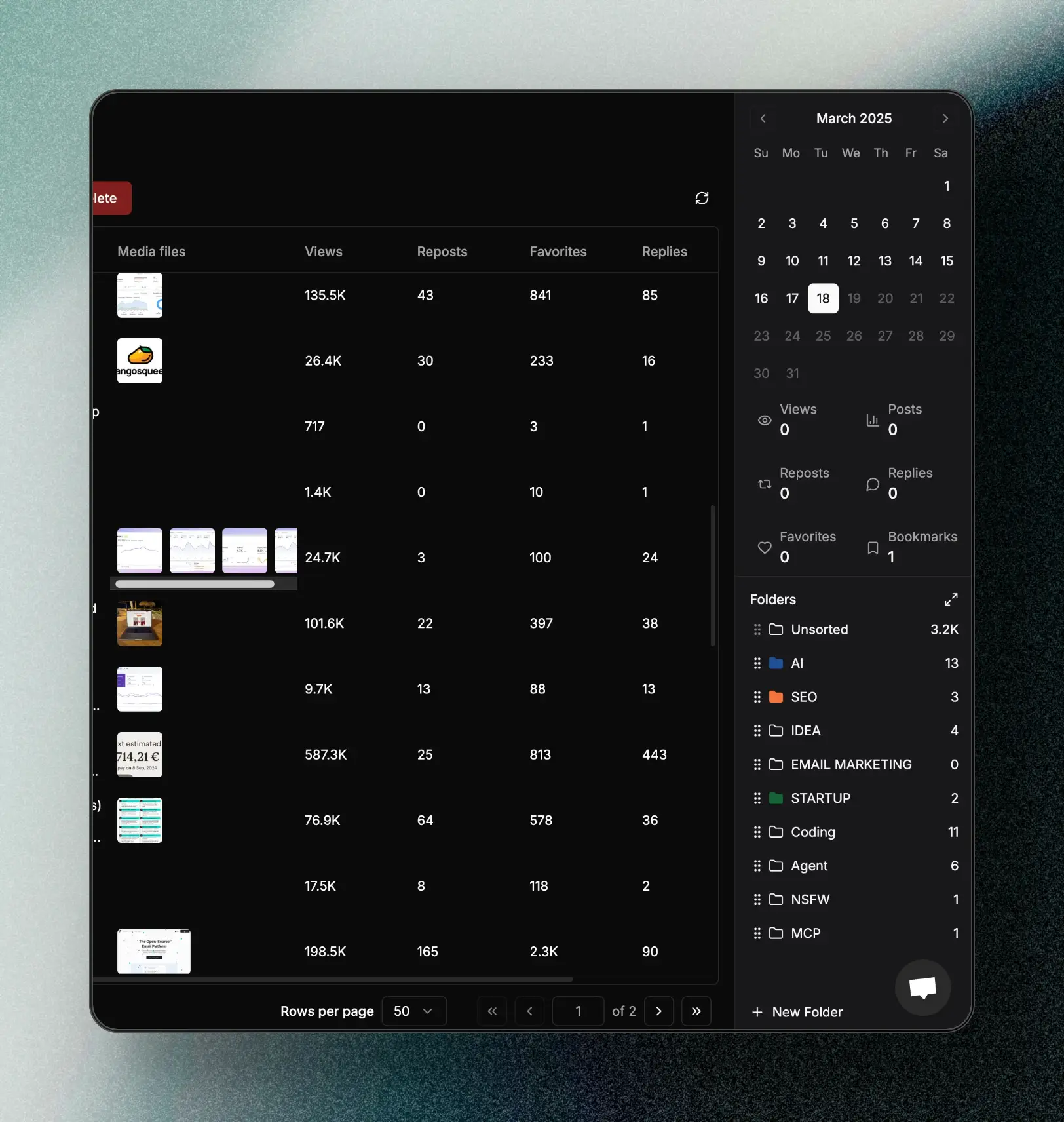
Powerful Twitter Media Downloader and Viewer
View all saved images, videos, and GIFs in gallery mode. One-click download and batch selection supported.
- Waterfall browsing experience
- Batch selection and download
- Original quality preservation

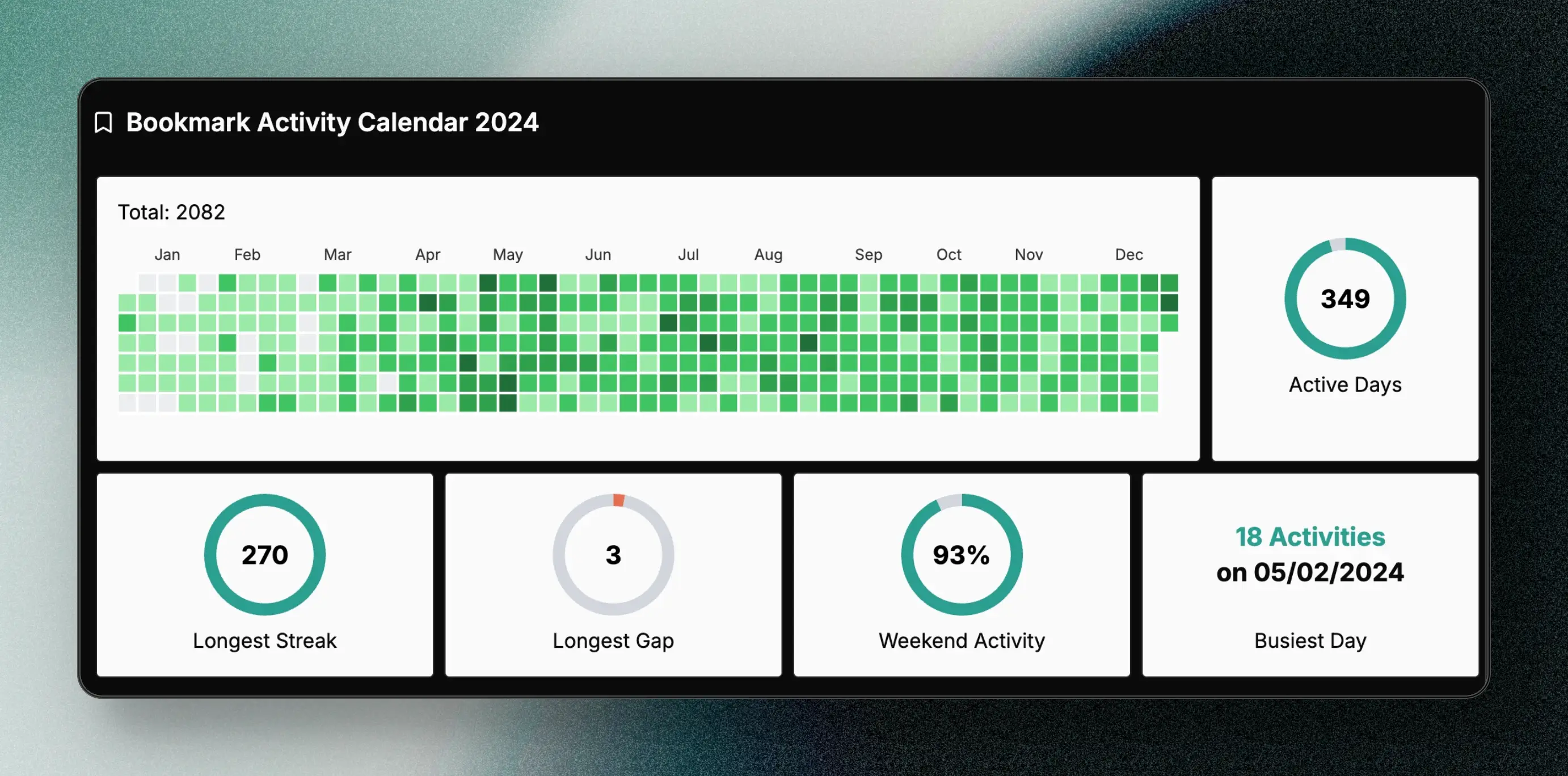
Twitter Viewer based on account activity
Visualize yours and any public account's tweet activity. Understand reading habits and content preferences.
- Daily/weekly activity charts
- Content type distribution
- Author interaction rankings
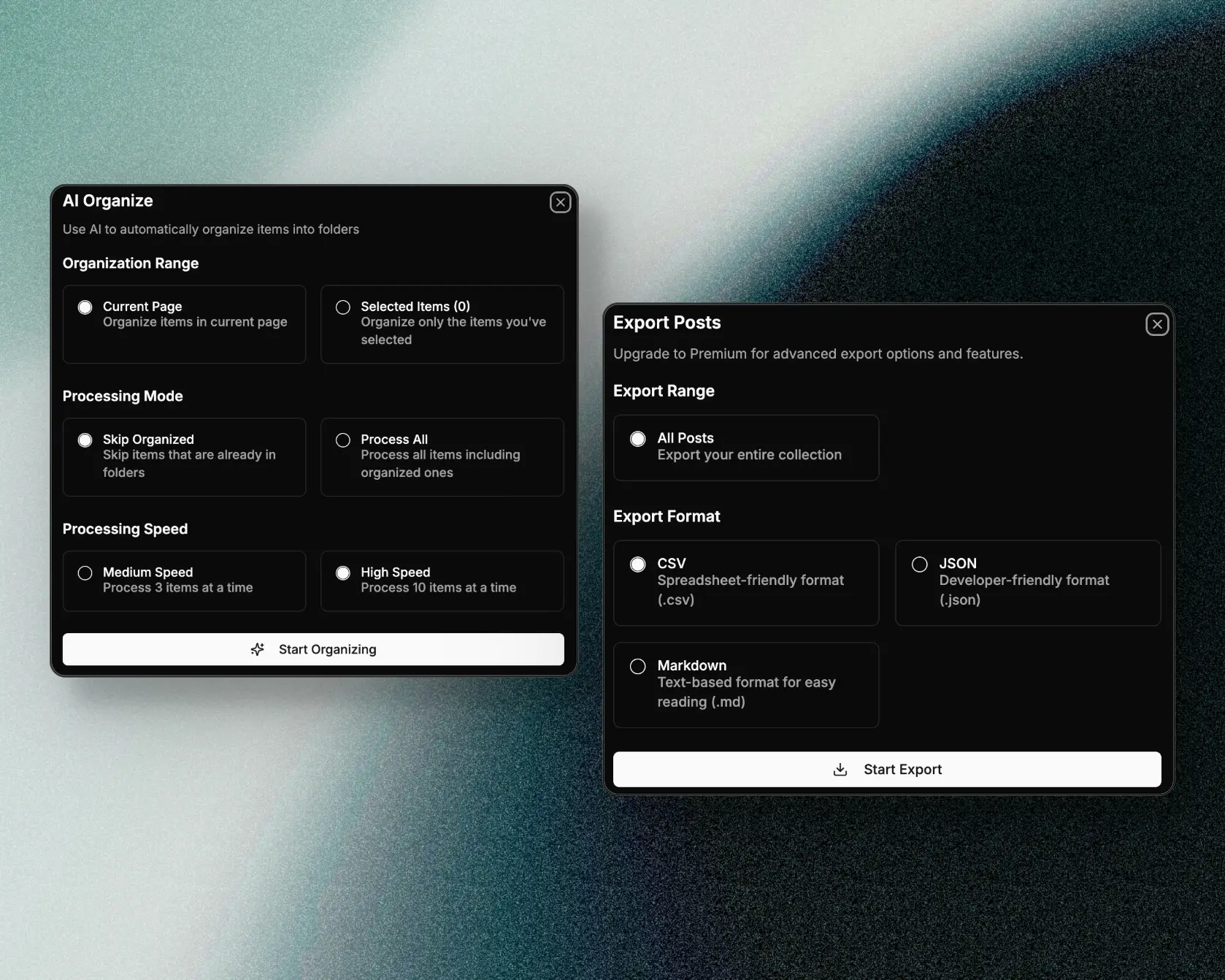
AI Classification + Multi-Format Export
AI automatically classifies tweets by topic. One-click export to PDF, CSV, Markdown, or Google Drive—make content truly usable.
- AI smart topic recognition
- Multiple export formats
- Preserve original format and media
Block Management, Clean Timeline
Centrally manage your block list. Quickly add or remove—keep your timeline fresh and focused.
- Batch block management
- Block reason tagging
- One-click export block list

Built for Every Curious Mind
AI Knowledge Enthusiasts
Collect and organize AI tweets scattered across X. Use AI classification and local search to build your personal AI knowledge base.
Content Creators / Journalists / Writers
Permanently save inspiration, leads, and comments. One-click export to PDF or Markdown—easily integrate into your writing workflow.
Academic Researchers / Analysts
Track the full chain of tweets about people / topics / events. Export as datasets for statistical analysis and visualization.
Marketing / Brand Ops / Product Managers
Centrally view user feedback, campaign results, and industry trends. Use export and filters for competitive analysis and sentiment tracking.
Web3 / Investors
Consolidate project info, KOL opinions, and market sentiment in one space. Quickly search historical views to support decisions and risk management.
NSFW Enthusiasts
Browse sensitive content anonymously. Save favorite media locally—no trace, no account binding, complete control over your private collection.
See How Basic Plan Fits These Scenarios
Your Privacy, Our Bottom Line
Local First
Data is indexed and searched locally. Cloud is only for sync and backup.
Minimal Permissions
Anonymous viewer never posts, likes, or follows on X on your behalf.
Transparent Email Usage
Email is only for sending your private viewer link and essential notifications. Unsubscribe anytime.
Exportable, Deletable
Export or delete your data anytime. Complete control over your Twitter data.
Real voices from real users
What Users Say
Thousands of users already use Twillot to take back control of their Twitter data
"Twillot made me realize we don't need AI—we need services that truly solve our needs. When I imported data and saw bookmark history growing like GitHub contribution squares, I thought 'the author really understands UX!' Then avatar frames appeared after loading, and I knew this would be a viral product. I love the full-text search! And it's free!"

@XchenEvan
Twitter User
"The most practical X/Twitter bookmark management tool I've used. Very simple and straightforward to use, yet powerful. Hope privacy is secure too, but for bookmark management experience, it's really great!"

dbo514
Chrome Web Store User
"Twitter's bookmark feature has always been weak. If you feel your bookmarks are too messy, try a dedicated Twitter bookmark management tool. After comparison, the two best choices are Twillot and Dewey."

@nishuang
Notable Designer · Twitter
"Found an X bookmark organizing extension called twillot. Tried it and it's much better than X's built-in bookmark management. Thoughtfully added classification, export, and organization features—perfect for those who accumulate knowledge on X. The developer is amazing!"

@honeycyj
Designer · Twitter
Learn More
Posts from Twitter Viewer

Nov 19, 20255 min
How to View Twitter Without an Account in 2025: The Ultimate Guide
Since July 2023, X (formerly Twitter) has tightened restrictions on non-logged-in users. Even for public information, users are frequently interrupted by pop-ups or cannot see full search results.
Posts from Delete Tweets

Nov 18, 202511 min
The Ultimate Guide to Delete Tweets: Why and How to Clean Your Digital Footprint
In today's digital age, your online presence carries as much weight as your real-world identity. Every tweet (now X platform post) becomes part of your digital footprint, and this trail can resurface when you least expect it. Understanding why and how to delete Twitter posts has become a crucial aspect of online reputation management and personal branding.
Now, Begin
Choose the way that suits you
Browse tweets anonymously?
Enter your email, get your private Twitter viewer link, start right away.
Already a serious X user?
See how Twillot Basic can take over your entire account history.