

详细内容
Important: Unscreen will shut down on December 1, 2025 at 9:00 a.m.
Central European Time (CET).
Remove Video Background
100% Automatically and Free

Upload Clip
or
Search GIF
Supported formats: .mp4, .webm, .mov, .gif
Paste video or
URL ctrl + v
By uploading a video or URL you agree to our Terms of Service.
To learn more about how Unscreen handles your personal data, check our Privacy Policy.
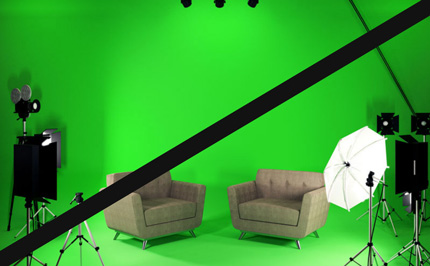
Goodbye Greenscreen
Producing background-free video used to require complex and fiddly techniques like chroma keying and greenscreens. With Unscreen you can record your footage anywhere, then simply get rid of the background.
100% Automatically, without a single click
No need to pick pixels, select colors, paint masks or move paths: Unscreen analyzes your video 100% automatically and generates a high-quality result. Simple, good.
Amazingly Accurate
NEW Unscreen Pro Plugin for Adobe Premiere Pro & After Effects
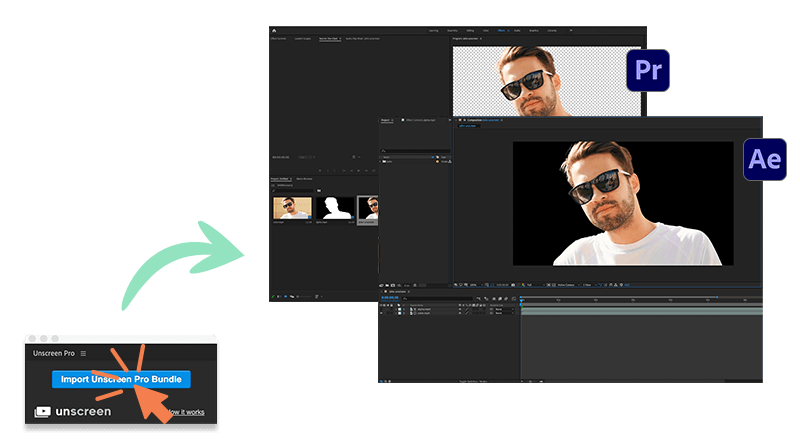
Install the plugin, process your video with Unscreen Pro, and then hit the „Import Unscreen Pro Bundle“ button to seamlessly upload the zip file to your video editing software.
Don’t just take our word for it
- One of the most exciting tools I have seen for content creation lately!

Manu Muraro
Your Social Team, Founder
- Who needs green screens anymore when you can just upload a video and Unscreen's AI will remove the background to perfection?

Bret Sinclair
Bret Sinclair Music, Indie Music Producer
- One of the most exciting tools I have seen for content creation lately!
Manu Muraro
Your Social Team, Founder
- Who needs green screens anymore when you can just upload a video and Unscreen's AI will remove the background to perfection?
Bret Sinclair
Bret Sinclair Music, Indie Music Producer
- One of the most exciting tools I have seen for content creation lately!
Manu Muraro
Your Social Team, Founder
- Who needs green screens anymore when you can just upload a video and Unscreen's AI will remove the background to perfection?
Bret Sinclair
Bret Sinclair Music, Indie Music Producer
Item 1 of 2
As seen on









Questions, Feedback, Ideas?
Blog
Nov 02, 2023\
\
\
The Ultimate Beginner’s Guide to Video Editing Aug 29, 2023\
\
\
4 Back-to-School Video Ideas to Wow Your Students Jun 22, 2023\
\
\
3 Steps to Creating Engaging Social Media Video Content
Get Updates
Sign up for our mailing list to receive news and updates about Unscreen products and services. You can unsubscribe at any time.
Subscribe
To learn more about how Unscreen handles your personal data, check our Privacy Policy.
By using Unscreen you agree to the use of cookies. You can find details on how we use cookies in our Cookie Policy.
Drop video or GIF anywhere
(1 file at a time)