

详细内容
Focus on building important features, not pushing `fix: typos`
Add and Manage a Blog on Next.js
Wisp is a headless CMS for Next.js & React. No more image hassles or markdown. Boost traffic and update content in minutes, not hours.
Trusted by these companies








Problem
Content Updates Slowing You Down?
Interruption from Non-Developers
Constantly being pulled away to help with blog updates and formatting? Don't let these interruptions distract you from critical features.
Image Hosting Frustrations
Struggling to upload and serve images without cluttering your codebase? Managing images can be a real hassle.
Distracted from Core Features
Spending too much time on pagination, related articles, and search? Don't let these distract you from shipping features that move the needle.
Solution
Ship Content & Features Faster
Don't let 'adding a blog' throw you off course. Wisp helps reduce interruptions, boost your site's SEO and lets you focus on what matters.
Effortless Integration with Next.js
Integrate Wisp into your Next.js site using our SDK. Only a few lines of code are needed, complete with TypeScript types. Save precious development time for more critical tasks.
https://wisp.blog/docs/core-concepts/js-sdk
Lightning-Fast Content Delivery
Your content and images are served via a global CDN, ensuring blazing fast rendering and superior SEO. Leverage Next.js caching to serve content instantaneously for users worldwide.
https://developer.chrome.com/docs/lighthouse
Distraction-Free Editor
Our editor requires no markdown skills. Designed to feel like Medium or Notion, it provides a familiar, user-friendly interface. Your team can manage formatting on their own, even embedding YouTube videos effortlessly.
Boost Organic Traffic
Boost organic traffic with Wisp's built-in SEO features. Our code samples guide you through implementing JSON-LD, sitemaps, and metadata to enhance search engine visibility.
Get Started in Minutes
Just 3 Steps to Launch Your Blog
1. Write Your First Post
Sign up with Google, GitHub, or email. Start writing in the 'New Post' tab. Watch a quick video to explore the editor.
2. Choose Setup Method
Click on the 'Setup' tab. Choose to integrate with your existing Next.js site or launch a new blog using one of our blog starters.
3. Follow Setup Instructions
Follow detailed step-by-step instructions with code snippets. Utilize code examples to see real-world implementations.
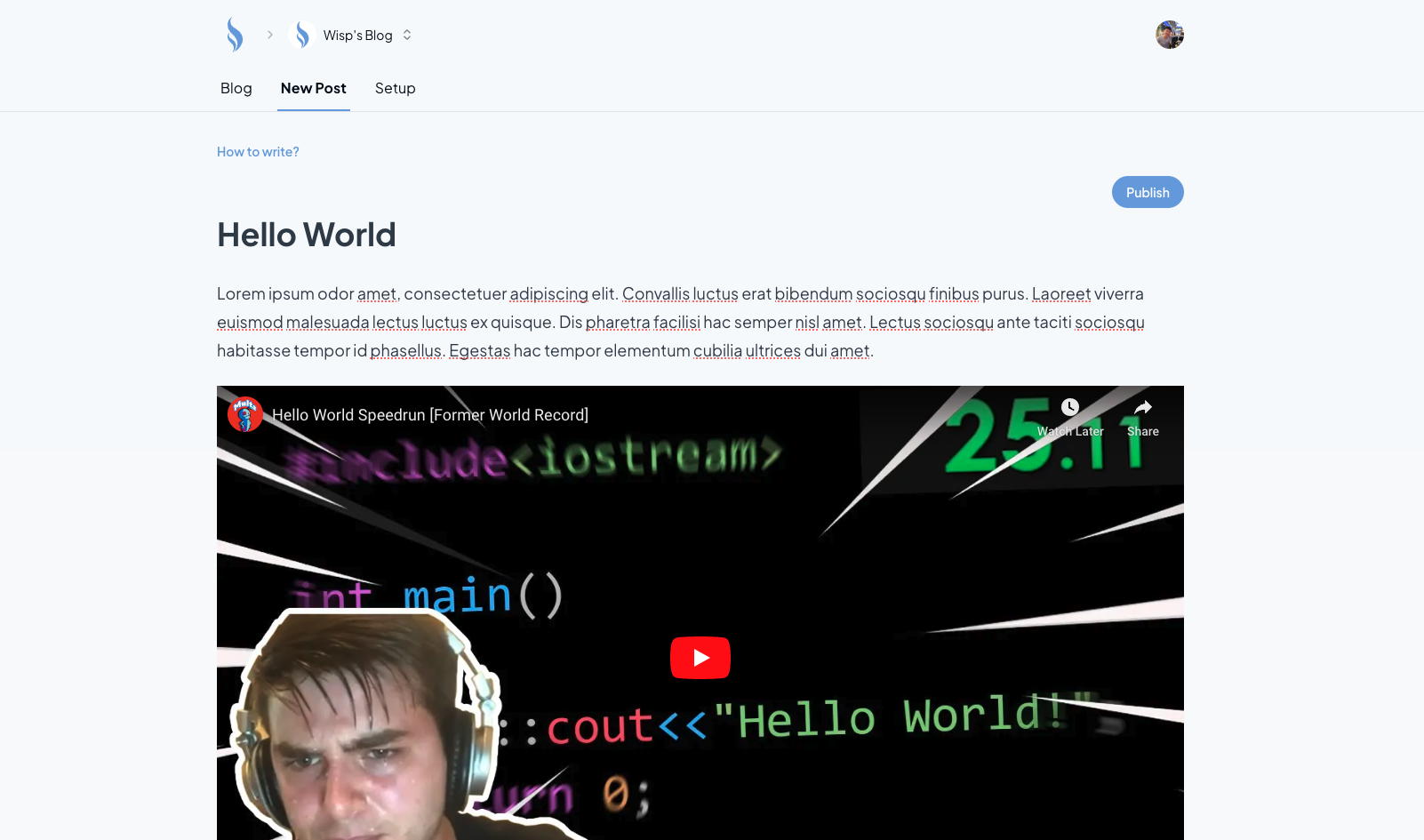
1. Write Your First Post
Sign up with Google, GitHub, or email. Start writing in the 'New Post' tab. Watch a quick video to explore the editor.
2. Choose Setup Method
Click on the 'Setup' tab. Choose to integrate with your existing Next.js site or launch a new blog using one of our blog starters.
3. Follow Setup Instructions
Follow detailed step-by-step instructions with code snippets. Utilize code examples to see real-world implementations.