

详细内容
Turn text into videos with AI voices
Transform your ideas into stunning videos with our AI video generator. Easy to use Text to Video editor featuring lifelike voiceovers, dynamic AI video clips, and a wide range of AI-powered features.
credit card not required

Video Player is loading.
Play Video
PlaySkip BackwardSkip Forward
Mute
Current Time 0:00
/
Duration 0:00
Loaded: 0%
Stream Type LIVE
Seek to live, currently behind liveLIVE
Remaining Time -0:00
1x
Playback Rate
Chapters
- Chapters
Descriptions
- descriptions off, selected
Captions
- captions settings, opens captions settings dialog
- captions off, selected
Audio Track
Picture-in-PictureFullscreen
This is a modal window.
Beginning of dialog window. Escape will cancel and close the window.
TextColorWhiteBlackRedGreenBlueYellowMagentaCyanOpacityOpaqueSemi-TransparentText BackgroundColorBlackWhiteRedGreenBlueYellowMagentaCyanOpacityOpaqueSemi-TransparentTransparentCaption Area BackgroundColorBlackWhiteRedGreenBlueYellowMagentaCyanOpacityTransparentSemi-TransparentOpaque
Font Size50%75%100%125%150%175%200%300%400%Text Edge StyleNoneRaisedDepressedUniformDrop shadowFont FamilyProportional Sans-SerifMonospace Sans-SerifProportional SerifMonospace SerifCasualScriptSmall Caps
ResetDone
Close Modal Dialog
End of dialog window.
Trusted by over 50,000 companies of all sizes
Create professional and engaging videos for every usecase
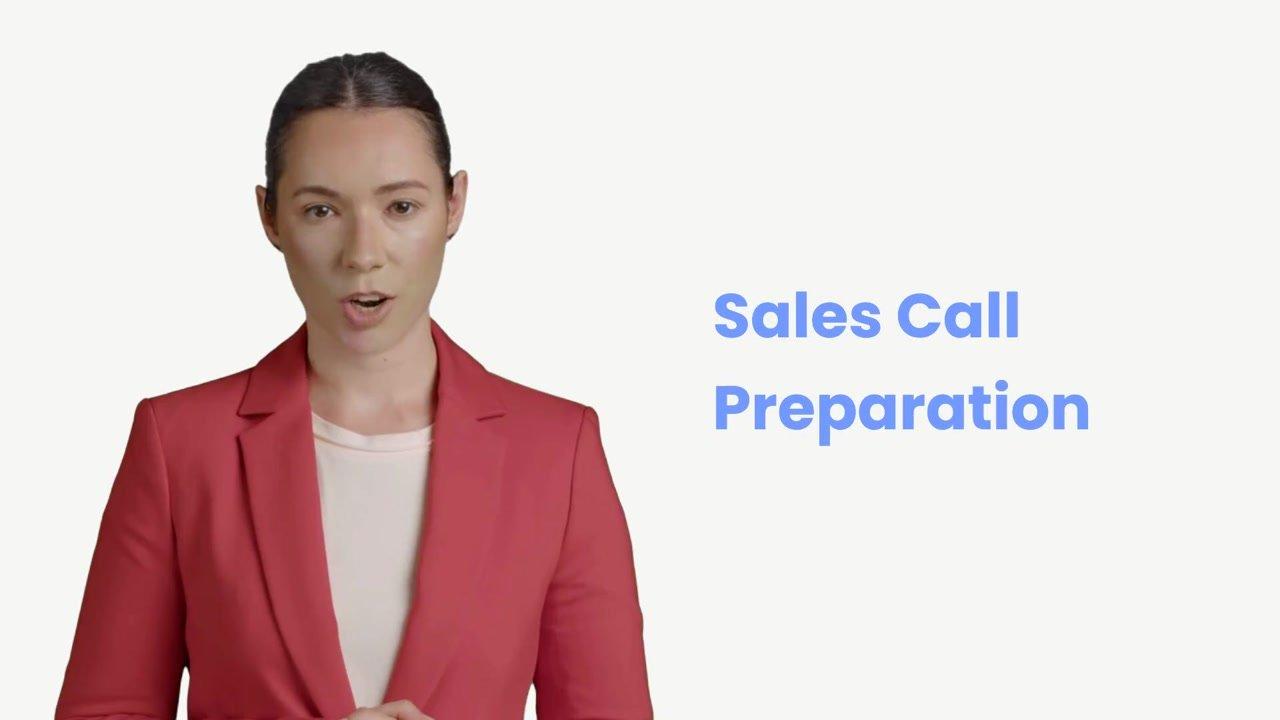
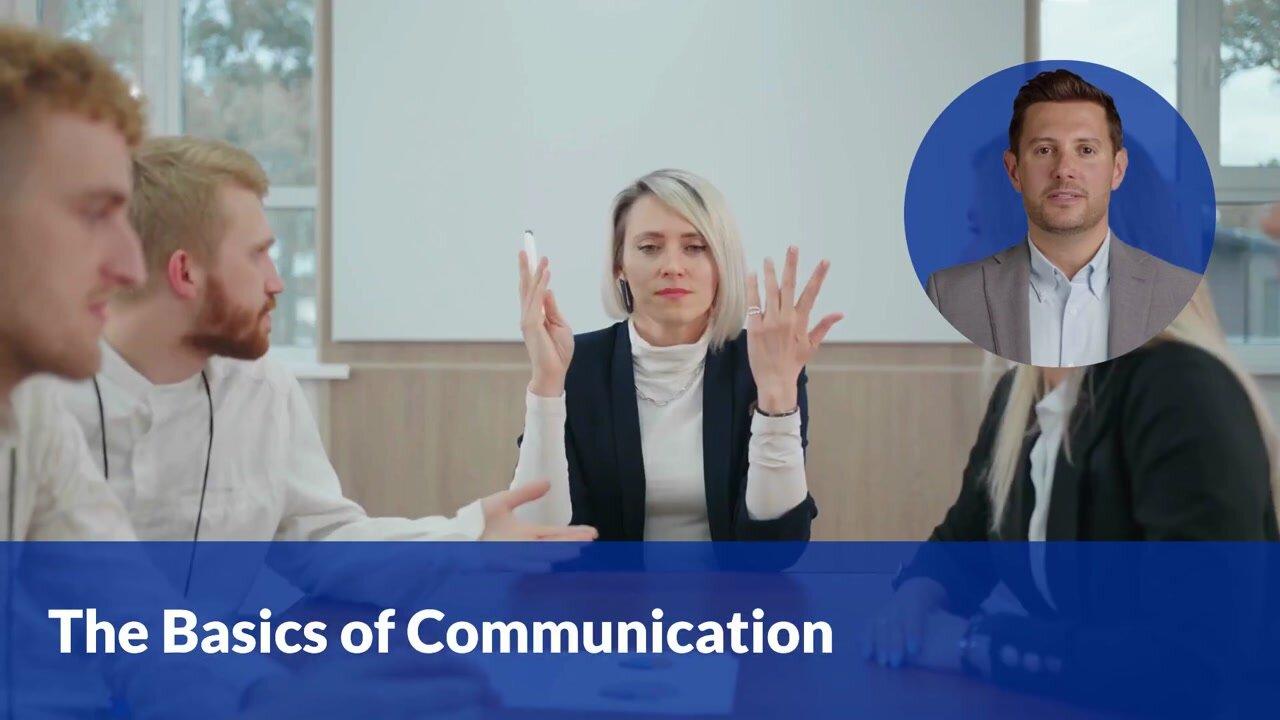
Training and L&DHR & Internal CommunicationsContent CreationEducationMarketing
Video Player is loading.
Play Video
PlaySkip BackwardSkip Forward
Mute
Current Time 0:00
/
Duration -:-
Loaded: 0%
Stream Type LIVE
Seek to live, currently behind liveLIVE
Remaining Time -0:00
1x
Playback Rate
Chapters
- Chapters
Descriptions
- descriptions off, selected
Captions
- captions settings, opens captions settings dialog
- captions off, selected
Audio Track
Picture-in-PictureFullscreen
This is a modal window.
Beginning of dialog window. Escape will cancel and close the window.
TextColorWhiteBlackRedGreenBlueYellowMagentaCyanOpacityOpaqueSemi-TransparentText BackgroundColorBlackWhiteRedGreenBlueYellowMagentaCyanOpacityOpaqueSemi-TransparentTransparentCaption Area BackgroundColorBlackWhiteRedGreenBlueYellowMagentaCyanOpacityTransparentSemi-TransparentOpaque
Font Size50%75%100%125%150%175%200%300%400%Text Edge StyleNoneRaisedDepressedUniformDrop shadowFont FamilyProportional Sans-SerifMonospace Sans-SerifProportional SerifMonospace SerifCasualScriptSmall Caps
ResetDone
Close Modal Dialog
End of dialog window.
Video Player is loading.
Play Video
PlaySkip BackwardSkip Forward
Mute
Current Time 0:00
/
Duration -:-
Loaded: 0%
Stream Type LIVE
Seek to live, currently behind liveLIVE
Remaining Time -0:00
1x
Playback Rate
Chapters
- Chapters
Descriptions
- descriptions off, selected
Captions
- captions settings, opens captions settings dialog
- captions off, selected
Audio Track
Picture-in-PictureFullscreen
This is a modal window.
Beginning of dialog window. Escape will cancel and close the window.
TextColorWhiteBlackRedGreenBlueYellowMagentaCyanOpacityOpaqueSemi-TransparentText BackgroundColorBlackWhiteRedGreenBlueYellowMagentaCyanOpacityOpaqueSemi-TransparentTransparentCaption Area BackgroundColorBlackWhiteRedGreenBlueYellowMagentaCyanOpacityTransparentSemi-TransparentOpaque
Font Size50%75%100%125%150%175%200%300%400%Text Edge StyleNoneRaisedDepressedUniformDrop shadowFont FamilyProportional Sans-SerifMonospace Sans-SerifProportional SerifMonospace SerifCasualScriptSmall Caps
ResetDone
Close Modal Dialog
End of dialog window.

Video Player is loading.
Play Video
PlaySkip BackwardSkip Forward
Mute
Current Time 0:00
/
Duration -:-
Loaded: 0%
Stream Type LIVE
Seek to live, currently behind liveLIVE
Remaining Time -0:00
1x
Playback Rate
Chapters
- Chapters
Descriptions
- descriptions off, selected
Captions
- captions settings, opens captions settings dialog
- captions off, selected
Audio Track
Picture-in-PictureFullscreen
This is a modal window.
Beginning of dialog window. Escape will cancel and close the window.
TextColorWhiteBlackRedGreenBlueYellowMagentaCyanOpacityOpaqueSemi-TransparentText BackgroundColorBlackWhiteRedGreenBlueYellowMagentaCyanOpacityOpaqueSemi-TransparentTransparentCaption Area BackgroundColorBlackWhiteRedGreenBlueYellowMagentaCyanOpacityTransparentSemi-TransparentOpaque
Font Size50%75%100%125%150%175%200%300%400%Text Edge StyleNoneRaisedDepressedUniformDrop shadowFont FamilyProportional Sans-SerifMonospace Sans-SerifProportional SerifMonospace SerifCasualScriptSmall Caps
ResetDone
Close Modal Dialog
End of dialog window.

Video Player is loading.
Play Video
PlaySkip BackwardSkip Forward
Mute
Current Time 0:00
/
Duration -:-
Loaded: 0%
Stream Type LIVE
Seek to live, currently behind liveLIVE
Remaining Time -0:00
1x
Playback Rate
Chapters
- Chapters
Descriptions
- descriptions off, selected
Captions
- captions settings, opens captions settings dialog
- captions off, selected
Audio Track
Picture-in-PictureFullscreen
This is a modal window.
Beginning of dialog window. Escape will cancel and close the window.
TextColorWhiteBlackRedGreenBlueYellowMagentaCyanOpacityOpaqueSemi-TransparentText BackgroundColorBlackWhiteRedGreenBlueYellowMagentaCyanOpacityOpaqueSemi-TransparentTransparentCaption Area BackgroundColorBlackWhiteRedGreenBlueYellowMagentaCyanOpacityTransparentSemi-TransparentOpaque
Font Size50%75%100%125%150%175%200%300%400%Text Edge StyleNoneRaisedDepressedUniformDrop shadowFont FamilyProportional Sans-SerifMonospace Sans-SerifProportional SerifMonospace SerifCasualScriptSmall Caps
ResetDone
Close Modal Dialog
End of dialog window.

Video Player is loading.
Play Video
PlaySkip BackwardSkip Forward
Mute
Current Time 0:00
/
Duration -:-
Loaded: 0%
Stream Type LIVE
Seek to live, currently behind liveLIVE
Remaining Time -0:00
1x
Playback Rate
Chapters
- Chapters
Descriptions
- descriptions off, selected
Captions
- captions settings, opens captions settings dialog
- captions off, selected
Audio Track
Picture-in-PictureFullscreen
This is a modal window.
Beginning of dialog window. Escape will cancel and close the window.
TextColorWhiteBlackRedGreenBlueYellowMagentaCyanOpacityOpaqueSemi-TransparentText BackgroundColorBlackWhiteRedGreenBlueYellowMagentaCyanOpacityOpaqueSemi-TransparentTransparentCaption Area BackgroundColorBlackWhiteRedGreenBlueYellowMagentaCyanOpacityTransparentSemi-TransparentOpaque
Font Size50%75%100%125%150%175%200%300%400%Text Edge StyleNoneRaisedDepressedUniformDrop shadowFont FamilyProportional Sans-SerifMonospace Sans-SerifProportional SerifMonospace SerifCasualScriptSmall Caps
ResetDone
Close Modal Dialog
End of dialog window.

Video Player is loading.
Play Video
PlaySkip BackwardSkip Forward
Mute
Current Time 0:00
/
Duration -:-
Loaded: 0%
Stream Type LIVE
Seek to live, currently behind liveLIVE
Remaining Time -0:00
1x
Playback Rate
Chapters
- Chapters
Descriptions
- descriptions off, selected
Captions
- captions settings, opens captions settings dialog
- captions off, selected
Audio Track
Picture-in-PictureFullscreen
This is a modal window.
Beginning of dialog window. Escape will cancel and close the window.
TextColorWhiteBlackRedGreenBlueYellowMagentaCyanOpacityOpaqueSemi-TransparentText BackgroundColorBlackWhiteRedGreenBlueYellowMagentaCyanOpacityOpaqueSemi-TransparentTransparentCaption Area BackgroundColorBlackWhiteRedGreenBlueYellowMagentaCyanOpacityTransparentSemi-TransparentOpaque
Font Size50%75%100%125%150%175%200%300%400%Text Edge StyleNoneRaisedDepressedUniformDrop shadowFont FamilyProportional Sans-SerifMonospace Sans-SerifProportional SerifMonospace SerifCasualScriptSmall Caps
ResetDone
Close Modal Dialog
End of dialog window.

Video Player is loading.
Play Video
PlaySkip BackwardSkip Forward
Mute
Current Time 0:00
/
Duration -:-
Loaded: 0%
Stream Type LIVE
Seek to live, currently behind liveLIVE
Remaining Time -0:00
1x
Playback Rate
Chapters
- Chapters
Descriptions
- descriptions off, selected
Captions
- captions settings, opens captions settings dialog
- captions off, selected
Audio Track
Picture-in-PictureFullscreen
This is a modal window.
Beginning of dialog window. Escape will cancel and close the window.
TextColorWhiteBlackRedGreenBlueYellowMagentaCyanOpacityOpaqueSemi-TransparentText BackgroundColorBlackWhiteRedGreenBlueYellowMagentaCyanOpacityOpaqueSemi-TransparentTransparentCaption Area BackgroundColorBlackWhiteRedGreenBlueYellowMagentaCyanOpacityTransparentSemi-TransparentOpaque
Font Size50%75%100%125%150%175%200%300%400%Text Edge StyleNoneRaisedDepressedUniformDrop shadowFont FamilyProportional Sans-SerifMonospace Sans-SerifProportional SerifMonospace SerifCasualScriptSmall Caps
ResetDone
Close Modal Dialog
End of dialog window.

Video Player is loading.
Play Video
PlaySkip BackwardSkip Forward
Mute
Current Time 0:00
/
Duration -:-
Loaded: 0%
Stream Type LIVE
Seek to live, currently behind liveLIVE
Remaining Time -0:00
1x
Playback Rate
Chapters
- Chapters
Descriptions
- descriptions off, selected
Captions
- captions settings, opens captions settings dialog
- captions off, selected
Audio Track
Picture-in-PictureFullscreen
This is a modal window.
Beginning of dialog window. Escape will cancel and close the window.
TextColorWhiteBlackRedGreenBlueYellowMagentaCyanOpacityOpaqueSemi-TransparentText BackgroundColorBlackWhiteRedGreenBlueYellowMagentaCyanOpacityOpaqueSemi-TransparentTransparentCaption Area BackgroundColorBlackWhiteRedGreenBlueYellowMagentaCyanOpacityTransparentSemi-TransparentOpaque
Font Size50%75%100%125%150%175%200%300%400%Text Edge StyleNoneRaisedDepressedUniformDrop shadowFont FamilyProportional Sans-SerifMonospace Sans-SerifProportional SerifMonospace SerifCasualScriptSmall Caps
ResetDone
Close Modal Dialog
End of dialog window.

Video Player is loading.
Play Video
PlaySkip BackwardSkip Forward
Mute
Current Time 0:00
/
Duration -:-
Loaded: 0%
Stream Type LIVE
Seek to live, currently behind liveLIVE
Remaining Time -0:00
1x
Playback Rate
Chapters
- Chapters
Descriptions
- descriptions off, selected
Captions
- captions settings, opens captions settings dialog
- captions off, selected
Audio Track
Picture-in-PictureFullscreen
This is a modal window.
Beginning of dialog window. Escape will cancel and close the window.
TextColorWhiteBlackRedGreenBlueYellowMagentaCyanOpacityOpaqueSemi-TransparentText BackgroundColorBlackWhiteRedGreenBlueYellowMagentaCyanOpacityOpaqueSemi-TransparentTransparentCaption Area BackgroundColorBlackWhiteRedGreenBlueYellowMagentaCyanOpacityTransparentSemi-TransparentOpaque
Font Size50%75%100%125%150%175%200%300%400%Text Edge StyleNoneRaisedDepressedUniformDrop shadowFont FamilyProportional Sans-SerifMonospace Sans-SerifProportional SerifMonospace SerifCasualScriptSmall Caps
ResetDone
Close Modal Dialog
End of dialog window.

Video Player is loading.
Play Video
PlaySkip BackwardSkip Forward
Mute
Current Time 0:00
/
Duration -:-
Loaded: 0%
Stream Type LIVE
Seek to live, currently behind liveLIVE
Remaining Time -0:00
1x
Playback Rate
Chapters
- Chapters
Descriptions
- descriptions off, selected
Captions
- captions settings, opens captions settings dialog
- captions off, selected
Audio Track
Picture-in-PictureFullscreen
This is a modal window.
Beginning of dialog window. Escape will cancel and close the window.
TextColorWhiteBlackRedGreenBlueYellowMagentaCyanOpacityOpaqueSemi-TransparentText BackgroundColorBlackWhiteRedGreenBlueYellowMagentaCyanOpacityOpaqueSemi-TransparentTransparentCaption Area BackgroundColorBlackWhiteRedGreenBlueYellowMagentaCyanOpacityTransparentSemi-TransparentOpaque
Font Size50%75%100%125%150%175%200%300%400%Text Edge StyleNoneRaisedDepressedUniformDrop shadowFont FamilyProportional Sans-SerifMonospace Sans-SerifProportional SerifMonospace SerifCasualScriptSmall Caps
ResetDone
Close Modal Dialog
End of dialog window.
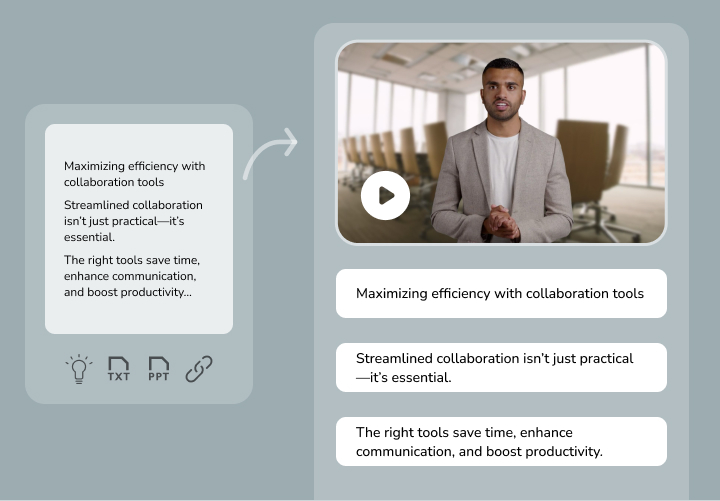
Discover effortless content creation in 4 simple steps
1. Start with your text, ideas, ppt, blogs or product urls
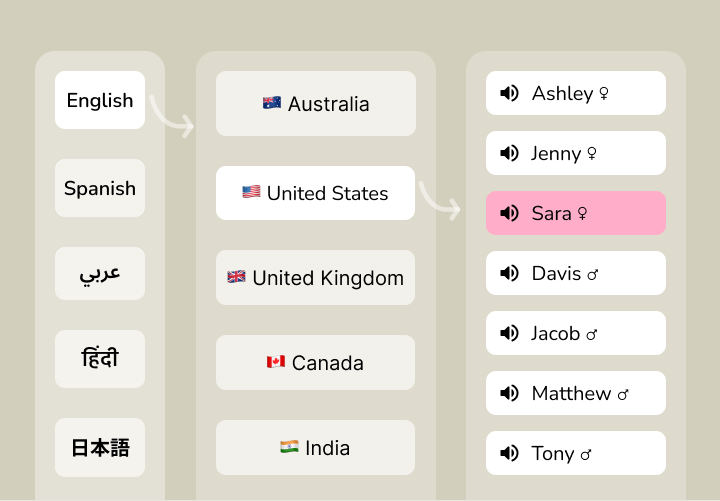
2. Choose and personalise your AI voice
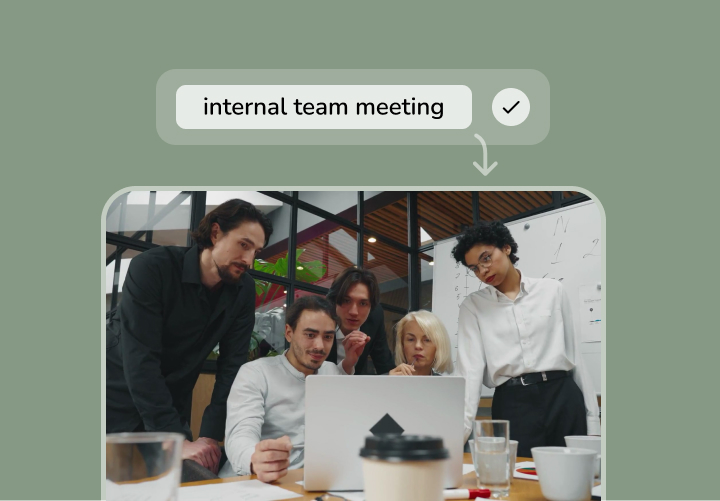
3. Select media or let AI create

4. Preview instantly and perfect your creation

Video Player is loading.
Play Video
PlaySkip BackwardSkip Forward
Mute
Current Time 0:00
/
Duration -:-
Loaded: 0%
Stream Type LIVE
Seek to live, currently behind liveLIVE
Remaining Time -0:00
1x
Playback Rate
Chapters
- Chapters
Descriptions
- descriptions off, selected
Captions
- captions settings, opens captions settings dialog
- captions off, selected
Audio Track
Picture-in-PictureFullscreen
This is a modal window.
Beginning of dialog window. Escape will cancel and close the window.
TextColorWhiteBlackRedGreenBlueYellowMagentaCyanOpacityOpaqueSemi-TransparentText BackgroundColorBlackWhiteRedGreenBlueYellowMagentaCyanOpacityOpaqueSemi-TransparentTransparentCaption Area BackgroundColorBlackWhiteRedGreenBlueYellowMagentaCyanOpacityTransparentSemi-TransparentOpaque
Font Size50%75%100%125%150%175%200%300%400%Text Edge StyleNoneRaisedDepressedUniformDrop shadowFont FamilyProportional Sans-SerifMonospace Sans-SerifProportional SerifMonospace SerifCasualScriptSmall Caps
ResetDone
Close Modal Dialog
End of dialog window.

Video Player is loading.
Play Video
PlaySkip BackwardSkip Forward
Mute
Current Time 0:00
/
Duration -:-
Loaded: 0%
Stream Type LIVE
Seek to live, currently behind liveLIVE
Remaining Time -0:00
1x
Playback Rate
Chapters
- Chapters
Descriptions
- descriptions off, selected
Captions
- captions settings, opens captions settings dialog
- captions off, selected
Audio Track
Picture-in-PictureFullscreen
This is a modal window.
Beginning of dialog window. Escape will cancel and close the window.
TextColorWhiteBlackRedGreenBlueYellowMagentaCyanOpacityOpaqueSemi-TransparentText BackgroundColorBlackWhiteRedGreenBlueYellowMagentaCyanOpacityOpaqueSemi-TransparentTransparentCaption Area BackgroundColorBlackWhiteRedGreenBlueYellowMagentaCyanOpacityTransparentSemi-TransparentOpaque
Font Size50%75%100%125%150%175%200%300%400%Text Edge StyleNoneRaisedDepressedUniformDrop shadowFont FamilyProportional Sans-SerifMonospace Sans-SerifProportional SerifMonospace SerifCasualScriptSmall Caps
ResetDone
Close Modal Dialog
End of dialog window.

Video Player is loading.
Play Video
PlaySkip BackwardSkip Forward
Mute
Current Time 0:00
/
Duration -:-
Loaded: 0%
Stream Type LIVE
Seek to live, currently behind liveLIVE
Remaining Time -0:00
1x
Playback Rate
Chapters
- Chapters
Descriptions
- descriptions off, selected
Captions
- captions settings, opens captions settings dialog
- captions off, selected
Audio Track
Picture-in-PictureFullscreen
This is a modal window.
Beginning of dialog window. Escape will cancel and close the window.
TextColorWhiteBlackRedGreenBlueYellowMagentaCyanOpacityOpaqueSemi-TransparentText BackgroundColorBlackWhiteRedGreenBlueYellowMagentaCyanOpacityOpaqueSemi-TransparentTransparentCaption Area BackgroundColorBlackWhiteRedGreenBlueYellowMagentaCyanOpacityTransparentSemi-TransparentOpaque
Font Size50%75%100%125%150%175%200%300%400%Text Edge StyleNoneRaisedDepressedUniformDrop shadowFont FamilyProportional Sans-SerifMonospace Sans-SerifProportional SerifMonospace SerifCasualScriptSmall Caps
ResetDone
Close Modal Dialog
End of dialog window.

Video Player is loading.
Play Video
PlaySkip BackwardSkip Forward
Mute
Current Time 0:00
/
Duration -:-
Loaded: 0%
Stream Type LIVE
Seek to live, currently behind liveLIVE
Remaining Time -0:00
1x
Playback Rate
Chapters
- Chapters
Descriptions
- descriptions off, selected
Captions
- captions settings, opens captions settings dialog
- captions off, selected
Audio Track
Picture-in-PictureFullscreen
This is a modal window.
Beginning of dialog window. Escape will cancel and close the window.
TextColorWhiteBlackRedGreenBlueYellowMagentaCyanOpacityOpaqueSemi-TransparentText BackgroundColorBlackWhiteRedGreenBlueYellowMagentaCyanOpacityOpaqueSemi-TransparentTransparentCaption Area BackgroundColorBlackWhiteRedGreenBlueYellowMagentaCyanOpacityTransparentSemi-TransparentOpaque
Font Size50%75%100%125%150%175%200%300%400%Text Edge StyleNoneRaisedDepressedUniformDrop shadowFont FamilyProportional Sans-SerifMonospace Sans-SerifProportional SerifMonospace SerifCasualScriptSmall Caps
ResetDone
Close Modal Dialog
End of dialog window.
Add personality to your videos with engaging AI avatars
With Fliki’s AI avatars, you don’t need to be on camera or cast anyone to add a face and personality to your videos.
Start creating with 70+ avatars
Comfortable on camera but short on time?
Easily clone yourself, your voice, and your personality to create videos that feel authentic with Fliki's professional AI avatar and voice cloning features.

Video Player is loading.
Play Video
PlaySkip BackwardSkip Forward
Mute
Current Time 0:00
/
Duration -:-
Loaded: 0%
Stream Type LIVE
Seek to live, currently behind liveLIVE
Remaining Time -0:00
1x
Playback Rate
Chapters
- Chapters
Descriptions
- descriptions off, selected
Captions
- captions settings, opens captions settings dialog
- captions off, selected
Audio Track
Picture-in-PictureFullscreen
This is a modal window.
Beginning of dialog window. Escape will cancel and close the window.
TextColorWhiteBlackRedGreenBlueYellowMagentaCyanOpacityOpaqueSemi-TransparentText BackgroundColorBlackWhiteRedGreenBlueYellowMagentaCyanOpacityOpaqueSemi-TransparentTransparentCaption Area BackgroundColorBlackWhiteRedGreenBlueYellowMagentaCyanOpacityTransparentSemi-TransparentOpaque
Font Size50%75%100%125%150%175%200%300%400%Text Edge StyleNoneRaisedDepressedUniformDrop shadowFont FamilyProportional Sans-SerifMonospace Sans-SerifProportional SerifMonospace SerifCasualScriptSmall Caps
ResetDone
Close Modal Dialog
End of dialog window.
🇺🇸 English🇩🇪 German🇫🇷 French🇪🇸 Spanish🇧🇷 Portuguese🇦🇪 Arabic
No more waiting for voiceover artists and translators
With Fliki’s AI voiceover, choose from 2500+ ultra-realistic voices, translate into 80+ languages with one click, and even clone your own voice.
Loved by content creators around the world
10,000,000+
people creating videos for social media, training, courses and much more.
4.8/5
satisfaction from 5,500+ reviews from G2 and Capterra
5x
productivity improvement and create videos faster than traditional methods.
Fliki makes video creation easy—just type your script, choose an AI avatar, and skip being on camera!

Andy P
Real Estate Partner
I love how Fliki transforms my blog posts or PowerPoint slides into concise videos with captions and music

Cindy L
Director of Marketing
Fliki is incredibly easy to use. I just upload my script, and it automatically breaks it into smaller segments for me!

Sara A
Digital Delivery Manager
I love how Fliki makes video creation easy with auto-picked visuals, voiceovers, and blog-to-video features!

Priyankaba G
Educator
Fliki saves me so much time! It’s 90% faster than other tools I’ve used for video creation.

Tim V
Sales Director
Fliki provides variety of voices, especially the different English accents and styles, and the ability to switch voices per video.

Don C.
Marketing Agency Owner
credit card not required
Make videos in minutes with AI
Idea to video
Transform your ideas into stunning videos with AI voices, using our Idea to Video feature
Blog to video
Convert blog articles into engaging video content
PPT to video
Transform your powerpoint presentations (PPTs) into stunning videos in seconds
Avatar video
Create stunning avatar videos in just single click
Product to video
Transform your Amazon & Airbnb product listings into engaging videos
Magic edit
Transform raw footage into polished content with auto-subtitles and b-rolls.
Magic record
Record and share video updates with captions for team and client communication.
Your browser does not support the video tag.
Fliki for enterprise
Create branded videos with security and privacy
Fliki is GDPR & CCPA compliant, working with 73% of Fortune 500 companies and empowering enterprises to use AI for high-quality video production safely and quickly.

Frequently asked questions
Can I use Fliki AI Video generator for free?
Yes, Fliki offers a tier that allows users to explore text to voice and text to video features without any cost.
You can generate 5 minutes of free audio and video content per month. However, certain advanced features and premium AI capabilities may require a paid subscription.
How does Fliki differ from other text-to-video and text-to-speech tools in the market?
Fliki stands out from other tools because we combine text to video AI and text to speech AI capabilities to give you an all in one platform for your content creation needs.
Fliki helps you create visually captivating videos with professional-grade voiceovers, all in one place. In addition, we take pride in our exceptional AI Voices and Voice Clones known for their superior quality.
Which languages are supported?
Fliki supports over 80 languages in over 100 dialects.
The AI speech generator offers 1300+ ultra-realistic voices, ensuring that you can create videos with voice overs in your desired language with ease.
Do I need any special software or equipment to use this tool?
No, our text-to-video tool is fully web-based. You only need a device with internet access and a browser preferably Google Chrome, to create, edit, and publish your videos.
How does the text to speech feature in Fliki work?
Fliki's text-to-speech feature utilises advanced AI algorithms to convert written text into natural-sounding speech.
The platform's AI voices, generated through the Text to Audio AI tool, mimic human speech patterns and tonalities, resulting in realistic and professional voiceovers.
What kinds of videos can I make using Fliki's platform?
Fliki's text to video AI tool, allows you to generate a wide range of videos to suit various purposes. You can generate educational videos, explainers, product demos, social media content, YouTube videos, Tiktok Reels & video ads.
Fliki provides you tools to convert your blog to video, and even transform tweets and presentations into engaging videos.
Which languages are supported by Fliki for text-to-speech conversion?
Fliki supports a vast array of languages for text-to-speech conversion using its voice AI generator.
The AI speech generator offers 1300+ ultra-realistic voices across 80+ languages, ensuring that you can create voice overs in your desired language with ease.
Can I export the videos I make with Fliki? If so, what formats are available?
Yes, Fliki allows you to export the videos you create. You can export your videos in formats like MP4.
Do I need any other software or technical tools to use Fliki’s text-to-speech feature?
We provide a user-friendly interface where you can leverage our Text to Voice AI, AI Voice Over tool, and AI Voice Cloning features without requiring any additional tools or technical knowledge.
How does Fliki differ from other text-to-video and text-to-speech tools in the market?
Fliki stands out from other tools because we combine text to video AI and text to speech AI capabilities to give you an all in one platform for your content creation needs.
Fliki helps you create visually captivating videos with professional-grade voiceovers, all in one place. In addition, we take pride in our exceptional AI Voices and Voice Clones known for their superior quality.
Does Fliki offer support if I run into problems or have questions?
Yes, Fliki provides reliable customer support to assist you with any queries or issues you may encounter.
You can reach out to our support team through email or their dedicated customer support portal.
Does Fliki support Voice Cloning? How can it help me?
Fliki supports voice cloning, allowing you to replicate your own voice or create unique voices for different characters. This feature saves time on recording and adds authenticity to your content.
It also opens up creative possibilities and assists individuals with speech impairments. With Fliki, you can personalize your content, enhance creativity, and overcome limitations with ease.
Should I have prior experience as a designer or video editor to use this tool?
No, prior experience as a designer or video editor is not required to use Fliki. Our intuitive and user-friendly platform offers capabilities that make it super easy for anyone to create content.
Our Voice Cloning AI, Text to Speech AI, and Text to Video AI, combined with our ready to use templates and 10 million+ rich stock media, allow you to create high-quality videos without any design or video editing expertise.
What if I only need Fliki for a short amount of time?
You can cancel your subscription at anytime by navigating to Account and selecting "Manage billing"
How do I pay?
Prices are listed in USD. We accept all major debit and credit cards along with GPay, Apple Pay and local payment wallets in supported countries.
How does Fliki's payment system work?
Fliki operates on a subscription system with flexible pricing tiers. Users can access the platform for free or upgrade to a premium plan for advanced features.
The paid subscription includes benefits like ultra realistic AI voices, extended video durations, commercial usage rights, watermark removal, and priority customer support.
Payments can be made through the secure payment gateway provided.
Check out our pricing page for more information.
Have another question? Write to us
Stop wasting time, effort and money creating videos
Hours of content you create per month: 4 hours
To save over96 hoursof effort &$4800per month
No technical skills or software download required.
Fliki - Turn text into videos with AI voices