

详细内容
- en - English
- fr - Français
- zh-CN - 简体中文
- de - Deutsch
- es - Español
- pt - Português
- ru - Русский
- ja - 日本語
- ko - 한국어
- hi - हिन्दी
- ar - العَرَبِيَّة
- it - Italiano
- id - Bahasa Indonesia
Create Realistic Face Swaps
Elevate your images online or in real-time with our new macOS & iOS apps. Get the sharpest face swaps, dynamic expression matching, and multi-face swaps. Transform videos and GIFs, craft perfect headshots—effortlessly. Experience the Picsi.Ai difference: Originality meets performance, now on all your devices.
Face Swap Studio for FREE now! Fast Image Face Swap for FREE now!
Result
Target
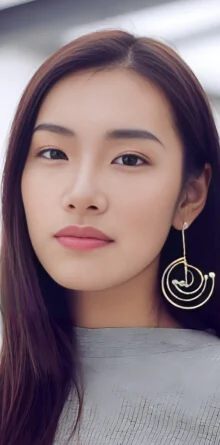
Source
Trusted By Innovators and Leading Brands
Showcase of Infinite Possibilities
Experience the magic of real-time face morphing, aging, and animation.
Source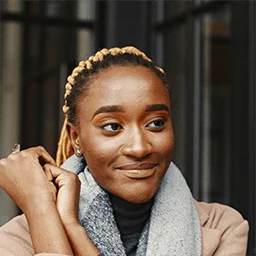
Target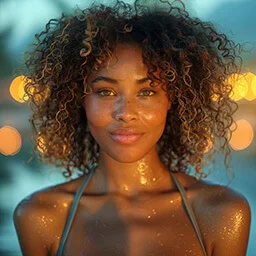
Result
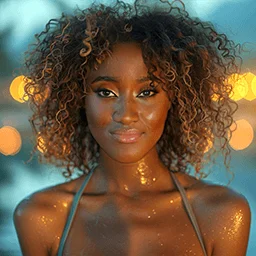
Source
Target
Result
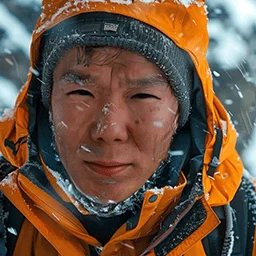
Source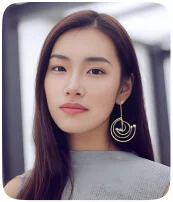
Target
Result
Source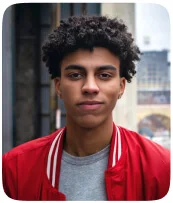
Target
Artify
Source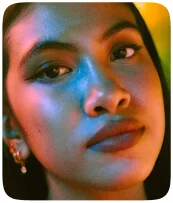
Target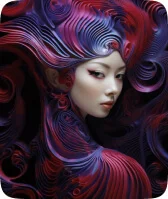
Result
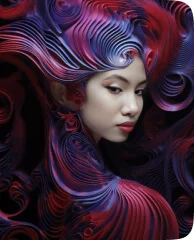
Source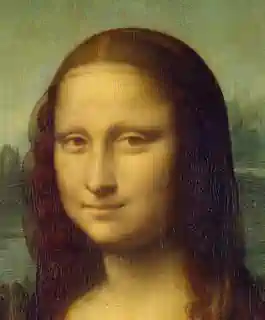
Target
Result
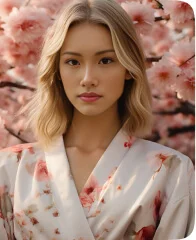
See How Picsi.Ai Unleashes Your Creativity
Discover the AI magic that turns your artistic visions into reality.
Picsi.Ai - Powered by InsightFace - Face Swap User Guide and Tutorial - YouTube
Picsi Ai
506 subscribers
Picsi.Ai - Powered by InsightFace - Face Swap User Guide and Tutorial
Picsi Ai
Search
Watch later
Share
Copy link
Info
Shopping
Tap to unmute
If playback doesn't begin shortly, try restarting your device.
More videos
More videos
Share
Include playlist
An error occurred while retrieving sharing information. Please try again later.
Watch on
How-To/F.A.Q
How Do I Get Started with Picsi.Ai - Powered by InsightFace for FREE?
A:
For Basic face swapping and features, simply use our NEW web app by clicking on the 'Face Swap Web App' button at the top of the screen.
For more advanced use, please use our legacy Discord InsightFaceSwap bot by following these steps:
Step 1: Create a Discord Account
- If you're new to Discord, you'll first need to create an account. Head over to Discord and sign up.
Step 2: Create a New Discord Server
- After signing in to Discord, create a new server where you can invite our bot, named "InsightFaceSwap."
Step 3: Invite the Bot to Your Server
- [Click here to invite the bot]. Choose your newly created server from the dropdown menu and click "Authorize."
Step 4: Confirm Bot Invitation
- After authorization, our bot "InsightFaceSwap" will appear in your server's member list.
Step 5: Register Your First Source Face ID Photo
- In your server, type "/saveid example1" to register your own source face ID photo for future swapping. The bot will guide you through this process.
Step 6: Swapping Time!
- You can now start using commands like "/swapid example1" followed by an uploaded target image to swap faces with your previously registered source face ID photo. An even easier way to do this, is by uploading your target photo right into your server and then right clicking on it, select APPS and then INSwapper.
For More In-Depth Directions:
-
Please visit the Picsi.Ai - Powered by InsightFace [User Guide on Discord]
-
To chat realtime with our support team, you can join our Discord support and community server by clicking on the 'Need Help? Join Us on Discord' button at the very top of your screen.
What are the subscription plans and how do they differ?
A:
Free Plan:
- - Swap 1 face per image
- 10 daily credits for face swapping
- Credits do not accrue and reset daily at 00:00 UTC
- 5 FREE /Headshot Creations per lifetime
- 6 5-seconds video swaps per lifetime
- Save up to 20 source face identities
Basic Plan ($9.99/month):
- - iOS App: Support Real Time Face Swapping Live recording
- iOS App: Support for saving video face swapping results
- Swap up to 4 faces per image
- 200 daily credits
- Access to /HEADSHOT CREATOR, XTREME, ARTIFY, Face Texturizer, Sharpen, Expressionify, Oldify, Youngify
- Save up to 60 source face identities
- 4096px max resolution
- Video Face Swapping: Swap faces into videos up to 10 seconds long. (Up to 20MB, 30 FPS, 5 videos or 50 seconds per day)
- GIF swapping: up to 20 frames, 20 credits per GIF
Pro Plan ($19.99/month):
- - Includes all features of the Basic Plan
- 400 daily credits
- Lossless PNG output
- Video Face Swapping: Swap faces into videos up to 20 seconds long. (Up to 20MB, 30 FPS, 6 videos or 2 minutes per day)
- GIF swapping: up to 75 frames, 30 credits per GIF
Ultra Plan ($34.99/month):
- - Includes all features of the Pro Plan
- 800 daily credits
- Video Face Swapping: Swap faces into videos up to 45 seconds long. (Up to 20MB, 30 FPS, 8 long videos or 6 minutes per day)
- GIF swapping: up to 150 frames, credits vary by frame count
Special Note:
- All credits reset at 00:00 UTC. They do not roll over to the next day.
How do I subscribe to a Basic, Pro or Ultra plan?
A:
To subscribe to a paid plan, you have two primary methods: subscribing directly on our website (recommended) or using our legacy Patreon integration.
Option 1: Subscribe on Our Website (Stripe & Google Login - Recommended)
1. Visit our Subscription Page:
- - Go to https://www.picsi.ai/en/pricing to see the available plans.
2. Choose Your Plan & Log In:
- - Select your desired plan (Basic, Pro, or Ultra). You will be prompted to log in with either your Discord or Google account to link the purchase.
3. Complete Your Purchase:
- - Enter your payment details on the secure Stripe-hosted checkout page. Upon successful payment, your subscription benefits will be active immediately on the platform you used to log in (Web App or Discord).
Activating Your Subscription on Discord (If you paid on the web):
- - If you subscribed on our website (using Google or Discord login) and your premium benefits aren't appearing on the Discord bot, you need to sync your accounts. This is a simple, one-time process:
- 1. First, ensure the Discord account you want to use has the exact same email address as the Google/Stripe account you used to purchase the subscription.
- 2. Go to the Picsi.Ai Web App login page: www.picsi.ai/en/face-swap-ai.
- 3. Log in one time using your Discord account.
- - This single action permanently binds your website purchase to your Discord identity. Your benefits will now be active on the Discord bot.
Option 2: Subscribe with Patreon (Legacy)
1. Link Discord to Patreon:
- - Navigate to Patreon Settings and ensure your Discord account is linked.
2. Subscribe on Patreon:
- - Subscribe to Picsi.Ai on our Patreon page at https://www.patreon.com/picsi.
3. Join the Picsi.Ai Server on Discord (Essential Step):
- - After subscribing, return to your Patreon Apps settings and click the JOIN SERVER button for Picsi.Ai. If you're already in the server, click LEAVE SERVER first, then JOIN again to force a sync.
🔔 Subscription Activation Is Instant 🔔
Once you have completed the steps for your chosen method, your benefits should activate immediately. If you have any issues, please contact support on our Discord server.
What is the Picsi.Ai Face Swap Studio?
A:
The Picsi.Ai Face Swap Studio is an all-in-one, web-based tool that allows you to create image, video, and GIF swaps in a single interface. It features batch processing for up to 10 files at once and provides access to various modes like Image, Video, GIF, Artify, and Xtreme, with certain features being exclusive to paid subscribers. You can access it at https://www.picsi.ai/studio.
Is there a Picsi.Ai app for macOS or iOS?
A:
Yes, Picsi.Ai offers apps for both macOS and iOS. The macOS app includes powerful features like live camera and screen capture, allowing real-time face swapping from any video playing on your screen. The iOS app supports on-device real-time face swapping ("Face Swap Live") along with high-quality image, video, and GIF creation. Both can be downloaded from https://www.picsi.ai/app.
How do I register my source face photo?
A:
Registering the Photo
- - Use the /saveid command followed by a unique identifier for your photo. For example:
- /saveid JohnDoe
- Attach your photo to the command. Replace "JohnDoe" with a name of your choice, limited to letters and numbers up to 10 characters. This name will become your default source face for swapping.
The bot will confirm once your photo is successfully registered.
Photo Preparation
- - Capture a high-quality, front-facing photo of yourself. Make sure there are no glasses, bangs, or glamour filters that could obscure your face.
- - Your photo should be well-lit with your chin slightly elevated to avoid shadows and angles from below or above, ensuring accuracy in face detection.
How do I swap faces?
A:
Selecting a Target Image
- - Generate a picture using MidJourney, or manually upload any image with a human-like face to your private Discord server channel. You can upload your image by clicking the '+' symbol on Discord.
Swapping Process
- - INSwapper Method: For a quick setup, right-click on the image you wish to swap, select Apps ▶ INSwapper. This action will initiate the swapping of your previously saved source face onto the target image.
- - Command Method: Alternatively, you can use the /
swapid command with the name of your registered source face. Attach the target image and enter:
/swapid YourName
Replace "YourName" with the identifier you used when you registered your source face. Ensure you attach the target photo with your command."
Multiface - How do I pick which face in my target photo to swap, or how do I swap more than one face?
A:
For Free Members:
- - The AI will automatically find and swap the single largest face in the picture. This process does not allow for selection of specific faces.
For Paid Members:
- - Paid members can pick which faces to swap or even swap more than one face in a single image, up to a maximum of four faces.
Swapping Multiple Faces in One Image:
- - Purpose and Face Recognition Limit: The swapping feature can handle up to four faces in a single image, recognizing and processing them sequentially from left to right. If an image contains more than four faces, the system will only consider the first four from the left.
Using /setid for Sequential Swapping
- 1. Compose Command: Enter '/setid example1,example2,example3,example4' replacing 'example#' with your registered source face names. List names in the order you want them
- 2. Activate Faces Selection: Press Enter after typing the command.
- 3. Upload Target Picture: Use the '+' button in Discord to upload the image you wish to swap faces onto.
- 2. Apply Swap: Right-click the uploaded image and select Apps ▶ INSwapper to initiate the swapping process.
Limitation on Faces
- - The system works with up to 4 faces in one image. If there are more than 4 faces in your picture, the system will only recognize and process the first 4 faces.
How do I use any of the advanced features?
A:
- - Blending Multiple Source Faces
- - Face Texturizer Mode & Sharpen
- - Expressionify
- - Oldify
- - Youngify
- - XTREME Portrait Mode
- - /Headshot Creator
- - Video Swaps
- - Animated GIF Swaps
To understand how to use any of these advanced features, please see our user guide on Discord here: https://discord.gg/xPfNzc3pKM
What are Inswapper and InsightFace?
A:
InsightFace is an open-source AI framework for face analysis — it supports face recognition, detection, alignment, and more. InSwapper is a face swap model built within the InsightFace ecosystem. Early versions like inswapper_128 laid the groundwork, and newer variants inswapper_dax, inswapper-512-live improve output resolution, speed, and realism.
Is Picsi.Ai the official team behind Inswapper?
A:
Yes. Picsi.Ai is the official team that develops and maintains Inswapper, the open-source AI face swap model from the InsightFace project. We're the creators of the model and continue to update and support it for both research and creative use.
Is it permissible to use Picsi.Ai for NSFW or sexually suggestive content?
A:
No. Picsi.Ai does not support the creation of content that is sexual in nature or suggestive in intent. This includes material that may be framed to imply nudity or arousal, even when explicit elements are not visible. Tactics such as strategic cropping, selective masking, or stylized posing intended to provoke or titillate violate our platform's content standards.
All submissions are reviewed with attention not only to what is shown, but why it was created — intent is evaluated alongside content. Media found to breach these guidelines will be removed. Repeat violations may lead to permanent suspension from platform features.
How can I prevent my face from being used on Picsi.Ai, or report unauthorized use of my likeness?
A:
Picsi.Ai provides clear options for both proactive protection and reactive enforcement. If you would like to block your likeness from ever being used on the platform — even if it has never been uploaded — you may submit a preemptive restriction request. If you have already discovered unauthorized use, you can report the violation for immediate removal and permanent restriction.
To take action, email requestremoval@picsi.ai with:
- - A clear statement of your request (preventive block or content removal)
- - Reference images that verify your identity
Once verified, our team will either lock your likeness from all future use or remove the specific content and restrict future attempts.
What are the terms and conditions and privacy policy?
A:
Link:
- Users must [read and agree] to the terms before using the service.
Ready to Transform Your Images?
Experience the magic of AI face swapping in seconds.
Try Face Swap Studio FREE Try Fast Image Face Swap
About us
Harnessing the exclusive power of InsightFace's Inswapper High Resolution and InsightFaceSwap technology, Picsi.Ai pushes the boundaries of what's possible in AI-driven creativity. From best-in-class oneshot face swaps to imaginative transformations, our platform is designed to inspire and deliver precision. Experience the unique innovation that only Picsi.Ai can provide, where every creation is a testament to cutting-edge technology.
 Result
 Target
 Source