

详细内容
🔥 LIMITED TIME OFFER: 40% OFF first year! Use code BF40 at checkout! 🎁 Claim Offer →
#1 AI Assistant for Your Tabs
An AI-powered vertical tabs manager in your side panel. Research, summarize, and organize, chat with your tabs and let AI Assistant help you browse smarter.
Get Extension 


300+ happy customers
No credit card required
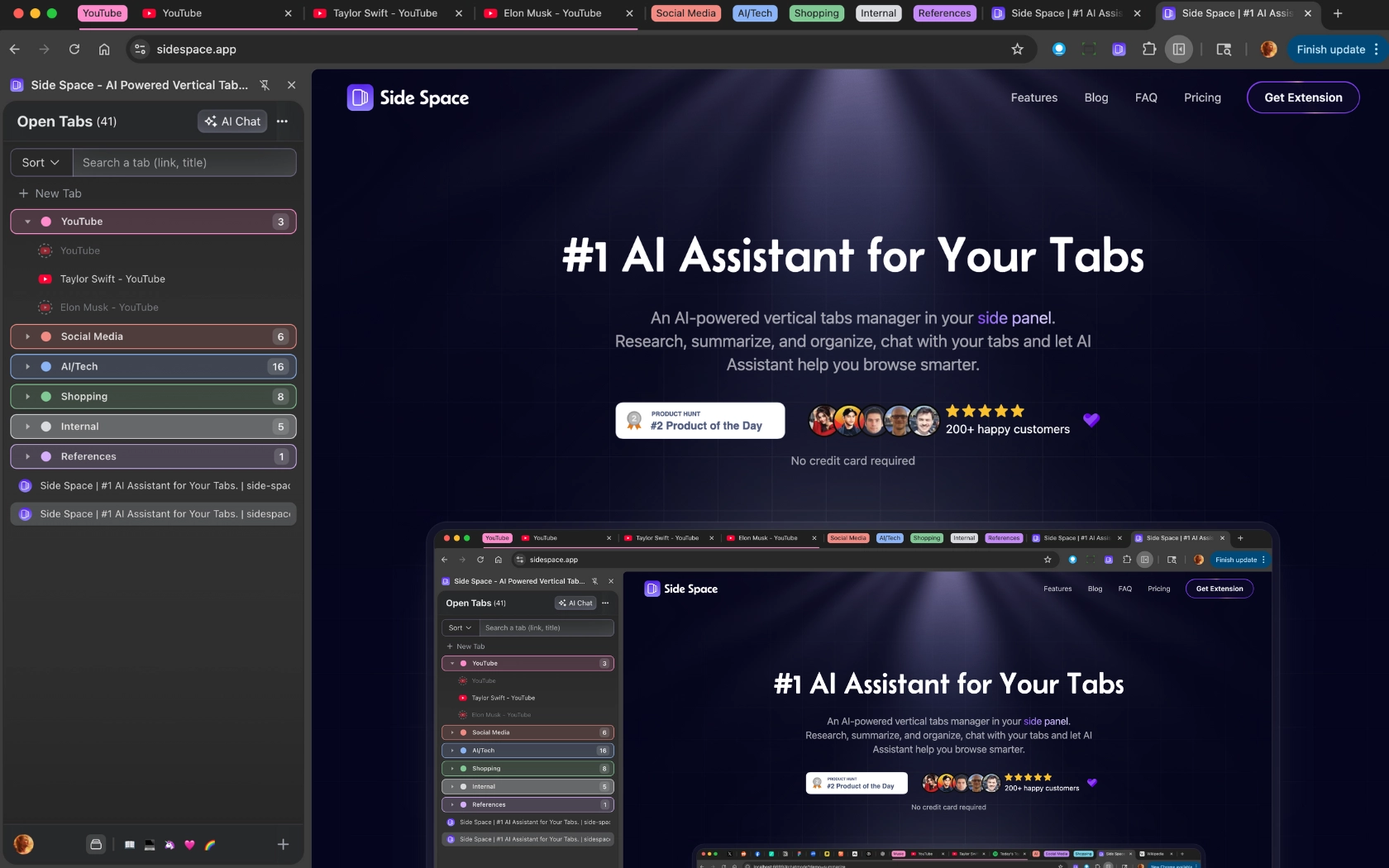
Sidebar
Vertical tabs manager lives in your browser
With Side Space, you can manage your browser open tabs in a vertical panel on the side of your screen, making it easier to scan, identify, and switch between them.
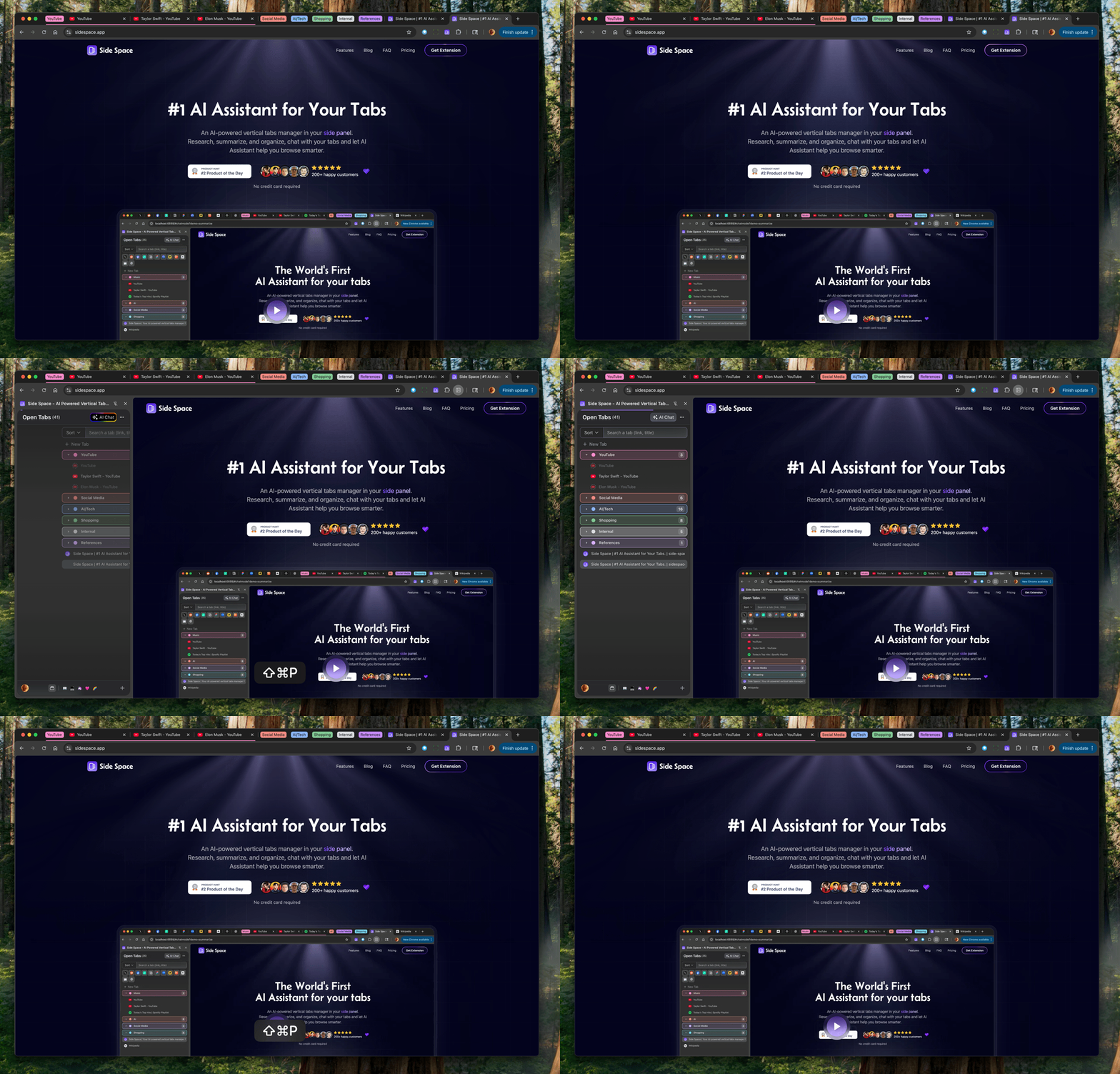
Spaces
Spaces dedicated to work, life and hobbies
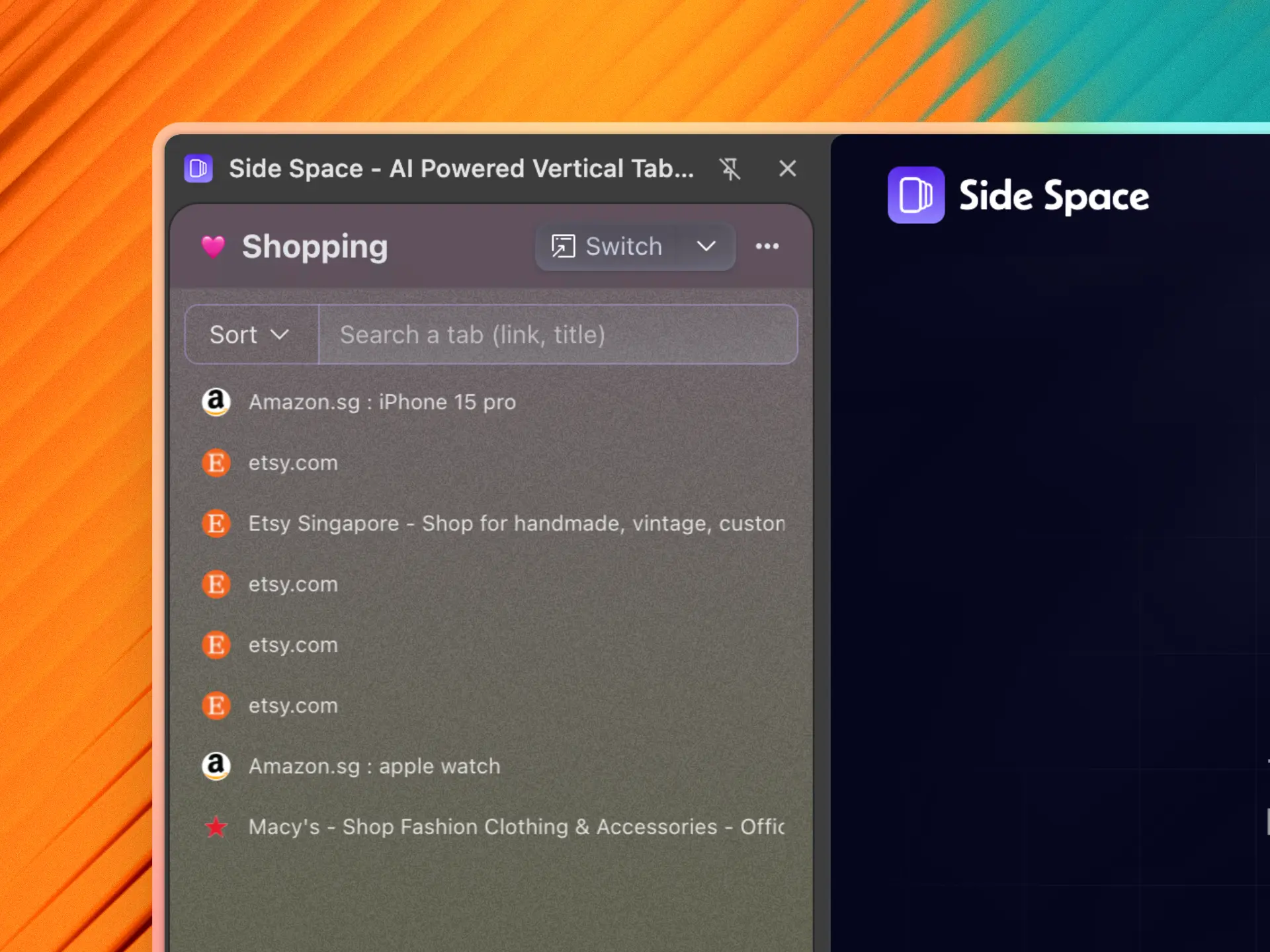
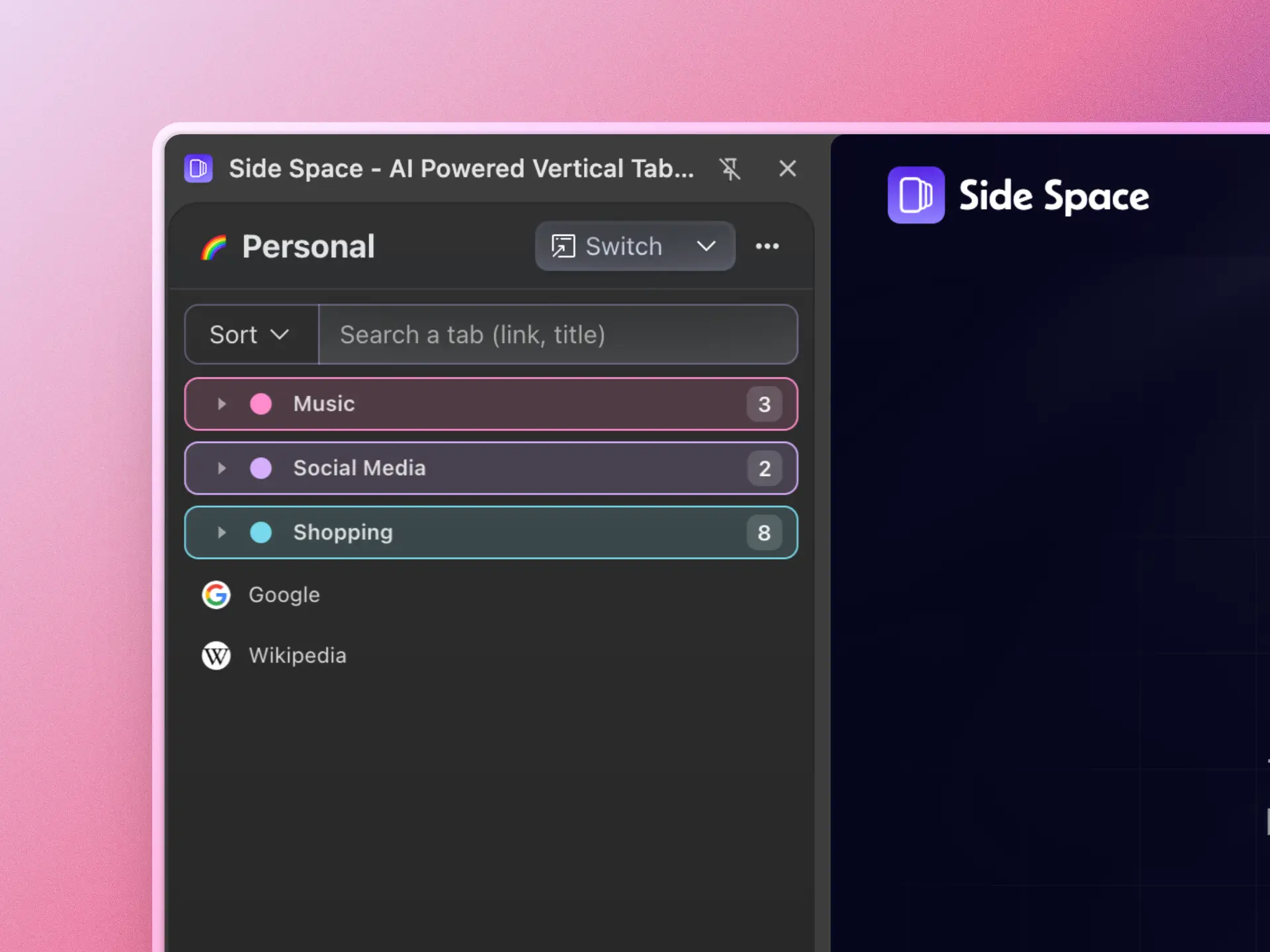
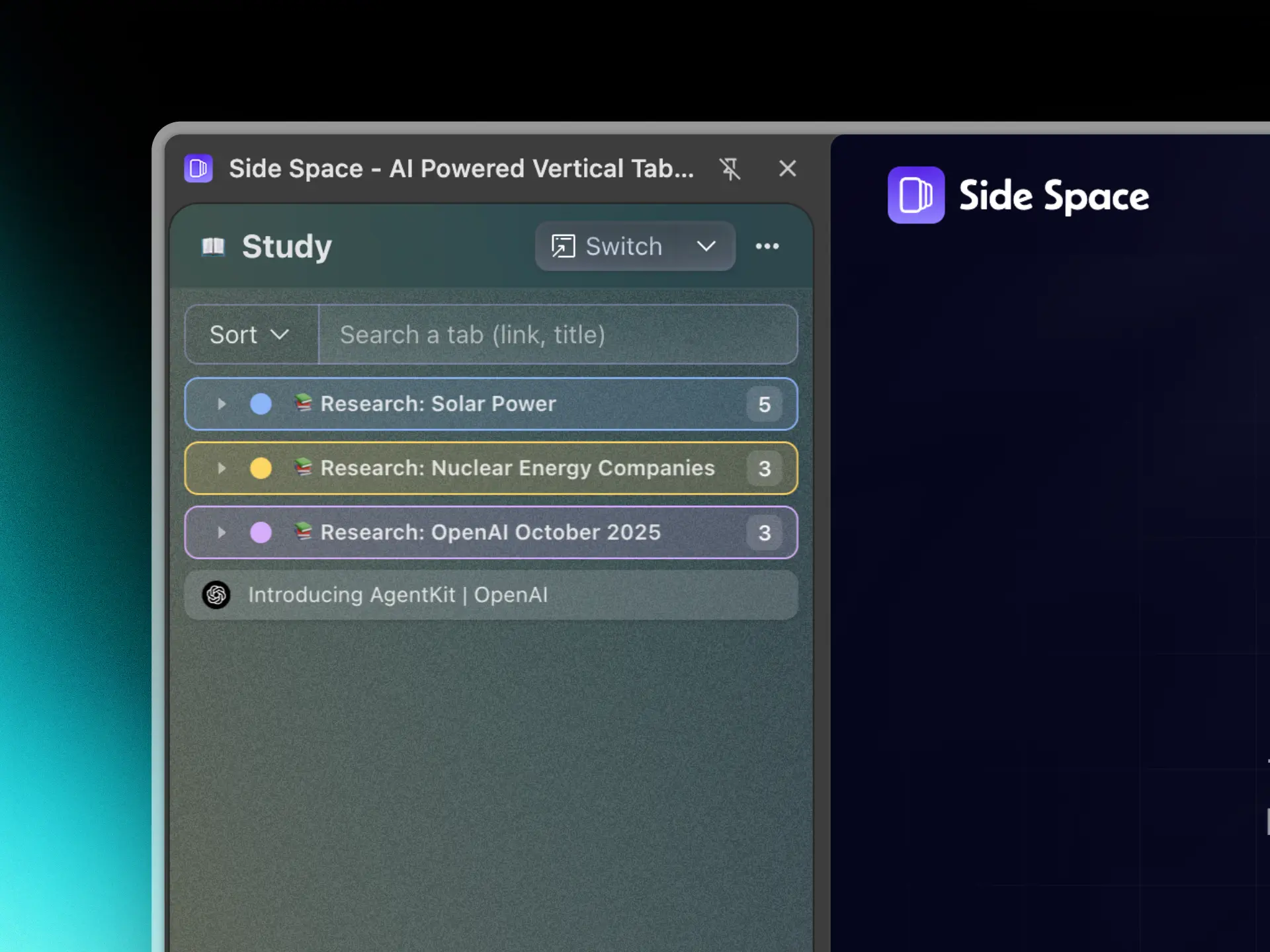
Your browser tabs are neatly organized into separate topics for workspace, social media, shopping, study or hobbies in the same window.
You can organize your tabs between spaces in one window, focus one space at a time.
Workspace
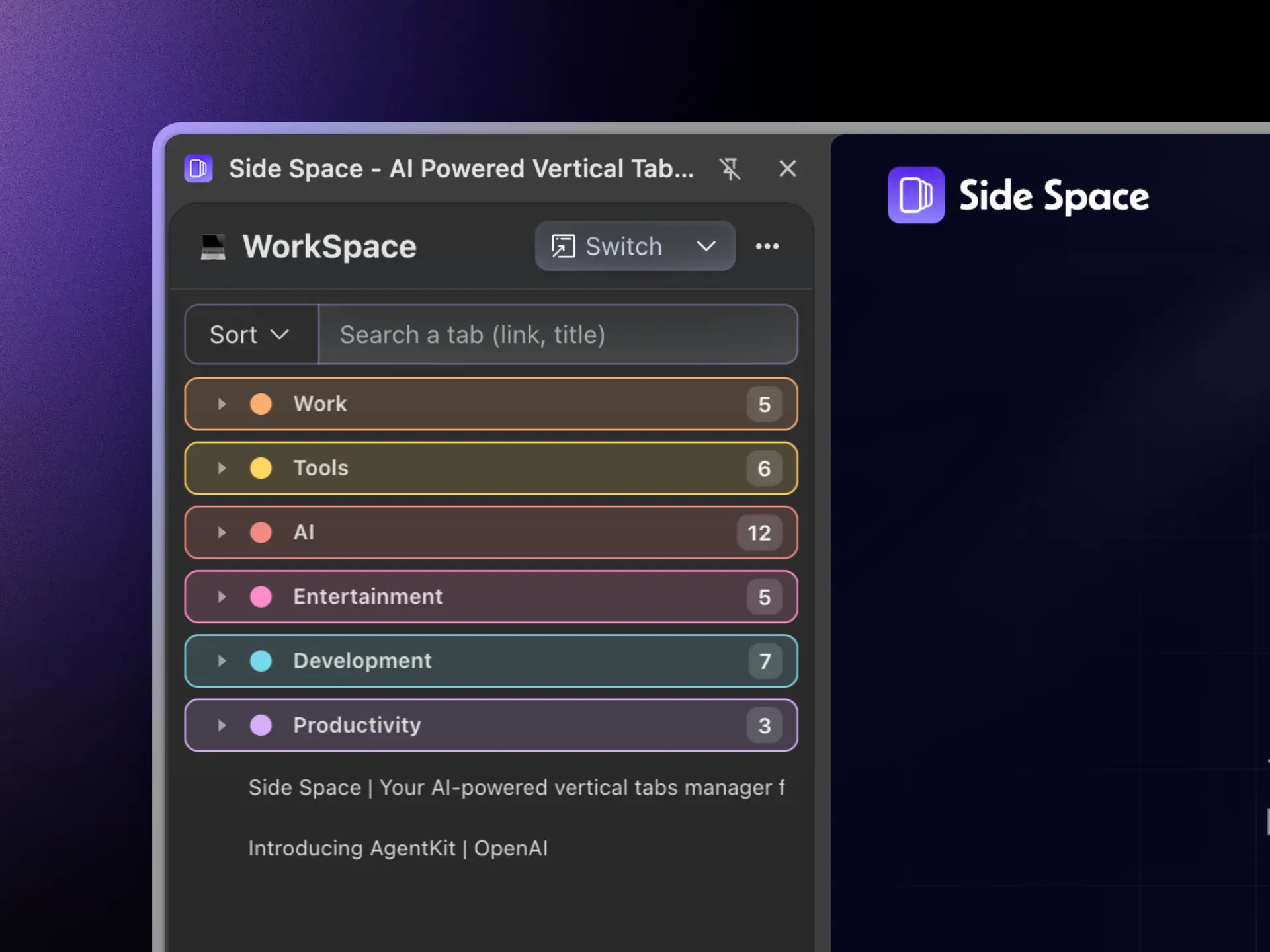
Social Media
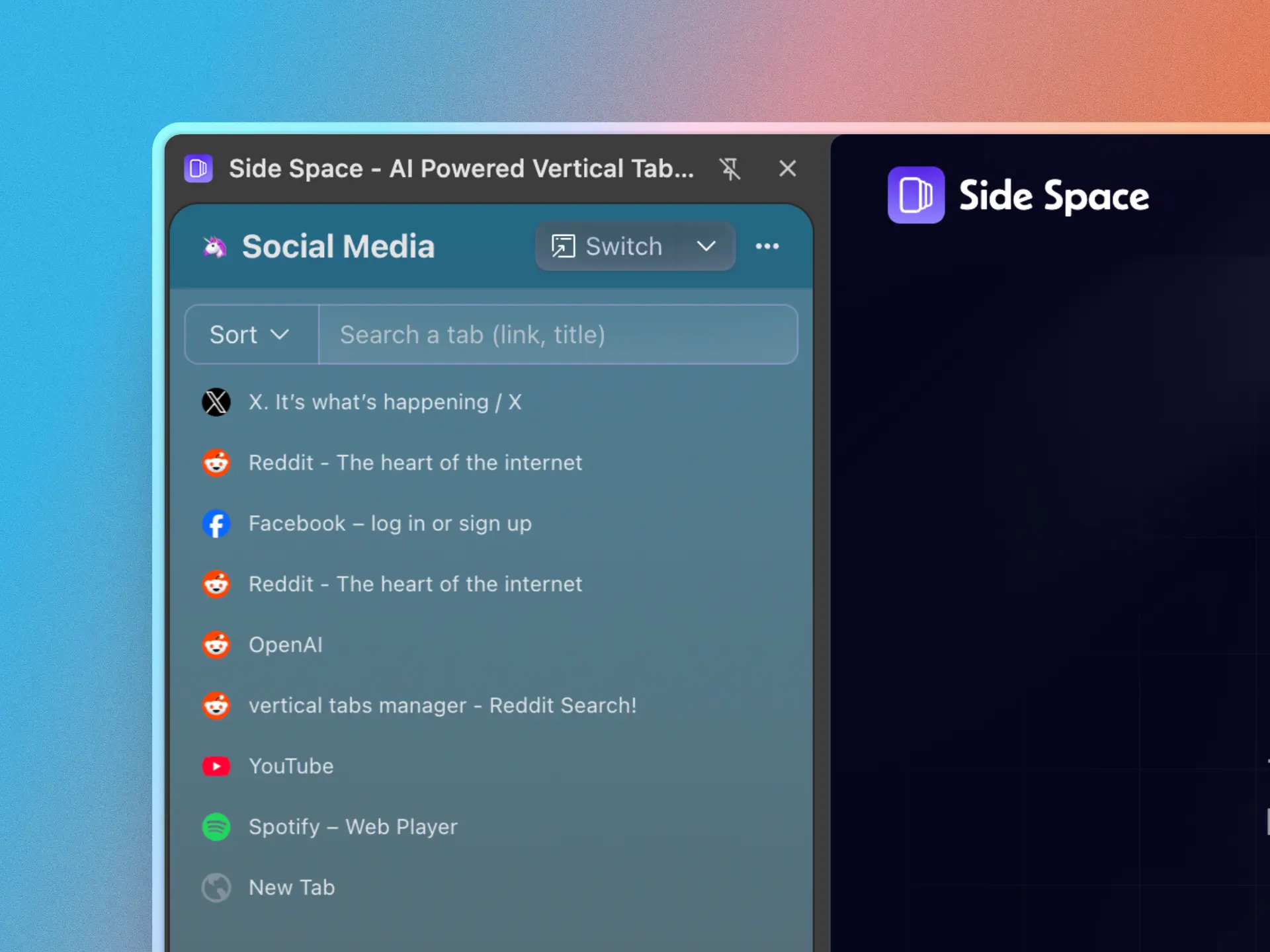
Shopping
Personal
Study
Sync
Sync spaces across multiple browsers/devices
Side Space will automatically save any spaces you create. You can sync your saved spaces across different browsers/devices like Chrome, Edge, Brave, Vivaldi, Sigma, Comet, Firefox, Zen by logging into your account.


Chat Mode
Chat with your Open Tabs
Side Copilot's chat mode knows your context of your open tabs, Ask about anything about open tabs.
Summarize
Video Player is loading.
Play Video
PlaySkip BackwardSkip Forward
Mute
Current Time 0:00
/
Duration 0:12
Loaded: 23.33%
0:00
Stream Type LIVE
Seek to live, currently behind liveLIVE
Remaining Time -0:12
1x
Playback Rate
Chapters
- Chapters
Descriptions
- descriptions off, selected
Captions
- captions settings, opens captions settings dialog
- captions off, selected
Audio Track
Picture-in-PictureFullscreen
This is a modal window.
Beginning of dialog window. Escape will cancel and close the window.
TextColorWhiteBlackRedGreenBlueYellowMagentaCyanOpacityOpaqueSemi-TransparentText BackgroundColorBlackWhiteRedGreenBlueYellowMagentaCyanOpacityOpaqueSemi-TransparentTransparentCaption Area BackgroundColorBlackWhiteRedGreenBlueYellowMagentaCyanOpacityTransparentSemi-TransparentOpaque
Font Size50%75%100%125%150%175%200%300%400%Text Edge StyleNoneRaisedDepressedUniformDrop shadowFont FamilyProportional Sans-SerifMonospace Sans-SerifProportional SerifMonospace SerifCasualScriptSmall Caps
ResetDone
Close Modal Dialog
End of dialog window.
Agent Mode
Automate your browser with Side Copilot
Side Copilot's agent mode can take actions to automate your browser, it handles your browser like grouping tabs, manage windows, search the browser history, research topics and much more.
Group Tabs
Video Player is loading.
Play Video
PlaySkip BackwardSkip Forward
Mute
Current Time 0:00
/
Duration 0:18
Loaded: 19.32%
0:00
Stream Type LIVE
Seek to live, currently behind liveLIVE
Remaining Time -0:18
1x
Playback Rate
Chapters
- Chapters
Descriptions
- descriptions off, selected
Captions
- captions settings, opens captions settings dialog
- captions off, selected
Audio Track
Picture-in-PictureFullscreen
This is a modal window.
Beginning of dialog window. Escape will cancel and close the window.
TextColorWhiteBlackRedGreenBlueYellowMagentaCyanOpacityOpaqueSemi-TransparentText BackgroundColorBlackWhiteRedGreenBlueYellowMagentaCyanOpacityOpaqueSemi-TransparentTransparentCaption Area BackgroundColorBlackWhiteRedGreenBlueYellowMagentaCyanOpacityTransparentSemi-TransparentOpaque
Font Size50%75%100%125%150%175%200%300%400%Text Edge StyleNoneRaisedDepressedUniformDrop shadowFont FamilyProportional Sans-SerifMonospace Sans-SerifProportional SerifMonospace SerifCasualScriptSmall Caps
ResetDone
Close Modal Dialog
End of dialog window.
Shortcuts
Explore how Side Copilot can help you
Automate your browser with Side Copilot, ask AI to manage your tab, tab groups and windows, get summaries of your browsing history and much more
Analyze Page
Explain Page
Merge Multiple Windows into one
Cascade Windows
Arrange Windows in Grid
Restore Recently Closed Windows
Summarize Context
Restore Recently Closed Tabs
Research Topic
Take a Screenshot
Daily Wrap Up
Muted Tabs
Quick Search
Group Tabs
Analyze Page
Explain Page
Merge Multiple Windows into one
Cascade Windows
Arrange Windows in Grid
Restore Recently Closed Windows
Summarize Context
Restore Recently Closed Tabs
Research Topic
Take a Screenshot
Daily Wrap Up
Muted Tabs
Quick Search
Group Tabs
Analyze Page
Explain Page
Merge Multiple Windows into one
Cascade Windows
Arrange Windows in Grid
Restore Recently Closed Windows
Summarize Context
Restore Recently Closed Tabs
Research Topic
Take a Screenshot
Daily Wrap Up
Muted Tabs
Quick Search
Group Tabs
Analyze Page
Explain Page
Merge Multiple Windows into one
Cascade Windows
Arrange Windows in Grid
Restore Recently Closed Windows
Summarize Context
Restore Recently Closed Tabs
Research Topic
Take a Screenshot
Daily Wrap Up
Muted Tabs
Quick Search
Group Tabs
Analyze Page
Explain Page
Merge Multiple Windows into one
Cascade Windows
Arrange Windows in Grid
Restore Recently Closed Windows
Summarize Context
Restore Recently Closed Tabs
Research Topic
Take a Screenshot
Daily Wrap Up
Muted Tabs
Quick Search
Group Tabs
Analyze Page
Explain Page
Merge Multiple Windows into one
Cascade Windows
Arrange Windows in Grid
Restore Recently Closed Windows
Summarize Context
Restore Recently Closed Tabs
Research Topic
Take a Screenshot
Daily Wrap Up
Muted Tabs
Quick Search
Group Tabs
Analyze Page
Explain Page
Merge Multiple Windows into one
Cascade Windows
Arrange Windows in Grid
Restore Recently Closed Windows
Summarize Context
Restore Recently Closed Tabs
Research Topic
Take a Screenshot
Daily Wrap Up
Muted Tabs
Quick Search
Group Tabs
Analyze Page
Explain Page
Merge Multiple Windows into one
Cascade Windows
Arrange Windows in Grid
Restore Recently Closed Windows
Summarize Context
Restore Recently Closed Tabs
Research Topic
Take a Screenshot
Daily Wrap Up
Muted Tabs
Quick Search
Group Tabs
More Features
Dive into powerful features Supercharge your tab management
Take your tab management to the next level with these powerful features
Auto Sync
Tabs automatically sync across devices so your spaces are always up to date.
Theme
Support for customizing the Space color palette, making your Space better suited to your preferences.
Multi Language
Support for 5 languages: English, Chinese, French, Spanish, and Japanese.
Dark mode
Seamlessly switch to dark mode for comfortable night browsing.
Pin Tabs
Pin key tabs for quick access in each spaces, similar to speed dial.
Search Tabs
Instantly find any tab or space with fuzzy search.
Suspend Tabs
Temporarily suspend tabs to free up system memory.
De-duplicate Tabs
Automatically remove duplicate tabs from spaces for clean organization.
Space Switcher
Seamlessly switch between your saved spaces, allowing you to maintain a focused workspace.
Save/Restore Tab Groups
Easily save and restore groups of tabs within a space. No more losing your tab workflow.
Space Management
Manage your spaces with ease, including renaming, theming, ordering, deleting, and more.
Copy all URLs
Copy all URLs of tabs in a space to your clipboard with markdown/text/json format.
Move to New Windows
Move the selected tab groups or ungrouped tabs to new windows.
Group Guard
Group Guard is a feature that can auto-detect and group tabs by custom categories.
Group Tabs by domain
Quickly group all tabs from the same domain with one click.
Group Tabs by AI
Group your open tabs with one click using AI, based on your custom categories.
Testimonial
Trusted by users
Don't just take our word for it. Read what others say about Side Space.

Sanniti Sen
@sanniti_sen

Its interesting.user friedly nd helpful enough.

Boris Sapozhnikov
@boris_sapozhnikov
I tried this product and to my surprise it has been a game changer to my tab productivity. The free plan is generous but I may just buy the paid plan to support the product. Very well put together. Looking forward to the G-drive integration. Thanks for building this!

Jondeir Junior

the best one so far! please make it an ARC replacement!

Thomas Quinlan
This works like a charm. I installed it, clicked "Group by AI", and seconds later I had a list of various tab groups all on the right side of my browser (you can choose left in Chrome preferences) just like I wanted. While the AI grouping isn't 100%, that's down to the AI and not the developers. It works really well, looks good, and even managed to find ten duplicate tabs (!) that I had open that it offered to close for me. (I took it up on the offer.) It didn't touch my pinned tabs and even put little icons at the top for all those. (It leaves the tabs at the top as well, not something I initially expected or wanted, but I'm okay with it and I don't know that it could be changed.) My browser looks better than it ever has before and there's a handy search bar as well!
Read more

j b
this is pretty cool, thank you!

Mariusz Batorowicz
Looks very good!
Santiago Restrepo
@santiago_restrepo2
Pretty Decent, does what it says. Useful if you are a serial multi-tabber like me

Pro Dev
Awesome but can you add the ability to set a theme for the open tabs window? It only works for new spaces and when I close/open it then it goes back to the open tabs window with black theme

Alexander Juskovic
It takes some getting used to but I think I will use it long term. It is better than others.

Kit T
Must leave a review after first time used & purchased Early Bird alrd. Cool! But please make minimal & colorable UI same as SideTab Pro - Vertical Tabs. Also please make Mobile / Tablet App / Safari Extention to sync with Bookmarks on Mobile / Tablet with Share Shorcut without any typing Save action (Toby need), I always research on Mobile and Tablet. Bookmarks / Tabs / Notes / Todolist are must things should go together. Hope it usefull after I purchased this awesome extension.
Read more
Gianni
From Twitter
It's like Arc organization into Chrome, like it!
Francisc Apostu Traian
From Chrome Web Store
Really awesome! Thanks!
Francisc Apostu Traian
Really awesome! Thanks!
How can I move it from the right side to the left side?
iris LU
Vertical tabs have completely changed the way I browse the internet. The AI-powered tab grouping is surprisingly accurate, making my workflow smoother. If you're tired of cluttered tabs, give this a shot – you won't be disappointed!
Collect testimonials with Senja
Pricing
Simple, transparent pricing for everyone
Pay once, use forever access unlimited spaces. Free updates for life.
Monthly Yearly
Free
You can create up to 5 free spaces to manage your tabs, Access free AI Chat for current page
$0
Get started
- Up to 5 spaces with Cloud Sync
- Up to 1000 URLs with AI Grouping
- Customized Shortcuts Templates
- AI Chat History with Cloud Sync
- BYOK (Bring Your Own Key) to access AI Models
- Access Side Copilot "Chat Mode" for current page
- Basic support
- Free updates for life!
Pro
For hoarders of tabs, access to unlimited spaces, Side Copilot for your browser automation.
$0123456789.01234567892.9
/ month
Upgrade now
- Unlimited spaces with Cloud Sync
- Unlimited URLs with AI Grouping
- Customized Shortcuts Templates
- AI Chat History with Cloud Sync
- BYOK (Bring Your Own Key) to access AI Models
- Access Side Copilot "Agent Mode" for browser automation with BYOK
- Premium support
- Free updates for life!
Pro+
Unlimited use of the AI Assistant with access to unlimited spaces and chat history.
$0123456789.01234567897.9
/ month
Upgrade now
- Unlimited spaces with Cloud Sync
- Unlimited URLs with AI Grouping
- Customized Shortcuts Templates
- AI Chat History with Cloud Sync
- BYOK (Bring Your Own Key) to access AI Models
- Unlimited Side Copilot "Agent Mode" for browser automation
- Premium support
- Free updates for life!
Each new purchase is granted 100% money back within 7 days from purchase date. After you have purchased a plan, sign in to unlock all features.
FAQ
Frequently Asked Questions
Need help with something? Here are our most frequently asked questions.
How does the product work?
Good question, why we need a tab manager that live in your side panel. But when you have used the Vertical tabs in Microsoft Edge browser or the sidebar in Arc Browser, you will understand, because using a side panel to manage tabs is really convenient.
Side Space is a Chrome browser extension created to fill the empty side panel area. It provides tab management capabilities in this previously unused space.
Why do I need to sign in?
Is there a free version available?
What is your refund policy?
What is the BYOK (Bring Your Own Key)?
What is the difference between the Side Copilot Chat/Agent Mode?
What browsers do we support?
Can the Side Panel be placed on the left in Edge/Comet?
Is ChatGPT's Atlas Browser compatible?
Your AI Assistant for browser automation
Automate your browser with Side Copilot, ask AI to manage your tab, tab groups and windows, get summaries of your browsing history and much more
Get Extension
Black Friday Deal
Save 40% until Dec 7