

详细内容

NEW UPDATE
SwifDoo PDF for Mac 2.0.0.3
SwifDoo PDF has released a new version for Mac!
• Add text and images to make your PDFs more organized.
• Change text size, color, and font style.
• Supports add/remove links in PDFs.
• New UI design with clear and intuitive interactions.

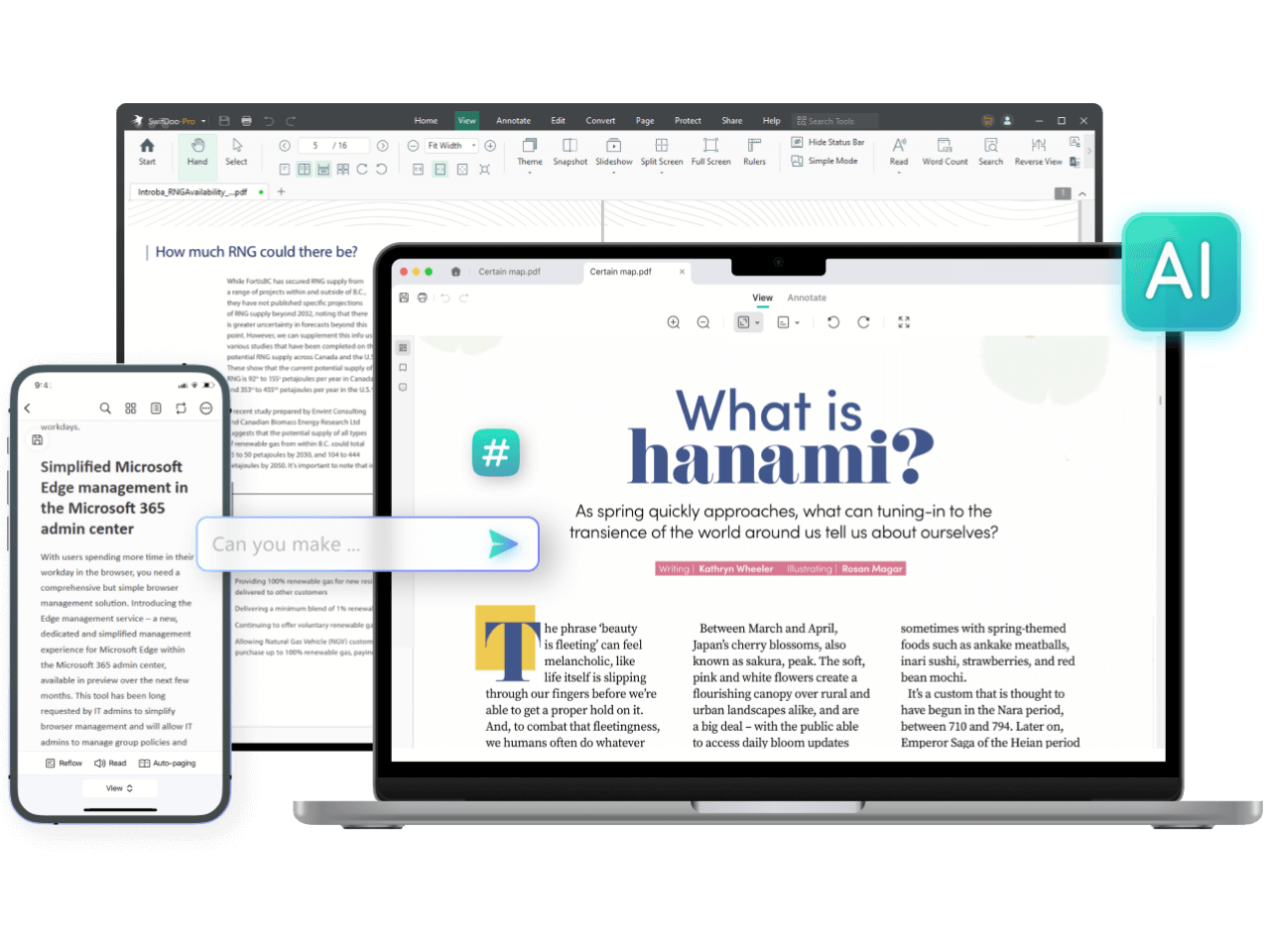
SwifDoo PDF AI-Powered
All-in-One PDF Software
Ultimate Solution to Your PDF Documents
A few clicks to view, create, edit, convert, and manage PDFs
Windows · macOS · iOS · Android
| | |\
| --- | --- |\
|  | 4.9 Excellent .4.8K Reviews |
NEW UPDATE
SwifDoo PDF for Mac 2.0.0.3
SwifDoo PDF has released a new version for Mac!
• Add text and images to make your PDFs more organized.
• Change text size, color, and font style.
• Supports add/remove links in PDFs.
• New UI design with clear and intuitive interactions.
SwifDoo PDF AI-Powered
All-in-One PDF Software
Ultimate Solution to Your PDF Documents
A few clicks to view, create, edit, convert, and manage PDFs
Windows · macOS · iOS · Android
| | |\
| --- | --- |\
| | 4.9 Excellent .4.8K Reviews |
Trusted by


All the PDF Tools You Need
- AI
- Edit
- Convert
- View
- Compress
- Merge
- E-sign
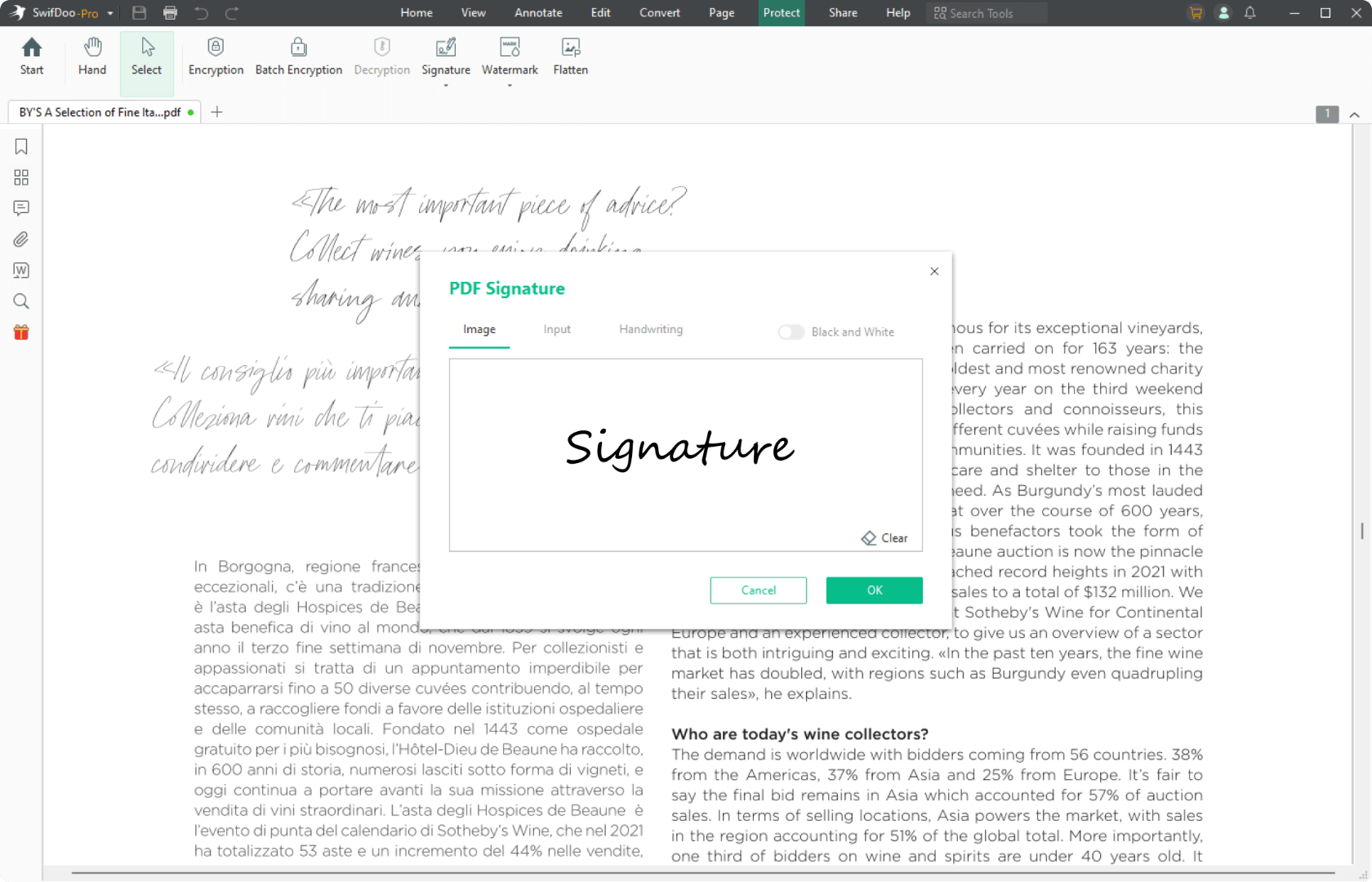
Easy E-signature Maker
Shifting from wet signatures to electronic signatures ensures the validity
and productivity
- Create a legally-binding e-signature by handwriting,inputting text,
and adding images; - Add an e-signature to sign a PDF quickly.
 Try\
it free Explore PDF signer>>
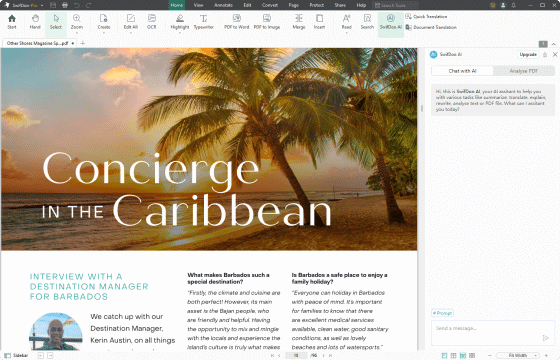
Efficient SwifDoo AI PDF Editor
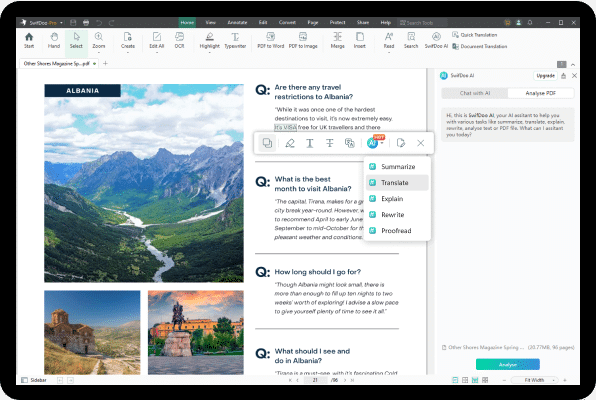
- Automagically summarize lengthy PDF documents.
- Accurately translate PDF documents into another language.
- Chat with PDFs to let the generative AI explain the obscure text.
- Intelligently proofread and rewrite PDFs.
Try\
it free Explore SwifDoo AI >>
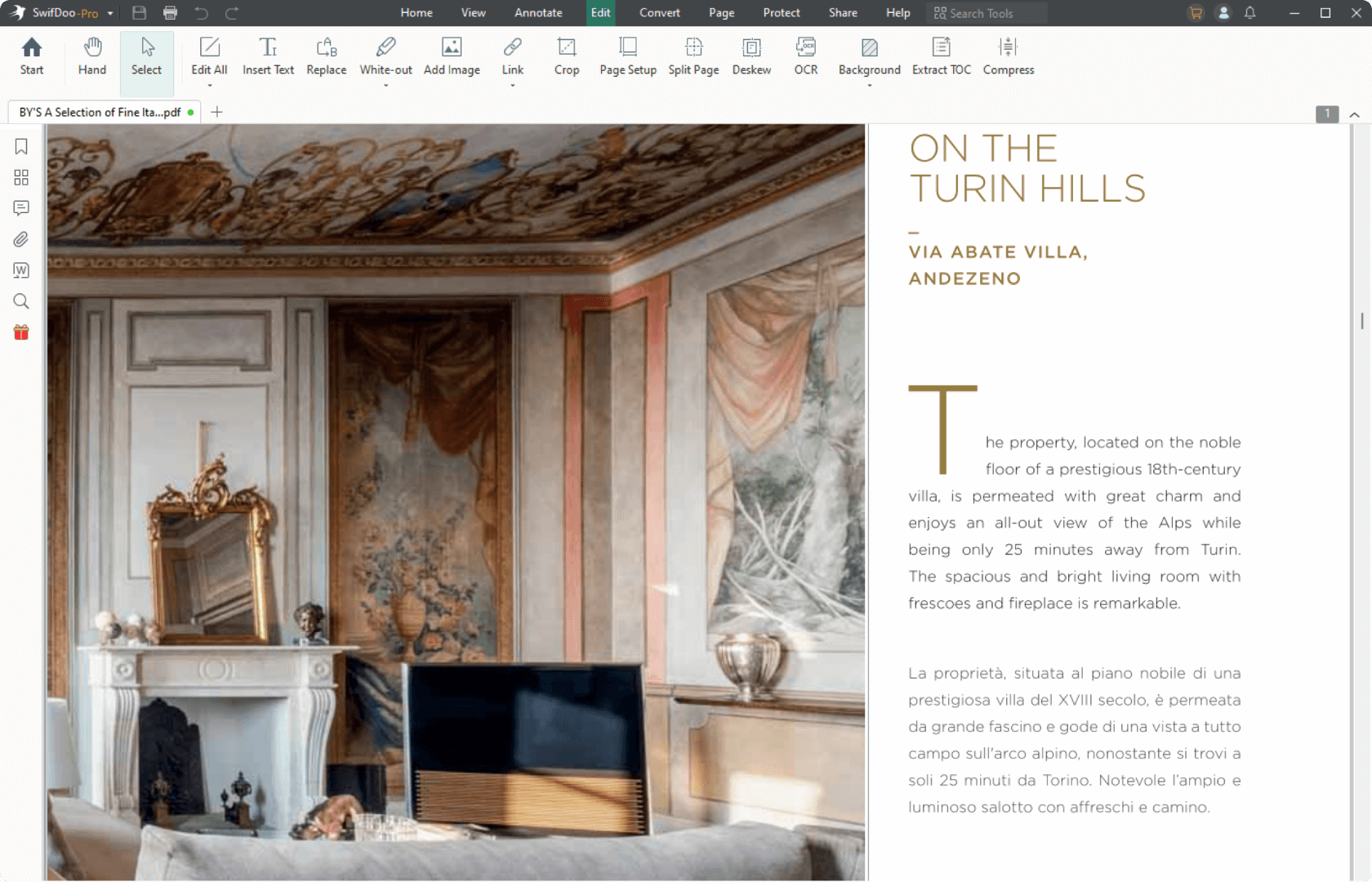
Powerful PDF Editor
Changing text in a PDF can be challenging, but you can make it easy by
using SwifDoo PDF.
- Add or delete text from PDFs;
- Change the font size, style, and color of the text;
- Insert hyperlinks and images into your PDFs.
Try\
it free Explore PDF editor >>
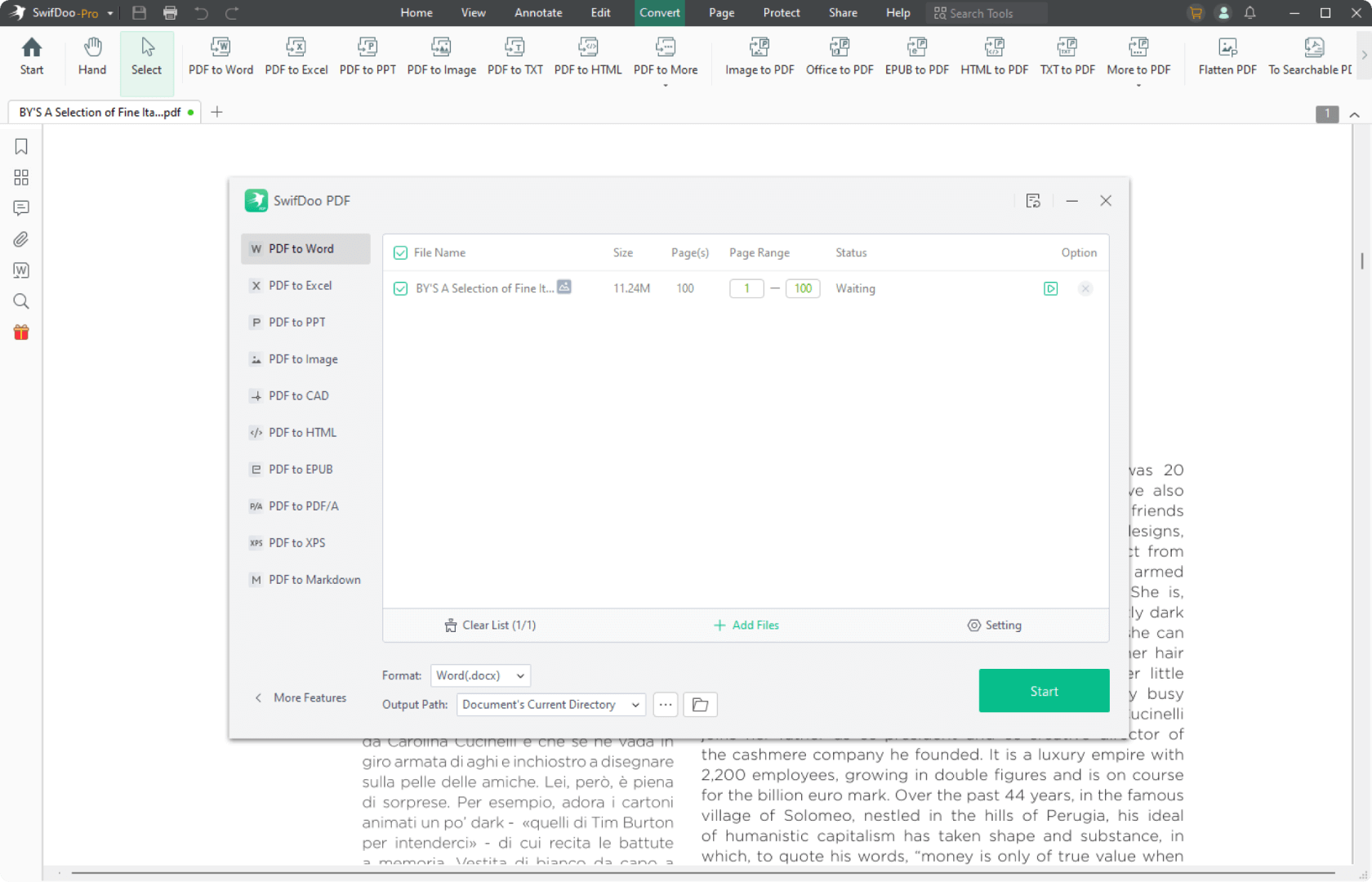
Fast PDF Converter
No matter what you need to convert from or to PDF, SwifDoo PDF has all the
solutions to automate PDF conversion.
- PDF from/to Microsoft Word, Excel, and PowerPoint;
- PDF from/to JPG, PNG, TIFF, and BMP;
- PDF from/to CAD (DXF and DWG).
Try\
it free Explore PDF converter >>
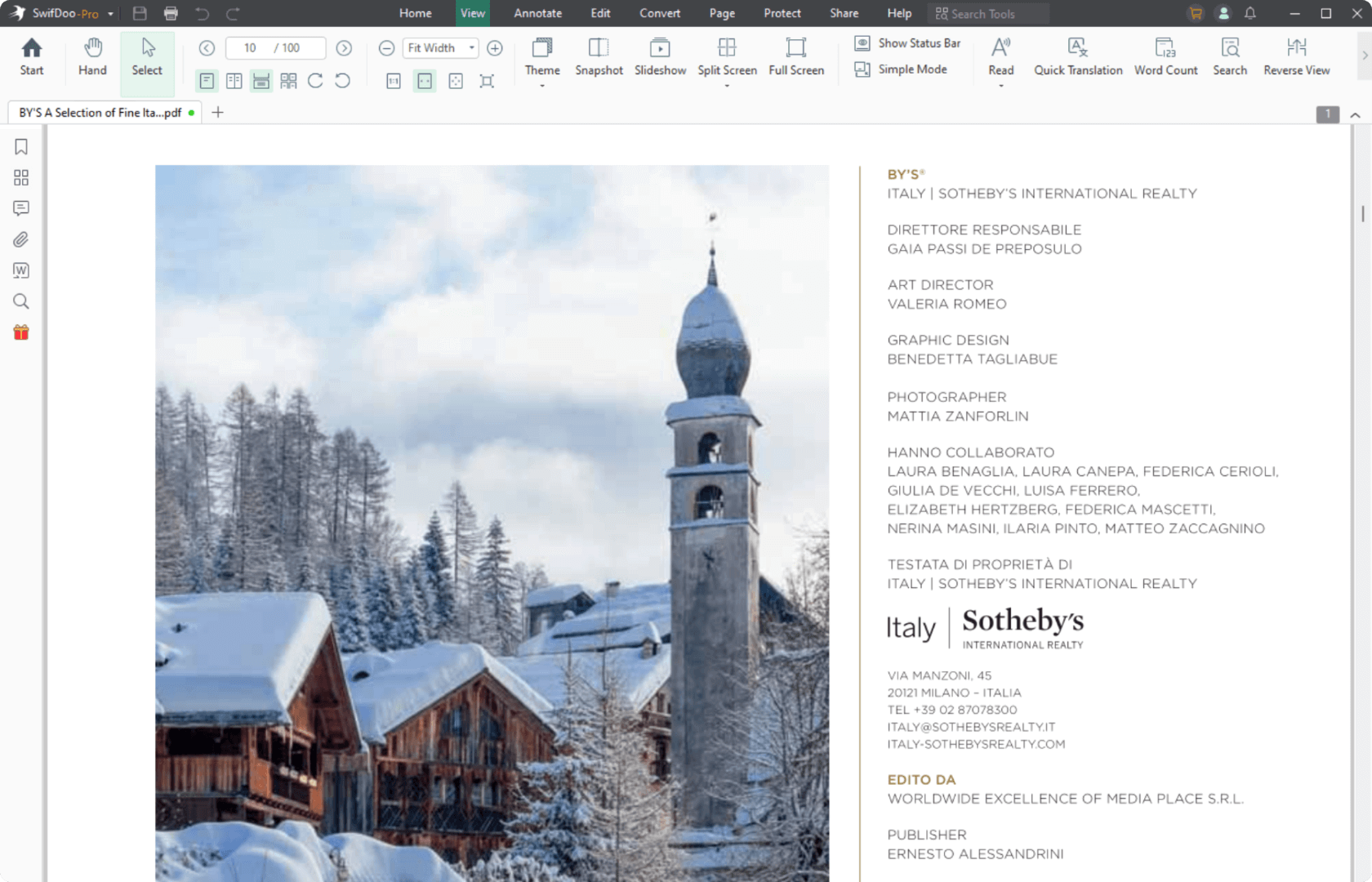
Free PDF Viewer
Open a PDF file and choose from different modes to better browse through
the document.
- Change the themes and PDF display modes;
- Read PDF aloud;
- Tap to translate the current PDF document;
- Find and search to replace PDF text.
Try\
it free Explore free PDF viewer>>
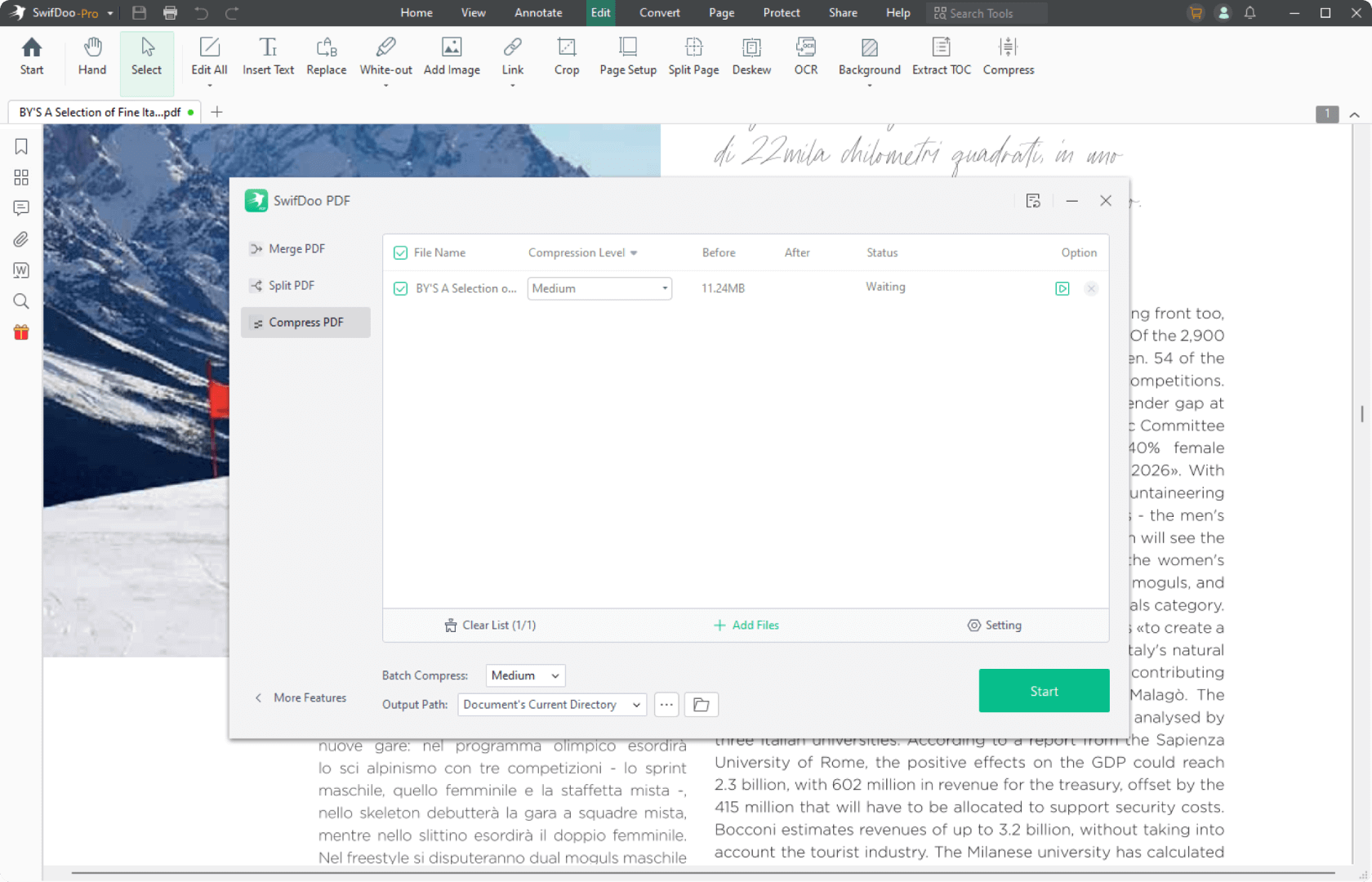
Safe PDF Compressor
Optimize the PDF file size quickly and easily without quality loss
- Three compression levels are available to reduce PDF file size: low,
medium, and high; - Batch-compress multiple PDF files to improve efficiency.
Try\
it free Explore PDF compressor>>
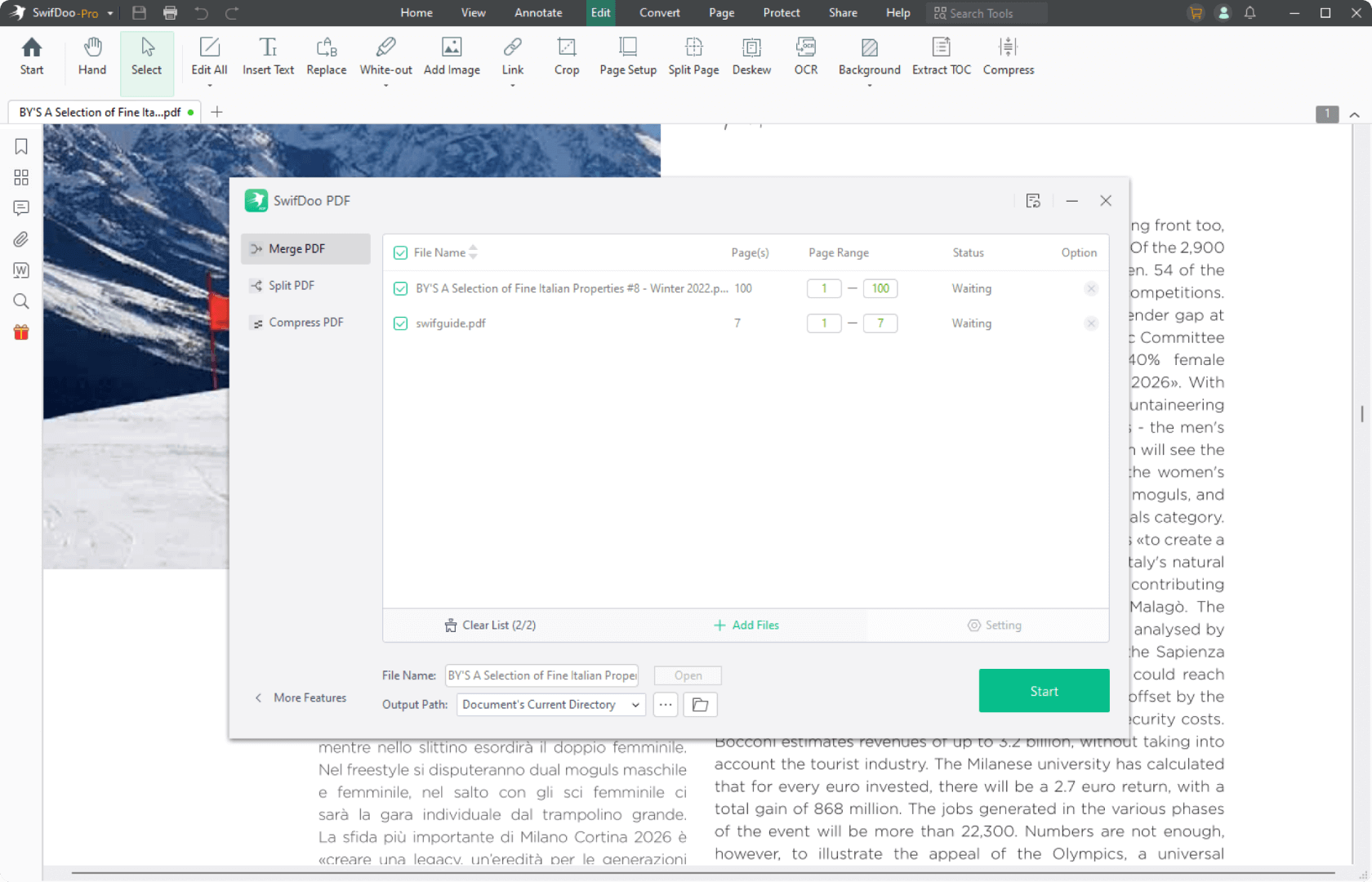
Useful PDF Merger
Merge and split a PDF to simplify document management
- Combine multiple PDFs into one to save space and easily archive digital
files. - Separate PDF documents into individual pages or documents to make your
PDF smaller.
Try\
it free Explore PDF merger>>
Easy E-signature Maker
Shifting from wet signatures to electronic signatures ensures the validity
and productivity
- Create a legally-binding e-signature by handwriting,inputting text,
and adding images; - Add an e-signature to sign a PDF quickly.
Try\
it free Explore PDF signer>>
Efficient SwifDoo AI PDF Editor
- Automagically summarize lengthy PDF documents.
- Accurately translate PDF documents into another language.
- Chat with PDFs to let the generative AI explain the obscure text.
- Intelligently proofread and rewrite PDFs.
Try\
it free Explore SwifDoo AI >>
What Exactly Is SwifDoo PDF
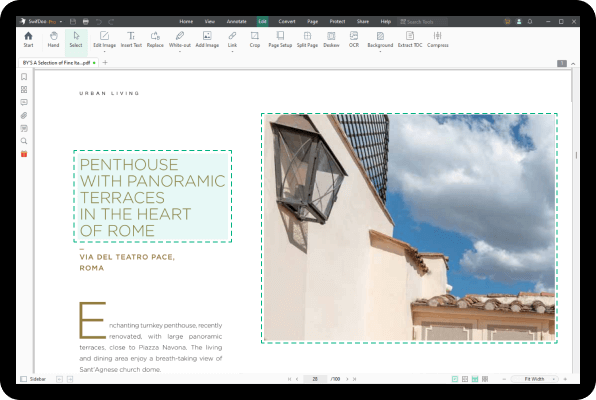
Edit a PDF as Easily as You Think
PDF editing is not an easy job until you get to know SwifDoo PDF. You can edit PDF
images and crop PDF pages. Not only can you add PDF text directly, but you can insert text boxes
wherever you need. And you can search for a word in a PDF and replace everything.
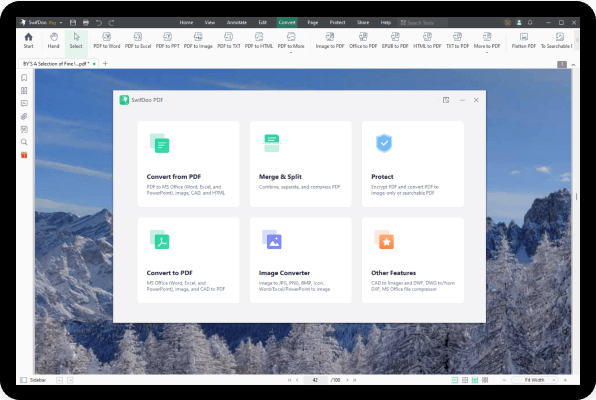
Convert Your PDFs with Original Formatting
SwifDoo PDF is a feature-rich PDF converter. You can make a PDF from a CAD drawing
(.dwg and .dxf), Microsoft Office file (.doc, .docx, .rtf, .xlsx, .pptx ), image (. png, .jpg,
.bmp, .tif) or vice versa. Additionally, it is able to create a new blank PDF from scratch or
scan paper files to digital PDF files.
No information lost and formatting changed.
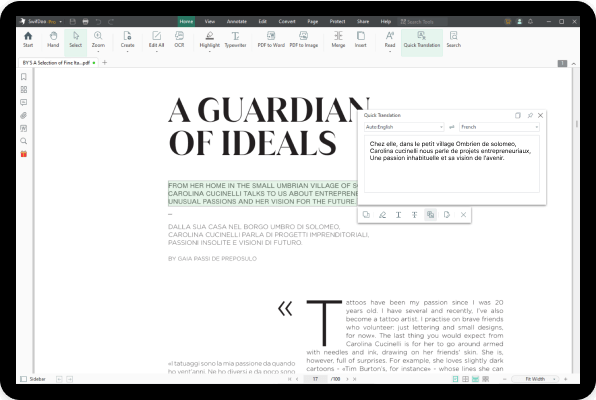
Tap to Translate a PDF or The Selected Text
PDF translation comes in handy when your recipients speak different languages. Now
you don’t need to spend time scouting for a PDF translator. SwifDoo PDF enables you to directly
translate the selected words or sentences with a single tap of your finger.
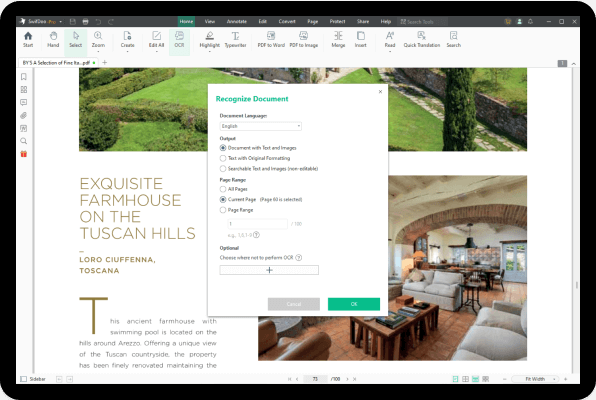
PDF to OCR Converter to Recognize Text Within
Ever wondered how to edit a scanned PDF? No worries,now you can rely on this PDF to
OCR converter to recognize text in a PDF. Moreover, this OCR engine can convert an image-only
PDF to a searchable PDF, so you can copy, paste, and search throughout the document.
Streamline PDF Processing Efficiently with AI
Tired of handling large volumes of PDFs? Analyze and summarize PDF content structurally in seconds with the AI-powered tool. It can extract insights from disorganized information and rewrite them naturally like a human. Translating and proofreading PDFs are also supported to improve your comprehension and file quality.
 Awards & Recognition
“
With its intuitive interface, robust feature set, and seamless integration with cloud storage services, SwifDoo PDF simplifies document workflows and enhances productivity.

“
SwifDoo PDF will speed up your work and project efficiency, simplifying the process of making changes to PDF documents, as well as converting them into commonly-used MS Office formats.

“
SwifDoo PDF is a comprehensive, all-in-one PDF tool that offers features that most users often require. This free software comes with a user-friendly interface where most of its main features layout and can be easily recognized and accessed on the main screen of the program.

“
SwifDoo PDF enables PDF management and integrates document annotation, allowing you to customize your files (edit them and/or add pictures), make note documents for other users/colleagues, highlight certain areas of the PDF, insert comments, or add document stamps.

“
SwifDoo PDF is the best PDF editor software that doesn’t just allow you to create PDFs, but also to convert, merge, compress, and sign PDF documents.

“
SwifDoo PDF editing tool is a one-stop solution for all your PDF reading and editing needs. It is super easy to use and comes with affordable pricing. We recommend this software highly as it is sure to meet all your PDF editing requirements.

“
The good news is that when you upload a high-quality PDF to SwifDoo, it quickly recognizes the text, and it’s easy to switch back to moving the elements on the PDF and editing the text.

“
SwifDoo PDF almost all of the fundamental capabilities you would ever need to deal with any PDF file. Whether opening PDF files or altering them to make PDF documents more informative and secure, overall performance is outstanding.

“
With its intuitive interface, robust feature set, and seamless integration with cloud storage services, SwifDoo PDF simplifies document workflows and enhances productivity.
“
SwifDoo PDF will speed up your work and project efficiency, simplifying the process of making changes to PDF documents, as well as converting them into commonly-used MS Office formats.
“
SwifDoo PDF is a comprehensive, all-in-one PDF tool that offers features that most users often require. This free software comes with a user-friendly interface where most of its main features layout and can be easily recognized and accessed on the main screen of the program.
“
SwifDoo PDF enables PDF management and integrates document annotation, allowing you to customize your files (edit them and/or add pictures), make note documents for other users/colleagues, highlight certain areas of the PDF, insert comments, or add document stamps.
“
SwifDoo PDF is the best PDF editor software that doesn’t just allow you to create PDFs, but also to convert, merge, compress, and sign PDF documents.
“
SwifDoo PDF editing tool is a one-stop solution for all your PDF reading and editing needs. It is super easy to use and comes with affordable pricing. We recommend this software highly as it is sure to meet all your PDF editing requirements.
“
The good news is that when you upload a high-quality PDF to SwifDoo, it quickly recognizes the text, and it’s easy to switch back to moving the elements on the PDF and editing the text.
“
SwifDoo PDF almost all of the fundamental capabilities you would ever need to deal with any PDF file. Whether opening PDF files or altering them to make PDF documents more informative and secure, overall performance is outstanding.
“
With its intuitive interface, robust feature set, and seamless integration with cloud storage services, SwifDoo PDF simplifies document workflows and enhances productivity.
“
SwifDoo PDF will speed up your work and project efficiency, simplifying the process of making changes to PDF documents, as well as converting them into commonly-used MS Office formats.
“
SwifDoo PDF is a comprehensive, all-in-one PDF tool that offers features that most users often require. This free software comes with a user-friendly interface where most of its main features layout and can be easily recognized and accessed on the main screen of the program.
“
SwifDoo PDF enables PDF management and integrates document annotation, allowing you to customize your files (edit them and/or add pictures), make note documents for other users/colleagues, highlight certain areas of the PDF, insert comments, or add document stamps.
“
SwifDoo PDF is the best PDF editor software that doesn’t just allow you to create PDFs, but also to convert, merge, compress, and sign PDF documents.
“
SwifDoo PDF editing tool is a one-stop solution for all your PDF reading and editing needs. It is super easy to use and comes with affordable pricing. We recommend this software highly as it is sure to meet all your PDF editing requirements.
“
The good news is that when you upload a high-quality PDF to SwifDoo, it quickly recognizes the text, and it’s easy to switch back to moving the elements on the PDF and editing the text.
“
SwifDoo PDF almost all of the fundamental capabilities you would ever need to deal with any PDF file. Whether opening PDF files or altering them to make PDF documents more informative and secure, overall performance is outstanding.
Work with PDFs Across All Devices
Easily switch between Windows, Mac, iOS, Android, and Web to work with PDFs on
the go. SwifDoo PDF keeps you productive wherever you are

Windows
Edit text and images, annotate PDFs, merge, split, convert, and compress files with full features on your Windows computer.

Mac
Quickly edit, view, annotate, encrypt, and organize PDF files on macOS to improve your PDF workflow.

Web
Easily convert PDFs to Word, Excel, HTML, DWG, images, and more—free and accessible from any device.

iOS
Read, convert, annotate, and manage PDFs anytime, and access your files on iPhone and iPad with ease.
 Scan to Download

Android
Handle PDFs on the go—read, annotate, convert, and organize on your Android phone or tablet.
 Scan to Download
Why SwifDoo PDF

Efficient & Useful
SwifDoo PDF’s intuitive design and useful editing tools are the solution to your time and work problems. It simplifies the process of making changes to PDF documents, and helps convert PDFs into commonly-used Microsoft Office formats.

Lightweight & Powerful
Compared with other PDF software, SwifDoo PDF only takes up 30 MB disk space, which enjoys a faster download speed.

Quick Response
Opening PDF files with SwifDoo PDF is quick as a flash. By incorporating a Microsoft Office-like interface, SwifDoo PDF wants you to feel at ease when processing PDF document. Hence, you are free of troubles caused by PDF-related tasks.

Secure & Reliable
Guarantee your PDF security with two-level password protection, differentiated permissions, and legally binding electronic signature. No more worries about information and data leak.

160+ Countries
Business & Home Users

Get SwifDoo PDF for Free
Editors’ Choice
Professional Media
Guides & Tips
-
Blog
-
News
-
ChatGPT
-
Templates
-
Free-ebooks
-
The 5 Best CBR Readers for Various Devices\
\
December 1, 2025 -
Full Guide on How to Scan From Canon Printer to Computer\
\
November 28, 2025 -
Adobe Acrobat Keeps Crashing: Why and How to Fix [2025 New]\
\
November 26, 2025 -
The 5 Best Gemini Alternatives You Should Try\
\
November 25, 2025 -
7 Best Free Manga Reading Sites of 2025\
\
November 25, 2025 -
Full Guide on How to Print Speaker Notes in Google Slides\
\
November 19, 2025 -
TurboLearn AI Review: Features, Pricing, & a Top Alternative\
\
November 13, 2025 -
4 Best AI Tools to OCR PDF to Make Text Searchable\
\
November 3, 2025 -
Top 6 TurboLearn AI Alternatives Worth Trying in 2025\
\
October 28, 2025 -
60+ Heartfelt Thank You Messages for Support\
\
November 25, 2025 -
The 80 Best Thank You Messages for Friends and Family\
\
November 18, 2025 -
50 Thanksgiving Quotes for Appreciation or Gratitude 2025\
\
November 18, 2025 -
Book Review for Twisted Games by Ana Huang\
\
January 22, 2024 -
Book Review for Haunting Adeline by H. D. Carlton\
\
January 16, 2024 -
Book Review for A Touch of Darkness by Scarlett St. Clair\
\
January 15, 2024
Learn More About SwifDoo PDF

SwifDoo PDF
Edit PDFs is as easy as text files. Get more jobs done in less time!
 \
\
Download on the App Store  \
\
Get it on Google Play
 \
Free Download \
Free Download Upgrade to Pro
 4.810.2kratings

