

详细内容

Data science without code

Cleanup data with visual steps
Add charts and build reports
Use AI to web search and enrich every row in your list
\* no credit card needed to get started
Checking your Browser…
Verifying...
Stuck here? Send Feedback
Success!
Error
Having trouble? Send Feedback
Expired. Refresh
Timed out. Refresh
Thank you! Your submission has been received!
Oops! Something went wrong while submitting the form.
Analyze Excel and CSV with no code
Intuitive step-by-step interface. Apply prebuilt visual transformations for operations of any complexity.

How it works

1
Open files of any size
No need to upload large files to the Cloud, no ZIPs, no timeless loaders. Just download Tomat app and start exploring with point-and-click UI.

2
Add visual steps
Filter, sort or group rows with intuitive drag-and-drop steps and get instant result previews.

3
Build any complex logic
Merge or stack tables, create pivots, or branch your workflowsto to create segments. No technical skills needed.
4
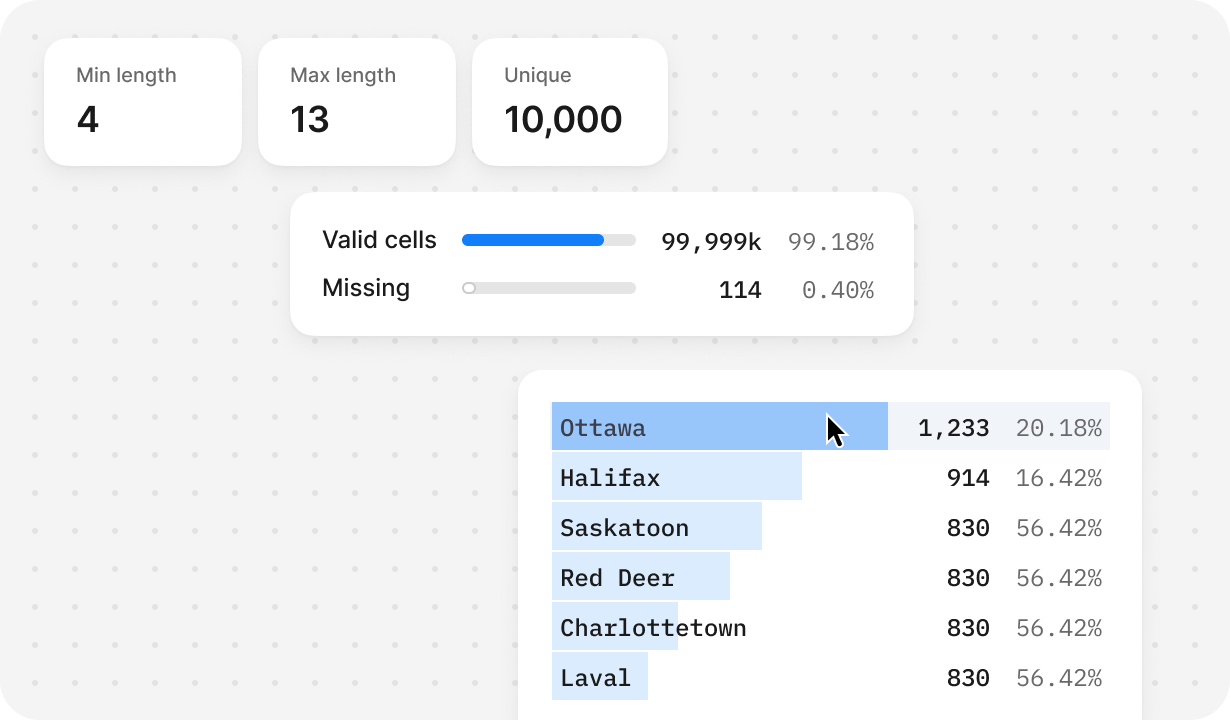
Get quick insights
Get instant info on data quality, unique values, distribution, and key statistics.

5
Create instant reports
Add charts directly to your workflows, or build reports and export them as PDF.
Bulk web research, enrichment and cleanup with AI
Enter your prompt once, apply it to every row in your table or list, and get results in seconds.


Perfect your prompt
Try prompts on a few rows, then apply to all data

Build prompt chains
Create prompt chains for complex, multi-step tasks

Run at scale
Run AI over datasets of any size, from 1 to 1M rows.
"I used to deal with messy CSVs from 10x
different sources and spent days continuously cleaning them up in Excel. With Tomat, I was
able to automate the process, ultimately
saving me nearly 30 hours per month."
Join thousands of Tomat users worldwide
\* no credit card needed to get started
Checking your Browser…
Verifying...
Stuck here? Send Feedback
Success!
Error
Having trouble? Send Feedback
Expired. Refresh
Timed out. Refresh
Thank you! Your submission has been received!
Oops! Something went wrong while submitting the form.
FAQ
How to use AI?

Download and install Tomat.ai. Create a new workflow, then add a “Source” node to load any CSV or Excel file. Next, add the “Use AI” node and enter your prompt to ask AI enrich, extract or clean your data. The AI processes each row one at a time and only sees the columns you mentioned in the prompt, it can’t access other columns or use multi-row logic. To research the web, enable the Web Search option in the AI node. Learn more >>
How to buy AI credits?
To purchase additional credits after the trial period, select the Solo plan and customize it to add more AI credits. Go to the Account page in the Tomat app, select the Solo plan, and choose the number of AI credits you need (starting from 500,000 credits for just $5). The more credits you purchase, the lower the cost per credit.
How many AI credits do I need?
You start with 30,000 trial credits. To continue using credits after that, purchase a Solo plan and add additional AI credits as needed. Each AI credit equals 1 token, approximately 3-4 English characters.
Credit usage depends on the number of rows in your datasets, data sent to the AI, and response length.For typical tasks like verification, summarization, or sentiment analysis on 10-15 datasets with around 1,000 rows each, 500,000–1,000,000 credits is usually sufficient. Simpler tasks like extraction or calculations often require 100,000–200,000 credits.
Web search uses additional tokens and cost depends on selected model and search depth.
Can Tomat work with other file formats besides CSV and Excel?
In Tomat we also support PostgreSQL and Snowflake connectors. Contact us to gain access to over 450 additional data sources.
What skills are needed to start working with Tomat?
If you know Excel - it’s enough, no special technical knowledge required. Join our community if you have any questions
What operating systems do you support?
Tomat.ai is compatible with Windows and macOS.
Is Tomat safe and secure to use?
Yes, Tomat is designed to keep your data safe and private. The software works entirely on your local machine, and your files never leave your laptop. You maintain full control and ownership of your sensitive data.
Security and AI
We use official OpenAI API and send them only data that you have ask to improve or enrich. We never send your private data in the cloud without your permission.