

详细内容
Now available for photobooths!
UnlimitedBG
Remove image backgrounds for free
- No Email Signup
- No Credit Card
- Unlimited Image Size
- Unlimited Free Downloads
- Free Batch Mode
- No Watermarks
- No Email Signup
- No Credit Card
- Unlimited Image Size
- Unlimited Free Downloads
- Free Batch Mode
- No Watermarks
Select Image
OR drop a file
OR paste an image link
Your images are private


What is UnlimitedBG?
UnlimitedBG is an AI-powered tool that automatically removes image backgrounds in seconds with professional-quality results. The tool is completely free to use, and there are no restrictions on file size or the number of downloads. UnlimitedBG does not add watermarks or logos to your images and you don't need to provide your e-mail address or any personal information.
Its free editing and batch removal features makes it ideal for commercial as well as personal use.
With batch processing, it is suitable for individuals and e-commerce businesses wanting to remove backgrounds quickly and efficiently.
Is UnlimitedBG free to use?
Yes, UnlimitedBG is completely free to use for personal and commercial use. You can enjoy unlimited high-resolution image downloads without any cost. Additionally, if you have a large number of images to process, you can take advantage of UnlimitedBG's free batch removal feature. This allows you to upload and process multiple images at once, saving you time and effort. So, if you need to remove backgrounds from your images without spending any money, UnlimitedBG is an excellent option.
What image types are supported?
UnlimitedBG supports the image types PNG, JPG, JPEG, GIF, WEBP, BMP, ICO, TIFF, and AVIF. UnlimitedBG works best with images featuring a clearly defined foreground subject, such as a person, animal, product, or car.
How can I use UnlimitedBG for batch processing multiple images for background removal?
UnlimitedBG will batch process multiple images for background removal automatically. Click the "Select Image" button and select multiple image files in the file browser dialog. Or, drag and drop multiple images into the download box.
UnlimitedBG allows you to batch process an unlimited number of images for free, making it an excellent tool for commercial and bulk processing purposes. The processed images can be downloaded at their original high resolution without restrictions. This feature is completely free, and there are no limits on the number of images you can process at a time.
What is the maximum image resolution / file size?
UnlimitedBG has no maximum output resolution or file size making it ideal for large format projects. The only limitations on image size are the limits of your web browser.
Are my images private?
Yes. Your images are processed locally in your browser window. UnlimitedBG does not receive or store your images, and we do not use your images to train our AI models.
You can review the UnlimitedBG privacy policy for more information about the information we collect and use.
How does UnlimitedBG compare with other AI background removal programs?
Comparison of Top AI Background Removers
| UnlimitedBG | Remove.bg | Adobe Express | Fotor | Photoroom | Erase.bg | Removal.ai | |
|---|---|---|---|---|---|---|---|
| Free full resolution downloads | Yes | No | Yes | No | No | Yes | No |
| Maximum resolution for free unlimited downloads | Unlimited | 0.25MP | Signup required | Sign-up required | 4MP adds logo | 25MP | 0.64MP |
| Number of free full resolution downloads | Unlimited | 1 with sign-up | Unlimited with sign-up | 0 | 0 | Unlimited | 1 with sign-up |
| Sign-up required for features | No | Yes | Yes | Yes | Yes | Yes | Yes |
| Credit card required for features | No | Yes | Yes | Yes | Yes | Yes | Yes |
| Free full resolution batch removal | Yes | No | No | No | No | No | No |
| Edit background removal results in full resolution | Free | Paid | Paid | Paid | Paid | No | Paid |
Full resolution is defined as the same resolution as the source image, regardless of source image size. Updated July 2023
What does the Enhance Edges feature do?
The Enhance Edges feature improves the quality of the background removal around the edges of items. This feature is especially useful if the image includes hair, fur, grass, or other highly-detailed boundaries.
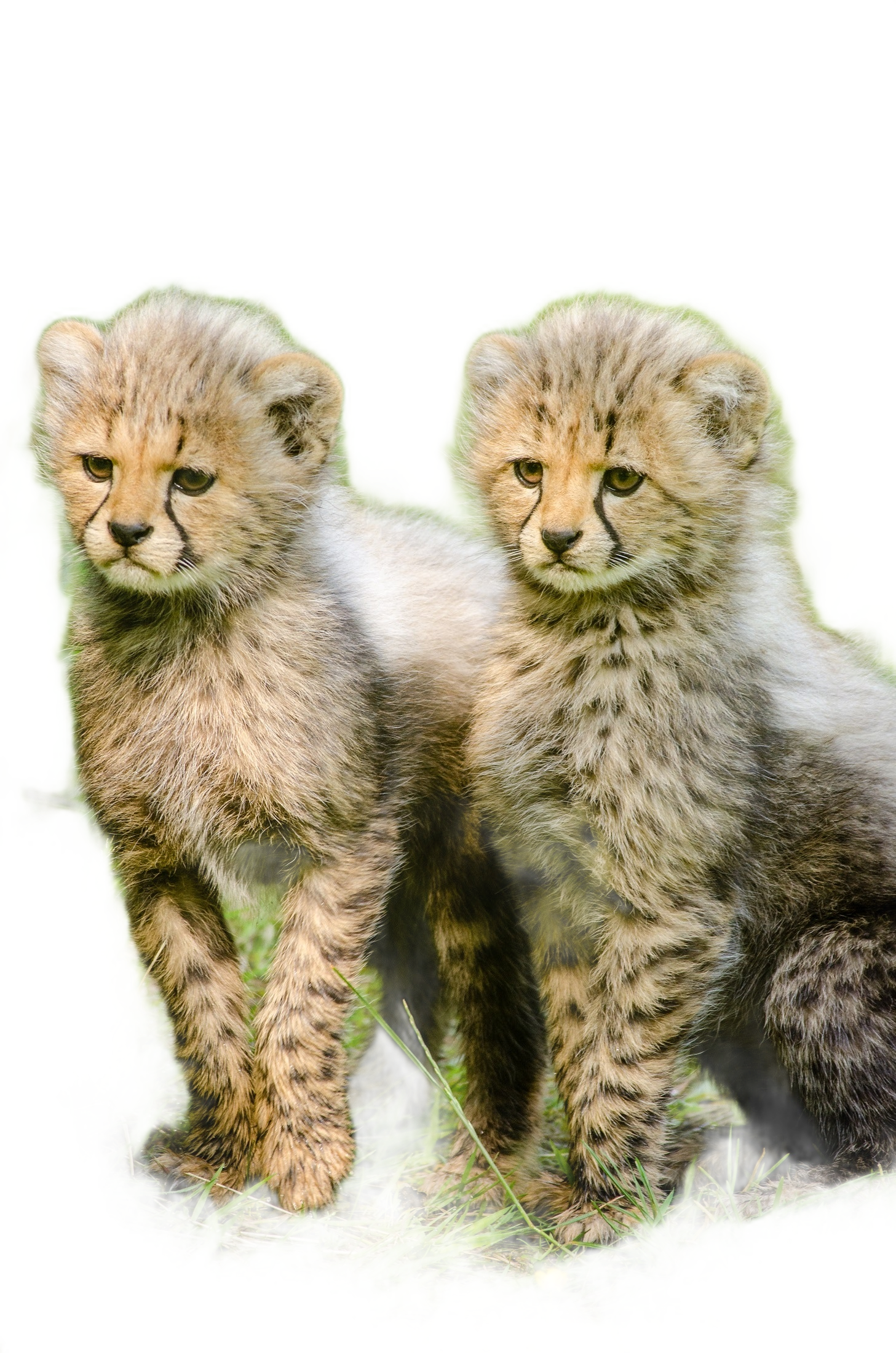 Before Enhance Edges
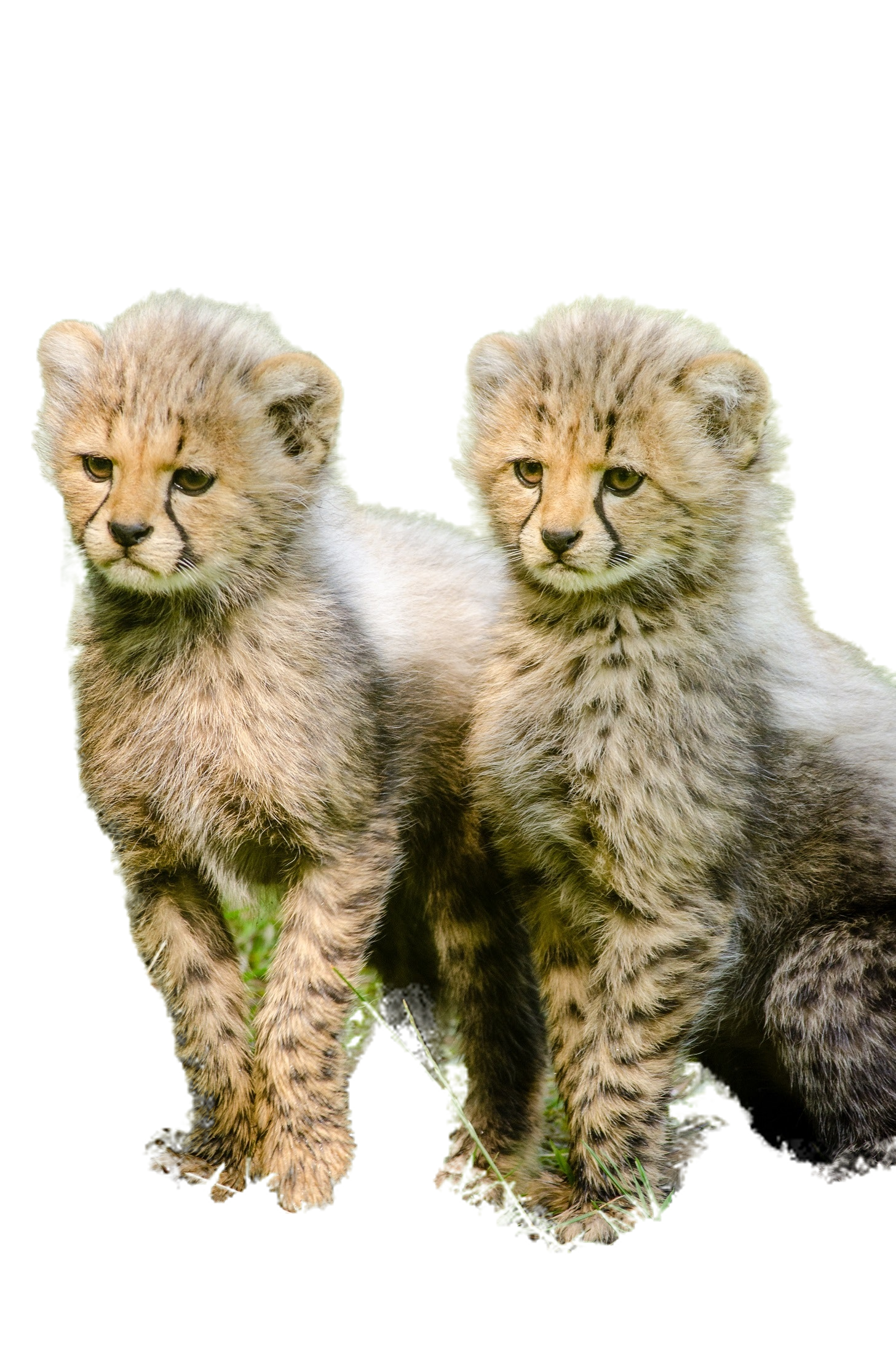 After Enhance Edges
Does UnlimitedBG have an editing feature?
Yes, UnlimitedBG offers an AI-powered editing feature that allows you to refine the background removal results. If you're not satisfied with the initial results, simply select the "edit" button and use the "Foreground" and "Background" buttons to make additional adjustments.
The Foreground button lets you draw on areas of the image that should be included in the final image.
The Background button lets you draw on areas of the image that should not be included in the final image.
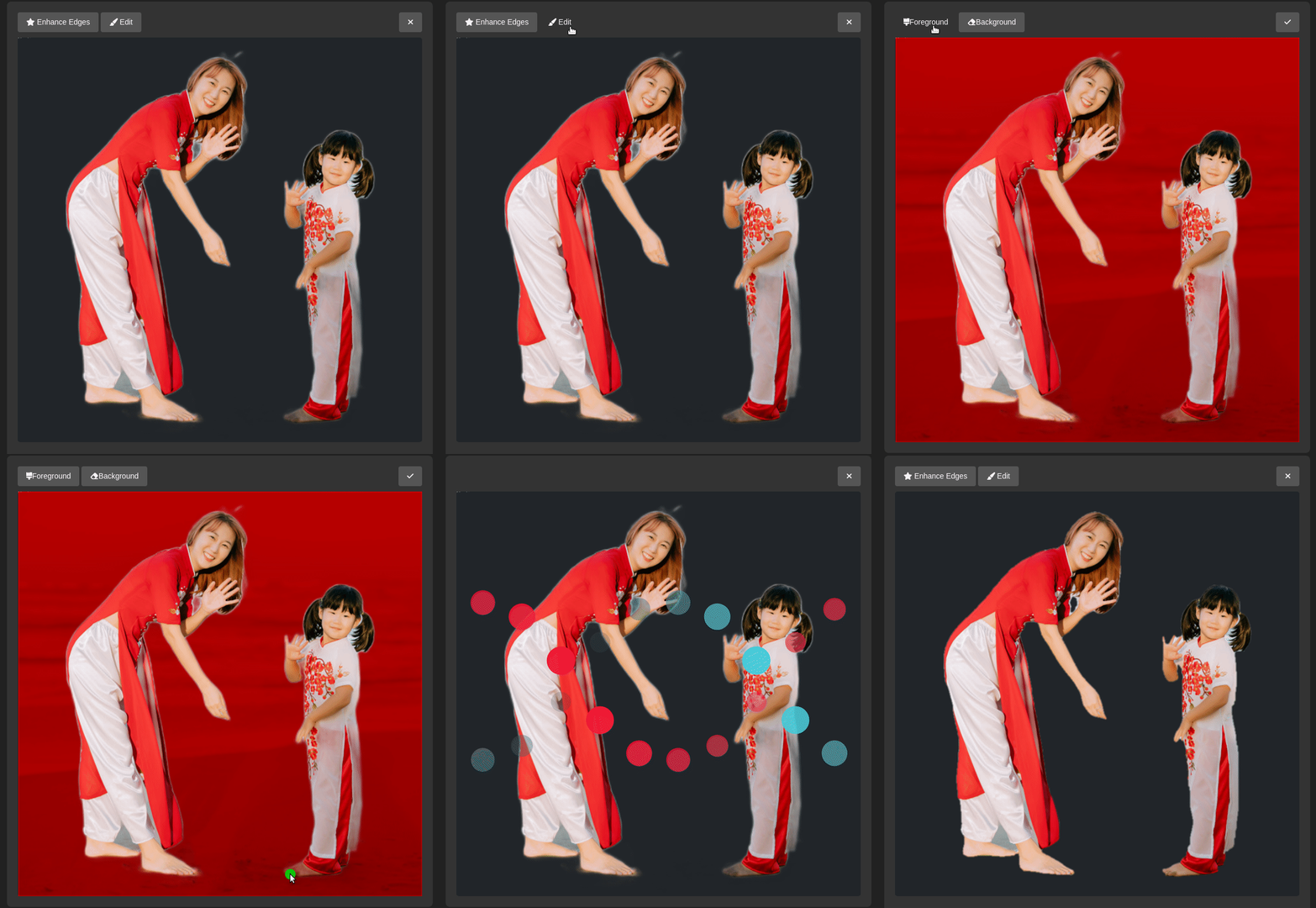
Your markings do not have to be precise or cover the entire area you want to include or include. Usually, a simple mark over an area is enough to include or excluse part of the image. This feature gives you greater control over the final product, ensuring that your image looks exactly the way you want it to.
How can I make a background transparent with UnlimitedBG?
UnlimitedBG offers a simple and automated way to make transparent backgrounds for your images. All you need to do is upload your image into the tool, and it will automatically cut out the background and provide you with a PNG file that supports transparency. This means that you can easily place your image onto any background of your choice, giving you the flexibility to customize your images as you see fit.
How can I use UnlimitedBG to erase backgrounds of high resolution images for free without losing quality?
UnlimitedBG is an excellent tool for removing backgrounds from high-resolution images while retaining the image quality. With no maximum output resolution or file size limitations, UnlimitedBG is ideal for large format projects that require high-resolution images. UnlimitedBG is designed to cater to a range of image resolutions and sizes, including Ultra HD 4k, 1080p, and other high-resolution images.
What's more, you can use UnlimitedBG for free and as many times as you like without signing up. This means you can remove backgrounds from as many high-resolution images as you want, without worrying about any additional costs or restrictions.
This website uses cookies to enhance the user experience.
I declineI understand