

详细内容

Products ▼
Upscalepics Integrate
Upscalepics Print
Background Remover
Image Compressor
Upscaler
Upgrade
Upload

Loading...
Products

Loading...\
\
Pricing Loading...\
\
Help Loading...\
\
Blog Loading...\
\
Editor Loading...\
\
Sign up / sign in
UpscaleUpscaleImages and enhance them with AI
Upload Image
Or
Drag & Drop | Paste Image
JPG or PNG or WebP upto 4000px x 4000px
No Image?
Try one of these :


Original Image

Upscalepics Enhanced
Increase resolution of image
with justOne clickOne click
UpscalePics uses state-of-the-art AI to upscale images and enhance the clarity automatically.
The Super Resolution AI uses machine learning to clarify, sharpen, and resize image without losing its content and defining characteristics.
Upload Image
The most customized UpscalerUpscaleryet
tailored for you

Upscale Upto 8X at one go
Upscalepics provides upto 8X AI based upscaling, you can just slide your way to high resolution!

Upscale Images upto 256 MP
Upscalepics can produce crystal clear images upto 256 MP. Even if the original image is less than 1MP!
Recurring upscales of same image are possible only with us.

Upscale to ANY Width & Height
Our unique AI allows you to specify a particular width or height of your choice and not just 2X/4X,
You can also adjust the aspect ratio by cropping before upscaling.
Upscale Images to 300 DPI for print
We have a specialised upscaler just for your printing needs. You can specify the DPI, color mode, physical dimensions, print from the editor directly and so much more!

Upscale Images in Bulk
Upscale Images in Bulk. You can upload multiple images to get and download the Upscaled version of the Images automatically.
You can customize a lot with upscalepics.
Upscale from ANYWHERE
With our unique browser extension Upscalepics integrate, you can upscale your images from other websites directly! No need to go through hassle of download and upload images
Use Cases
USE CASES
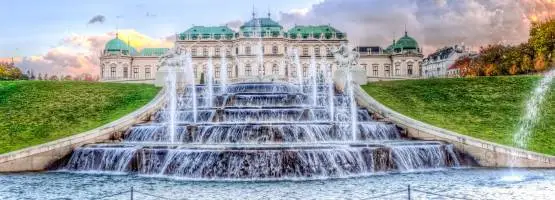
Digital Paintings
Upscale your digital artwork without losing detail or quality. Perfect for illustrators and artists looking to create high-resolution pieces for prints, portfolios, or online sharing.

E-commerce
Enhance product images with crystal-clear detail and increase sales by up to 30%. Perfect for online stores looking to captivate buyers with stunning, high-resolution visuals that drive conversions.
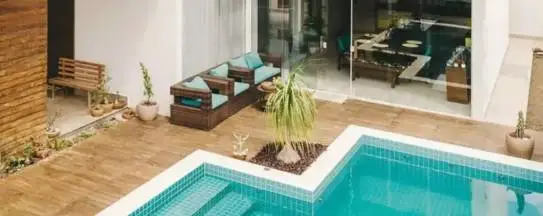
AI generated Art
Upscale your AI-generated artwork to high resolution without compromising on detail. Perfect for artists and creators looking to polish and present AI-driven creations for print, digital portfolios, or exhibitions.
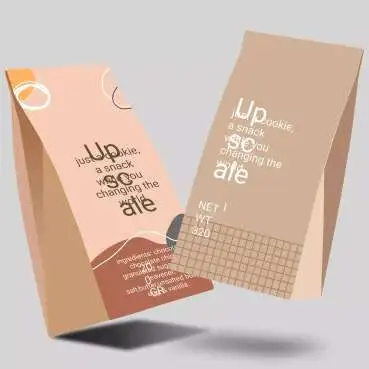
Graphic Design
Upscale your designs to high resolution, perfect for social media graphics, ads, and marketing campaigns. Ensure every visual is sharp and engaging, helping content creators and marketers stand out and drive results.
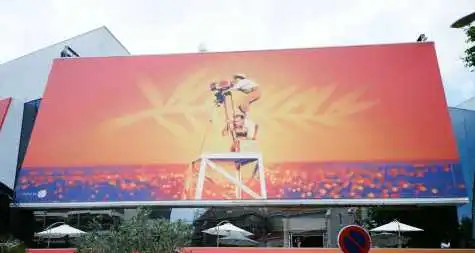
Upscale images to high resolution, ensuring sharp and vibrant prints every time. Ideal for photographers, designers, or businesses creating posters, brochures, or banners without losing quality.
Digital Painting
Increasing image resolution and adding details to Luxurious
art digital paintings for wallpaper automatically using AI
E-commerce
Upscale product images, remove background to boost e-commerce product sales.
Real Estate
Enhance colors and photo resolution creating the perfect real estate marketing image
Graphic Design
Enlarge pictures, assets, textures, photos, and all the
graphics in seconds
Enhance images for web design, print, product discovery and
recommendations.
Other products by us
Upscalepics Integrate
Upscale images from any website on the go with this browser extension. Just right click on the image you want to upscale and relax.
Upscalepics Print
Everything you need to print your images in good resolution. Set DPI, download in CMYK, upscale to fit your paper size, print directly from the website.
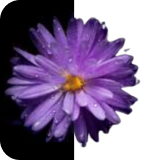
Background Remover
Remove, blur and decolorise background of your images with AI. Download HD upto 4000 x 4000 pixels.

Image Compressor
Compress Images to fit your memory requirements. Use this after AI based upscaling to furthur optimise your images.
Used By





Reviews
Kevin Twidle
The upscaling is amazing! I have some 1024x1024 AI generated images and have upscaled them to 4096x4096. When I look at them with Preview they look really good. I was wondering how to use the batch mode, I uploaded all my pictures and started on one, it did all of them. Very easy to use.
Jonathan Lo Piparo
Amazing website, great service at great price. Quick and easy. Upscaling pictures have never been so easy.
Mr White
Awesome. Upscale is perfection every time. Best I've used so far.
Frequently Asked Questions
How to use Upscalepics?
It is quite straightforward to use upscalepics:
The main page or the editor page consists of 3 main sections:
These are: Products section[section 1], Upload and settings section [section 2] and Image section[section 3]
Products section [section 1] is on the left, listing all Products
These includes Upscale, Print, compress, Lightning editor, Background remover e.t.c .
Select the product of your choice.
On the right is the Upload and settings section [section 2] area. You can upload your images here.
After uploading your images, they will be visible in the Image section[section 3] in the middle.
On the top of the image [in section 3], there are some geometric operations like crop, rotate e.t.c. Adjust your image as needed.
The settings parameters [in section 3] will change based on what product you have chosen.
You can use any service in any order on your image, provided you are within permissible limits and have credits for the same in your account.
Once you are done, you can download your image [or images by clicking on download all for premium users].
Alternatively you can also print your processed image or share them.
If you have any more doubts, feel free to reach out to us.
Read more
How are my images stored? Are they private?
Your privacy is our top priority.
We primarily store your images in our servers with secure encrypted HTTPs access.
Smaller images [not exceeding 4000 x 4000] are also stored in your local machine and nobody except you have access to them.
If you have any more doubts, feel free to read our Privacy policy section or reach out to us
Read more
How does the upscaler work? How can it increase the resolution of my images?
Our Upscaler is based on State of the art AI based Deep learning models.
It is trained on a huge amount of images comprising of high and low resolution counterparts.
After continously being trained on these images for thousands of hours, it forms an idea of what the high resolution version would be, given a low resolution image.
When it sees your low resolution image, it guesses and fills [to a reasonable accurary] the details in.
Please note that this is a highly sophisticated guesswork with a very good accuracy, but it is not 100 percent accurate.
As you read this, we are also constantly training and improving our AI models.
Your images are never used for any of our training purposes, as we take your privacy very seriously.
Read more
Does the upscaler give good results on every image?
No AI model, no matter how well it is trained will give 100 percent accurate results.
Upscalepics is prone to such vulnerability too.
For example, the images taken with your phone will not give much improvements in most cases. Since they are heavily processed by your phone beforehand.
Also, the images that have been heavily processed earlier will not improve well.
Best results are obtained for web based small images, small designs, artforms etc.
It is highly recommended to check out if your images works well or not before making a purchase.
A free trial is given for this purpose.
Read more
Can you describe the other products briefly?
Apart from upscaler we have Upscaleprint, Lighting editor, Background remover, Compress and Upscalepics Integrate.
Print: This product uses upscaler AI only but it is highly customised for printing,like CMYK mode, setting of DPI e.t.c.
Lighting editor: This product lets you adjust the lighting of your images manually as well as automatically with AI [coming soon].
Background remover: This product uses state of the art AI to remove and manipulate the background of your images.
Compress: This product compresses and resizes your images [without AI]. Primarily meant for manual adjustments and optimisations.
Upscalepics Integrate: This is a chrome, brave and edge extension to upscale your images from other websites on the go.
Please click the products dropdown in the menu bar to know more about each service.
Read more
Can you descrive the print product?
This product ensures a good quality print for your images using AI based upscaling
You can set the size of your print in physical size [cm/inch] or specify standard paper size and the AI upscaler makes sure it is printed in fine details
You can also set the DPI for printing in 300 or any custom DPI
Output in CMYK mode is available. This mode is suitable for printing.
Read more
Can you descrive the lighting editor?
This is an AI cum non-AI editor that lets you adjust the lighting of your images
Basic adjustments like highlights, brightness, contrast can be changed
There is also an AI based auto HDR [coming soon] that automatically adjusts the lightning of your images
What is the highest resolution of image that upscaler can create?
The upscaler can create images upto 256 megapixel resolution.
You can upscale your images as many times as you want provided you dont hit this limit.
Please note that since the upscaler is guessing the details, thr final output may be less realistic if you are upscaling the same image more than 1 times.
Read more
Why should I choose upscalepics over other upscalers?
We have the best upscaler available, providing all sorts of customizations.Ensuring you don't have to worry about low resolution images ever.
But Upscalepics is so much more than just an upscaler, we aim to provide a complete editing solution for you.
The amount of customisation and flexibility that you can get with upscalepics cannot be found with any other upscaler
We also proactively resolve any issues that you might face ni your upscaling journey.
Read more
How much does upscalepics cost?
Some features are given free of cost, for the premium features please refer to our pricing page to see the current prices.
I have some other question?
Please feel free to reach out to us. We will get back to you as soon as possible.
In the News


They have trained their AI image upscaler using hundreds of thousands of images. When it sees a low resolution image, it predicts the corresponding high resolution image with a very high accuracy...

The internet is abuzz about UpscalePics, with users reporting quick, easy-to-use experiences that produce beautiful results. Its ability to expand image size without significant quality loss has been a focal point of praise in online forums and discussions

Again, the main benefit of Upscaleics is the convenience. If you’ve got a few images to edit, then it’s quick and easy to use and will give you reasonable results.

It’s perfect for photographers, designers, and marketers who need to enlarge images without losing clarity...

The super-resolution uses machine learning to clarify, sharpen, and upscale the photo without losing its content and defining characteristics...

The tool has gained recognition for its ability to expand the size of images with minimal quality loss, making it one of the most effective and efficient image upscaling tools available.
They have trained their AI image upscaler using hundreds of thousands of images. When it sees a low resolution image, it predicts the corresponding high resolution image with a very high accuracy...
The internet is abuzz about UpscalePics, with users reporting quick, easy-to-use experiences that produce beautiful results. Its ability to expand image size without significant quality loss has been a focal point of praise in online forums and discussions
Again, the main benefit of Upscaleics is the convenience. If you’ve got a few images to edit, then it’s quick and easy to use and will give you reasonable results.
It’s perfect for photographers, designers, and marketers who need to enlarge images without losing clarity...
The super-resolution uses machine learning to clarify, sharpen, and upscale the photo without losing its content and defining characteristics...
The tool has gained recognition for its ability to expand the size of images with minimal quality loss, making it one of the most effective and efficient image upscaling tools available.

Upscalepics



Quick Links
Pricing
Editor
Help
Join us
Products
Upscaler
Compressor
Background Remover
Lightning Editor
Reach Us


Banglore, India.
Made with ♥ In India | 2024 All rights Reserved
Refund Policy |
Terms and conditions |
Privacy policy